
ATTACK SHARK L80
ATTACK SHARK L80 Wireless Gaming Headset User Manual
Model: L80
1. Introduction
Thank you for choosing the ATTACK SHARK L80 Wireless Gaming Headset. This manual provides detailed instructions for setting up, operating, and maintaining your headset to ensure optimal performance and longevity. Please read this manual thoroughly before using the product.
2. Package Contents
Carefully unpack your ATTACK SHARK L80 headset and verify that all items listed below are included:
- ATTACK SHARK L80 Wireless Gaming Headset
- Detachable Microphone
- USB Charging Cable
- 3.5mm Audio Cable
- USB & Type-C 2.4GHz Wireless Receiver
- User Manual (this document)

Image: All components included in the ATTACK SHARK L80 headset package.
Video: An unboxing demonstration of the ATTACK SHARK L80 Wireless Gaming Headset, showing all included accessories.
3. Product Overview
The ATTACK SHARK L80 is a versatile gaming headset designed for comfort and high-fidelity audio across multiple platforms.
3.1 Design and Comfort
The headset features a lightweight design, weighing approximately 184 grams, ensuring comfort during extended gaming sessions. The earcups are made with skin-friendly fabric and artificial leather, providing a soft and breathable fit. The headband is adjustable to accommodate various head sizes.
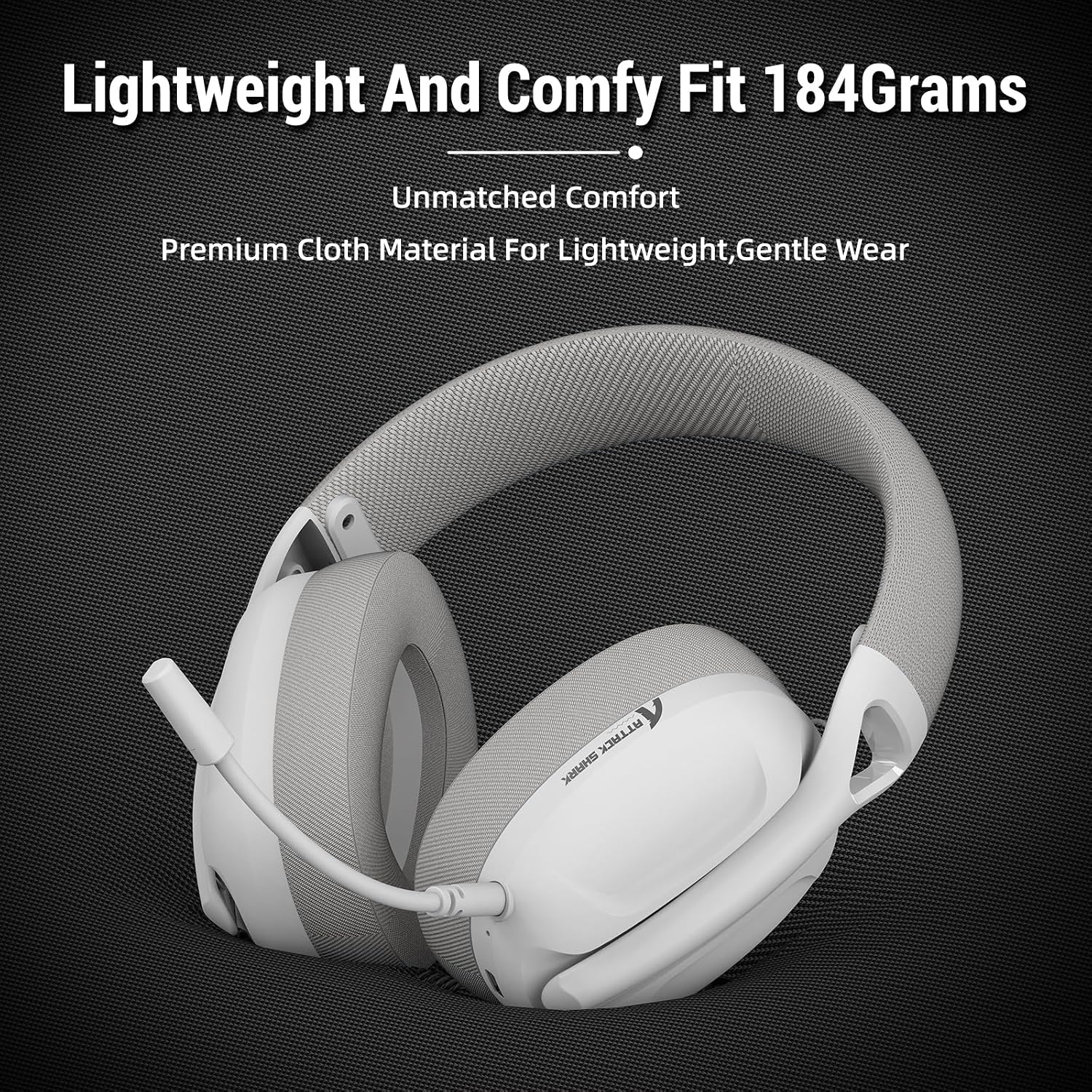
Image: The ATTACK SHARK L80 headset emphasizing its lightweight construction and comfortable ear cushions.
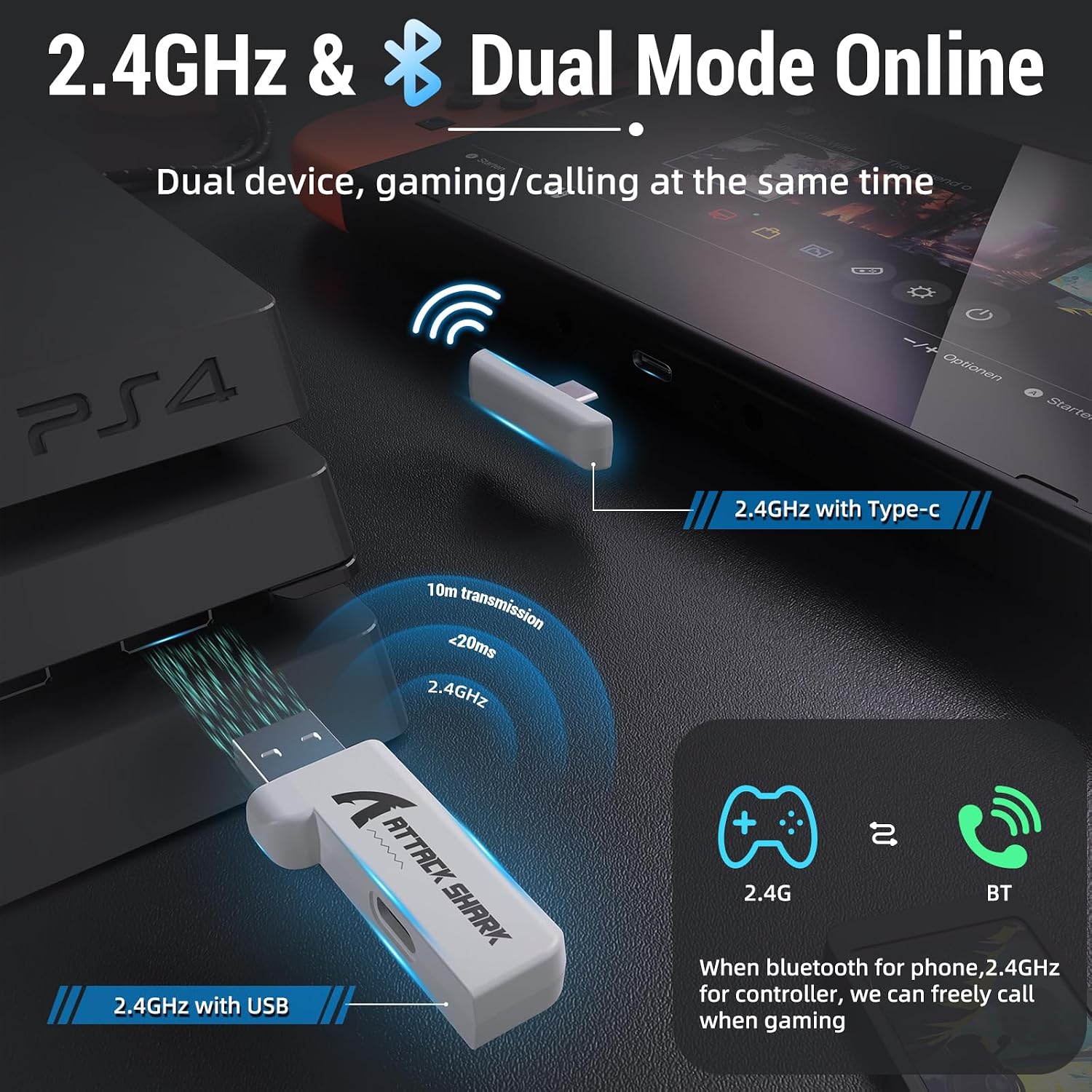
Image: The ATTACK SHARK L80 headset demonstrating its adjustable headband for a customized fit.
3.2 Audio and Microphone
Equipped with 40mm dynamic audio drivers, the L80 delivers balanced, high-fidelity sound with a frequency range of 20Hz to 20,000Hz. The headset includes a detachable, omni-directional microphone with noise-reduction capabilities, ensuring clear communication with teammates.

Image: An internal view highlighting the powerful 40mm audio drivers of the headset.

Image: The headset featuring its detachable and adjustable noise-cancelling microphone.
3.3 Battery Life
The L80 headset offers up to 50 hours of playtime at 50% volume on a full charge, which takes approximately 3 hours. A 3.5mm AUX cable is provided for wired use, allowing continued operation even if the battery is depleted.

Image: Visual representation of the headset's long-lasting battery life and charging indicators.
4. Setup
The ATTACK SHARK L80 headset supports three connection modes: 2.4GHz wireless, Bluetooth 5.2, and 3.5mm wired.
4.1 2.4GHz Wireless Connection
This mode provides low-latency, reliable wireless connectivity ideal for gaming. It is compatible with PCs, PS4, PS5, and Nintendo Switch (via USB-C adapter).
- Insert the USB or Type-C 2.4GHz receiver into an available USB port on your device (PC, PS4, PS5, or Nintendo Switch dock).
- Power on the headset by pressing and holding the Power button for 3 seconds.
- The headset will automatically connect to the receiver. The indicator light will show a stable connection.
4.2 Bluetooth 5.2 Connection
Bluetooth mode is suitable for mobile devices, tablets, and other Bluetooth-enabled systems.
- Ensure the headset is powered on.
- Triple-press the Power button to switch to Bluetooth mode. The indicator light will flash, indicating pairing mode.
- On your device, go to Bluetooth settings and select "ATTACK SHARK L80" from the list of available devices to pair.
- Once connected, the indicator light will become stable.
4.3 3.5mm Wired Connection
For universal compatibility or when battery is low, use the 3.5mm audio cable.
- Connect one end of the 3.5mm audio cable to the headset's 3.5mm jack.
- Connect the other end to the 3.5mm audio output of your device (PC, console controller, mobile phone, etc.).
- Note: Volume cannot be adjusted via the headset buttons in wired mode; adjust volume directly on your connected device.

Image: The headset demonstrating its compatibility with multiple gaming platforms and devices.
5. Operating Instructions
Familiarize yourself with the controls located on the headset for easy operation.
5.1 Headset Controls
- Power ON/OFF: Press and hold the Power button for 3 seconds.
- Answer/End Call (Phone Priority)/Play/Pause: Short press the Power button.
- Bluetooth/2.4G Mode Switching: Triple-press the Power button.
- Volume Up: Short press the Volume+ button.
- Previous Song: Long press the Volume+ button.
- Volume Down: Short press the Volume- button.
- Next Song: Long press the Volume- button.
- Microphone ON/OFF: Short press the Microphone button.

Image: A detailed view of the headset's on-ear control buttons and their functions.
6. Maintenance
To ensure the longevity and optimal performance of your ATTACK SHARK L80 headset, follow these maintenance guidelines:
- Cleaning: Use a soft, dry cloth to clean the headset. Avoid using abrasive cleaners or solvents.
- Storage: Store the headset in a cool, dry place away from direct sunlight and extreme temperatures.
- Cable Care: Avoid sharp bends or kinks in the cables. Disconnect cables by pulling the plug, not the cord.
- Microphone: When not in use, detach the microphone to prevent damage.
- Battery: For long-term storage, charge the battery to about 50% every few months to prevent deep discharge.
7. Troubleshooting
If you encounter issues with your headset, refer to the following common problems and solutions:
| Problem | Possible Cause | Solution |
|---|---|---|
| No sound from headset | Headset not powered on; Incorrect connection mode; Volume too low; Device audio output not set to headset. | Ensure headset is powered on. Switch to correct mode (2.4G/BT). Increase headset and device volume. Check device's audio output settings. |
| Microphone not working | Microphone muted; Microphone not properly inserted; Device microphone input not set to headset. | Unmute microphone using the headset button. Ensure microphone is fully inserted. Check device's microphone input settings. |
| Cannot connect via 2.4GHz | Receiver not properly inserted; Headset not in 2.4GHz mode; Interference. | Ensure receiver is fully inserted. Triple-press Power button to switch to 2.4GHz mode. Move closer to the receiver or away from other wireless devices. |
| Cannot connect via Bluetooth | Headset not in pairing mode; Device Bluetooth off; Already connected to another device. | Triple-press Power button to enter Bluetooth pairing mode. Ensure device Bluetooth is on. Disconnect from other devices. |
| Short battery life | Battery not fully charged; High volume usage. | Ensure headset is fully charged (approx. 3 hours). Reduce volume to extend battery life. |
8. Specifications
| Feature | Specification |
|---|---|
| Model Name | L80 Headset |
| Connectivity Technology | Wireless (2.4GHz, Bluetooth 5.2), Wired (3.5mm) |
| Audio Driver Size | 40 Millimeters |
| Frequency Range | 20Hz - 20,000Hz |
| Impedance | 30 Ohm |
| Battery Life | Up to 50 Hours |
| Charging Time | Approx. 3 Hours |
| Microphone | Detachable Omni-directional, Noise-reduction |
| Weight | 12 ounces (approx. 340g) |
| Product Dimensions | 7.09 x 4.13 x 8.66 inches |
| Compatible Devices | PCs, PS5, PS4, Nintendo Switch, Tablets, Phones |
9. Warranty and Support
For warranty information and customer support, please refer to the warranty card included in your product packaging or visit the official ATTACK SHARK website. Keep your purchase receipt as proof of purchase for any warranty claims.
If you require further assistance or have questions not covered in this manual, please contact ATTACK SHARK customer service.
Related documentsL80


Ask a question about this manual
Ask about setup, troubleshooting, compatibility, parts, safety, or missing instructions. Manuals+ will review the question and use this page’s manual context to help answer it.