
Introduction
This manual provides essential information for the setup, operation, and maintenance of your ATYME 32-inch 720p HD LED Smart TV. This television is powered by the Samsung Tizen OS, offering a smart and intuitive viewing experience with access to various streaming services and apps.
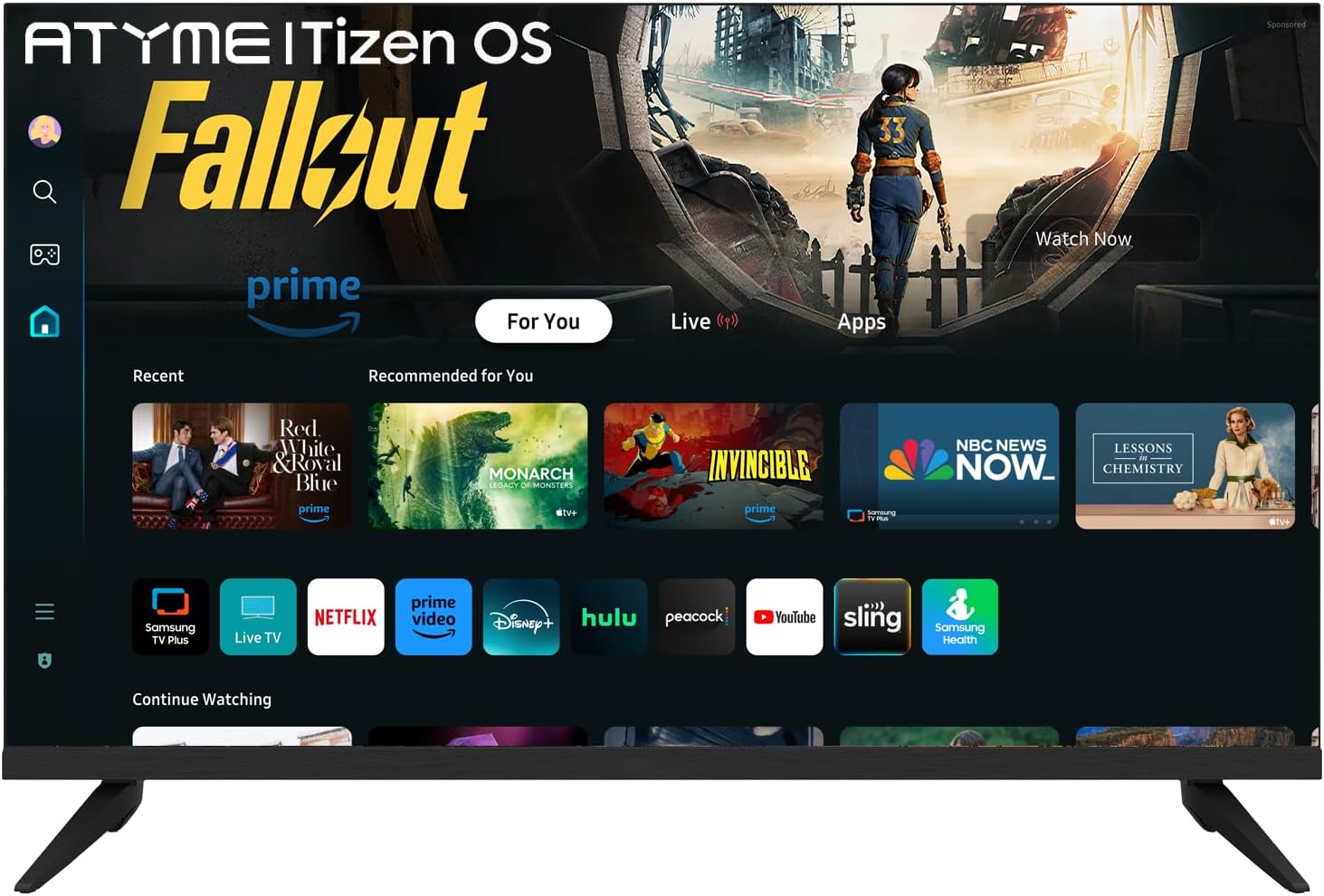
The ATYME 32-inch Smart TV showcasing its Tizen OS interface, providing access to popular streaming applications.
What's in the Box
Verify that all components are present before proceeding with the setup:
- ATYME 32-inch 720p HD LED Smart TV
- Remote Control (2 AAA batteries included)
- Power Cable
- TV Stands (if not wall-mounting)
- Instruction Manual (this document)
Setup
Follow these steps for initial setup of your television:
- Unpacking and Placement: Carefully remove the TV from its packaging. Choose a stable location for the TV, either on a flat surface using the provided stands or mounted on a wall.

The television can be placed on a stand or wall-mounted according to user preference.
- Connecting Power: Connect the power cable to the TV and then to a power outlet.
- Initial Setup Wizard: Upon first power-on, the TV will display a Setup Wizard. Follow the on-screen instructions to configure basic settings such as language, network connection, and channel scanning.

The initial setup wizard guides you through the TV's first-time configuration.
- Samsung Account Activation: A Samsung account is required for full functionality of the Tizen OS. You will be prompted to sign in or create an account during the setup process. If you do not have one, please register from the Samsung official website.

Sign in or create a Samsung account to access smart features.
Operating Instructions
Your ATYME Smart TV, powered by Tizen OS, offers a user-friendly interface for accessing content.
Remote Control
The included remote control provides dedicated buttons for quick access to popular streaming services and TV functions.

The remote control features dedicated buttons for instant access to streaming platforms.
- Home Button: Press the Home button to access the Smart Hub, which displays your installed apps, recommended content, and navigation options.
- Dedicated App Buttons: Instantly launch Netflix, Amazon Prime, and Disney+ with their respective dedicated buttons.
- Volume and Channel: Use the VOL +/- and CH +/- buttons to adjust volume and change channels.
Smart TV Features (Tizen OS)
The Tizen OS provides a seamless smart TV experience:
- Smart Hub: The central interface for all your content. Easily navigate between live TV, streaming apps, and connected devices.
- Samsung App Store: Download additional applications from the Samsung App Store to expand your entertainment options.
- Samsung TV Plus: Access a wide range of free live TV channels across various genres without any subscription fees.
- Content Discovery: The TV offers suggestions for content based on your viewing habits and provides a "Continue Watching" section for easy resumption of shows.

The Tizen OS Home page provides quick access to apps and content.
Connectivity
The ATYME Smart TV offers multiple ports for connecting external devices:
- HDMI Ports (x3): Connect high-definition devices such as Blu-ray players, gaming consoles, and set-top boxes. One HDMI port supports ARC (Audio Return Channel) for simplified audio connections to compatible sound systems.
- USB Port (x1): Connect USB storage devices to view photos, play music, or watch videos directly on your TV.
- VGA Port (x1): Connect older computers or laptops for use as a monitor.

Rear view of the TV highlighting the available connectivity ports.

Connect your favorite devices using the HDMI and USB ports.
Maintenance
To ensure the longevity and optimal performance of your TV, follow these maintenance guidelines:
- Cleaning the Screen: Use a soft, lint-free cloth specifically designed for electronics. Do not spray cleaning solutions directly onto the screen.
- Cleaning the Body: Wipe the TV's exterior with a soft, dry cloth. Avoid using abrasive cleaners or solvents.
- Ventilation: Ensure the TV's ventilation openings are not blocked to prevent overheating.
- Power Off: Unplug the TV from the power outlet during lightning storms or when it will be left unattended for extended periods.
Troubleshooting
If you encounter issues with your TV, refer to the following common solutions:
| Problem | Possible Solution |
|---|---|
| No Power | Check if the power cable is securely connected to both the TV and the power outlet. Ensure the outlet is functional. |
| No Picture/Sound | Verify that the correct input source is selected. Check all cable connections (HDMI, AV, etc.) for looseness. |
| Remote Control Not Working | Replace the batteries in the remote control. Ensure there are no obstructions between the remote and the TV's sensor. |
| Smart Features Not Responding | Check your internet connection. Restart the TV by unplugging it for a few minutes and then plugging it back in. Ensure your Samsung account is properly logged in. |
For further assistance, please contact ATYME customer support.
Specifications
| Feature | Detail |
|---|---|
| Brand Name | ATYME |
| Model Number | AMGM5HD-Parent |
| Screen Size | 32 Inches (82 cm diagonal) |
| Display Technology | LED |
| Resolution | 720p (HD) |
| Refresh Rate | 60 Hz |
| Operating System | Samsung Tizen OS |
| Product Dimensions (DxWxH) | 5.2"D x 28.11"W x 18.51"H |
| Item Weight | 10.53 pounds |
| Connectivity | 3x HDMI (1x ARC), 1x USB, 1x VGA |
| Special Features | Flat Screen, High-Dynamic Range (HDR10) |
Warranty and Support
For warranty information and technical support, please refer to the documentation included with your purchase or visit the official ATYME website. If you encounter any problems with the Setup Wizard process, online or telephone technical support is available.