
1. Introduction
Thank you for purchasing the Allsmartlife Flush Mount Ceiling Fan with Lights, Model 1172X. This manual provides essential information for the safe installation, operation, and maintenance of your new ceiling fan. Please read these instructions thoroughly before installation and retain them for future reference.
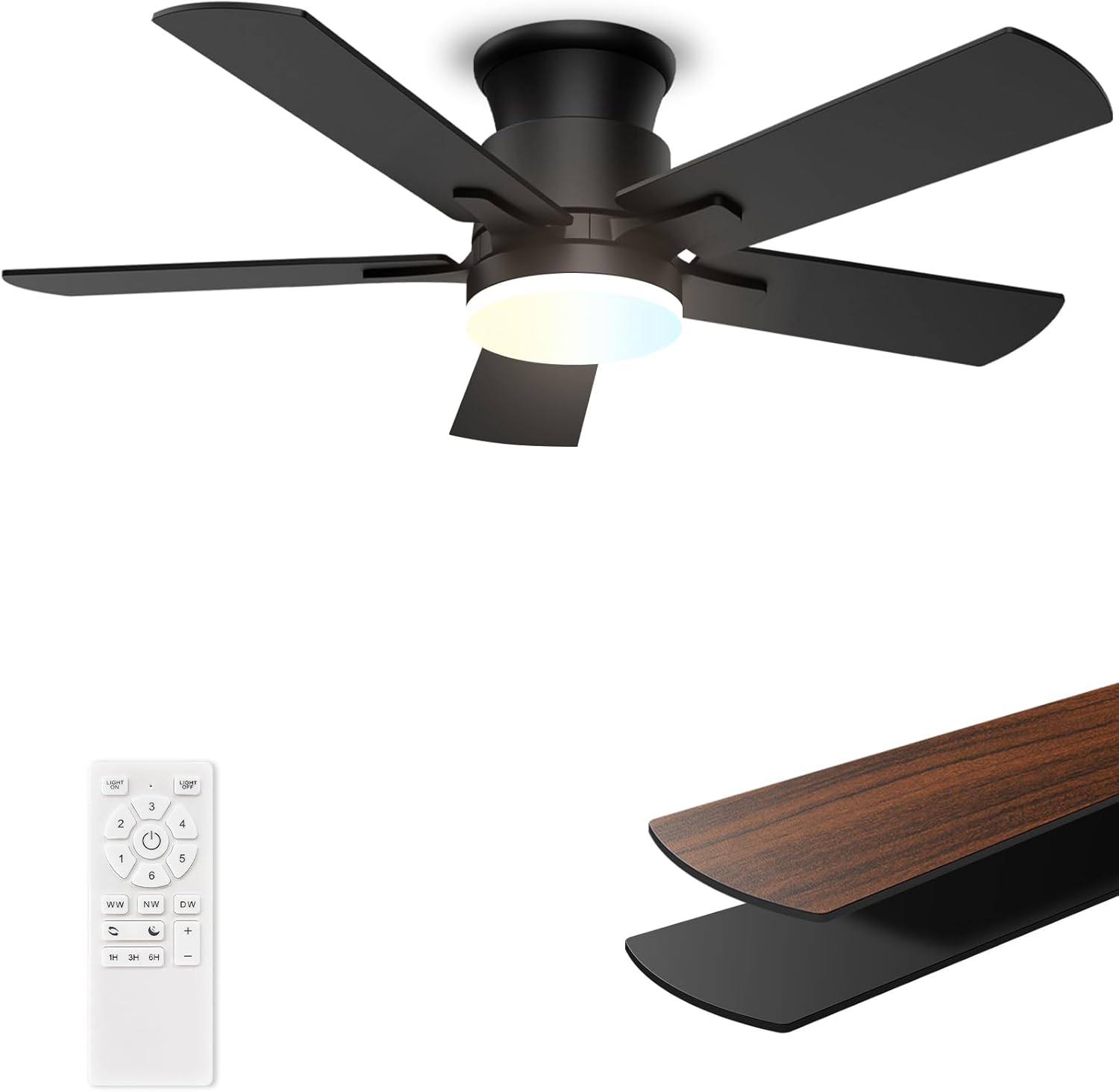
Image 1.1: Allsmartlife 42-inch Flush Mount Ceiling Fan (Model 1172X).
This fan features a 42-inch diameter, remote control operation, 3-color temperature dimmable LED light, 6-speed settings, a noiseless reversible DC motor, and a low-profile hugger design suitable for various indoor and outdoor covered spaces.
2. Safety Information
Read and understand all instructions before beginning installation. Failure to follow these instructions could result in electric shock, fire, or personal injury.
- Ensure the power is turned off at the circuit breaker before installation or servicing.
- All wiring must be in accordance with national and local electrical codes. If you are unfamiliar with wiring, consult a qualified electrician.
- The mounting structure must be capable of supporting the weight of the fan (approximately 12.71 pounds).
- Do not connect the fan to a dimmer switch or rheostat.
- Ensure the fan blades are at least 7 feet (2.1 meters) from the floor.
- Do not insert objects into the path of the fan blades.
- This fan is suitable for indoor and outdoor covered use. For outdoor use, ambient humidity should not exceed 70%, and direct exposure to rain should be avoided.
- Brushed Nickel ceiling fans are not recommended for outdoor use (Note: This specific model is Matte Black).

Image 2.1: Outdoor Use Conditions. Ensure humidity is below 70% and avoid direct rain.
3. Package Contents
Verify that all components are present before beginning installation. If any parts are missing or damaged, contact customer support.
- Ceiling Fan Motor Assembly
- Fan Blades (5)
- Light Kit
- Remote Control
- Remote Control Wall Mount Bracket
- Mounting Hardware (screws, wire nuts, etc.)
- Instruction Manual
4. Specifications
| Feature | Detail |
|---|---|
| Brand | Allsmartlife |
| Model Name | 1172X |
| Color | Matte Black |
| Product Dimensions | 42"D x 42"W x 10.5"H |
| Power Source | AC/DC |
| Wattage | 28 watts |
| Voltage | 120 Volts |
| Number of Blades | 5 |
| Blade Length | 17 Inches |
| Air Flow Capacity | 3014 Cubic Feet Per Minute (Average) |
| Number of Fan Speeds | 6 |
| Light Kit | Integrated LED, 2200 Lumens (Max), 3000K/4000K/6500K CCT, Dimmable (10%-100%) |
| Motor Type | Brushless DC Motor |
| Control Method | Remote Control |
| Special Features | LED Light, Quiet Operation, Remote Controlled, Timer, Reversible Airflow, Sleep Mode |
| Installation Type | Flush Mount |
| Indoor/Outdoor Usage | Indoor, Outdoor (covered) |
| Certification | ETL |

Image 4.1: Product Dimensions and Recommended Room Size. This 42-inch fan is recommended for 100-225 sq ft rooms.

Image 4.2: Fan Size Recommendation Chart. Select the appropriate fan size for your space.
5. Installation Guide
This ceiling fan comes with pre-assembled parts for simplified installation. Detailed instructions and installation videos are available. Search for "[DY1172X]" on Google for video guides and ETL certification information.
5.1 Pre-Installation Checks
- Ensure the power is disconnected at the main circuit breaker.
- Verify that the mounting location can support the fan's weight.
- Confirm all package contents are present.
- Gather necessary tools (screwdriver, wire strippers, ladder, etc.).
5.2 Mounting the Fan
- Secure the mounting bracket to the ceiling junction box. Ensure the junction box is securely fastened to the building structure.
- Carefully lift the fan motor assembly and connect the electrical wires according to local codes (typically black to black, white to white, and ground to ground). Use the provided wire nuts.
- Attach the fan motor assembly to the mounting bracket, ensuring all screws are tightened securely.
5.3 Attaching Blades and Light Kit
- Attach the fan blades to the motor housing using the provided screws. Ensure blades are securely fastened. This model features reversible blade colors (Matte Black and Walnut Woodgrain); choose your preferred side.
- Connect the light kit wiring to the fan motor assembly's designated light wires.
- Secure the light kit to the fan motor assembly.

Image 5.1: Aerodynamic Blade Design. The fan features 5 high-hardness plywood blades for efficient airflow.
5.4 Final Steps
- Restore power at the circuit breaker.
- Test the fan and light functions using the remote control.
6. Operating Instructions
Your Allsmartlife ceiling fan is operated via the included remote control. Ensure the remote has fresh batteries installed.

Image 6.1: Remote Control Functionality. Each button controls a specific fan or light feature.
6.1 Fan Operation
- Fan ON/OFF: Press the fan icon button to turn the fan on or off.
- Fan Speed: Use buttons 1-6 to select the desired fan speed. 1 is the lowest, 6 is the highest.
- Reversible Airflow (Summer/Winter Mode): Press the "Forward/Reverse" button to change the blade direction.
- Summer Mode: Downward airflow creates a cooling effect.
- Winter Mode: Upward airflow circulates warm air trapped near the ceiling.
- Sleep Mode: Press the "Sleep Mode" button. This patented mode automatically varies the fan speed frequency every 20 seconds to simulate natural wind, enhancing comfort.
- Timer: Use the 1H, 3H, or 6H buttons to set the fan to turn off automatically after 1, 3, or 6 hours.

Image 6.2: Reversible Airflow Function. Switch between summer and winter modes with the remote.

Image 6.3: Sleep Mode Operation. The fan automatically adjusts speed for a natural breeze effect.
6.2 Light Operation
- Light ON/OFF: Press the light bulb icon button to turn the light on or off. The light can be controlled independently from the fan.
- Color Temperature (CCT) Adjustment:
- WW (Warm White): 3000K
- NW (Natural White): 4000K
- DW (Daylight White): 6500K
- Brightness Adjustment: Use the "+" and "-" buttons to adjust the light brightness from 10% to 100%.
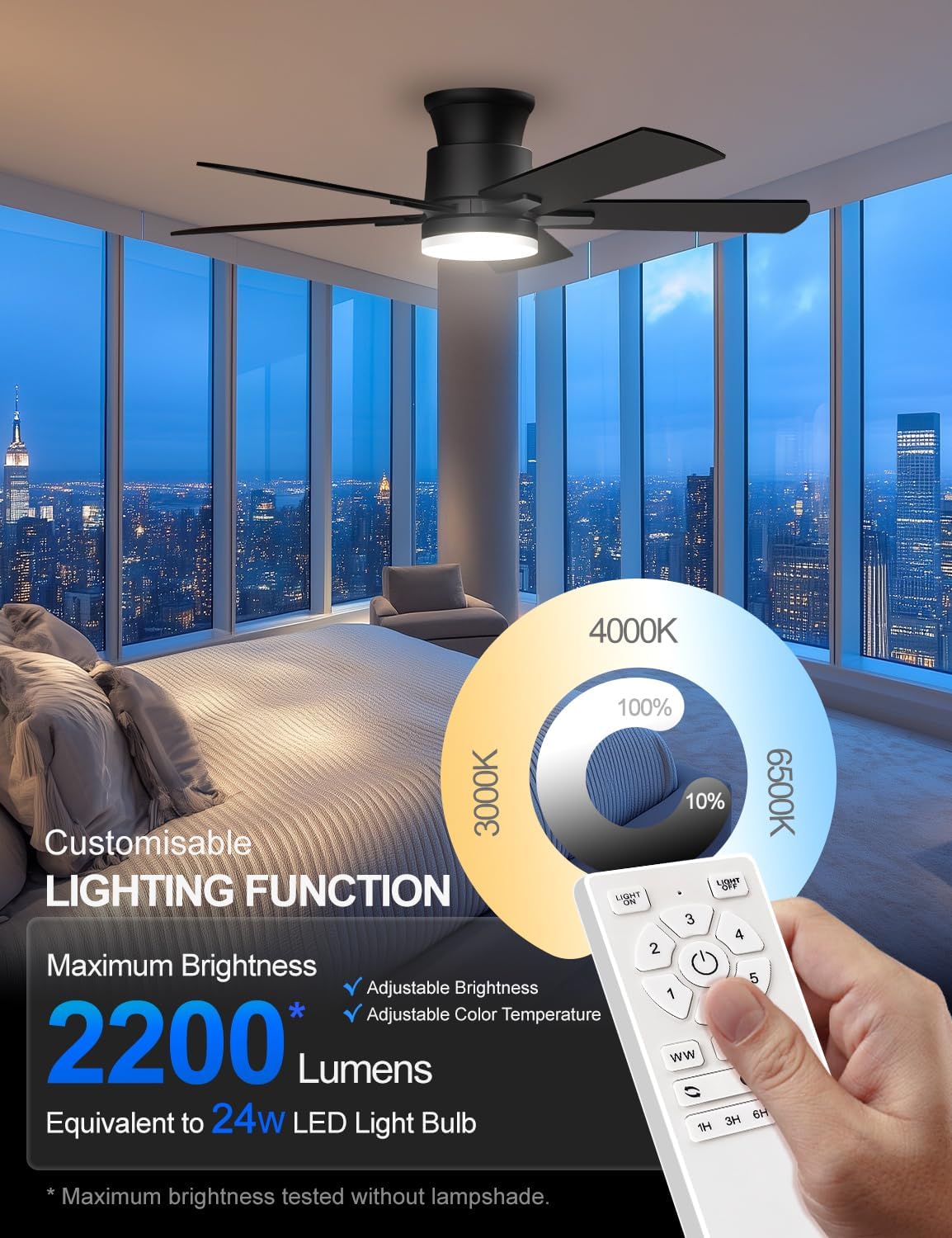
Image 6.4: Customizable Lighting Function. Adjust color temperature and brightness to suit your preference.
7. Maintenance and Care
Regular maintenance ensures optimal performance and extends the lifespan of your ceiling fan.
- Cleaning: To avoid scratching the finish, clean the fan with a soft, damp cloth. Do not use abrasive cleaners or solvents. Ensure power is off before cleaning.
- Blade Cleaning: Dust the fan blades regularly. For deeper cleaning, wipe with a damp cloth.
- Tightness Check: Periodically check all screws and connections for tightness. Retighten as necessary.
- Light Source: The integrated LED light source is designed for long life and is not user-replaceable. If the light fails, contact customer support.
8. Troubleshooting
Before attempting any repairs, ensure the power is disconnected at the circuit breaker.
| Problem | Possible Cause | Solution |
|---|---|---|
| Fan does not start | No power to the fan; Loose wire connections; Remote control battery low or not paired. | Check circuit breaker; Verify all wire connections are secure; Replace remote battery or re-pair remote (refer to remote pairing instructions if available, or contact support). |
| Light does not work | No power to the light; Loose wire connections; LED driver failure. | Check circuit breaker; Verify light kit wire connections; Contact customer support if LED driver is suspected. |
| Fan makes excessive noise | Loose fan blades; Loose mounting screws; Fan not balanced. | Ensure all blade screws are tight; Check mounting bracket screws; Use a balancing kit (not included) if necessary. |
| Remote control not working | Low or dead battery; Remote not paired with fan; Obstruction between remote and receiver. | Replace battery; Re-pair remote (if applicable); Ensure clear line of sight to fan receiver. |
9. Warranty and Support
Allsmartlife offers a lifetime of free replacement service for parts for this product. If you require any assistance, have questions, or need to claim warranty service, please contact Allsmartlife customer support.
For further assistance, you may also refer to the installation videos by searching "[DY1172X]" on Google.
Contact Information: Please refer to your purchase documentation or the Allsmartlife official website for the most current customer support contact details.