
Product Overview
The Enbrighten Plug-In LED Light Bar is a 24-inch fixture designed to provide high-quality illumination for various spaces such as kitchens, offices, and workbenches. This light bar offers 1,561 lumens of fully diffused light, adjustable color temperature settings from soft white (2700K) to cool daylight (6500K), and full-range dimming capabilities. It is a plug-in unit, powered by a standard wall outlet, and features one-touch sync control for managing multiple linked fixtures simultaneously. All necessary mounting hardware is included for easy installation.
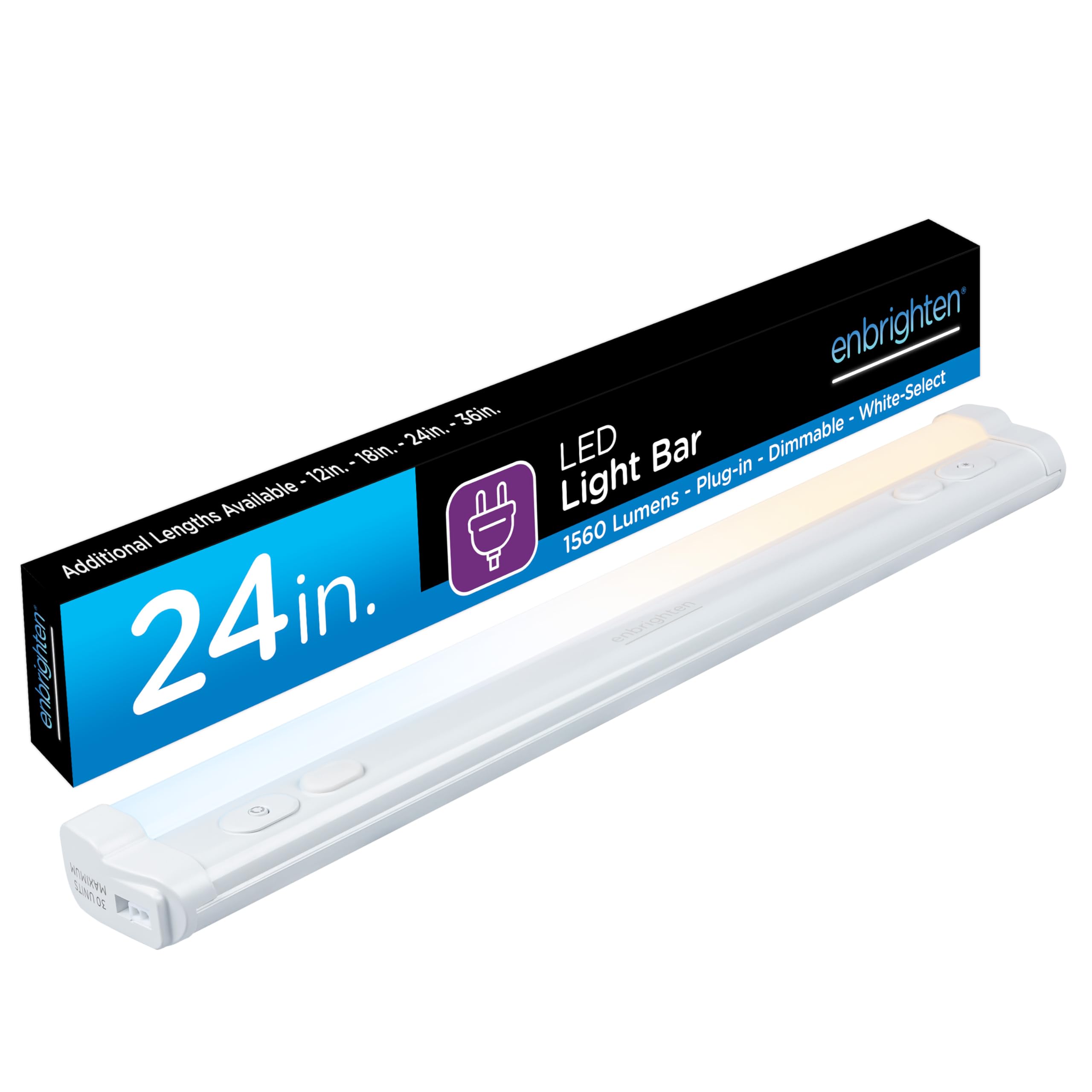
Image: The Enbrighten 24-inch Plug-in Under Cabinet Light, showcasing its sleek design and integrated controls.

Image: Visual representation of key features including 1560 Lumens brightness, dimmable function, plug-in power, and adjustable white light.
Setup and Installation
Before installation, ensure the power outlet is easily accessible and turned off. The light bar can be mounted using the included hardware.
Package Contents:
- Enbrighten 24-inch LED Light Bar
- Mounting hardware (screws, clips)
- 5 ft. power cord with flat plug
- 18-inch linking cord (for connecting multiple units)
Mounting Instructions:
- Identify the desired mounting location under a cabinet or shelf.
- Use the light bar as a template to mark the screw placement.
- Drill pilot holes if necessary.
- Secure the mounting clips or screws to the surface.
- Snap the light bar into place on the mounted hardware.
- Connect the 5 ft. power cord to the light bar and plug it into a standard wall outlet.

Image: Diagram showing the dimensions of the 24-inch light bar (24in. length, 2.25in. width, 1.2in. height) and its components, including the ON/OFF and Dimming Button, White-Select and Pairing Button, Linking Ports (30 units maximum), Flat plug, and 18in. Linking Cord.
Linking Multiple Fixtures:
Up to 30 Enbrighten LED light bars can be linked together using the included 18-inch linking cords. Connect one end of the linking cord to a linking port on the first fixture and the other end to a linking port on the next fixture. Ensure all linked fixtures are securely connected. Only one power cord is needed for the entire linked system.

Image: A user connecting two Enbrighten light bars with an 18-inch linking cord, demonstrating the linkable feature for expanding lighting coverage.
Operating Instructions
Power ON/OFF and Dimming:
- To turn the light ON or OFF, press the ON/OFF/Dimming button (typically marked with a power symbol).
- To dim the light, press and hold the ON/OFF/Dimming button. The brightness level will cycle through its range. Release the button when the desired brightness is reached. The light will blink once when the maximum or minimum brightness level is achieved.
- The light bar remembers your last used dimming level when turned off and on.
Adjusting Color Temperature:
- To change the color temperature, press the White-Select button (typically marked with a sun or color temperature symbol).
- Each press will cycle through the five available color temperature options:
- 2700K (Soft White)
- 3000K (Warm White)
- 4000K (Cool White)
- 5000K (Daylight)
- 6500K (Cool Daylight)
- The light bar remembers your last used color temperature setting.

Image: A visual guide demonstrating the five adjustable white color temperature settings: 2700K (Soft white), 3000K (Warm white), 4000K (Cool white), 5000K (Daylight), and 6500K (Cool daylight), shown in various kitchen settings.
One-Touch Sync Control:
When multiple Enbrighten light bars are linked, the one-touch sync feature allows you to control all connected fixtures simultaneously. Adjusting the brightness or color temperature on one fixture will apply the same setting to all other linked fixtures. Pressing the ON/OFF button on any linked fixture will turn all linked lights on or off.

Image: A person interacting with one of several linked Enbrighten light bars under kitchen cabinets, illustrating the one-touch sync control feature where settings are updated simultaneously across all paired fixtures.
Maintenance
- Cleaning: Disconnect power before cleaning. Use a soft, dry cloth to wipe the surface of the light bar. Avoid abrasive cleaners, solvents, or harsh chemicals, as these can damage the finish or electronic components.
- Bulb Replacement: The LED light source is integrated and not user-replaceable. Do not attempt to open the fixture.
- General Care: Ensure the light bar is not exposed to excessive moisture or extreme temperatures. This product is designed for indoor use only and is not water resistant.
Troubleshooting
| Problem | Possible Cause | Solution |
|---|---|---|
| Light does not turn on. |
|
|
| Light does not dim or change color temperature. |
|
|
| Linked fixtures are not syncing. |
|
|
Product Specifications
| Model Number | 82786-T1 |
| Brand | Enbrighten |
| Dimensions (L x W x H) | 24.3"L x 4"W x 1.4"H |
| Light Source | LED |
| Brightness | 1561 Lumens |
| Wattage | 12 watts |
| Color Temperature | Adjustable (2700K-6500K) |
| Dimmable | Yes, full range |
| Power Source | Corded Electric (Plug-in) |
| Control Method | Touch |
| Material | Plastic |
| Indoor/Outdoor Usage | Indoor |
| Max Linkable Units | 30 |
Warranty Information
This Enbrighten product is backed by a Limited Lifetime Warranty. For specific details regarding warranty coverage, terms, and conditions, please refer to the official warranty documentation provided with your product or visit the manufacturer's website.
Customer Support
For technical assistance, troubleshooting beyond this manual, or warranty claims, please contact Enbrighten customer support. You can typically find contact information on the product packaging, the manufacturer's official website, or by searching for "Jasco Products Company, LLC support".
Manufacturer: Jasco Products Company, LLC
For more information, visit the Enbrighten Store.


