
1. Introduction
Thank you for purchasing the CYBORIS Foldable Phone Stand with Speaker, Model T203. This device combines a versatile phone and tablet stand with a wireless Bluetooth speaker, offering enhanced audio and hands-free convenience. This manual provides detailed instructions for setup, operation, and maintenance to ensure optimal performance and longevity of your device.
2. Product Overview
The CYBORIS T203 features a compact, foldable design with an integrated Bluetooth speaker. It includes an adjustable stand for various viewing angles and heights, and control buttons for power, light, playback, and mode selection.
2.1 Package Contents
- 1 x CYBORIS Foldable Phone Stand with Speaker (Model T203)
- 1 x USB Charging Cable
- 1 x User Manual
2.2 Device Components
Familiarize yourself with the main parts and controls of your device:

Image: The CYBORIS Foldable Phone Stand with Speaker, illustrating its compact folded form and its ready-to-use unfolded configuration with a phone in place. This image highlights the device's dual functionality and portability.
- Adjustable Phone/Tablet Holder: Securely holds devices from 4 to 13 inches.
- Speaker Grille: Audio output.
- Control Buttons:
- Power/Light Button: Power on/off, cycle LED light modes.
- Previous Track/Volume Down Button: Short press for volume down, long press for previous track.
- Play/Pause/Call Button: Play/pause music, answer/end calls.
- Next Track/Volume Up Button: Short press for volume up, long press for next track.
- Mode Button (M): Switch between Bluetooth and TF card modes.
- LED Light Bar: Provides ambient lighting.
- TF Card Slot: For playing music directly from a TF (MicroSD) card.
- Type-C Charging Port: For charging the device.
- Anti-slip Pads: Located on the base and device holder for stability and protection.
3. Setup
3.1 Unfolding the Stand
To prepare the stand for use:
- Gently unfold the main arm of the stand from its compact position.
- Adjust the angle of the phone/tablet holder to your desired viewing preference.
- Extend the telescopic arm to achieve the desired height.

Image: The phone stand adjusted to different angles, demonstrating its flexibility for various viewing positions. The image shows a phone placed vertically on the stand.
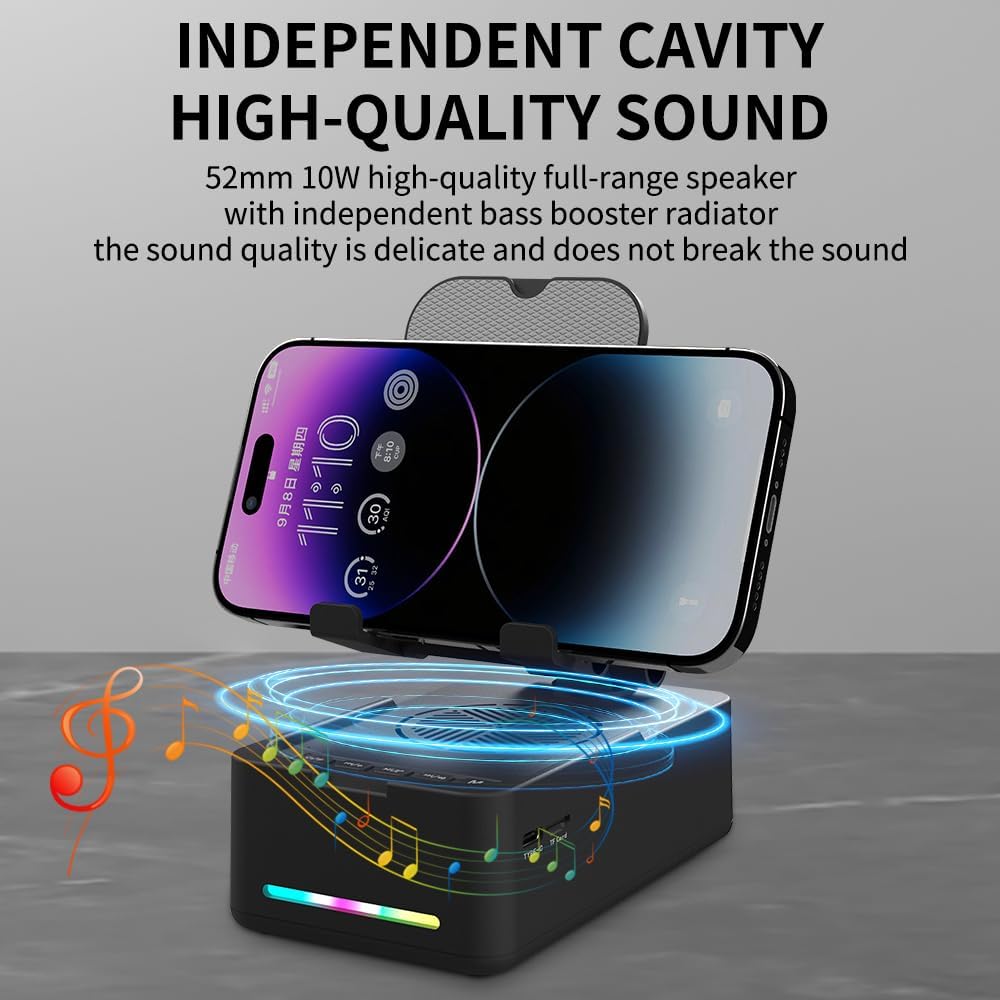
Image: The phone stand with its telescopic arm extended to a higher position, illustrating the adjustable height feature. A phone is shown on the stand at an elevated level.
The sturdy hook and anti-slip pads ensure your device remains secure and protected from scratches.
3.2 Powering On/Off
- To Power On: Press and hold the Power/Light button (⏻ / ✱) for approximately 3 seconds until you hear an audible prompt and the LED light bar illuminates.
- To Power Off: Press and hold the Power/Light button (⏻ / ✱) for approximately 3 seconds until you hear an audible prompt and the LED light bar turns off.
4. Operating Instructions
4.1 Bluetooth Pairing
To connect your device via Bluetooth:
- Ensure the speaker is powered on. The LED light bar will indicate it is in pairing mode (often a flashing blue light).
- On your smartphone, tablet, or other Bluetooth-enabled device, navigate to the Bluetooth settings.
- Search for available devices and select "CYBORIS T203" (or similar name) from the list.
- Once connected, you will hear a confirmation sound, and the LED light bar will typically show a solid blue light.
- The device will automatically attempt to reconnect to the last paired device when powered on.
4.2 Media Playback
Control your audio playback using the buttons on the speaker:
- Play/Pause: Short press the Play/Pause/Call button (▶ / ⏸ / 📞) to play or pause the current track.
- Volume Up: Short press the Next Track/Volume Up button (⏭ / 🔊+).
- Volume Down: Short press the Previous Track/Volume Down button (⏮ / 🔊-).
- Next Track: Long press the Next Track/Volume Up button (⏭ / 🔊+).
- Previous Track: Long press the Previous Track/Volume Down button (⏮ / 🔊-).
Note: Some instructions may incorrectly state the long press functions for track control. Please follow the above corrected instructions for proper operation.
4.3 Call Functions
The built-in microphone allows for hands-free calling:
- Answer Call: Short press the Play/Pause/Call button (▶ / ⏸ / 📞) when an incoming call is received.
- End Call: Short press the Play/Pause/Call button (▶ / ⏸ / 📞) during a call to hang up.
- Reject Call: Long press the Play/Pause/Call button (▶ / ⏸ / 📞) when an incoming call is received.
4.4 LED Light Modes
To cycle through the LED light modes:
- Short press the Power/Light button (⏻ / ✱) to change the LED light pattern or turn it off.
4.5 TF Card Playback
To play music directly from a TF (MicroSD) card:
- Insert a TF card with MP3 audio files into the TF card slot.
- Press the Mode button (M) to switch to TF card mode. The speaker will automatically begin playing music from the card.
- Use the media playback buttons (Play/Pause, Next/Previous Track, Volume Up/Down) to control the audio.

Image: A close-up view of the side of the speaker base, clearly showing the TF card slot and the Type-C charging port, indicating multiple music playback options.
5. Charging
To charge your CYBORIS T203 speaker:
- Connect the provided USB charging cable to the Type-C charging port on the speaker.
- Connect the other end of the USB cable to a compatible USB power source (e.g., wall adapter, computer USB port).
- The LED indicator will show charging status (e.g., red while charging, off or blue when fully charged).
- A full charge typically takes approximately 2-3 hours.
Note: The device has a battery capacity of 1800mAh and requires a DC 5V/1A input for charging.

Image: The phone stand with a phone displaying battery life estimates: up to 6 hours at maximum volume and 30 hours at 50% volume, highlighting its long-lasting battery.
6. Maintenance
- Keep the device dry and away from moisture.
- Do not expose the device to extreme temperatures.
- Clean the device with a soft, dry cloth. Avoid using harsh chemicals or abrasive cleaners.
- Store the device in a cool, dry place when not in use.
7. Troubleshooting
| Problem | Possible Cause | Solution |
|---|---|---|
| Device does not power on. | Low battery. | Charge the device using the provided USB cable. |
| Cannot pair via Bluetooth. | Bluetooth not enabled on source device; device too far; speaker not in pairing mode. | Ensure Bluetooth is on and the speaker is in pairing mode. Move devices closer. Restart both devices. |
| No sound or low volume. | Volume too low on speaker or source device; device not connected. | Increase volume on both the speaker and your connected device. Verify Bluetooth connection. |
| Track control buttons (Next/Previous) not working as expected. | Incorrect button press duration. | For Next/Previous track, long press the respective buttons. Short press is for volume control. |
| TF card music not playing. | Incorrect mode selected; TF card not inserted correctly or corrupted. | Press the 'M' button to switch to TF card mode. Reinsert the TF card. Ensure files are in MP3 format. |
8. Specifications
- Model Name: T203
- Brand: CYBORIS
- Compatible Devices: Smartphones, Tablets (4 to 13 inches)
- Form Factor: Bracket
- Mounting Type: Tabletop
- Battery: 1800mAh
- Input: DC 5V/1A
- Item Dimensions: 5.51 x 3.15 x 2.44 inches
- Item Weight: 0.44 Kilograms
- Enclosure Material: Plastic, Rubber
- Built-In Media: Speaker, USB cable, Manual book
9. Warranty and Support
The CYBORIS Foldable Phone Stand with Speaker (Model T203) comes with a 1-Year Warranty from the date of purchase. This warranty covers manufacturing defects and malfunctions under normal use.
For warranty claims, technical support, or any questions regarding your product, please contact CYBORIS customer service through the retailer where you purchased the product or visit the official CYBORIS website for contact information.
Please retain your proof of purchase for warranty validation.