
1. Introduction and Overview
Thank you for choosing the Olucia Dion Black Outdoor Wall Lamp. This modern and sleek luminaire is designed to create an attractive up-and-down light effect on your walls, enhancing the ambiance of your outdoor spaces. Featuring integrated LED technology with dim-to-warm functionality and an IP65 rating, this lamp is built for durability and performance in various weather conditions.
Please read this instruction manual carefully before installation and use to ensure safe and proper operation of your new wall lamp. Keep this manual for future reference.

Figure 1.1: Front view of the Olucia Dion Black Outdoor Wall Lamp. This image shows the square-shaped black aluminum fixture with light emitting from both the top and bottom openings, creating a distinct up-and-down illumination pattern.
2. Safety Instructions
To prevent personal injury or damage to the product, always follow these basic safety precautions:
- Disconnect Power: Always ensure the main power supply is switched off at the circuit breaker before attempting any installation, maintenance, or cleaning.
- Qualified Electrician: Installation should be performed by a qualified electrician or competent person in accordance with local electrical codes and regulations.
- Voltage Compatibility: This product operates on 220-240V. Verify your electrical supply matches this requirement.
- Outdoor Use (IP65): The lamp has an IP65 rating, meaning it is protected against dust ingress and low-pressure water jets from any direction. Ensure all connections are properly sealed during installation to maintain this rating.
- Integrated LED: The LED light source is integrated and not replaceable. Do not attempt to disassemble the light source.
- Avoid Damage: Do not modify the product or use it for purposes other than its intended use. Avoid exposing the lamp to excessive force or impact.
- Heat: The lamp may become warm during operation. Allow it to cool before handling.
3. Package Contents
Carefully unpack the box and ensure all items are present and undamaged. If any parts are missing or damaged, do not attempt to install the product and contact your retailer.
- Olucia Dion Black Outdoor Wall Lamp (Model 1070003)
- Mounting hardware (screws, wall plugs) - (Typically included, verify upon unpacking)
- Instruction Manual
4. Setup and Installation
Follow these steps for proper installation of your Olucia Dion wall lamp. It is recommended to have a second person assist during installation.
- Preparation:
- Ensure the main power supply to the installation area is switched off at the circuit breaker.
- Choose a suitable location on an outdoor wall, ensuring the surface is flat and capable of supporting the lamp's weight.
- Mounting the Bracket:
- Carefully detach the mounting bracket from the lamp fixture.
- Hold the mounting bracket against the wall at the desired installation point. Mark the drilling locations for the screws.
- Drill holes at the marked locations using an appropriate drill bit for your wall material. Insert wall plugs if necessary.
- Secure the mounting bracket to the wall using the provided screws. Ensure it is firmly attached.
- Electrical Connection:
- Connect the household electrical wires to the lamp's terminal block. Typically, this involves connecting the live (brown/black), neutral (blue), and earth (green/yellow) wires. Refer to local wiring color codes.
- Ensure all connections are secure and properly insulated. Use appropriate waterproof connectors if required for outdoor wiring to maintain the IP65 rating.
- Attaching the Lamp Fixture:
- Carefully align the lamp fixture with the mounted bracket.
- Secure the lamp fixture to the mounting bracket using the screws or fasteners provided. Ensure a tight seal to maintain the IP65 rating.
- Final Check:
- Double-check all connections and ensure the lamp is securely mounted.
- Restore power at the circuit breaker.
- Test the lamp's functionality.
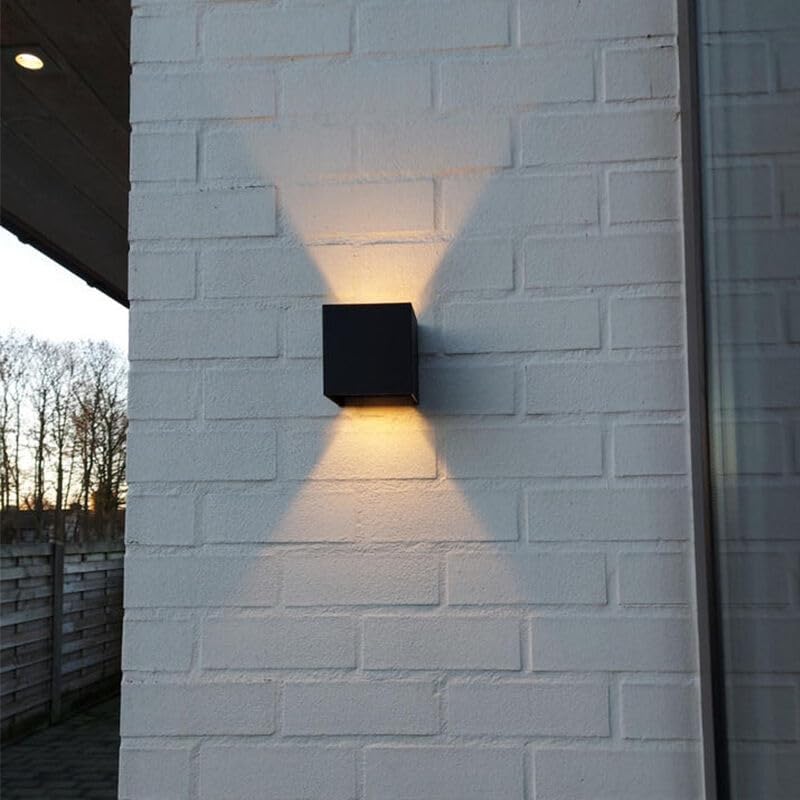
Figure 4.1: The Olucia Dion lamp installed on an exterior brick wall, demonstrating its up-and-down light effect. The black aluminum housing blends seamlessly with modern outdoor aesthetics.
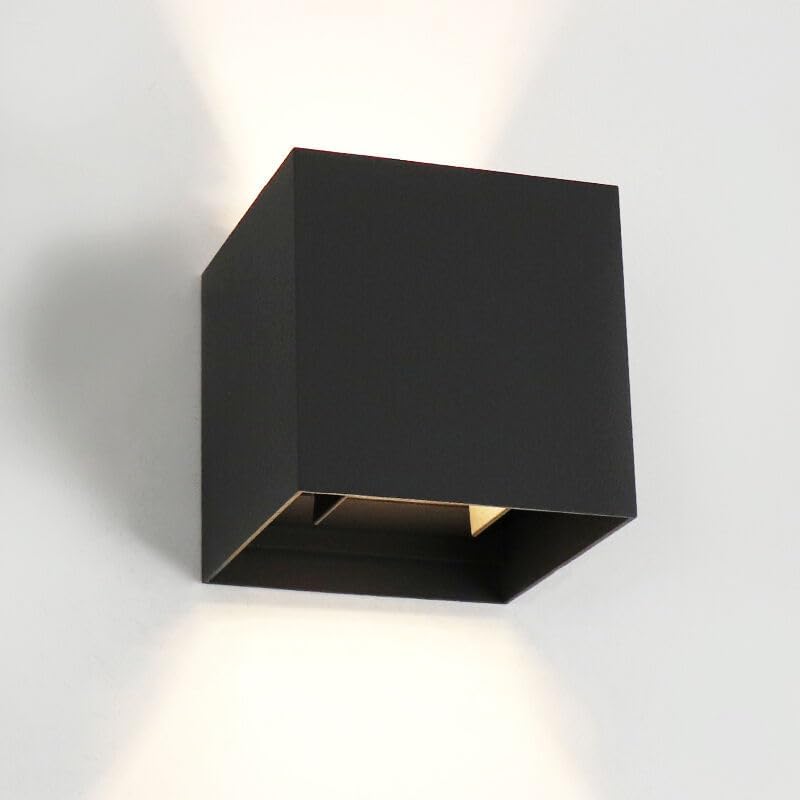
Figure 4.2: A close-up view of the Olucia Dion lamp mounted on a wall, clearly showing the distinct beams of light projected both upwards and downwards from the fixture.
5. Operating Instructions
The Olucia Dion wall lamp is designed for straightforward operation:
- Power On/Off: The lamp is controlled by your standard wall switch connected to the electrical circuit. Flip the switch to turn the lamp on or off.
- Dim-to-Warm Functionality: This lamp features an integrated dim-to-warm LED. This means that as the light is dimmed, the color temperature shifts from a brighter white to a warmer, more amber glow.
- To utilize the dim-to-warm feature, a compatible external dimmer switch (not included) must be installed in your electrical circuit.
- Consult a qualified electrician for dimmer installation and compatibility.
6. Maintenance
The Olucia Dion wall lamp requires minimal maintenance:
- Cleaning: To clean the lamp, ensure the power is off. Wipe the surface with a soft, damp cloth. Do not use abrasive cleaners, solvents, or harsh chemicals, as these can damage the finish.
- Integrated LED: The LED light source is integrated and designed for a long lifespan. It does not require replacement.
- Periodic Inspection: Periodically check the lamp and its mounting for any signs of wear, damage, or loose connections. Address any issues promptly.
7. Troubleshooting
If you encounter issues with your Olucia Dion wall lamp, refer to the following troubleshooting guide:
| Problem | Possible Cause | Solution |
|---|---|---|
| Lamp does not turn on. | No power supply, loose wiring, faulty switch. | Check circuit breaker. Ensure all electrical connections are secure. Test the wall switch. If issues persist, consult a qualified electrician. |
| Dim-to-warm feature not working. | No compatible dimmer installed, incorrect dimmer type. | Ensure a compatible external dimmer switch is installed. Consult a qualified electrician for dimmer compatibility and installation. |
| Light output is weak or flickering. | Voltage fluctuations, faulty wiring, internal component issue. | Check power supply stability. Verify wiring connections. If the problem persists, contact customer support. |
For problems not listed here or if solutions do not resolve the issue, please contact Olucia customer support.
8. Specifications
| Brand: | Olucia |
| Model Number: | 1070003 |
| Product Dimensions (L x W x H): | 10 cm x 10 cm x 10 cm |
| Weight: | 1 Kilogram |
| Color: | Black |
| Material: | Aluminum |
| Style: | Modern |
| Number of Light Sources: | 1 |
| Light Source Type: | Integrated LED |
| Wattage: | 6 Watt |
| Lumen Output: | 500 lm |
| Light Temperature: | Dim-to-warm |
| IP Rating: | IP65 (Dust tight and protected against low-pressure water jets) |
| Dimmable: | Yes (requires external dimmer, not included) |
| Operating Voltage: | 220-240V |
| Energy Label: | F |
| EAN Number: | 8719933037619 |

Figure 8.1: Bottom view of the Olucia Dion lamp, illustrating the integrated LED light source and the design of the light output channel.
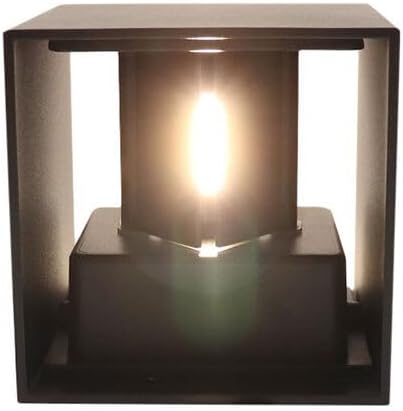
Figure 8.2: Internal view of the Olucia Dion lamp, highlighting the integrated LED module responsible for the dim-to-warm illumination.
9. Warranty and Support
Olucia stands by the quality of its products. The Olucia Dion Black Outdoor Wall Lamp comes with a two-year warranty from the date of purchase.
This warranty covers defects in materials and workmanship under normal use. It does not cover damage caused by improper installation, misuse, accidents, modifications, or normal wear and tear.
For warranty claims, technical support, or any questions regarding your product, please contact your retailer or Olucia customer service with your proof of purchase and model number (1070003).
You can find more information and contact details on the official Olucia website: www.olucia.com

