
Introduction
Welcome to your new Grandder 47-Inch Z-Shaped Carbon Fiber Gaming Desk. This manual provides essential information for the assembly, operation, maintenance, and troubleshooting of your new gaming workstation. Please read these instructions carefully to ensure proper setup and to maximize the lifespan and performance of your desk.
Safety Information
Warning:
Always ensure the desk is properly anchored to the floor to prevent tipping, especially when using heavy equipment or during intense gaming sessions. Do not overload the desk beyond its stated weight capacity of 90 kg (approximately 198 lbs).
- Keep all assembly tools and small parts away from children.
- Ensure all screws and bolts are tightened securely before use. Periodically check and re-tighten as necessary.
- Avoid placing hot items directly on the carbon fiber surface without protective padding.
- Do not stand or sit on the desk.
Package Contents
Please verify that all components listed below are present before beginning assembly. If any parts are missing or damaged, please contact Grandder customer support.
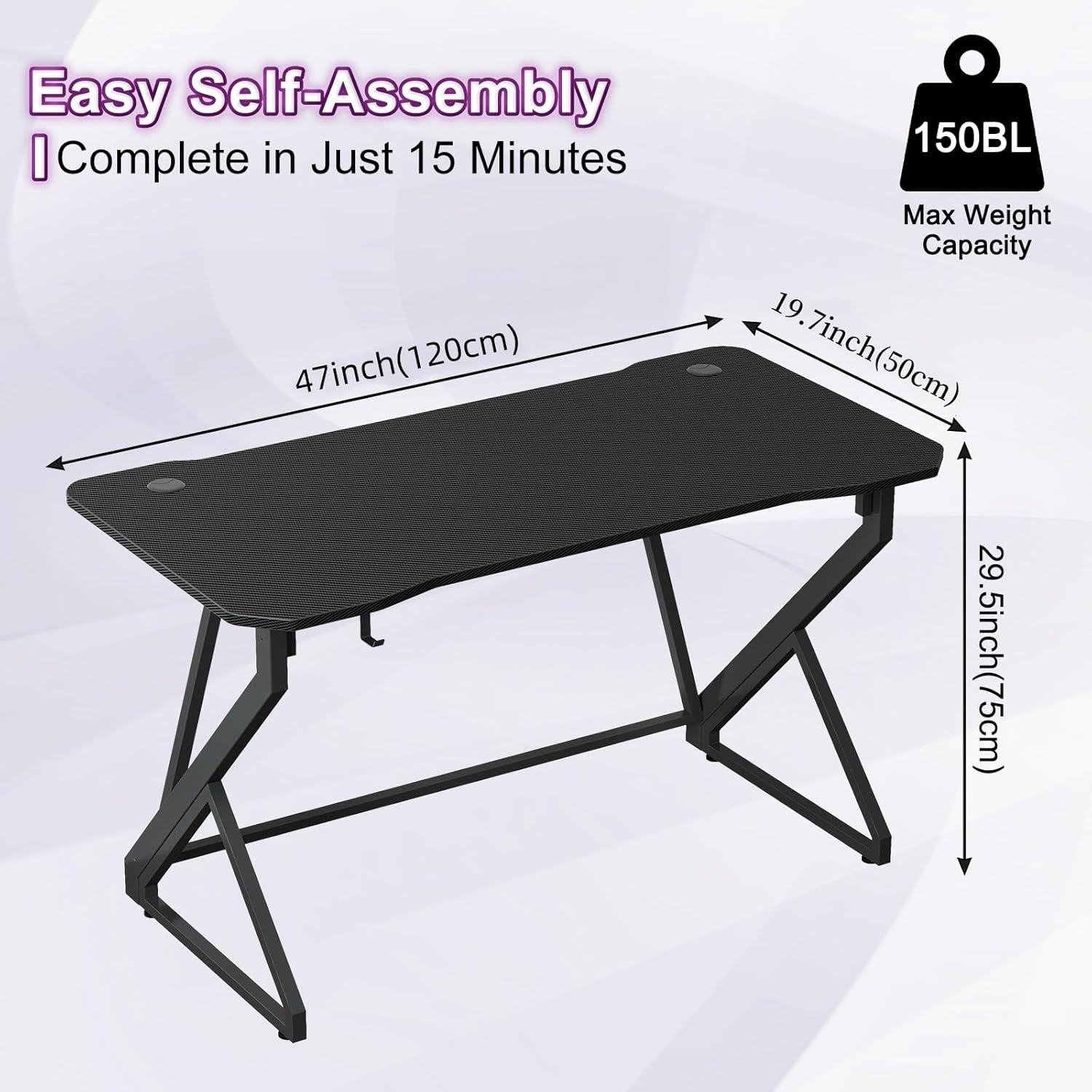
- Desktop (Carbon Fiber Surface)
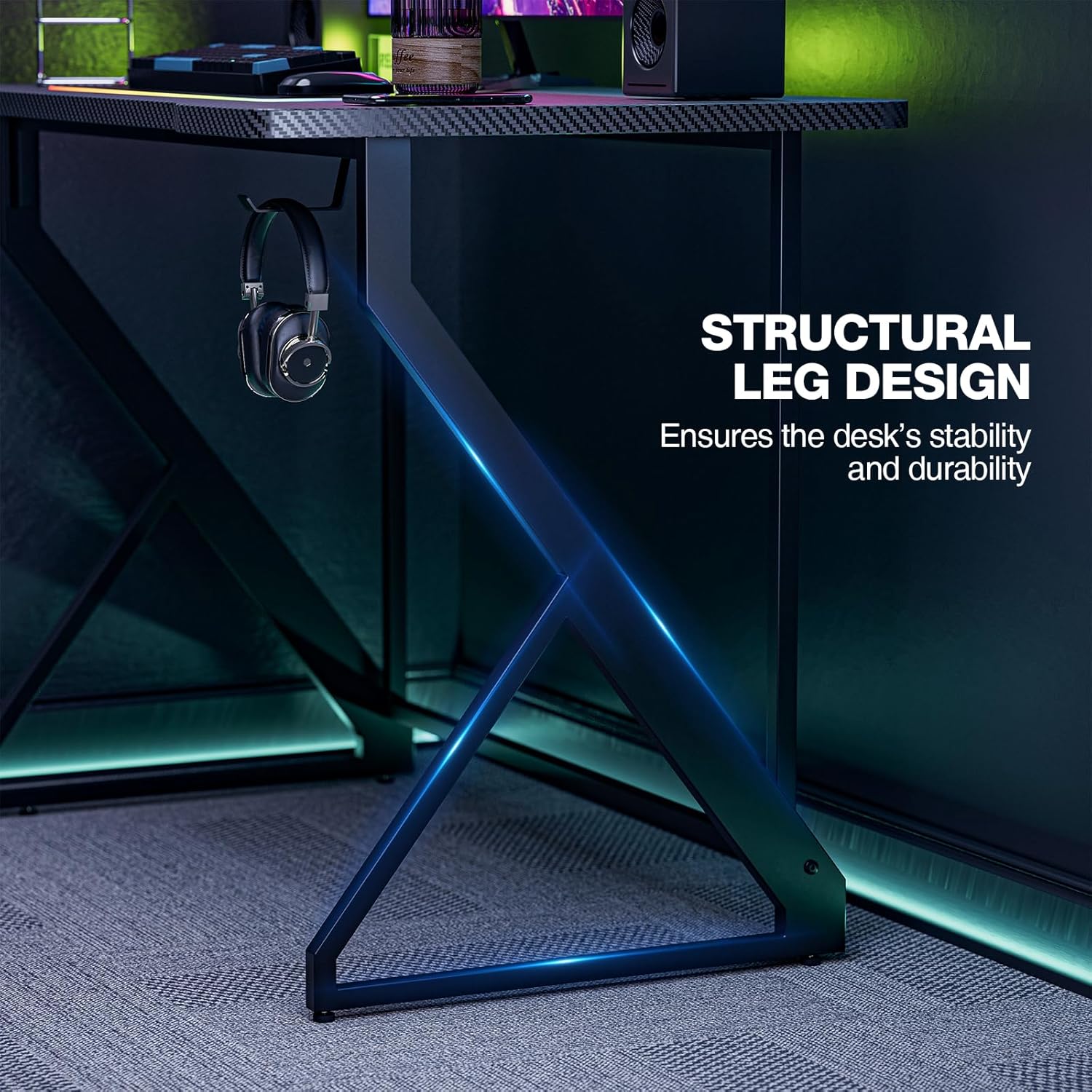
- Z-Shaped Legs (Alloy Steel)
- Support Beams
- Headphone Hook
- Adjustable Footpads
- Assembly Hardware (Screws, Allen Wrench, etc.)
- Instruction Manual
Setup and Assembly
Assembly is designed to be straightforward. It is recommended to have a second person assist with certain steps. Please follow the numbered steps provided in the included assembly guide.
- Unpack all components and lay them out on a clean, soft surface to prevent scratches.
- Attach the Z-shaped legs to the main support beams using the provided hardware. Ensure all connections are firm.
- Secure the assembled leg structure to the underside of the carbon fiber desktop. Do not overtighten screws initially.
- Attach the headphone hook to the desired side of the desk.
- Install the adjustable footpads at the bottom of each leg to ensure stability and level the desk on uneven floors.
- Once all components are in place, carefully tighten all screws and bolts.
Operating Instructions
Your Grandder Gaming Desk is designed for optimal functionality and comfort during gaming or work sessions.
- Carbon Fiber Surface: The high-density carbon fiber surface provides a smooth, waterproof, and scratch-resistant area for your mouse, keyboard, and other peripherals.
- Headphone Hook: Utilize the integrated headphone hook to keep your headset conveniently stored and your desktop clutter-free when not in use.
- Cable Management: The desk may include grommets or channels for routing cables, helping to maintain an organized and tidy workspace.


Maintenance
To keep your Grandder Gaming Desk in excellent condition, follow these simple maintenance guidelines:
- Cleaning: Wipe the carbon fiber surface with a soft, damp cloth. For stubborn stains, use a mild soap solution and dry immediately. Avoid abrasive cleaners or harsh chemicals.
- Inspection: Periodically check all screws and connections to ensure they remain tight. Re-tighten if necessary.
- Protection: While the surface is scratch-resistant, using coasters for drinks and pads for heavy or sharp objects is recommended to prolong its pristine condition.
Troubleshooting
If you encounter any issues with your Grandder Gaming Desk, please refer to the following common solutions:
- Desk Wobbles: Check that all assembly screws are securely tightened. Adjust the leveling footpads on the bottom of the legs to compensate for uneven flooring.
- Scratches on Surface: While designed to be scratch-resistant, deep scratches can occur from sharp objects. Minor scratches may be less noticeable due to the carbon fiber texture.
- Missing Parts: If any parts were missing upon delivery, please contact Grandder customer support immediately for assistance.
Specifications
| Feature | Detail |
|---|---|
| Brand | Grandder |
| Model | B0DK4ZXDQS |
| Shape | Rectangular |
| Desk Design | Computer Desk |
| Product Dimensions (D x W x H) | 23.6"D x 47"W x 29.5"H |
| Color | Black |
| Style | Modern |
| Base Material | Alloy Steel |
| Top Material Type | Carbon Fiber |
| Special Feature | Headphone Hook |
| Maximum Weight Recommendation | 90 Kilograms (approx. 198 lbs) |
| Required Assembly | Yes |
Warranty and Support
The Grandder 47-Inch Z-Shaped Carbon Fiber Gaming Desk comes with a Limited Warranty. For specific terms and conditions, please refer to the warranty documentation included with your purchase or contact customer support.
Grandder is committed to providing exceptional customer service. If you have any questions, concerns, or require assistance, please contact our support team. We offer 24-hour support to ensure a seamless and satisfying experience.
For further assistance, please visit the official Grandder store: Grandder Store