
1. Introduction
This manual provides comprehensive instructions for the MeLE PCG02 Fanless Mini PC Stick, a compact and efficient micro computer designed for various applications including business, personal use, education, and IoT. This device features an Intel N100 Celeron processor, 8GB LPDDR4 RAM, and 128GB eMMC storage. It is delivered without a pre-installed operating system, offering flexibility for users to install their preferred OS such as Windows, Ubuntu, or Linux.
The PCG02 is engineered with a fanless cooling system for silent operation and dust resistance, supporting 24/7 functionality. It offers robust connectivity with dual-band Wi-Fi 5, Gigabit Ethernet, and multiple high-speed USB ports, including a full-functional USB-C port.
2. What's in the Box
Upon opening the package, please verify that all the following items are included:
- 1x MeLE PCG02 N100 Mini PC Stick
- 1x Power Adapter (12V/2A)
- 1x HDMI Extender Cable (25cm)
- 1x VESA Mount Bracket
- 1x Set of Screws for VESA Mount
- 1x User Manual (this document)
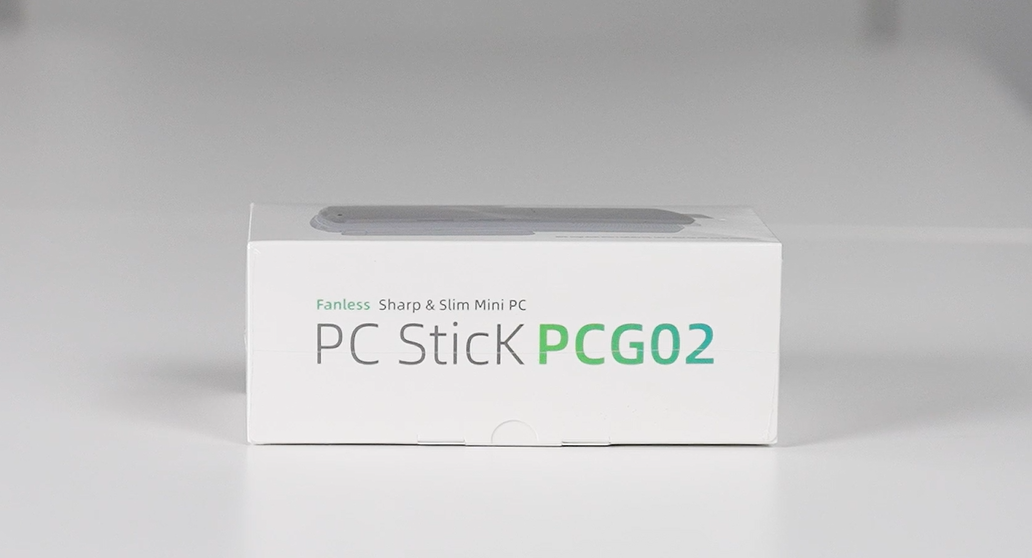
Image: Unboxing the MeLE PCG02 N100 Stick PC, showing all included accessories.
Video: An unboxing demonstration of the MeLE PCG02 N100 Stick PC, detailing each item included in the package.
3. Product Overview
The MeLE PCG02 is a compact, fanless mini PC stick designed for quiet and efficient operation. Its small form factor allows for easy portability and discreet installation.
3.1. Device Layout and Ports

Image: Detailed diagram illustrating the various ports and buttons on the MeLE PCG02 N100 Mini PC Stick.
- Power Button: Located on the side for easy power control.
- USB-C Port: Full-functional, supporting power input (12V/2A), USB 10Gbps data transfer, and DisplayPort (DP1.4) video output.
- USB 10Gbps Ports (x2): For connecting high-speed USB devices.
- HDMI 2.0 Port: Supports 4K resolution at 60Hz for display output.
- Gigabit Ethernet Port: Provides stable and fast wired network connectivity.
- 3.5mm Audio Jack: For connecting headphones or external speakers.
- Micro SD Card Slot: Expandable storage up to 1TB.
- Reset Button: For BIOS reset or CMOS clear.
- Wi-Fi Antenna: External antenna for enhanced wireless connectivity (2.4G/5GHz AC Dual Band Wi-Fi).
3.2. Internal Components

Image: Internal components of the MeLE PCG02 N100, highlighting the Intel N100 processor, LPDDR4X RAM, and eMMC storage.
- Processor: Intel N100 Celeron (0.8GHz to 3.4GHz) Quad-Core Processor.
- RAM: 8GB LPDDR4x 4266MHz.
- Storage: 128GB eMMC.
- Graphics: Intel UHD Graphics.
- Wireless: 2.4G/5GHz AC Dual Band Wi-Fi (802.11ac) and Bluetooth 4.2.
4. Setup
4.1. Connecting to a Display
- Connect the MeLE PCG02 directly to your monitor, TV, or projector's HDMI port. If space is limited, use the provided HDMI extender cable.
- Alternatively, use the full-functional USB-C port for video output to a compatible display.
4.2. Power Connection
- Connect the power adapter to the USB-C power input port on the MeLE PCG02.
- Plug the power adapter into a wall outlet.
4.3. Peripheral Connections
- Connect your keyboard and mouse to the USB 10Gbps ports.
- For wired internet, connect an Ethernet cable to the Gigabit Ethernet port.
- For wireless connectivity, ensure the Wi-Fi antenna is properly attached and extended.
- Connect any external audio devices to the 3.5mm audio jack if needed.
4.4. VESA Mount Installation
The MeLE PCG02 can be conveniently mounted to the back of a VESA-compatible monitor to save desk space.
- Locate the VESA mounting holes on the back of your monitor.
- Attach the VESA mount bracket to the monitor using the provided screws.
- Slide the MeLE PCG02 into the bracket until it clicks securely into place.
Video: Instructions on how to install the MeLE PCG02 using a VESA-mounted bracket for a tidy setup.
5. Operating Instructions
5.1. Initial Power On and OS Installation
Since the MeLE PCG02 comes with NO OS installed, you will need to install an operating system (e.g., Windows, Ubuntu, Linux) upon first use.
- Press the Power Button to turn on the device.
- During startup, repeatedly press F7 to access the boot menu or Delete to enter the BIOS directly.
- Select your preferred boot device (e.g., USB drive with OS installer) and follow the on-screen instructions to install the operating system.
5.2. BIOS Settings
The BIOS offers various advanced settings for customization, including:
- Auto Power On: Enables the device to automatically power on when power is supplied.
- Wake on LAN (WoL): Allows the device to be woken up remotely via a network signal.
- PXE Boot: Enables booting from a network server.
- RTC Wake: Allows scheduling the device to power on at a specific time.
Video: Step-by-step guide on how to enable the Auto Power On feature in the BIOS settings.
5.3. General Usage
Once an operating system is installed, the MeLE PCG02 is ready for various tasks:
- Web Browsing: Enjoy smooth internet navigation.
- Document Editing: Perform office tasks with ease.
- Online Video Streaming: Stream 4K content from platforms like YouTube.
- Multimedia Playback: Play local 4K video files.
Video: A brief demonstration of various applications and uses for the MeLE PC Stick N100, including web browsing and document editing.
6. Maintenance
The MeLE PCG02 features a fanless design, which contributes to its silent operation and dust resistance. To ensure optimal performance and longevity:
- Cleaning: Regularly wipe the exterior with a soft, dry cloth to remove dust. Avoid using liquid cleaners directly on the device.
- Temperature: While fanless mini PCs can have a surface temperature between 55°C to 70°C during operation (meeting IEC62368-1:2018 safety standards), ensure adequate airflow around the device. Avoid placing it in enclosed spaces or near heat sources.
- Storage: When not in use for extended periods, store the device in a cool, dry place.
7. Troubleshooting
If you encounter issues with your MeLE PCG02, consider the following common solutions:
- No Power: Ensure the power adapter is securely connected to both the device and a working power outlet. Try a different outlet if necessary.
- No Display: Verify the HDMI or USB-C video cable is correctly connected to both the PC stick and the display. Ensure the display is set to the correct input source.
- Peripherals Not Working: Check USB connections for keyboards, mice, or other devices. Try connecting them to different USB ports. For Bluetooth devices, ensure they are paired correctly.
- Network Connectivity Issues: For wired connections, check the Ethernet cable and router status. For Wi-Fi, ensure the antenna is attached, the network is selected, and the password is correct.
- System Unresponsive: If the system becomes unresponsive, press and hold the Power Button for several seconds to force a shutdown, then restart the device.
- BIOS Reset: If you experience boot issues or incorrect settings, use the Reset Button (CMOS Clear/BIOS Reset) to restore default BIOS settings. Refer to the Product Overview section for its location.
8. Specifications
| Feature | Specification |
|---|---|
| Processor | Intel Celeron N100 (0.8GHz to 3.4GHz) Quad-Core |
| RAM | 8 GB LPDDR4x 4266 MHz |
| Storage | 128 GB eMMC |
| Graphics Coprocessor | Intel UHD Graphics |
| Max Screen Resolution | 1920x1080 (4K@60Hz via HDMI 2.0) |
| Wireless Type | 802.11ac (Wi-Fi 5), Bluetooth 4.2 |
| Ethernet | Gigabit Ethernet |
| USB Ports | 2x USB-A 10Gbps, 1x USB-C 10Gbps (Full-functional) |
| Operating System | No OS (Supports Windows, Ubuntu, Linux) |
| Item Weight | 14.1 ounces |
| Package Dimensions | 6.3 x 3.15 x 2.36 inches |
| Color | Black |
9. Warranty and Support
9.1. Warranty Information
MeLE offers a One Year Warranty for the PCG02 Fanless Mini PC Stick from the date of purchase. This warranty covers manufacturing defects and ensures the product meets specified quality standards.
9.2. Customer Support
For any inquiries, technical assistance, or warranty claims, please contact MeLE customer service. MeLE is committed to providing prompt support with replies typically within 24 hours.
MeLE products are manufactured in accordance with FCC, CE, UKCA, IC, and TELEC standards, ensuring product safety and quality.


