
SITERWELL GS509A
SITERWELL GS509A Smoke Detector User Manual
Model: GS509A
Introduction
This user manual provides essential information for the proper installation, operation, and maintenance of your SITERWELL GS509A Photoelectric Smoke Detector. Please read this manual thoroughly before installation and keep it in a safe place for future reference. This device is designed to detect smoke and provide an early warning of fire, enhancing the safety of your home and family.
Safety Information
Your SITERWELL GS509A smoke detector is professionally ETL-9th certified and meets UL-9th standards, ensuring high safety compliance. Proper installation and regular testing are crucial for effective fire safety. Always ensure the alarm is functioning correctly.
- Do not paint the smoke detector. Painting can interfere with the sensor's ability to detect smoke.
- Do not install in damp, drafty, or covered areas.
- Regularly test the alarm to ensure it is operational.
- Replace batteries promptly when a low battery warning is indicated.

Figure 1: SITERWELL GS509A Smoke Detector showing ETL and Intertek certifications, confirming compliance with UL217-9th standards.
Product Overview
The SITERWELL GS509A is a photoelectric smoke detector designed for reliable fire detection. It features a compact and stylish design, making it suitable for various home environments.

Figure 2: A pack of six SITERWELL GS509A smoke detectors, along with the included magnetic mounting pads for easy installation.

Figure 3: The compact design of the SITERWELL GS509A smoke detector, showing its dimensions of 3.9 inches (99mm) in diameter and 1.4 inches (35mm) in thickness.
The detector incorporates advanced dual light wave detection technology to accurately distinguish between smoke from actual fires and nuisance alarms caused by cooking or dust, maintaining consistent sensitivity. Its trumpet-type 360° no dead-angle smoke cage technology ensures faster smoke gathering and earlier detection.

Figure 4: The smoke detector's ability to identify cooking/dust smoke, leading to fewer false alarms in kitchen environments.

Figure 5: Illustration of the smoke detector's fast smoke detection capability, quickly identifying slow-burning fires.
Setup and Installation
The SITERWELL GS509A smoke detector offers quick and easy installation options. It is battery-operated, requiring no complex wiring.
Battery Activation:
Upon receiving your smoke detector, activate the included 9V battery. Open the battery compartment on the back of the unit and remove any protective slips or tabs to allow the battery to make contact. Close the compartment securely.
Mounting Options:
You can install the smoke detector using either the provided screws and anchors or the adhesive magnetic pads.
- Using Screws and Anchors:
- Select a suitable location on a wall or ceiling, away from dampness or drafts.
- Use the mounting bracket as a template to mark drill holes.
- Drill holes, insert anchor plugs, and secure the mounting bracket with screws.
- Attach the smoke detector to the mounted bracket by twisting it clockwise until it locks into place.
- Using Adhesive Magnetic Pads:
- Ensure the mounting surface is clean, dry, and smooth.
- Peel off the protective film from one side of the magnetic pad and firmly press it onto the back of the smoke detector.
- Peel off the protective film from the other side of the magnetic pad and firmly press the detector onto the desired wall or ceiling location.
- Hold for a few seconds to ensure strong adhesion.

Figure 6: Detailed illustration of the two installation methods: (A) using screws and anchor plugs for secure mounting, and (B) using the provided adhesive magnetic pads for quick and easy setup.
Operating Instructions
Testing the Alarm:
It is recommended to test your smoke detector weekly to ensure proper functionality. To test, simply press and hold the large "Test/Silence" button located on the front of the unit. The alarm will sound a loud, piercing tone (85 decibels) and the LED indicator will flash. Release the button to stop the test.
Silence Function:
The smoke detector features a 10-hour mute function to temporarily silence nuisance alarms (e.g., from cooking fumes). To activate the silence mode, press the "Test/Silence" button once when the alarm is sounding. The alarm will temporarily cease, and the LED indicator will flash every few seconds to indicate it is in silence mode. After approximately 10 hours, the alarm will automatically reset to normal operation. If the smoke condition persists, the alarm will reactivate.

Figure 7: A user demonstrating the one-touch mute function, which can silence the alarm for up to 10 hours, useful for temporary nuisance alarms.
Maintenance
Battery Replacement:
The SITERWELL GS509A uses a replaceable 9V battery. When the battery is low, the detector will emit a short "chirp" sound approximately once every 30-60 seconds. This indicates that the battery needs to be replaced immediately.
- Twist the smoke detector counter-clockwise to remove it from its mounting bracket.
- Open the battery compartment cover on the back of the unit.
- Remove the old 9V battery and dispose of it properly.
- Insert a new 9V battery, ensuring correct polarity (+ to + and - to -).
- Close the battery compartment cover.
- Reattach the smoke detector to its mounting bracket by twisting clockwise.
- Test the alarm immediately after replacing the battery.
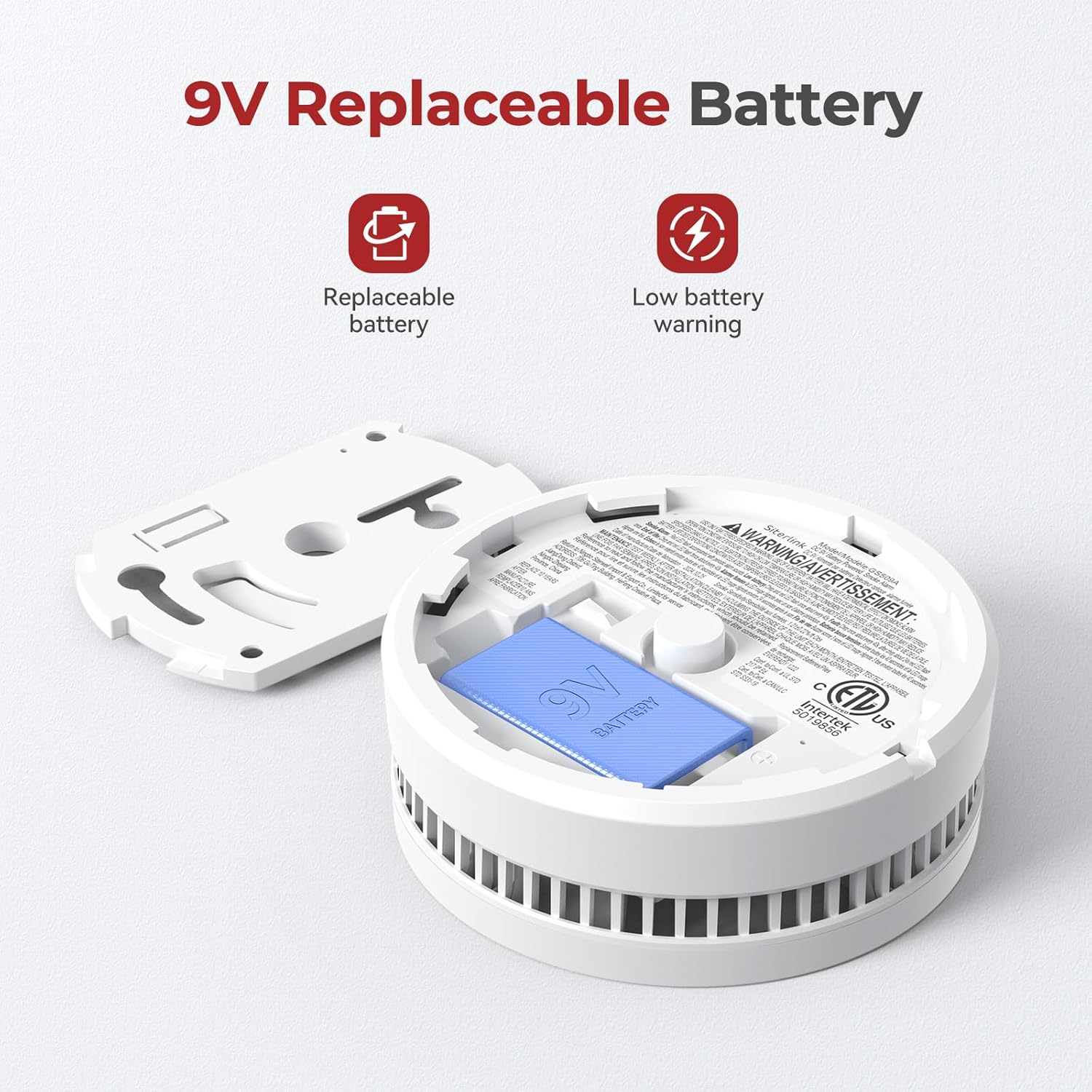
Figure 8: View of the SITERWELL GS509A smoke detector with its battery compartment open, illustrating the replaceable 9V battery and indicating low battery warning capability.
Cleaning the Detector:
Clean your smoke detector at least once a month to remove dust and debris. Use a soft brush or a vacuum cleaner with a soft brush attachment to gently clean the exterior and the openings around the alarm. Do not use water, cleaners, or solvents, as these can damage the unit.
Troubleshooting
| Problem | Possible Cause | Solution |
|---|---|---|
| Alarm chirps periodically. | Low battery. | Replace the 9V battery immediately. |
| Alarm sounds frequently without apparent smoke. | Nuisance alarm (cooking fumes, steam, dust), or detector is too close to a source of combustion. | Press the "Test/Silence" button to activate mute mode. Relocate the detector if false alarms persist due to placement. Clean the detector. |
| Alarm does not sound during test. | Dead or improperly installed battery, or unit malfunction. | Check battery installation and replace if necessary. If still not working, replace the unit. |
| LED indicator not flashing. | No power or unit malfunction. | Ensure battery is correctly installed and active. If issue persists, replace the unit. |
Specifications
- Model: GS509A
- Brand: SITERWELL
- Power Source: 9V Replaceable Battery (included)
- Sensor Type: Photoelectric
- Alarm Loudness: 85 dB at 3 meters (10 feet)
- Product Dimensions: 3.92" (W) x 3.92" (H) x 1.37" (D)
- Item Weight: 9.6 ounces
- Operating Temperature: 40°F (4.4°C) to 100°F (37.8°C)
- Upper Temperature Rating: 122 Degrees Fahrenheit
- Material: Plastic
- Certifications: UL217-9th Listed, ETL Certified
- Included Components: Smoke detector, 9V battery, magnetic pads, screws and anchor plugs
Warranty and Support
SITERWELL products are designed for reliability and performance. For specific warranty details and support, please refer to the warranty card included with your product packaging or visit the official SITERWELL website. If you encounter any issues or have questions regarding your smoke detector, please contact SITERWELL customer support.
Manufacturer: SITERWELL ELECTRONICS CO.,LIMITED
Online Store: Visit the SITERWELL Store on Amazon
Related documentsGS509A


Ask a question about this manual
Ask about setup, troubleshooting, compatibility, parts, safety, or missing instructions. Manuals+ will review the question and use this page’s manual context to help answer it.