
1. Introduction
This manual provides comprehensive instructions for the VIZIUUY 5MP 5G Outdoor Security Camera (Model VZ-5D3-2Pack). It covers product features, setup, operation, maintenance, troubleshooting, and technical specifications to ensure optimal performance and security. Please read this manual thoroughly before installation and use, and retain it for future reference.

Image 1.1: VIZIUUY 5MP 5G Outdoor Security Camera (2-Pack) with mobile app interface.
2. What's in the Box
Verify that all components are present upon unpacking your VIZIUUY 5MP 5G Outdoor Security Camera package:
- 5MP WiFi Camera x 1 (per unit in 2-pack)
- Charging Cable x 1 (per unit)
- Power Adapter x 1 (per unit)
- User Manual x 1
- Screw Bag x 1 (for mounting)

Image 2.1: Package contents including camera, cables, adapter, manual, and screw bag.
3. Product Overview
The VIZIUUY 5MP 5G Outdoor Security Camera is designed for comprehensive home surveillance, offering advanced features for reliable monitoring.
Key Features:
- 5MP Ultra HD Resolution: Provides clear video (2560*1920) for detailed monitoring.
- Dual-Band Wi-Fi 6 & Bluetooth: Supports 2.4GHz and 5GHz Wi-Fi for stable, fast connections, and Bluetooth for quick pairing.
- 24/7 Continuous Recording: Wired power ensures uninterrupted surveillance.
- 360° Auto Tracking: Automatically follows detected movement.
- AI Detection: Differentiates between humans, vehicles, pets, and packages to reduce false alarms.
- Siren and Spotlights: Activates alarms and bright lights upon detection to deter intruders.
- Color Night Vision: Enhanced spotlights provide clear color video up to 55ft in low light.
- Two-Way Audio: Built-in microphone and speaker for remote communication.
- Local & Cloud Storage: Supports up to 128GB Micro SD card (not included) and offers free basic cloud storage.
- Weatherproof Design: IP66 rated for outdoor use in various weather conditions.
- Smart Home Integration: Works with Amazon Alexa and Google Assistant.

Image 3.1: Overview of the VIZIUUY 5MP 5G Outdoor Security Camera units.
4. Setup
4.1 Physical Installation
The camera supports both wall and ceiling mounting. Choose a location that provides optimal coverage and is within reach of a power outlet.
- Select Mounting Location: Identify a suitable outdoor location, ensuring a clear line of sight and strong Wi-Fi signal.
- Mark Drill Holes: Use the provided screw bag and template to mark the drilling positions on the wall or ceiling.
- Drill Holes: Drill holes at the marked positions and insert the wall anchors if necessary.
- Mount Camera: Secure the camera bracket to the wall or ceiling using the provided screws.
- Adjust Angle: Loosen the adjustment screws to position the camera for the desired viewing angle, then tighten them to secure.

Image 4.1: Example of the camera mounted on an exterior wall.
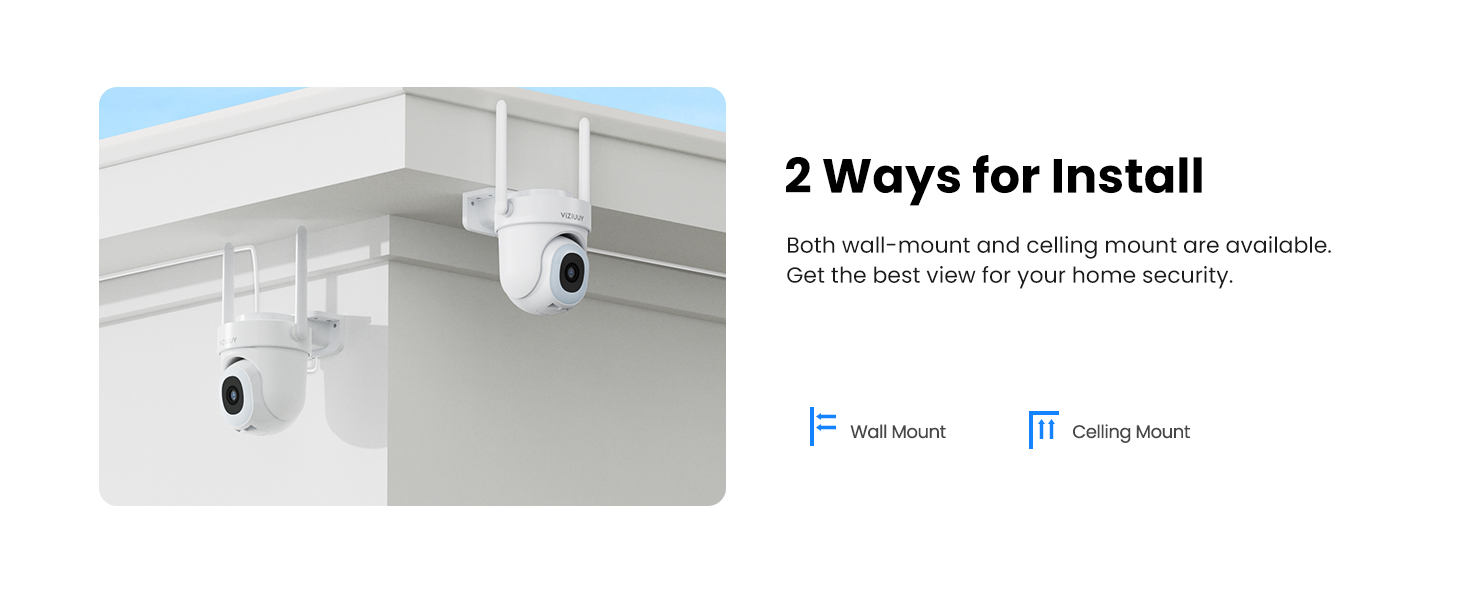
Image 4.2: Illustration of wall and ceiling mounting options.
4.2 App Installation and Pairing
The VIZIUUY camera uses the CloudEdge app for control and monitoring. Download the app and follow the pairing instructions.
- Download App: Search for "CloudEdge" in your smartphone's app store (iOS or Android) and install it.
- Create Account: Open the CloudEdge app and register for a new account or log in if you already have one.
- Power On Camera: Connect the camera to a power source using the provided charging cable and power adapter. The camera will initiate its startup sequence.
- Add Device: In the app, tap the "+" icon to add a new device. Select your camera model from the list.
- Bluetooth Quick Connection: The camera supports Bluetooth for faster pairing. Ensure Bluetooth is enabled on your phone. The app will guide you through the connection process, which may involve scanning a QR code on the camera.
- Wi-Fi Configuration: Follow the in-app instructions to connect the camera to your home Wi-Fi network. The camera supports both 2.4GHz and 5GHz Wi-Fi bands.
- Complete Setup: Once connected, name your camera and complete the setup process in the app.

Image 4.3: Bluetooth quick connection for faster device pairing.
4.3 Network Connection
The camera utilizes Wi-Fi 6 technology and supports dual-band (2.4GHz and 5GHz) Wi-Fi for enhanced connectivity.
- Dual-Band Support: The camera can connect to either 2.4GHz or 5GHz Wi-Fi networks. 5GHz offers faster data transfer and less interference, while 2.4GHz provides a larger coverage area and better penetration through objects.
- Wi-Fi 6 Benefits: Wi-Fi 6 compatibility reduces latency, increases speeds, and enhances network security for a more reliable connection.

Image 4.4: Wi-Fi 6 and dual-band (2.4GHz/5GHz) connectivity.
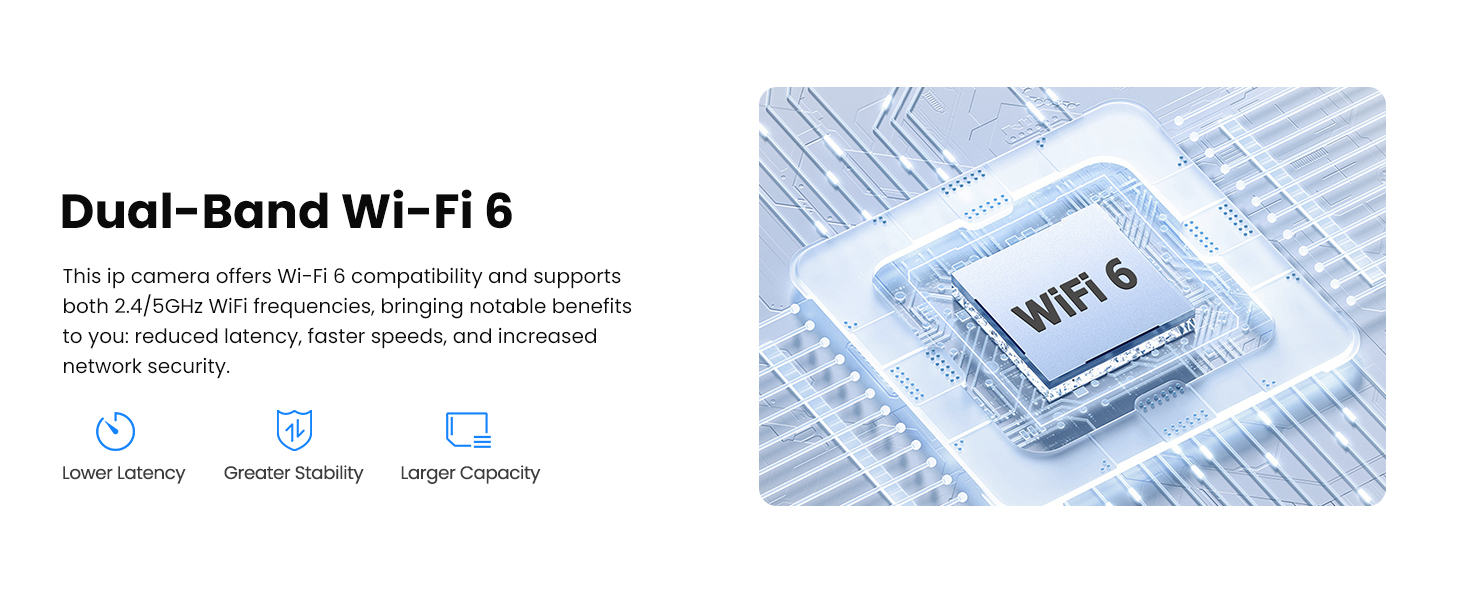
Image 4.5: Benefits of Dual-Band Wi-Fi 6 technology.
5. Operating Instructions
5.1 24/7 Continuous Recording
The VIZIUUY camera provides continuous 24/7 recording when connected to a power source, ensuring constant surveillance without battery limitations.

Image 5.1: The camera supports 24/7 recording via wired power.
5.2 Smart Motion Detection & AI Features
The camera is equipped with advanced AI to detect and differentiate between various objects, reducing false alarms and providing relevant alerts.
- Human/Vehicle/Pet/Package Detection: The AI can identify specific types of movement, sending targeted notifications. Human detection is a free feature; other categories may require paid features.
- Customizable Motion Zones: Define specific areas within the camera's view where motion detection should be active or ignored.
- Sensitivity Levels: Adjust the motion detection sensitivity from 1 to 3 (Low, Medium, High) to suit your environment.

Image 5.2: AI detection for persons, vehicles, pets, and packages.

Image 5.3: Customizable motion detection zones.
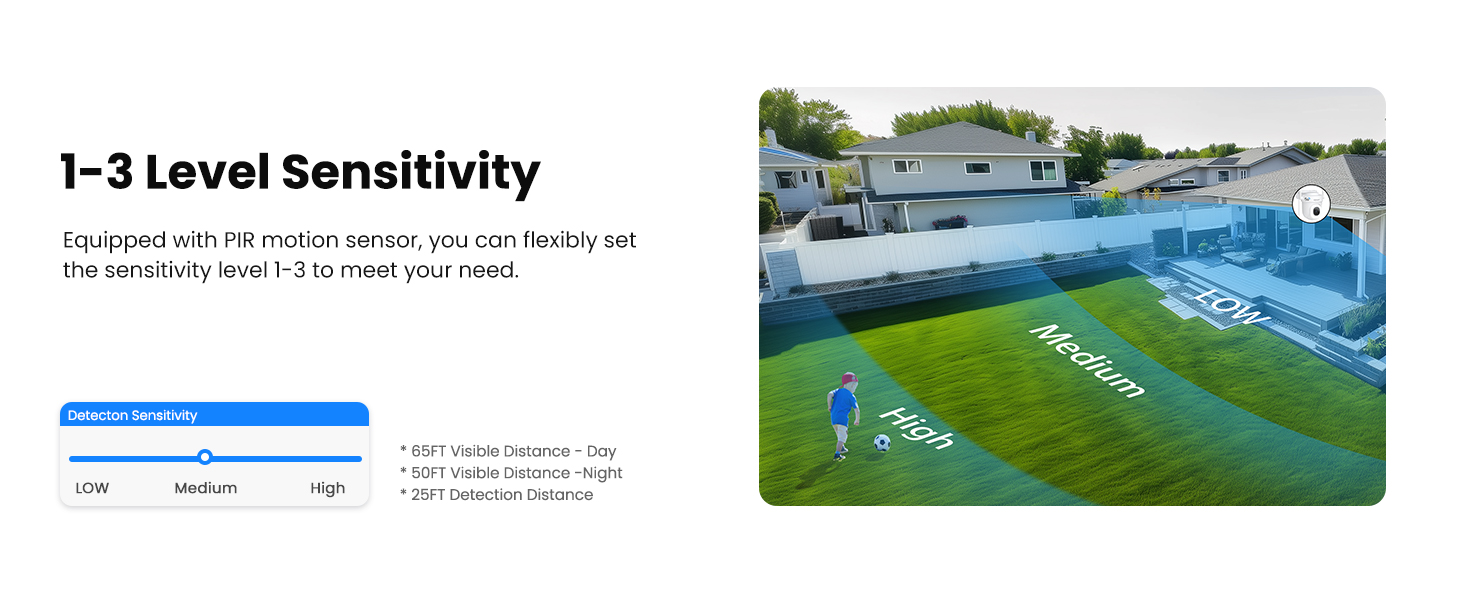
Image 5.4: Adjustable motion detection sensitivity levels.
5.3 360° Auto Tracking
When motion is detected, the camera can automatically pan and tilt to follow the moving object, keeping it in view.

Image 5.5: Auto tracking feature following a person's movement.

Image 5.6: PTZ camera offering 360° pan and 90° tilt for wide coverage.
5.4 Siren and Spotlights Alarm
Upon detecting suspicious activity, the camera can activate a siren and bright spotlights to deter intruders and alert you.
- Automatic Activation: Configurable to automatically trigger upon motion detection.
- Manual Control: You can also manually activate the siren and spotlights via the app.
- Color Night Vision: The spotlights enable full-color video recording even in dark conditions.

Image 5.7: Siren and spotlights activating to warn off an intruder.

Image 5.8: 400 Lumen spotlight providing night visibility up to 55 feet.
5.5 Two-Way Audio
Communicate directly with individuals near your camera using the built-in microphone and speaker through the CloudEdge app.

Image 5.9: Live view and two-way audio functionality.
5.6 Storage Options
The camera offers flexible storage solutions for your recordings.
- Micro SD Card: Supports up to 128GB Micro SD card (not included) for local storage of continuous 24/7 recordings.
- Cloud Storage: Provides lifetime free basic cloud storage for 6-second motion detection video recordings, stored for 7 days. Paid cloud plans are also available for extended storage and features.
- Advanced Compression: Utilizes H.265 compression to save up to 75% storage space compared to H.264.

Image 5.10: Cloud and Micro SD card storage options.
5.7 Smart Home Integration
Integrate your VIZIUUY camera with popular smart home platforms for convenient voice control and monitoring.
- Works with Alexa: Connect your camera to Amazon Alexa-enabled devices. Use voice commands like "Alexa, show me the front door camera" to view live feeds on compatible screens.
- Google Assistant Compatible: Also compatible with Google Assistant for similar voice control functionalities.

Image 5.11: Hands-free control with Alexa and Google Assistant.
5.8 Multi-Device Monitoring & Sharing
Monitor multiple cameras simultaneously and share access with family members.
- Simultaneous View: Use the CloudEdge app to view live feeds from up to four VIZIUUY cameras at once.
- Family Share: Easily share camera access with trusted family or friends via a QR scan, allowing them to monitor your property.
- Multi-Smart Device Compatibility: Access your camera feed from various devices including smartphones, tablets, PCs, and smartwatches.

Image 5.12: Monitoring multiple cameras simultaneously via the CloudEdge app.

Image 5.13: Compatibility with multiple smart devices.
5.9 Smart Playback
Review recorded footage efficiently with smart playback features.
- Event Filters: Easily find important moments using smart event filters and a timeline.
- Online View & Share: View recordings directly from the app and share clips as needed.
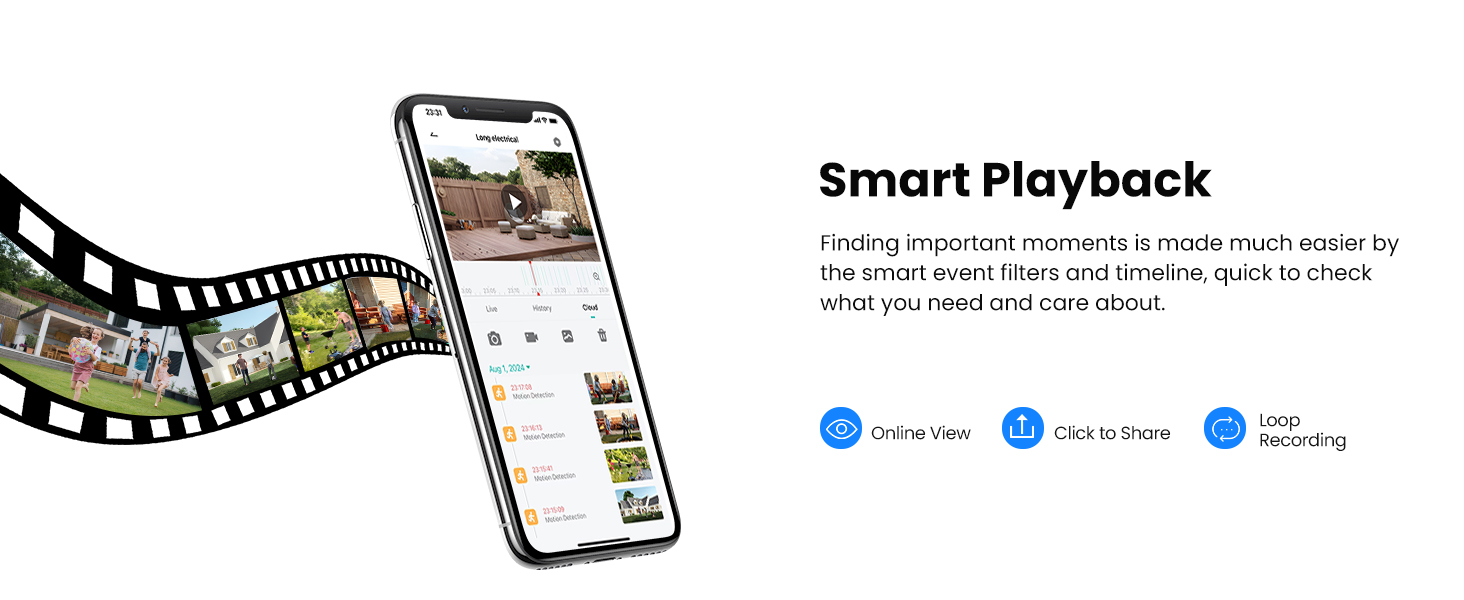
Image 5.14: Smart playback interface for reviewing recordings.
6. Maintenance
6.1 Weather Resistance
The VIZIUUY camera is designed with an IP66 weatherproof rating, ensuring reliable operation in various outdoor conditions.
- IP66 Rating: Protected against dust ingress and powerful water jets, making it suitable for rain, snow, and heat.
- Operating Temperature: Designed to operate within a wide temperature range (-10°C to 55°C).

Image 6.1: Camera's weatherproof design for all-year-round protection.
6.2 Firmware Updates
Periodically check the CloudEdge app for available firmware updates. Keeping your camera's firmware up-to-date ensures optimal performance, security, and access to new features.
- Check for Updates: Navigate to the camera settings within the CloudEdge app to check for and install any available firmware updates.
- Stable Connection: Ensure a stable Wi-Fi connection during firmware updates to prevent interruptions.
7. Troubleshooting
This section addresses common issues you might encounter with your VIZIUUY camera.
| Issue | Possible Cause | Solution |
|---|---|---|
| Camera fails to connect to Wi-Fi. | Incorrect Wi-Fi password, weak signal, or incorrect band (2.4GHz/5GHz). | Verify Wi-Fi password. Ensure camera is within router range. Try connecting to the other Wi-Fi band if your router supports both. Restart router and camera. |
| Frequent disconnections or laggy video. | Weak Wi-Fi signal, network congestion, or outdated firmware. | Move camera closer to router or use a Wi-Fi extender. Reduce network traffic. Check for and install firmware updates via the app. |
| False motion alerts. | High sensitivity setting, environmental factors (e.g., moving branches, insects). | Adjust motion detection sensitivity to a lower level in the app. Define custom motion zones to exclude areas with frequent irrelevant movement. |
| Night vision is dark or unclear. | Infrared reflection from nearby surfaces, dirty lens. | Ensure no obstructions are directly in front of the camera's IR sensors. Clean the camera lens with a soft cloth. Adjust camera angle if mounted too close to a reflective surface. |
| Two-way audio is unclear or low volume. | Microphone/speaker obstruction, network delay, or app volume settings. | Ensure nothing is blocking the camera's microphone or speaker. Check your phone's volume settings. A strong Wi-Fi connection is crucial for clear audio. |
| Micro SD card not recording or recognized. | Card not inserted correctly, incompatible card, or card needs formatting. | Ensure the Micro SD card is inserted correctly. Use a compatible card (Class 10 or higher, up to 128GB). Format the card via the CloudEdge app. |
8. Specifications
Detailed technical specifications for the VIZIUUY 5MP 5G Outdoor Security Camera (Model VZ-5D3-2Pack).
| Feature | Detail |
|---|---|
| Model Number | VZ-5D3-2Pack |
| Video Capture Resolution | 5MP (2560x1920p) |
| Connectivity Technology | Wireless (Wi-Fi 6, Bluetooth) |
| Wi-Fi Frequency | 2.4GHz / 5GHz (Dual-Band) |
| Pan/Tilt/Zoom (PTZ) | 355° Pan, 90° Tilt, 4x Digital Zoom |
| Night Vision Range | Up to 55 feet (Color Night Vision with 14 IR LEDs) |
| Storage Options | Micro SD Card (up to 128GB), Cloud Storage |
| Power Source | Corded Electric (Plug-in) |
| Weather Resistance | IP66 Waterproof |
| Operating Temperature | -10°C to 55°C (14°F to 131°F) |
| Dimensions (L x W x H) | 4.3 x 4.09 x 4.9 inches |
| Item Weight | 1.96 pounds |
| Material | Acrylonitrile Butadiene Styrene (ABS) |
| Compatible Devices | Smartphone, Tablet, Desktop, Digital Video Recorder |
| Controller Type | Amazon Alexa, CloudEdge, Google Assistant, RTSP |

Image 8.1: Camera dimensions and cable length.
9. Warranty and Support
9.1 Warranty Information
For specific warranty details regarding your VIZIUUY 5MP 5G Outdoor Security Camera, please refer to the warranty card included in your product packaging or contact VIZIUUY customer support directly. Protection plans may also be available for purchase separately.
9.2 Customer Support
If you encounter any issues or have questions not covered in this manual, please contact VIZIUUY customer support. Contact information can typically be found on the official VIZIUUY website or within the CloudEdge app's help section.
Manufacturer: VIZIUUY

