
Introduction
This manual provides detailed instructions for the safe and effective use of your BlackSmith 3 Gun Safe, Model SF0106. This digital gun safe is designed to securely store up to 3 long rifles and 2 handguns, featuring a robust alloy steel construction, digital keypad, and emergency key access. Please read this manual thoroughly before installation and operation to ensure proper functionality and security.
Product Features
- External Dimensions: 52''H x 9.8''W x 8.7''D.
- Internal Dimensions: 51.8''H x 9.7''W x 6.1''D.
- Capacity: Designed for up to 3 long rifles and 2 handguns.
- Interior Protection: Fully carpeted interior to prevent firearm scratches.
- Storage Organization: Includes 3 gun magazine organizers, 2 pistol pockets, and an upper section for ammo storage.
- Construction: Durable alloy steel with 23mm locking bolts to deter forced entry.
- Locking Mechanism: Digital keypad (3-8 digit password) and emergency keys.
- Security Alerts: Triggers an alarm after 3 or 6 consecutive incorrect password entries.
- Low Voltage Warning: Red light indicates low battery.

Image: Internal organization of the safe, highlighting the removable rifle rack, pistol pouches, and magazine organizers.

Image: Details of the safe's solid construction, featuring durable alloy steel and 23mm locking bolts for enhanced security.
Setup and Installation
Unpacking and Initial Inspection
Carefully remove the safe from its packaging. Inspect the safe for any signs of damage. Report any damage to the retailer immediately.
Wall Mounting (Anti-Tip Design)
The safe is equipped with 4 pre-drilled holes on the back for secure wall mounting. This feature is crucial to prevent accidental tip-overs and enhance overall security by making it difficult to remove the safe from its location.
- Choose a suitable location for the safe, ensuring the wall can support its weight and contents.
- Mark the positions for drilling using the pre-drilled holes on the back of the safe as a template.
- Drill pilot holes into the wall at the marked positions. Use appropriate drill bits for your wall material (e.g., wood studs, concrete, drywall with anchors).
- Align the safe with the drilled holes and secure it to the wall using the provided mounting hardware. Ensure all bolts are tightened securely.
It is highly recommended to mount the safe to a wall or floor to prevent unauthorized removal.

Image: Anti-tip design illustration, demonstrating the pre-drilled holes for secure wall mounting.
Operating Instructions
Unlocking the Safe
Your BlackSmith gun safe offers two methods for unlocking:
- Digital Keypad: Enter your 3-8 digit password on the keypad. The safe will unlock upon correct entry.
- Emergency Keys: In case of battery failure or forgotten password, use one of the two provided emergency keys to manually unlock the safe. Important: Do not store the emergency keys inside the safe. Keep them in a secure, accessible location outside the safe.
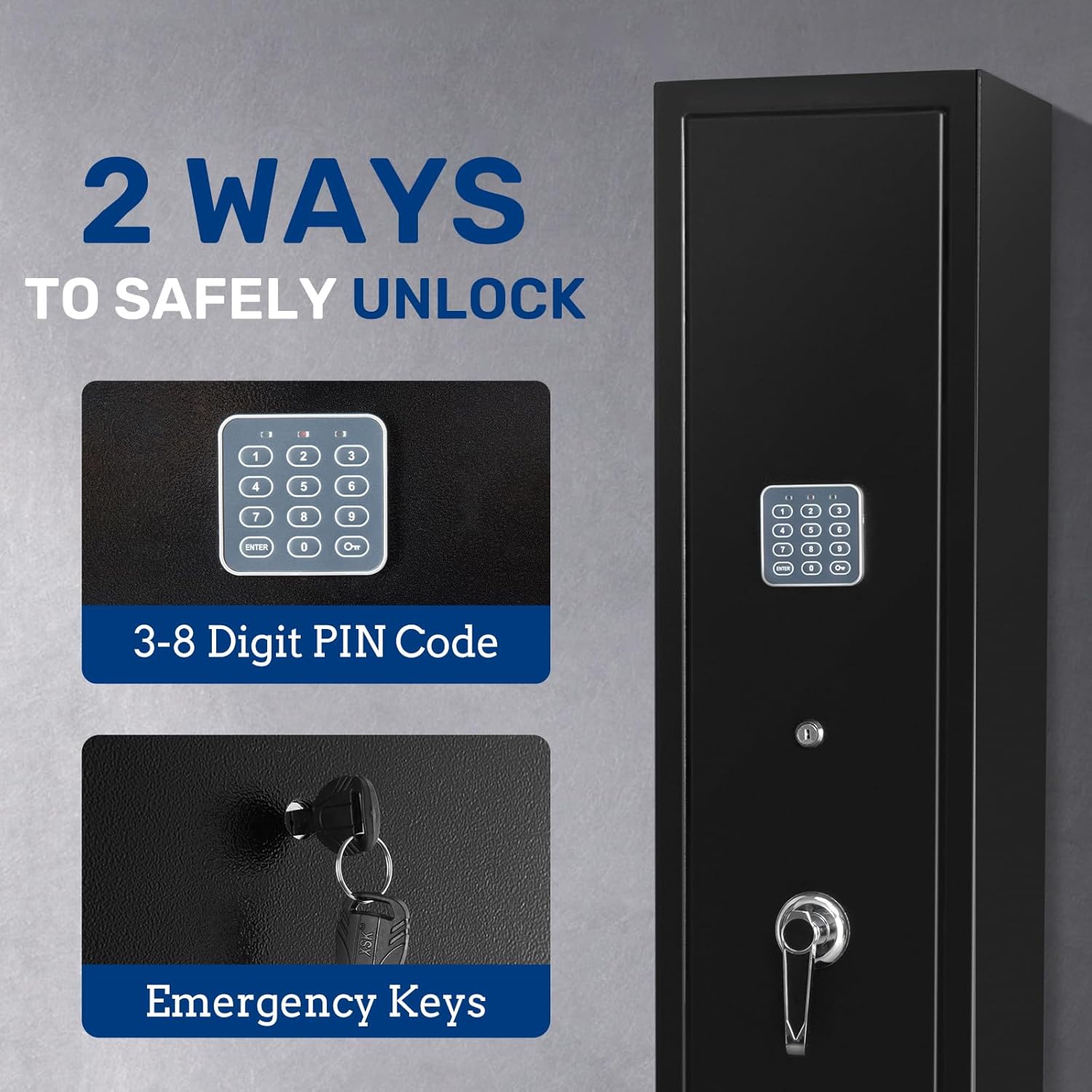
Image: Two methods of unlocking the safe: digital keypad and emergency keys.
Setting Your Digital Password
Detailed instructions for setting or changing your 3-8 digit password will be found inside the safe upon initial opening. Follow the specific steps provided on the internal instruction sheet to program your personal code.
Security Alerts and Warnings
- Error Alert: If an incorrect password is entered 3 or 6 times consecutively, the safe will trigger an audible alarm to deter unauthorized access.
- Low Voltage Warning: A red light indicator will illuminate on the keypad when the batteries are low, signaling that they need to be replaced soon.

Image: Visual representation of the error alert and low voltage warning features.
Maintenance
- Battery Replacement: Replace batteries promptly when the low voltage warning light appears. Use high-quality alkaline batteries for optimal performance.
- Cleaning: Clean the exterior of the safe with a soft, damp cloth. Avoid abrasive cleaners or solvents that could damage the finish.
- Lock Mechanism: Periodically check the locking bolts and door hinges for smooth operation. Do not lubricate the digital keypad mechanism.
- Interior: Ensure the carpeted interior remains clean and dry to protect firearms from moisture and dust.
Troubleshooting
| Problem | Possible Cause | Solution |
|---|---|---|
| Safe does not open with digital code. | Incorrect password entered; low batteries; internal connection issue. |
|
| Alarm sounds unexpectedly. | Multiple incorrect password entries. | Enter the correct password to silence the alarm. Avoid repeated incorrect entries. |
| Red light on keypad is illuminated. | Low battery voltage. | Replace all batteries with new, high-quality alkaline batteries immediately. |
| Safe door does not close or lock properly. | Obstruction in the door frame; locking bolts misaligned. | Check for any objects blocking the door. Ensure the safe is on a level surface and properly mounted. |
Specifications
| Feature | Detail |
|---|---|
| Brand | BlackSmith |
| Model Number | SF0106 |
| Material | Alloy Steel |
| Color | Black |
| External Dimensions (H x W x D) | 52" x 9.8" x 8.7" |
| Internal Dimensions (H x W x D) | 51.8" x 9.7" x 6.1" |
| Item Weight | 56 Pounds |
| Locking Mechanism | Digital Keypad (3-8 digits) & Emergency Keys |
| Mounting Type | Wall Mount (pre-drilled holes) |
| Interior Features | Carpeted, Removable Rifle Rack, Pistol Pockets, Magazine Organizers, Upper Shelf |
| Number of Doors | 1 |
| Number of Compartments | 5 |
Warranty and Support
For specific warranty information, please refer to the documentation included with your purchase or contact BlackSmith customer support directly. If you encounter any issues not covered in the troubleshooting section, or require assistance with parts or service, please reach out to the manufacturer's customer service department.
You can often find support contact details on the BlackSmith official website or through your retailer.


