
1. Introduction and Overview
Thank you for choosing the LivePure Bladeless Indoor/Outdoor Rechargeable Fan. This innovative and portable fan is designed to provide powerful, quiet airflow in various settings, from your home to outdoor spaces. Its bladeless design ensures safety for children and pets, while the rechargeable battery offers cordless convenience for extended use. Please read this manual thoroughly before operating the fan to ensure proper use, maintenance, and to maximize its lifespan.
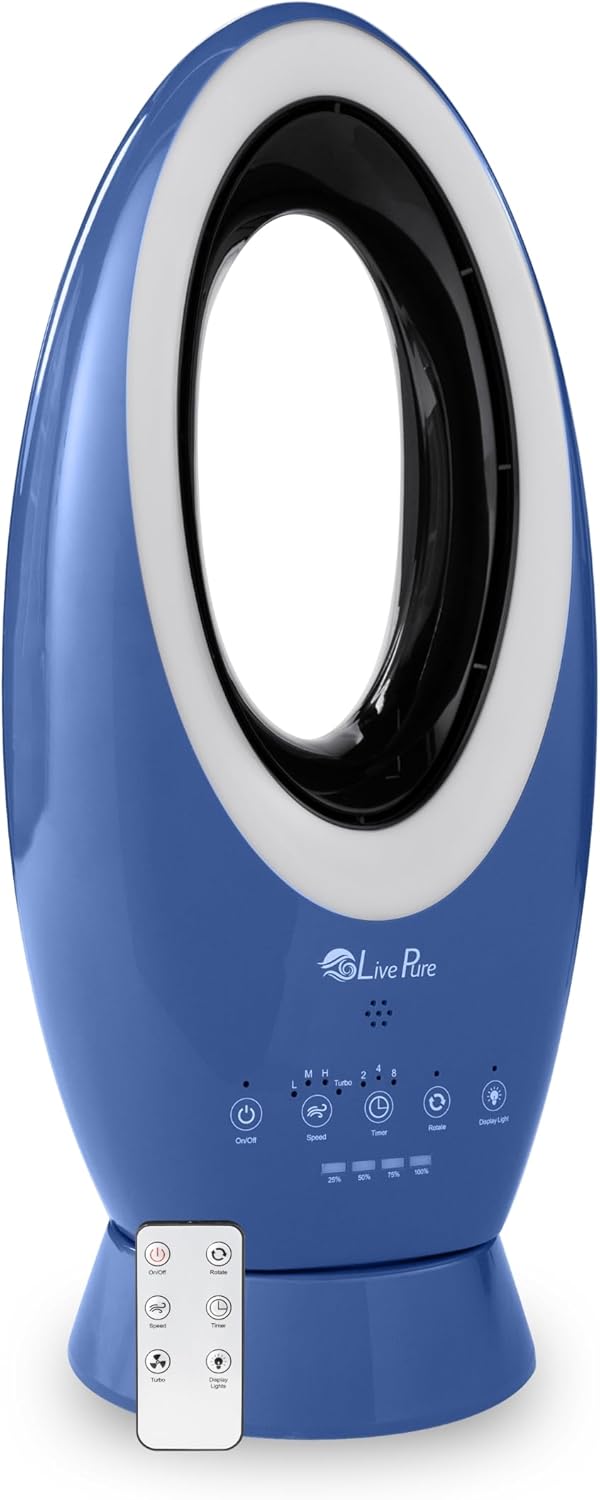
Figure 1: LivePure Bladeless Indoor/Outdoor Rechargeable Fan (Denim Blue)
The LivePure Bladeless Fan features a sleek, modern design with a bladeless air outlet, making it safe and easy to clean. It is shown here in its denim blue color, standing upright on a wooden base.
2. Important Safety Instructions
To reduce the risk of fire, electric shock, or injury, always follow these basic safety precautions:
- Read all instructions before using this fan.
- This fan is designed for indoor and covered outdoor use. Do not expose to direct rain or immerse in water.
- Ensure the power source matches the requirements specified on the fan's label.
- Do not operate any fan with a damaged cord or plug. If the cord or plug is damaged, contact customer support.
- Keep fingers, hair, and loose clothing away from the fan's air intake and outlet during operation.
- Unplug the fan from the power outlet when not in use, when moving it from one location to another, and before cleaning.
- Do not operate the fan in the presence of explosive and/or flammable fumes.
- This appliance is not intended for use by persons (including children) with reduced physical, sensory or mental capabilities, or lack of experience and knowledge, unless they have been given supervision or instruction concerning use of the appliance by a person responsible for their safety.
- Children should be supervised to ensure that they do not play with the appliance. The bladeless design enhances safety, but supervision is still recommended.
- The fan features UV protection for outdoor use, but it must be used in covered areas such as porches or screen rooms to prevent water damage.
3. Package Contents
Please check the contents of your package. If any items are missing or damaged, contact LivePure customer support.
- LivePure Bladeless Indoor/Outdoor Rechargeable Fan (LP1780FAN)
- Remote Control
- Power Adapter/Charging Cable
- User Manual (this document)

Figure 2: Fan Unit and Remote Control
This image displays the LivePure Bladeless Fan alongside its included remote control, highlighting the main components you will receive.
4. Product Features
- Indoor/Outdoor Use: Designed for versatility, suitable for both indoor environments and covered outdoor spaces like patios, decks, or during camping. Features UV protection.
- Rechargeable Lithium-Ion Battery: Provides cordless operation for approximately 2 hours on Turbo, 4 hours on High, 12 hours on Medium, and up to 19 hours on Low speed when fully charged.
- Dual Power Options: Can operate while charging, allowing continuous use even when the battery is low.
- Portable and Lightweight: Easy to move and transport, making it ideal for various locations.
- Bladeless Technology: Creates a strong, steady stream of airflow without exposed blades, enhancing safety for children and pets and simplifying cleaning.
- 4 Fan Speeds: Offers Low, Medium, High, and Turbo settings to customize airflow intensity.
- Accent Light: Features 5 unique interchangeable accent light colors (Blue, Pink, Green, Red, White) to complement your environment.
- Remote Control: Full-function remote for convenient operation from a distance.
- Soft-Touch Control Panel: Intuitive controls located on the fan base for manual adjustments.
- Rotation Feature: Oscillates to distribute air across a wider area.
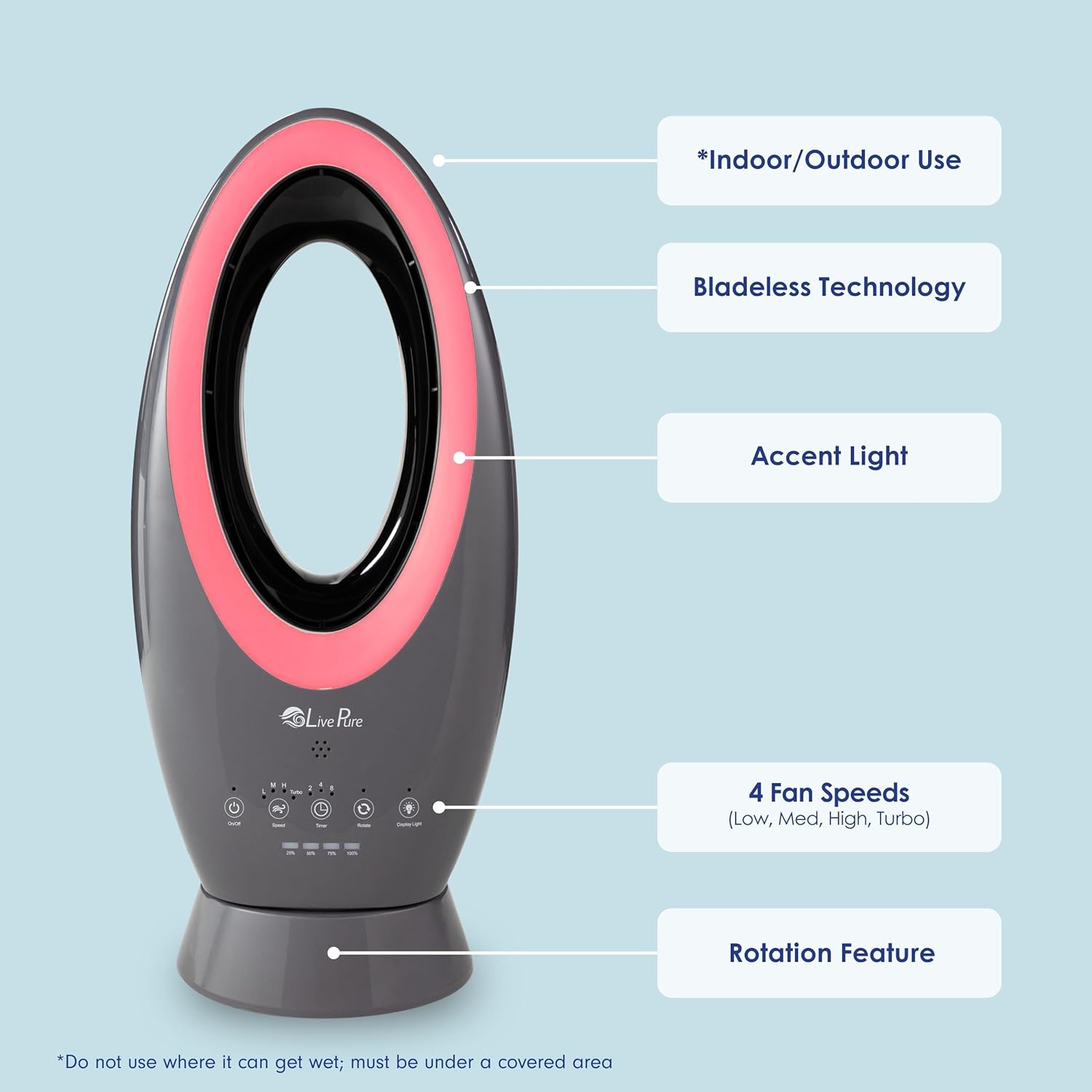
Figure 3: Key Features Overview
This image visually labels the fan's main features, including its indoor/outdoor capability, bladeless technology, accent light, 4 fan speeds, and rotation feature.

Figure 4: Accent Light Colors
A display of multiple LivePure bladeless fans showcasing the five available accent light colors: Blue, Pink, Green, Red, and White.
5. Setup
- Unpacking: Carefully remove the fan and all accessories from the packaging. Retain packaging for future storage or transport.
- Initial Charging: Before first use, fully charge the fan's Lithium-Ion battery. Connect the power adapter to the charging port on the fan and plug it into a suitable electrical outlet. The charging indicator lights will show the charging status. A full charge typically takes approximately 2 hours.
- Placement:
- For indoor use, place the fan on a stable, flat surface away from curtains or objects that could obstruct airflow.
- For outdoor use, ensure the fan is placed in a covered area, such as a patio, screen room, or under an awning, to protect it from direct rain or excessive moisture.
- Ensure there is adequate space around the fan for optimal air circulation and oscillation.
- Remote Control Battery: If the remote control is not pre-installed with batteries, insert the required batteries (type usually specified on the remote or in packaging, typically CR2025 coin cell).
6. Operating Instructions
The LivePure Bladeless Fan can be operated using either the soft-touch control panel on the unit or the included remote control.

Figure 5: Remote Control Layout
A close-up view of the remote control, showing the buttons for On/Off, Rotate, Speed, Timer, Turbo, and Display Lights.
Control Panel / Remote Control Functions:
- Power On/Off (⏻): Press to turn the fan on or off.
- Speed (∽): Press repeatedly to cycle through fan speeds: Low (L), Medium (M), High (H).
- Turbo (✗): Press to activate the maximum fan speed for powerful cooling. Press again to return to the previous speed setting.
- Timer (⏷): Press repeatedly to set the auto-off timer for 2, 4, or 8 hours. The corresponding indicator light will illuminate.
- Rotate (↻): Press to activate or deactivate the oscillation feature, allowing the fan to rotate from side to side.
- Display Light (💡): Press repeatedly to cycle through the 5 accent light colors (Blue, Pink, Green, Red, White) or turn the light off.
Battery Level Indicators:
The control panel features indicator lights that show the current battery charge level (e.g., 25%, 50%, 75%, 100%). Recharge the fan when the battery level is low.
7. Maintenance
Regular maintenance helps ensure optimal performance and longevity of your LivePure Bladeless Fan.
- Cleaning:
- Always unplug the fan before cleaning.
- Use a soft, damp cloth to wipe the exterior surfaces of the fan. Do not use abrasive cleaners or solvents.
- The bladeless design allows for easy cleaning of the air intake and outlet areas. Use a soft brush or vacuum cleaner with a brush attachment to remove dust from these openings.
- Do not immerse the fan in water or allow water to drip into the interior.
- Battery Care:
- To prolong battery life, avoid completely draining the battery frequently.
- If storing the fan for an extended period, charge the battery to about 50% and recharge every 3-6 months to prevent deep discharge.
- Storage: Store the fan in a cool, dry place when not in use. If possible, use the original packaging to protect it from dust and damage.
8. Troubleshooting
Before contacting customer support, please refer to the following troubleshooting guide for common issues.
| Problem | Possible Cause | Solution |
|---|---|---|
| Fan does not turn on. | Battery is depleted. Power adapter not connected properly. | Charge the fan fully. Ensure power adapter is securely plugged into the fan and a working outlet. |
| Weak or no airflow. | Air intake/outlet blocked. Fan speed set too low. | Check for obstructions and clean air openings. Increase fan speed using the Speed or Turbo button. |
| Remote control not working. | Batteries are dead or incorrectly inserted. Obstruction between remote and fan. | Replace batteries or ensure correct polarity. Remove any objects blocking the signal path. Ensure remote is pointed at the fan's sensor. |
| Fan makes unusual noise. | Internal obstruction or debris. | Turn off and unplug the fan. Carefully inspect air pathways for any foreign objects. If noise persists, contact customer support. |
9. Specifications
- Brand: LivePure
- Model Name: LP1780FAN
- Color: Denim Blue
- Electric Fan Design: Table Fan
- Power Source: Battery Powered (Rechargeable Lithium-Ion)
- Special Feature: Lightweight, Bladeless, Accent Lighting, Oscillation
- Recommended Uses: Cooling
- Indoor/Outdoor Usage: Indoor / Covered Outdoor (ETL outdoor rated, UV protection)
- Control Method: Touch Panel / Remote
- Is Cordless?: Yes
- Number of Power Levels: 4 (Low, Medium, High, Turbo)
- Dimensions: Approximately 23.5" H x 7.9" W
- UPC: 810067454193
- ASIN: B0DK411YKT

Figure 6: Product Dimensions
This image illustrates the approximate height (23.5 inches) and width (7.9 inches) of the LivePure Bladeless Fan.
10. Warranty and Support
For warranty information, please refer to the documentation included with your product packaging or visit the official LivePure website. Warranty terms and conditions may vary.
If you encounter any issues that cannot be resolved using the troubleshooting guide, or for further assistance, please contact LivePure Customer Support:
- Website: Visit the LivePure Store on Amazon (for general product information)
- Contact: Refer to your product's packaging or the LivePure official website for direct contact methods (phone, email, chat).
11. Official Product Videos
There are no official product videos from the seller available for embedding in this manual. Videos from third-party influencers are not included as per manual generation guidelines.


