
1. Introduction
Thank you for choosing the ANENG PN200 Clamp Multimeter. This device is a professional, portable measuring instrument designed for electrical testing and troubleshooting. It features True RMS (TRMS) measurement, 4000 counts display, and auto-ranging capabilities, making it suitable for a wide range of applications including AC/DC current, voltage, resistance, capacitance, continuity, diode testing, frequency, and non-contact voltage (NCV) detection. Please read this manual thoroughly before use to ensure safe and proper operation.
2. Safety Information
Always adhere to basic safety precautions when using electrical testing equipment to reduce the risk of fire, electric shock, or personal injury.
- Read and understand all instructions in this manual before operating the meter.
- Do not use the meter if it appears damaged or if the insulation on the test leads is compromised.
- Ensure the function switch is in the correct position for the measurement being performed.
- Do not exceed the maximum input values specified for each range.
- Exercise extreme caution when working with voltages above 30V AC RMS, 42V peak, or 60V DC. These voltages pose a shock hazard.
- Always disconnect power to the circuit and discharge all high-voltage capacitors before measuring resistance, continuity, diodes, or capacitance.
- Keep fingers behind the finger guards on the test leads during measurements.
- Replace batteries immediately when the low battery indicator appears to ensure accurate readings.
- Do not operate the meter in explosive gas, vapor, or dusty environments.
3. Package Contents
The ANENG PN200 Clamp Multimeter package includes the following items:
- 1 x ANENG PN200 Clamp Multimeter
- 2 x AAA Batteries (may be included separately or pre-installed)
- 1 x Combined Line Set (4 x Female Connectors, 2 x PVC Cables, 2 x Copper Needles, 2 x U-shaped Inserts, 2 x Measuring Pins, 2 x Alligator Clips, 2 x Puncture Needles)
- 1 x Multimeter Test Lead Set
- 1 x Charging Cable (for internal battery, if applicable, or for accessories)
- 1 x User Manual
- 1 x Storage Bag

Figure 3.1: ANENG PN200 Clamp Multimeter along with its complete set of accessories, including test leads, alligator clips, and other connectors.
4. Product Overview
The ANENG PN200 Clamp Multimeter is designed for versatile electrical measurements. Key components include:
- Clamp Jaw: For non-contact AC/DC current measurement.
- Function Rotary Switch: To select measurement modes.
- LCD Display: Digital readout of measurements, with backlight.
- Buttons: For Data Hold (H), Relative Measurement (REL), NCV activation, and Backlight/Flashlight.
- Input Jacks: For connecting test leads for voltage, resistance, capacitance, continuity, and diode measurements.
- NCV Sensor: For non-contact voltage detection.

Figure 4.1: The ANENG PN200 Clamp Multimeter, highlighting its key functions and display features.
5. Setup
5.1. Battery Installation
- Ensure the multimeter is turned OFF.
- Locate the battery compartment cover on the back of the device.
- Use a screwdriver to open the battery compartment.
- Insert two AAA batteries, observing the correct polarity (+ and -).
- Replace the battery compartment cover and secure it with the screw.
The meter requires 2 AAA batteries for operation.
6. Operating Instructions
6.1. Power On/Off
- To turn ON the meter, rotate the function switch from the "OFF" position to any desired measurement function.
- To turn OFF the meter, rotate the function switch back to the "OFF" position.
- The meter features an automatic shutdown function after 15 minutes of inactivity to conserve battery life.
6.2. Function Selection
Rotate the central dial to select the desired measurement function. The available functions include:
- V~: AC Voltage measurement
- V-: DC Voltage measurement
- A~: AC Current measurement (using the clamp)
- A-: DC Current measurement (using the clamp)
- Ω: Resistance measurement
- Hz: Frequency measurement
- Capacitance: Capacitance measurement
- Diode/Continuity: Diode test and continuity buzzer
- NCV: Non-Contact Voltage detection
6.3. Special Functions
- Data Hold (H): Press the "H" button to freeze the current reading on the display. Press again to release.
- Relative Measurement (REL): Press the "REL" button to store the current reading as a reference value. Subsequent measurements will be displayed as a difference from this reference. Press again to exit relative mode.
- Backlight: The display has a backlight for improved visibility in low-light conditions. It activates automatically or can be toggled.
- NCV (Non-Contact Voltage): Press the NCV button to activate this mode. The meter will detect AC voltage without physical contact, indicated by an audible beep and LED light.

Figure 6.1: The data retention and backlit screen features of the ANENG PN200 ensure readability and convenient recording.
7. Performing Measurements
7.1. AC/DC Current Measurement (Clamp)
- Rotate the function switch to the A~ (AC Current) or A- (DC Current) position.
- Open the clamp jaw by pressing the trigger.
- Encircle only one conductor with the clamp jaw. Ensure the jaw is fully closed.
- Read the current value on the LCD display.
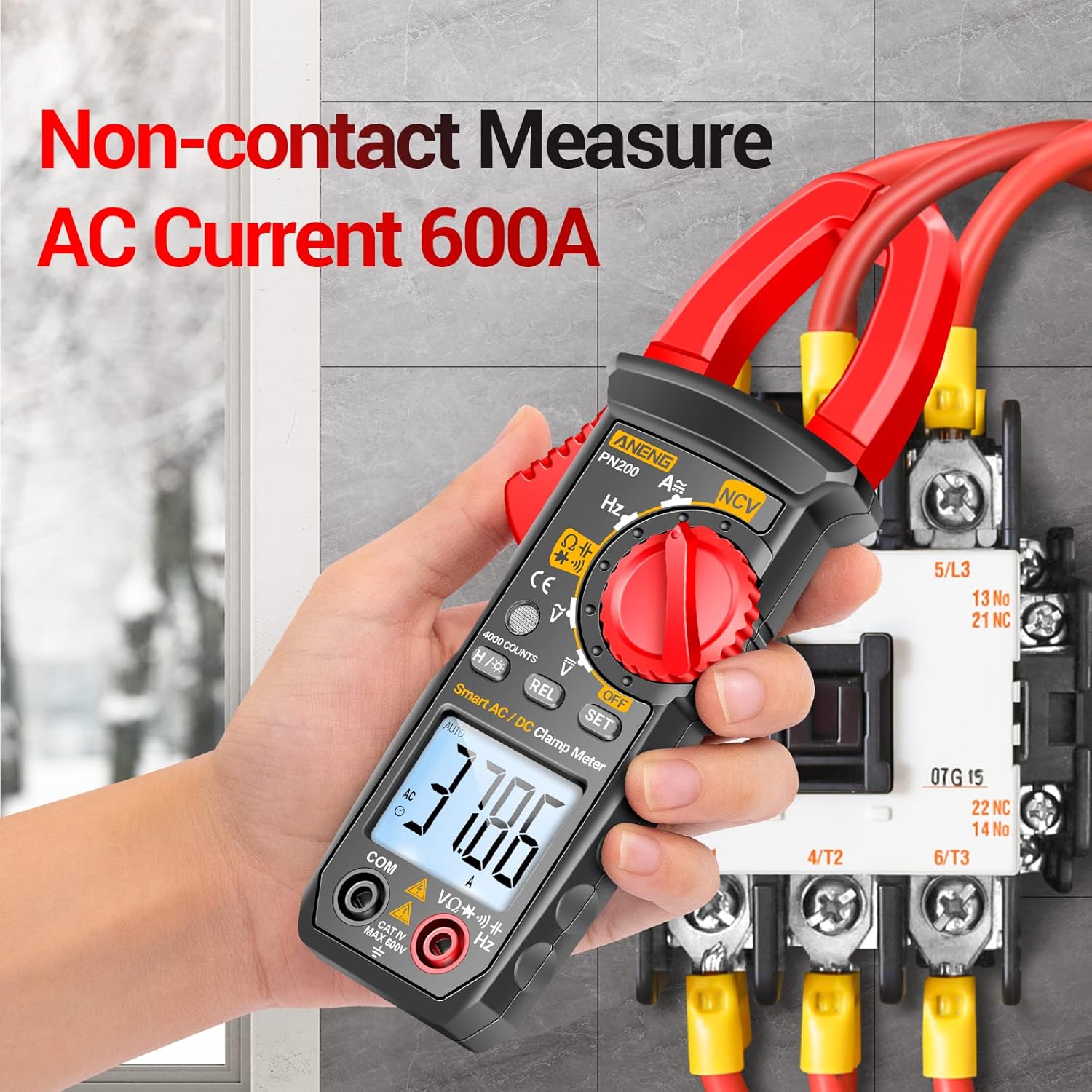
Figure 7.1: Non-contact AC current measurement using the clamp function.

Figure 7.2: The clamp jaw opens to 34mm (1.33 inches) for measuring various wire sizes.

Figure 7.3: Measuring DC current on a car battery with the ANENG PN200.
7.2. AC/DC Voltage Measurement
- Insert the red test lead into the "VΩHz" jack and the black test lead into the "COM" jack.
- Rotate the function switch to the V~ (AC Voltage) or V- (DC Voltage) position.
- Connect the test leads in parallel to the circuit or component under test.
- Read the voltage value on the LCD display.
7.3. Resistance, Capacitance, Diode, and Continuity Measurement
- Insert the red test lead into the "VΩHz" jack and the black test lead into the "COM" jack.
- Rotate the function switch to the Ω (Resistance), Capacitance, or Diode/Continuity position.
- For resistance, capacitance, and diode tests, ensure the circuit is de-energized and capacitors are discharged.
- Connect the test leads across the component to be measured.
- Read the value on the LCD display. For continuity, an audible beep indicates a continuous circuit.
7.4. NCV (Non-Contact Voltage) Detection
- Rotate the function switch to the NCV position or press the NCV button in any mode.
- Move the top end of the meter near the conductor or outlet you want to test.
- If AC voltage is detected, the meter will emit an audible beep and the NCV indicator light will illuminate. The intensity of the beeps and light may increase with stronger voltage.
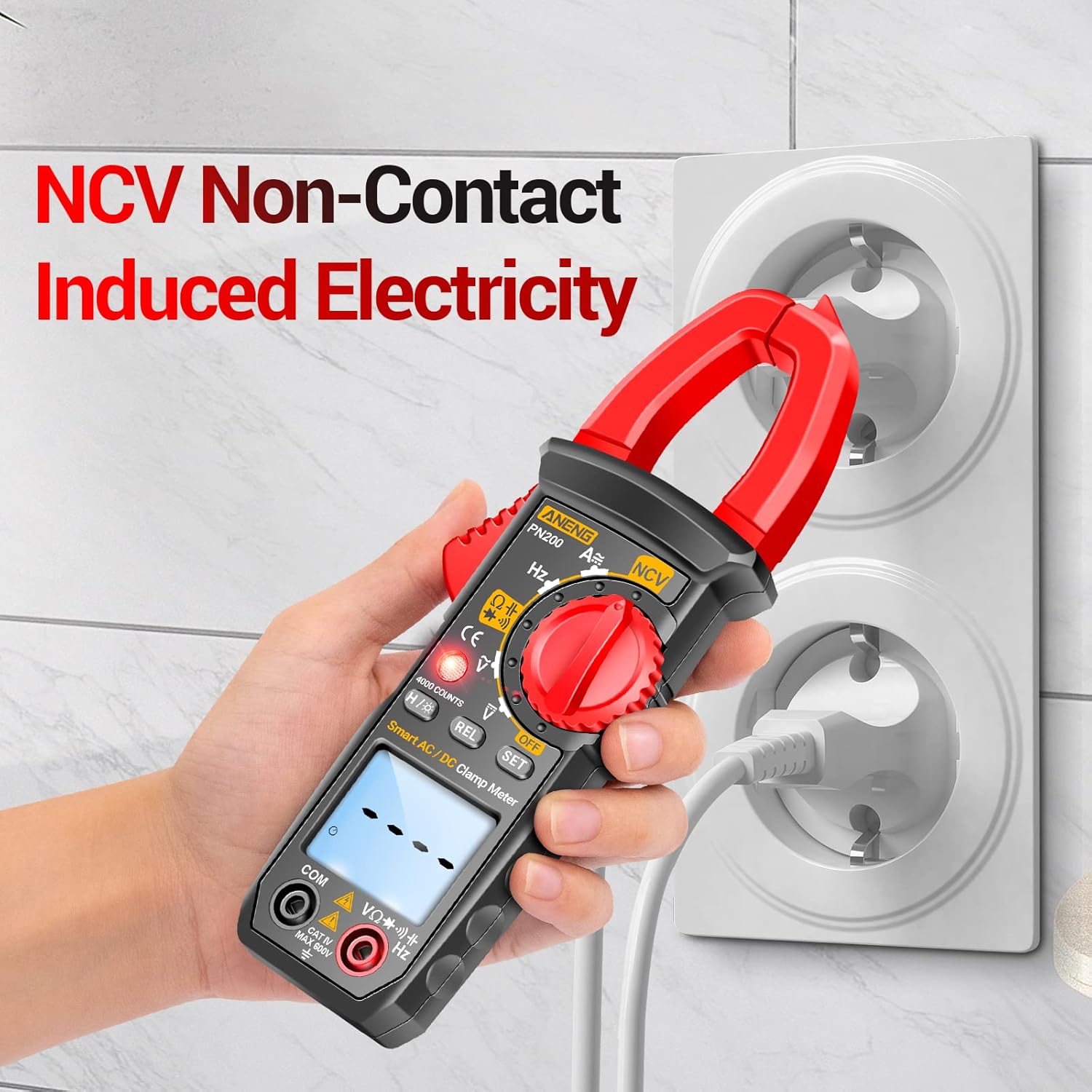
Figure 7.4: Using the NCV function to safely detect live wires.

Figure 7.5: The ANENG PN200 in use for measuring electrical parameters within an electrical panel.

Figure 7.6: The ANENG PN200 measuring various colored wires, demonstrating its versatility.
8. Specifications
| Parameter | Specification |
|---|---|
| Manufacturer | ANENG |
| Model Reference | PN200 |
| Max. Display | 4000 Counts |
| AC Voltage | 0V~600V ±(2.0%+10d) |
| DC Voltage | 0V~600V ±(1.2%+10d) |
| AC Current | 0A~600A ±(2.5%+20d) |
| DC Current | 0A~600A ±(2.5%+20d) |
| Resistance | 0Ω~40MΩ ±(1.5%+10d) |
| Capacitance | 0nF~4mF ±(4.0%+15d) |
| Frequency (Hz) | 0Hz~4MHz ±(3.0%+10d) |
| NCV Sensing | Yes |
| Diode Test | Yes |
| Continuity Buzzer | Yes |
| Automatic Shutdown | Yes (after 15 minutes) |
| Jaw Opening | 34mm / 1.33 inches |
| Weight | 154g |
| Material | ABS |
| Battery Type | 2 x AAA batteries |
| Probe Length | 83cm / 32.67 inches |
| Probe Material | PVC/Brass |
| Backlit Screen | Yes |
| Data Retention | Yes |
| Certifications | IEC 61010-1, CE, EN 61010-1, UL, FCC, ETL, UKCA, ISO 9001, RoHS, CSA |
9. Maintenance
9.1. Cleaning
- Wipe the meter casing with a damp cloth and mild detergent. Do not use abrasives or solvents.
- Keep the input terminals and clamp jaw clean and free of dust or debris.
9.2. Battery Replacement
When the low battery indicator appears on the display, replace the batteries as described in the "Battery Installation" section (5.1). Remove batteries if the meter is not used for an extended period to prevent leakage.
10. Troubleshooting
- Meter does not power on: Check battery installation and ensure batteries are fresh.
- No reading or unstable reading: Ensure test leads are properly connected and making good contact with the circuit. Verify the function switch is set to the correct measurement type. For current measurements, ensure only one conductor is within the clamp jaw.
- NCV not detecting: Ensure the NCV sensor is close enough to the AC voltage source.
- Display shows "OL" (Overload): The measured value exceeds the selected range. Switch to a higher range if available, or ensure the input is within the meter's capabilities.
11. Warranty and Support
ANENG is committed to providing quality products and customer satisfaction. The ANENG PN200 Clamp Multimeter comes with lifetime service and technical support. For any questions, technical assistance, or support needs, please contact ANENG customer service through your purchase platform or the official ANENG website.


