
AWEI T93
AWEI T93 Wireless Over Ear Earbuds Bluetooth Headphones User Manual
Model: T93
Introduction
Thank you for choosing the AWEI T93 Wireless Over Ear Earbuds. This manual will guide you through the setup, operation, and maintenance of your new earbuds to ensure optimal performance and longevity. Please read these instructions carefully before use.
Package Contents
- AWEI T93 Wireless Earbuds (Left and Right)
- Charging Case
- USB Charging Cable
- User Manual
- Eartips (various sizes)
Product Overview
Familiarize yourself with the components of your AWEI T93 earbuds and charging case.

Image 1: AWEI T93 Wireless Earbuds placed inside their open charging case. The earbuds are white with earhooks, and the charging case is also white.
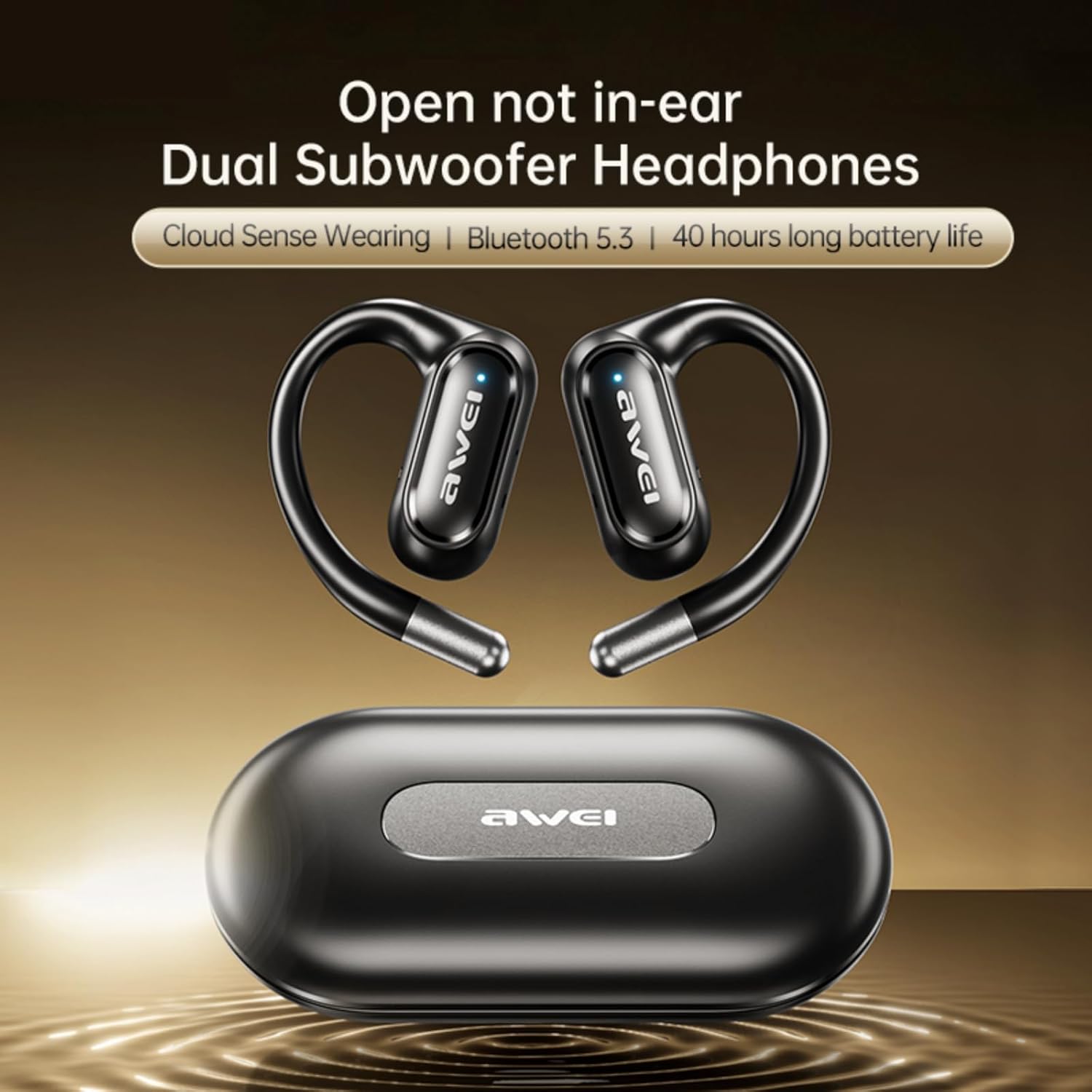
Image 2: A pair of black AWEI T93 wireless earbuds with earhooks, positioned above their matching black charging case. This image highlights the over-ear design.
Setup
1. Charging the Earbuds and Case
Before first use, fully charge the earbuds and the charging case.
- Place the earbuds into the charging case. Ensure they are correctly seated.
- Connect the charging case to a power source using the provided USB cable.
- The indicator lights on the case and earbuds will show charging status. Once fully charged, the lights will typically turn off or change color.
A full charge provides approximately 5 hours of music playback for the earbuds. The 300mAh charging case extends total playback to 42 hours in dual-ear mode, or up to 84 hours when alternating single-ear use.
2. Initial Pairing
The AWEI T93 earbuds feature automatic pairing for convenience.
- Open the charging case and remove both earbuds. They will automatically power on and enter pairing mode.
- On your device (smartphone, tablet, computer), enable Bluetooth and search for available devices.
- Select "AWEI T93" from the list of found devices to connect.
- Once connected, you will hear a confirmation prompt, and the earbuds' indicator lights will change.
The earbuds will automatically reconnect to the last paired device when removed from the case. The Bluetooth 5.4 technology ensures a stable connection up to 33 feet (10 meters).

Image 3: A visual representation of a Bluetooth 5.3 chip, emphasizing stable and low-latency connection. Note: Product specifications state Bluetooth 5.4, this image refers to 5.3.
Operating Instructions
1. Wearing the Earbuds
The AWEI T93 earbuds are designed with earhooks for a secure and comfortable fit, especially during physical activities.
- Identify the Left (L) and Right (R) earbuds.
- Gently place the earbud into your ear canal.
- Hook the earhook over the top of your ear, adjusting it until it feels secure and comfortable.
- Experiment with different eartip sizes to find the best fit for optimal sound quality and comfort.

Image 4: Two individuals, a man and a woman, wearing AWEI T93 earbuds with earhooks, demonstrating the secure fit. Insets show "Gravitational Technology Firm fit" and "Rebound Technology Self-adaptive rebound for 99% fit."
2. Touch Controls
The earbuds feature intuitive touch controls for managing music and calls.
| Action | Function |
|---|---|
| Single Tap (L/R) | Play/Pause Music, Answer/End Call |
| Double Tap (Right) | Next Track |
| Double Tap (Left) | Previous Track |
| Triple Tap (L/R) | Activate Voice Assistant |
| Long Press (L/R, 2s) | Reject Call |
| Long Press (Right, 2s) | Volume Up |
| Long Press (Left, 2s) | Volume Down |
3. Single-Ear and Dual-Ear Mode
You can use either earbud independently or both together.
- Dual-Ear Mode: Remove both earbuds from the charging case. They will automatically connect to each other and then to your device.
- Single-Ear Mode: Remove only one earbud from the charging case. It will connect to your device independently. The other earbud can remain in the case or be used later.
4. Making and Receiving Calls
- Answer/End Call: Single tap either earbud.
- Reject Call: Long press either earbud for 2 seconds.
- The built-in microphones ensure clear voice transmission during calls.
Maintenance
1. Cleaning
- Regularly clean the earbuds, especially the eartips and charging contacts, with a soft, dry, lint-free cloth.
- Do not use harsh chemicals or abrasive materials.
- Ensure the earbuds are dry before placing them back into the charging case.
2. Storage
- When not in use, store the earbuds in their charging case to protect them and keep them charged.
- Store in a cool, dry place, away from extreme temperatures and direct sunlight.
3. Water Resistance (IPX6)
The AWEI T93 earbuds are IPX6 waterproof, meaning they are protected against powerful water jets. This makes them suitable for sports and workouts where sweat and splashes are common.
- Do not submerge the earbuds in water.
- The charging case is not waterproof.
- Ensure earbuds are dry before charging.
Troubleshooting
| Problem | Possible Solution |
|---|---|
| Earbuds not pairing | Ensure earbuds are charged. Turn off and on Bluetooth on your device. Forget "AWEI T93" from your device's Bluetooth list and re-pair. |
| Only one earbud working | Place both earbuds back into the charging case, close the lid, then open and remove them together. Ensure both are charged. |
| Low volume or poor sound quality | Adjust volume on your device and earbuds. Ensure eartips provide a good seal. Clean any debris from the earbud speakers. |
| Earbuds not charging | Check charging cable and power adapter. Ensure charging contacts on earbuds and case are clean and dry. |
| Connection drops frequently | Ensure you are within the 33-foot Bluetooth range. Avoid obstacles between earbuds and device. Reduce interference from other wireless devices. |
Specifications
- Model: T93
- Connectivity Technology: Wireless
- Wireless Communication Technology: Bluetooth 5.4
- Ear Placement: Over Ear
- Control Type: Touch Control
- Water Resistance Level: IPX6 Waterproof
- Speaker Size: 14mm
- Earbud Playback Time: Approximately 5 hours
- Total Playback Time (with charging case): Up to 42 hours (dual-ear), 84 hours (alternating single-ear)
- Charging Case Battery Capacity: 300mAh
- Maximum Operating Distance: 33 Feet (10 meters)
- Special Features: Fast Charging, Lightweight, Rechargeable Battery, Touch Control
- Compatible Devices: Laptops, Tablets, Mobile Phones
Safety Information
- Do not disassemble or modify the product.
- Keep away from extreme temperatures, direct sunlight, and open flames.
- Avoid exposing the charging case to water or moisture.
- Do not use the earbuds at excessively high volumes for prolonged periods to prevent hearing damage.
- Keep out of reach of children and pets.
Warranty and Support
For warranty information or technical support, please refer to the documentation included with your purchase or contact AWEI customer service through their official website or the retailer where the product was purchased.
Related documentsT93


Ask a question about this manual
Ask about setup, troubleshooting, compatibility, parts, safety, or missing instructions. Manuals+ will review the question and use this page’s manual context to help answer it.