
Introduction
The VSITOO S1 Pro is a 15oz smart insulated water bottle designed to provide clean and temperature-controlled hydration. It features AI-powered self-cleaning using UV-C light, a touchscreen display for temperature and control, and app connectivity for personalized settings and hydration reminders. This manual provides essential information for the safe and effective use of your VSITOO S1 Pro water bottle.

Image: The VSITOO S1 Pro water bottle highlighting its AI self-cleaning capability.
Safety Information
- UV-C Light Safety: The UV-C self-cleaning function is designed to operate only when the bottle cap is securely closed. Do not attempt to activate the UV-C light when the cap is open, as direct exposure to UV-C light can be harmful to eyes and skin.
- Temperature Warnings: The touchscreen displays the water temperature. Pay attention to the color-coded ring: Blue (<35°C/95°F) indicates cool, Orange (36-50°C/97-122°F) indicates warm, and Red (>50°C/122°F) indicates hot. Exercise caution when consuming liquids indicated by an orange or red ring to prevent burns.
- Charging: Use only the provided magnetic charging cable. Ensure the charging port is dry before connecting the cable.
- Cleaning: The bottle is designed for hand washing only. Do not immerse the cap in water or place it in a dishwasher, as this may damage electronic components.
- Intended Use: This bottle is intended for water and other non-carbonated, non-acidic beverages. Do not use with carbonated drinks, dairy products, or fruit juices, as this may affect the self-cleaning function or bottle integrity.
Package Contents
Verify that all items are present in your package:
- VSITOO S1 Pro Smart Water Bottle (15oz)
- Magnetic Charging Cable
- User Manual
Setup
1. Initial Charging
Before first use, fully charge your VSITOO S1 Pro water bottle. Connect the magnetic charging cable to the charging port on the cap and plug the USB end into a compatible power source (e.g., USB wall adapter, computer USB port). The display will show charging status. A full charge typically takes a few hours and provides up to 30 days of battery life.
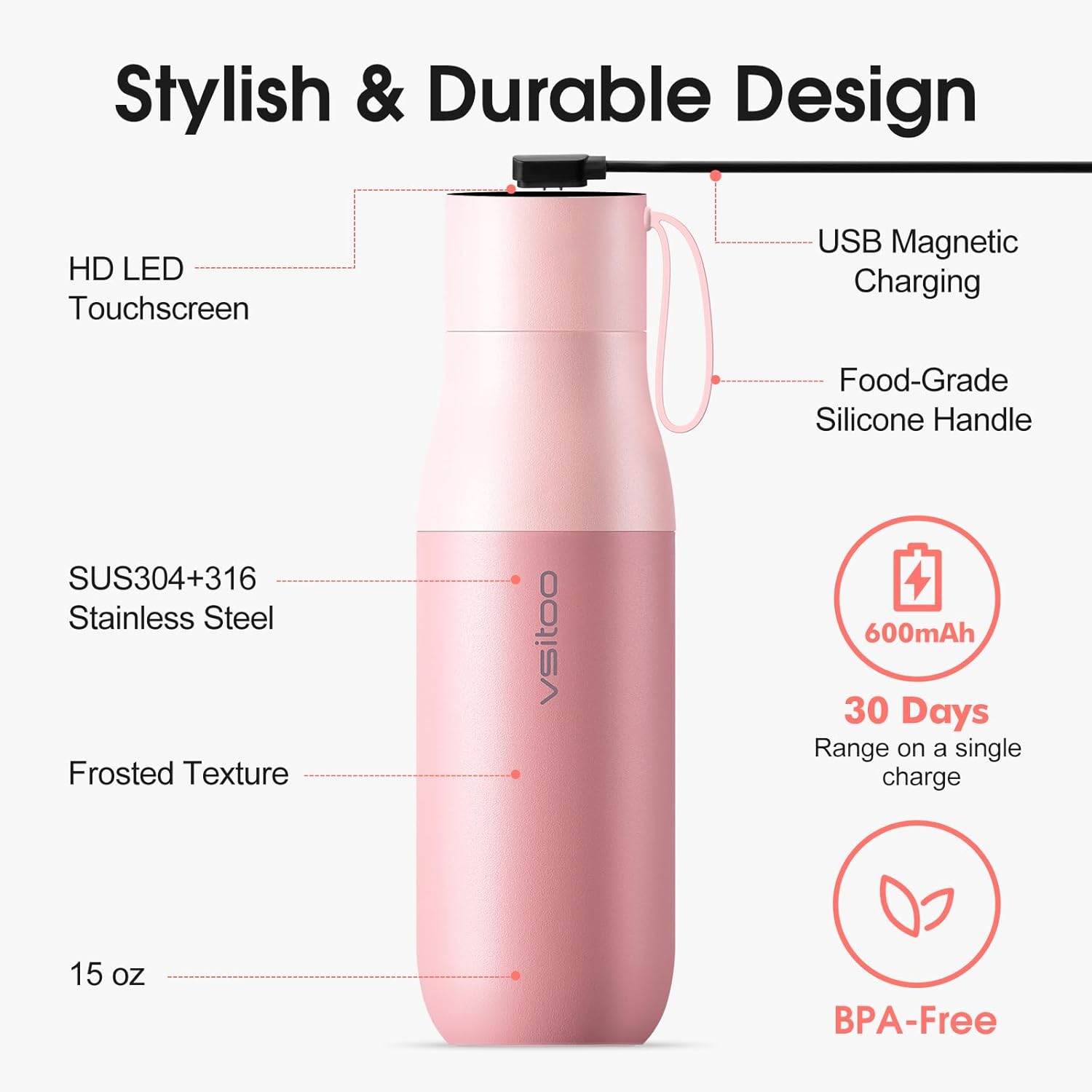
Image: Detail of the VSITOO S1 Pro cap showing the USB magnetic charging port.
2. App Connection (Optional)
For enhanced features like scheduling self-cleaning and setting hydration reminders, download the VSITOO app from your device's app store. Follow the in-app instructions to pair your bottle via Bluetooth.

Image: The VSITOO S1 Pro bottle demonstrating manual and app dual control modes.
3. Filling the Bottle
Unscrew the cap counter-clockwise. Fill the bottle with your desired beverage, ensuring not to overfill. Screw the cap back on clockwise until it is securely tightened to prevent leaks and ensure proper self-cleaning function.
Operating Instructions
1. Power On/Off
The bottle's display automatically activates when touched or when the bottle is moved. There is no manual power on/off button for the display itself; it enters a low-power state when inactive.
2. Checking Water Temperature
Gently tap the touchscreen on the cap. The current water temperature will be displayed in Celsius, accompanied by a color-coded ring indicating the temperature range:
- Blue Ring: Water temperature is 35°C (95°F) or below.
- Orange Ring: Water temperature is between 36°C (97°F) and 50°C (122°F).
- Red Ring: Water temperature is above 50°C (122°F). Exercise caution.

Image: The bottle's LED screen displaying real-time water temperature with intuitive color alerts.
3. Activating Self-Cleaning
The VSITOO S1 Pro features AI self-cleaning that learns your hydration rhythm and activates cleaning during natural downtime. You can also manually activate it:
- Ensure the bottle cap is securely closed.
- Long press the touch-sensitive area on the cap. The UV icon will begin to flicker, indicating that the self-cleaning function has been activated.
- The cleaning cycle typically lasts for a short period, using UV-C light to eliminate up to 99.9% of germs.
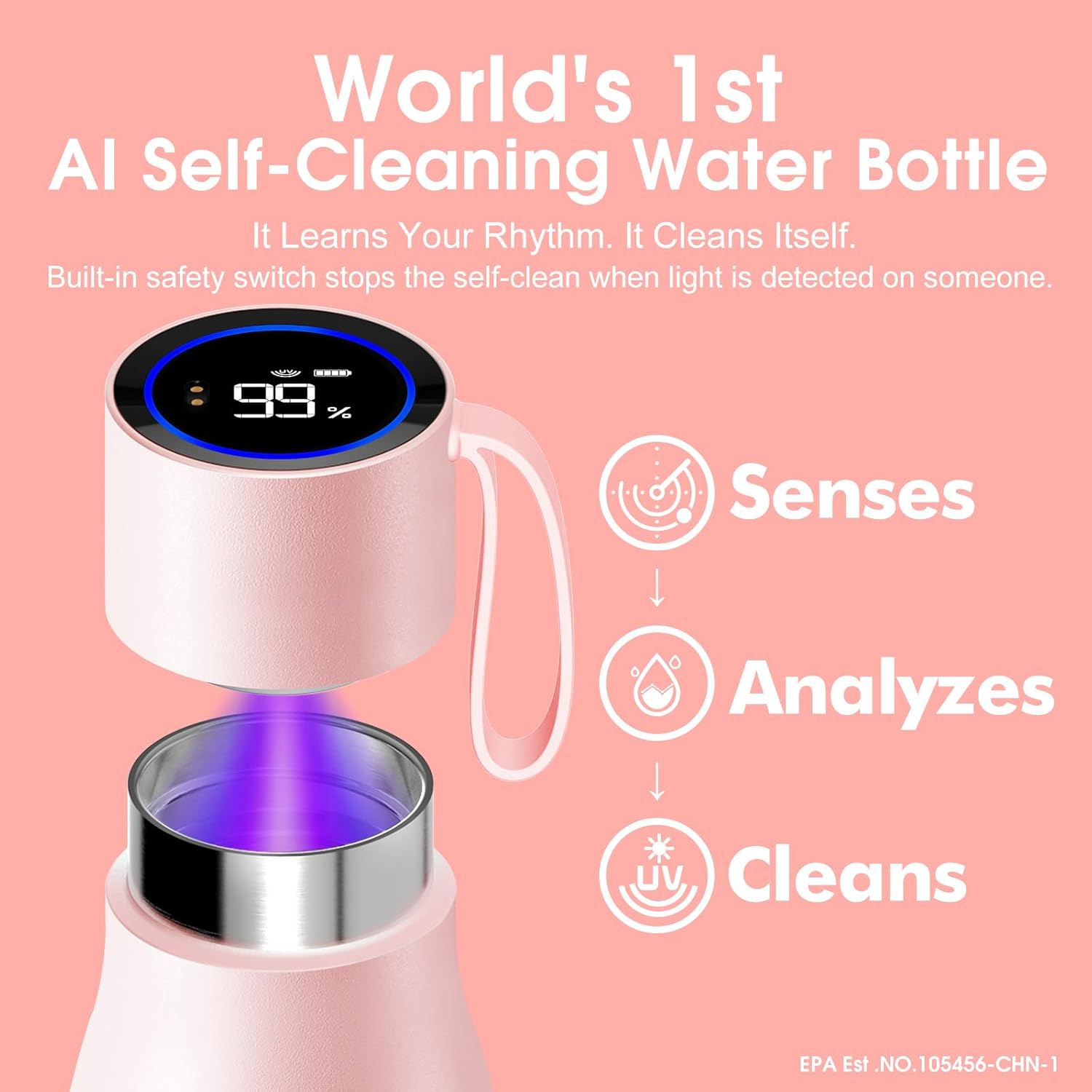
Image: Diagram illustrating the AI self-cleaning process: Senses, Analyzes, Cleans with UV-C light.
4. Hydration Reminders (via App)
If connected to the VSITOO app, you can set personalized hydration reminders. The bottle will provide smart reminders to ensure you maintain optimal hydration throughout the day.
Video: An official VSITOO video demonstrating the S1 Pro's self-cleaning and hydration reminder features. The video shows the bottle's ability to monitor hydration habits, learn user rhythm, decide optimal cleaning times, and purify water with UV-C light. It also highlights the temperature display and app-controlled hydration reminders.
Maintenance
1. Cleaning the Bottle
The bottle is designed for easy maintenance. The interior is self-cleaning, but the exterior and cap should be cleaned regularly.
- Bottle Body: Hand wash the stainless steel body with warm, soapy water. Rinse thoroughly.
- Cap: Wipe the cap with a damp cloth. Do not submerge the cap in water or place it in a dishwasher.
- Drying: Allow all parts to air dry completely before reassembling or storing.
2. Battery Care
To maximize battery life, charge the bottle regularly. Avoid completely draining the battery for extended periods. Store the bottle in a cool, dry place when not in use.
Troubleshooting
| Problem | Possible Cause | Solution |
|---|---|---|
| Display not turning on | Low battery; not tapped correctly | Charge the bottle; tap the touchscreen firmly. |
| Self-cleaning not activating | Cap not securely closed; low battery | Ensure cap is tightly closed; charge the bottle. |
| Bottle leaking | Cap not tightened; seal damaged | Tighten the cap; inspect the silicone seal for damage. |
| App not connecting | Bluetooth off; bottle not in pairing mode | Ensure Bluetooth is on; follow app instructions for pairing. |
Specifications
| Feature | Detail |
|---|---|
| Brand | VSITOO |
| Model Name | S1 Pro |
| Model Number | S1 PRO-JM |
| Capacity | 15 ounces (approx. 450ml) |
| Material | 304 Stainless Steel (Food Grade), BPA-Free |
| Insulation | Double-wall vacuum insulated (keeps cold for 24 hours) |
| Self-Cleaning | AI-powered UV-C sterilization (eliminates 99.9% of germs) |
| Display | HD LED Touchscreen (shows temperature, battery, cleaning status) |
| Connectivity | App control for scheduling and reminders |
| Battery Life | Up to 30 days on a single charge |
| Charging | USB Magnetic Charging |
| Water Resistance | IPX7 (cap) |
| Dimensions | 2.83"W x 9.13"H |
| Item Weight | 0.61 Kilograms |
Warranty and Support
For warranty information and customer support, please refer to the official VSITOO website or contact their customer service directly. Keep your purchase receipt for warranty claims.