
1. Introduction
Thank you for choosing the FliKEZE Pro 78 Red Light Therapy Lamp. This device is designed to provide targeted red and near-infrared light therapy using advanced LED technology. It features 78 LEDs with 2-chip technology, delivering four specific wavelengths (630 nm, 660 nm, 830 nm, 850 nm) for comprehensive treatment. The lamp offers adjustable intensity and a customizable timer for personalized sessions.
This manual provides essential information for the safe and effective operation, setup, and maintenance of your FliKEZE Pro 78 Red Light Therapy Lamp. Please read it thoroughly before first use and retain it for future reference.
2. Safety Information
Please observe the following safety precautions to prevent injury or damage to the device:
- Eye Protection: Always wear the provided protective goggles during operation to shield your eyes from intense light.
- Consult a Physician: If you have any medical conditions, are pregnant, or are taking medications, consult a healthcare professional before using this device.
- Distance and Duration: Maintain the recommended distance from the device and adhere to suggested session durations to avoid skin irritation or discomfort.
- Keep Dry: Do not use the device in wet environments or expose it to water.
- Ventilation: Ensure adequate ventilation around the device during use to prevent overheating.
- Children and Pets: Keep the device out of reach of children and pets.
- Power Supply: Use only the original power adapter supplied with the device.
3. Package Contents
Verify that all items are present in the package:
- FliKEZE Pro 78 Red Light Therapy Lamp
- Adjustable Stand
- Power Adapter
- Protective Goggles
- User Manual
4. Product Overview
The FliKEZE Pro 78 features a robust design with a panel of 78 high-efficiency LEDs and an intuitive control interface.
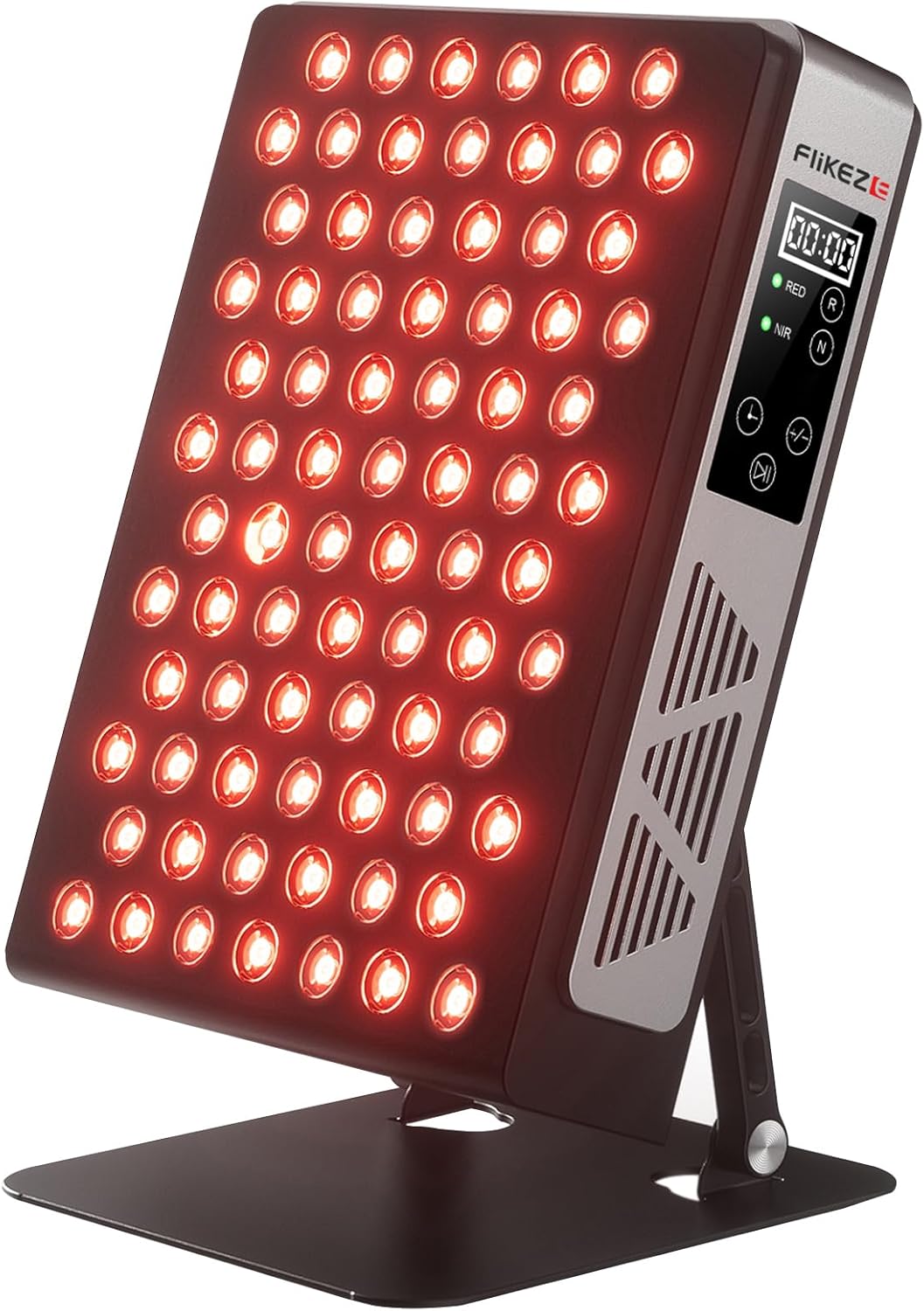
Figure 4.1: Front view of the FliKEZE Pro 78 Red Light Therapy Lamp, showing the LED panel and control interface on the side.
Components:
- LED Panel: Contains 78 LEDs, each with 2-chip technology, emitting red (630nm, 660nm) and near-infrared (830nm, 850nm) wavelengths.
- Control Panel: Located on the side, featuring a digital display, power button, timer controls, and intensity adjustment buttons.
- Adjustable Stand: Allows for 180-degree rotation to position the lamp at various angles.
- Ventilation Grills: Located on the sides for heat dissipation.

Figure 4.2: Side and rear view illustrating the dimensions and the 180-degree adjustable stand of the FliKEZE Pro 78.
5. Setup
- Unpack: Carefully remove all components from the packaging.
- Assemble Stand: Attach the adjustable stand to the main lamp unit. Ensure it is securely fastened. The stand allows for 180-degree adjustment.
- Position Device: Place the lamp on a stable, flat surface. Adjust the stand to the desired angle for your therapy session.
- Connect Power: Plug the power adapter into the lamp's power input port, then plug the adapter into a suitable electrical outlet.
6. Operating Instructions
6.1 Power On/Off
- Press the Power Button on the control panel to turn the device ON. The digital display will illuminate.
- Press the Power Button again to turn the device OFF.
6.2 Adjusting Timer
- After powering on, use the Timer Buttons (+ / -) to set your desired session duration. The timer can be adjusted from 5 to 30 minutes.
- The device will automatically shut off once the timer counts down to zero.
6.3 Adjusting Intensity
- Use the Intensity Buttons (^ / v) to adjust the light intensity from 20% to 100%.
- Start with a lower intensity and gradually increase as comfortable.
6.4 Selecting Red/NIR Modes
- The device offers separate control for Red (630nm, 660nm) and Near-Infrared (830nm, 850nm) light.
- Press the RED button to activate red light only.
- Press the NIR button to activate near-infrared light only.
- Press both RED and NIR buttons to activate both modes simultaneously.
6.5 Recommended Usage
- Distance: Position the lamp approximately 6 to 18 inches (15-45 cm) from the target area. Closer distances provide higher irradiance.
- Duration: Start with 5-10 minute sessions per area, 3-5 times per week. Gradually increase duration up to 20 minutes as tolerated.
- Eye Protection: Always wear the provided protective goggles.
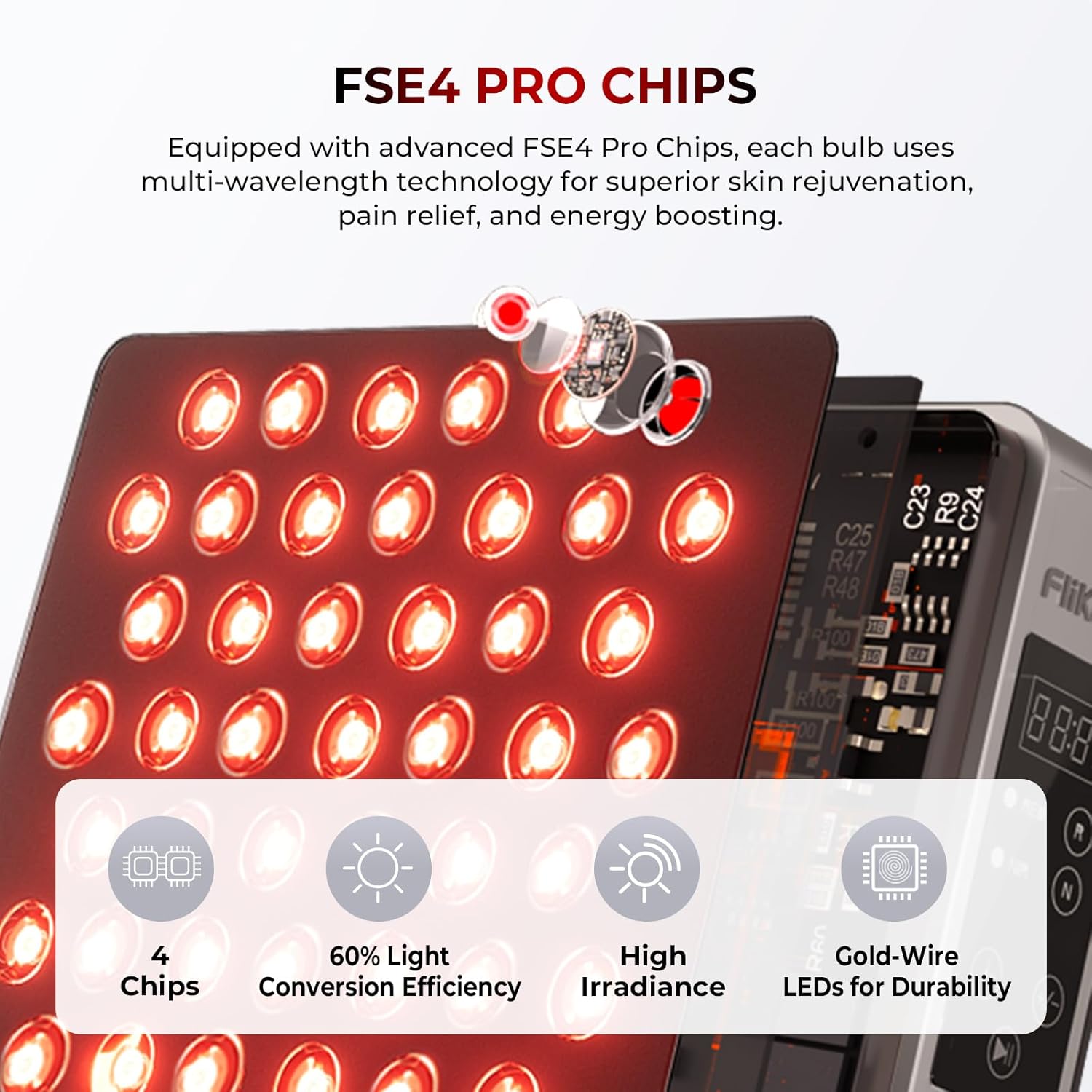
Figure 6.1: Irradiance and coverage area at different distances from the FliKEZE Pro 78 lamp. Note that this image is illustrative and actual values may vary slightly.
7. Maintenance
7.1 Cleaning
- Ensure the device is unplugged and cooled down before cleaning.
- Wipe the exterior surfaces with a soft, dry, or slightly damp cloth. Do not use abrasive cleaners or solvents.
- Avoid spraying liquids directly onto the device.
7.2 Storage
- Store the device in a cool, dry place, away from direct sunlight and extreme temperatures.
- Keep the device in its original packaging or a protective case when not in use to prevent dust accumulation and damage.
7.3 Longevity
The FliKEZE Pro 78 is built with high-quality components designed for durability, with an expected lifespan of over 100,000 hours of operation. Proper care and maintenance will help ensure its long-term performance.
8. Troubleshooting
If you encounter any issues with your FliKEZE Pro 78, please refer to the following common problems and solutions:
| Problem | Possible Cause | Solution |
|---|---|---|
| Device does not power on. | Power adapter not connected properly or power outlet issue. | Check power connections. Try a different outlet. Ensure the power button is pressed firmly. |
| Lights are dim or not illuminating. | Intensity setting is too low or specific light mode not selected. | Increase intensity using the intensity buttons. Ensure RED and/or NIR buttons are activated. |
| Excessive fan noise. | Normal operation noise or obstructed ventilation. | Some fan noise is normal for cooling. Ensure ventilation grills are not blocked. If noise is unusually loud or persistent, contact customer support. |
| Timer not functioning correctly. | Incorrect timer setting. | Verify the timer setting on the digital display. Reset the device by unplugging and replugging. |
If the problem persists after attempting these solutions, please contact FliKEZE customer support.
9. Specifications
Technical specifications for the FliKEZE Pro 78 Red Light Therapy Lamp:

Figure 9.1: Detail of the FSE4 PRO CHIPS technology used in the FliKEZE Pro 78, indicating multi-wavelength capabilities.
| Feature | Detail |
|---|---|
| Model | Pro 78 |
| Brand | FliKEZE |
| Dimensions (L x W x H) | 37 x 32.5 x 15.2 cm (14.57 x 12.8 x 5.98 inches) |
| Weight | 4.8 kg (10.58 lbs) |
| LED Count | 78 LEDs (2-chip technology) |
| Wavelengths | 630 nm (Red), 660 nm (Red), 830 nm (Near-Infrared), 850 nm (Near-Infrared) |
| Irradiance | 134 mW/cm² (at 6 inches) |
| Timer Range | 5 - 30 minutes |
| Intensity Levels | 20% - 100% adjustable |
| Stand Adjustment | 180 degrees |
| Country of Origin | China |
| ASIN | B0DK37G651 |
10. Warranty and Support
FliKEZE products are manufactured to high-quality standards. For information regarding warranty coverage, please refer to the warranty card included with your product or visit the official FliKEZE website.
For technical support, troubleshooting assistance, or any questions regarding your FliKEZE Pro 78 Red Light Therapy Lamp, please contact FliKEZE customer service through their official channels or the retailer where you purchased the product.
Manufacturer: FliKEZE
