
NOYAFA NF-518-A
NOYAFA NF-518 Stud Finder Wall Scanner User Manual
Model: NF-518-A
Introduction
The NOYAFA NF-518 Stud Finder Wall Scanner is a multi-functional detection tool designed for accurately locating various materials behind walls, floors, and ceilings. Equipped with advanced sensors and a clear LCD display, it provides precise detection of metal (rebar, copper pipe), live AC wires, and wood studs, making it an essential tool for professionals, homeowners, and DIY enthusiasts. Its ergonomic design and rechargeable battery ensure ease of use and reliability for a wide range of applications.

Figure 1: NOYAFA NF-518 Stud Finder Wall Scanner - Front View
Safety Information
Warning: Do not use near live electrical wires without proper precautions. Always follow safety guidelines when using this product. Ensure power is off to circuits before drilling or cutting into walls where live wires may be present.
Key Features
- Multi-function Detection: Accurately detects metal (rebar, copper pipe), live AC wires, and wood studs.
- Accurate Depth Measurement: Provides precise depth tracking for wood (up to 3.8 cm), live (AC) wires (up to 5 cm), non-magnetic metal (up to 10 cm), and magnetic metal (up to 12 cm).
- LCD Display & Audio Alarm: Features a 2.4-inch LCD backlit display for clear readings in various lighting conditions and an audio alarm function for immediate alerts.
- Ergonomic Design: Designed with a non-slip handle and durable plastic frame for comfortable and precise operation.
- Type-C Rechargeable: Equipped with a 390mAh lithium polymer battery and a Type-C charging port for convenient and quick recharging.
- Live Voice Broadcast: Provides audio feedback to clearly identify various materials without needing to constantly look at the screen.
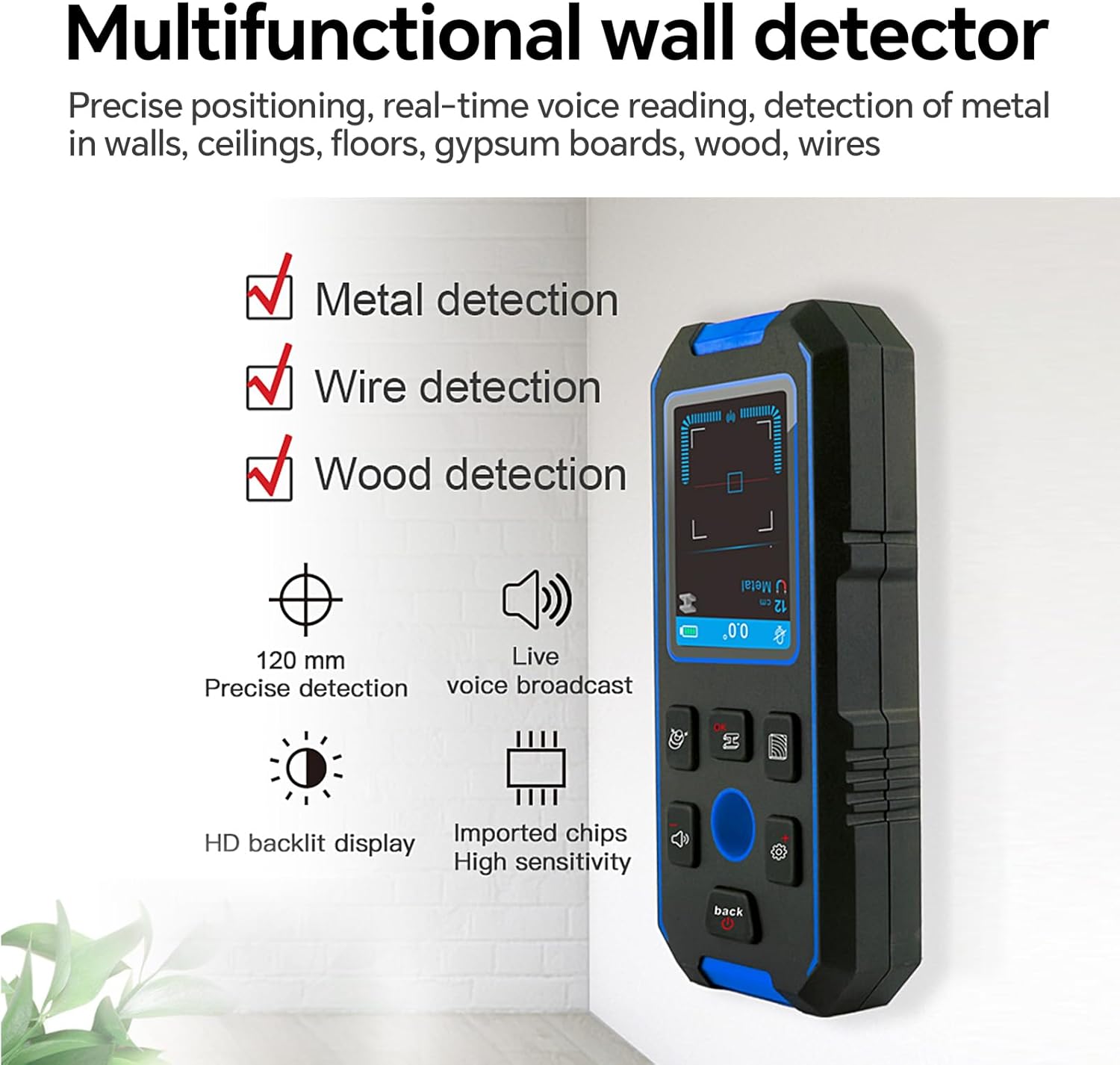
Figure 2: Overview of the NF-518's Multifunctional Capabilities
Setup and Charging
The NF-518 comes with a pre-installed 9V battery. For initial use or when the battery indicator shows low power, charge the device using the provided Type-C USB cable.
- Connect the Type-C end of the charging cable to the charging port on the NF-518.
- Connect the USB-A end of the charging cable to a standard USB power adapter (not included) or a computer USB port.
- The battery indicator on the LCD screen will show charging status.
- A full charge typically takes a few hours. The device is ready for use once fully charged.
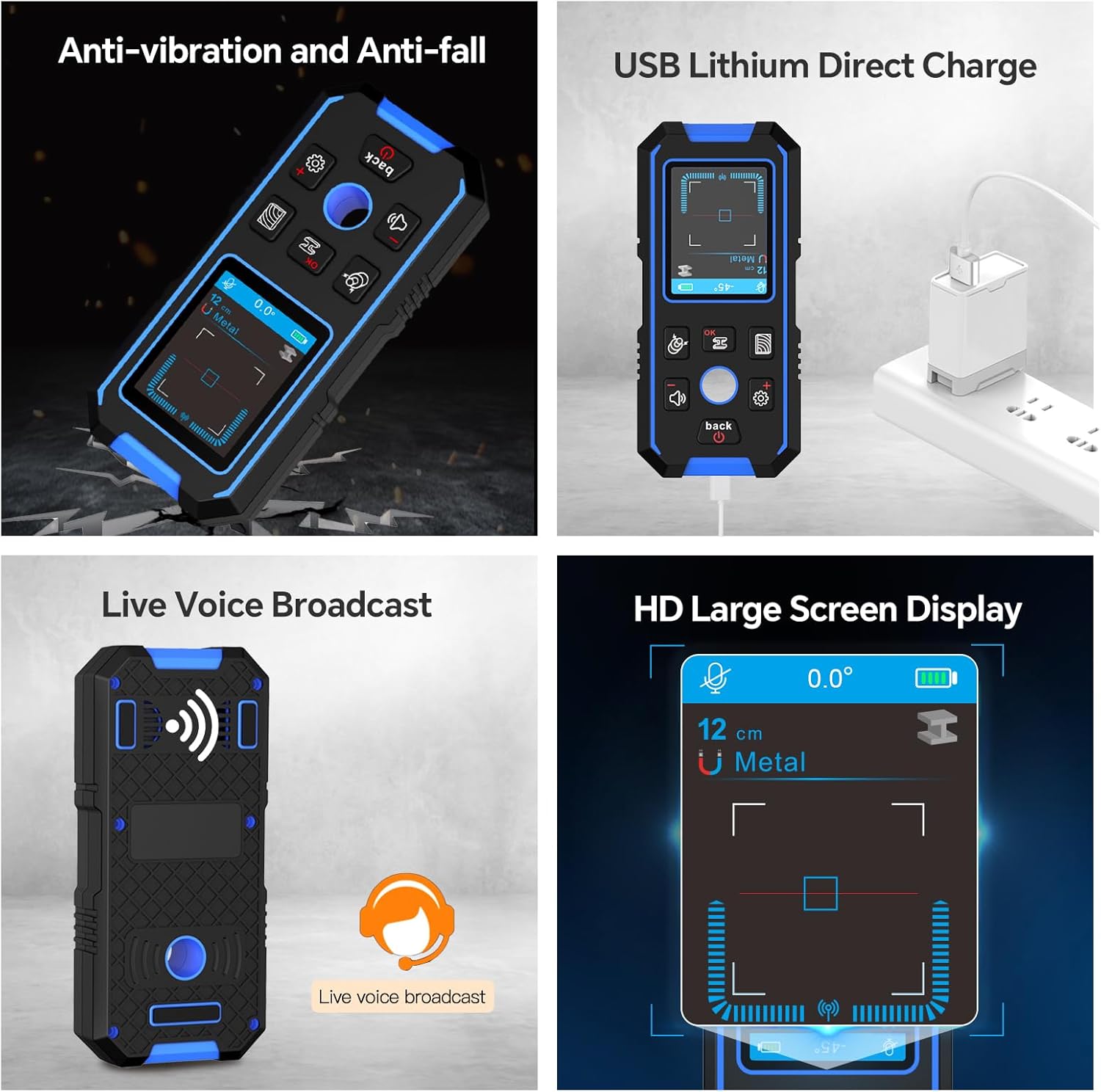
Figure 3: Charging the NF-518 via Type-C USB and Display Features
Operating Instructions
The NF-518 features three primary detection modes: Wooden Wall Detection, Metal Detection, and AC Detection. Before each use, ensure the device is calibrated correctly for optimal accuracy.
Calibration
For accurate readings, calibrate the device on a clear section of the wall (without known obstructions) before scanning. Follow the on-screen prompts for calibration.
1. Wooden Wall Detection Mode
This mode is primarily used to detect wood studs, joists, and other wooden elements behind drywall, plaster, or other common wall materials. It can also identify plastic pipes or hollows in cement walls.
- Short press the appropriate button (refer to device diagram) to enter the Wooden Wall Detection mode.
- Place the scanner flat against the wall and slowly move it horizontally.
- The LCD display will indicate the presence and approximate location of wood studs. An audio alert will sound when a stud is detected.

Figure 4: Using the Wooden Wall Detection Mode
2. Metal Detection Mode
Use this mode to detect magnetic metals (like steel bars, rebar, iron) and non-magnetic metals (like copper pipes, aluminum). It provides depth indication and metal attribute identification.
- Short press the appropriate button to enter the Metal Detection mode.
- Move the instrument slowly across the surface.
- The screen will display "metal" icons and signal strength. A "didi" sound will indicate detection, with a more rapid sound indicating closer proximity.

Figure 5: Using the Metal Detection Mode
3. AC Detection Mode
This mode is designed to detect live (AC) wires hidden within walls, floors, and ceilings. It is unaffected by the characteristics of the wall material.
- Short press the appropriate button to enter the AC Detection mode.
- When a live wire is found, the display will show a live icon and the received signal strength.
- The "AC" will be broadcast, followed by a "didi" sound. Move the instrument back and forth to pinpoint the exact location. The closer the instrument is to the live wire, the stronger and more rapid the signal.

Figure 6: Using the AC Detection Mode
General Operation Tips:
- Always move the scanner slowly and steadily across the surface.
- Mark the edges of detected objects to determine their center.
- The device has an automatic shutdown feature after 5 minutes of no operation to conserve battery.
- The live voice broadcast feature allows for hands-free operation, providing audio cues for detection.
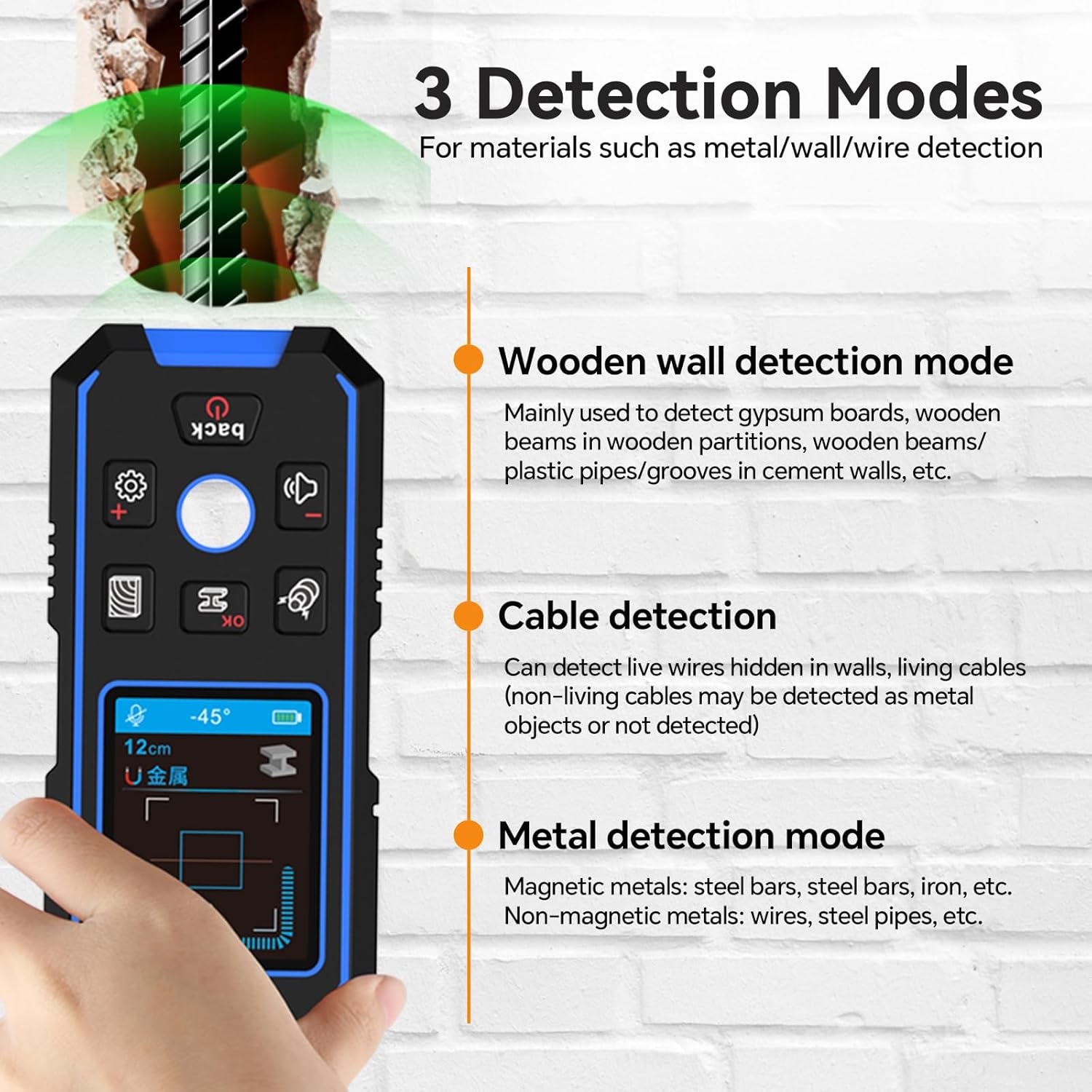
Figure 7: Visual representation of the three detection modes.
Applications
The NOYAFA NF-518 is versatile and suitable for various tasks, both indoors and outdoors, for home improvement or professional work. Common applications include:
- Installing TVs, cabinets, and garage shelves.
- Hanging pictures, mirrors, and other wall decor.
- Identifying electrical wiring before drilling or cutting.
- Locating pipes for plumbing work.
- General construction and renovation projects.

Figure 8: Examples of NF-518 applications in home and professional settings.
Maintenance
- Keep the device clean and free from dust and debris. Use a soft, dry cloth for cleaning.
- Store the device in a cool, dry place when not in use.
- Avoid exposing the device to extreme temperatures or direct sunlight.
- Do not drop or subject the device to strong impacts, as this may affect its accuracy and durability.
Troubleshooting
| Problem | Possible Cause | Solution |
|---|---|---|
| Inaccurate readings | Improper calibration; presence of moisture; interference from other electronic devices. | Recalibrate the device on a clear section of the wall. Ensure the wall is dry. Move away from other electronics. |
| Device not turning on | Low battery; device malfunction. | Charge the device fully. If the issue persists, contact customer support. |
| No audio alert | Volume is off or too low; device malfunction. | Check volume settings on the device. Ensure the device is detecting an object. |
Specifications
| Feature | Detail |
|---|---|
| Model Number | NF-518-A |
| Maximum Magnetic Metal Detection Depth | 120 mm (4.72 inches) |
| Maximum Non-magnetic Metal Detection Depth | 100 mm (3.94 inches) |
| Maximum Wood Detection Depth | 38 mm (1.5 inches) |
| Maximum Lived (AC) Wire Detection Depth | 50 mm (1.97 inches) |
| Automatic Shutdown | 5 minutes after no operation |
| Operating Temperature Range | 0°C to +50°C |
| Storage Temperature Range | -10°C to +60°C |
| Voice Function | Live voice broadcast |
| Battery | 390mAh polymer lithium battery |
| Charging Method | Type-C interface |
| Weight | 200g (4.8 ounces) |
| Dimensions | 1.18 x 0.39 x 0.79 inches |
| Display Style | LCD |

Figure 9: Visual representation of detection depths for various materials.
Product Overview Video
Video 1: Multi-Function Wall Scanning Detector, Stud Finder Tool. This video demonstrates the key features and operation of the NOYAFA NF-518 stud finder, including its various detection modes and ease of use.
Warranty and Support
NOYAFA provides professional technical support to address any issues you may encounter during the use of your NF-518 Stud Finder. Please refer to your product packaging or the official NOYAFA website for specific warranty details and contact information.
For assistance, please contact NOYAFA customer support. Support is typically available within 24 hours to resolve product-related inquiries.
Related documentsNF-518-A


Ask a question about this manual
Ask about setup, troubleshooting, compatibility, parts, safety, or missing instructions. Manuals+ will review the question and use this page’s manual context to help answer it.