
Introduction
Thank you for choosing the YeeSite 120W 18LEDs RGBW Stage Wash Light Bar. This manual provides essential information for the safe and efficient operation of your new lighting fixture. Please read it thoroughly before use and retain it for future reference.
Safety Information
- Ensure the power supply matches the voltage requirements specified on the device.
- Always connect the device to a grounded circuit to avoid the risk of electric shock.
- Do not open the housing; there are no user-serviceable parts inside. Refer all servicing to qualified personnel.
- Avoid direct eye exposure to the light source, as it can cause eye damage.
- Keep the device away from water, moisture, and extreme temperatures.
- Ensure adequate ventilation around the fixture to prevent overheating.
Package Contents
Verify that all items listed below are included in your package:
- 1 x 120W RGBW Stage Wash Light Bar
- 1 x Power Cord
- 1 x User Manual
- Mounting brackets and accessories

Image: The YeeSite 120W 18LEDs RGBW Stage Wash Light Bar with its power cord, user manual, and mounting brackets.
Product Features
- Bright and Smooth Color Mixing Effects: Features 18pcs RGBW 4IN1 LEDs for vibrant, smooth color mixing.
- Individually Control: Each LED can be individually controlled, allowing for diverse 'eye candy' effects and variable brightness from 0-100%.
- DMX & RDM Control: Offers 4 DMX modes (4, 8, 26, and 72 channels) and Remote Device Management (RDM) for flexible control.
- Daisy Chain Power: Built-in IEC power In/Out allows daisy-chaining up to 6 units from a single outlet.
- Durable Metal Construction: Features aluminum housing for excellent heat dissipation and a noiseless design.
Setup
Mounting
The light bar includes adjustable brackets for versatile mounting options, such as floor mount or wall mount. Ensure the mounting surface is stable and can support the weight of the fixture.

Image: The light bar's adjustable brackets allow for flexible positioning.
Power Connection
Connect the provided power cord to the 'Power IN' port on the fixture and then to a suitable power outlet (AC 110-240V, 50/60Hz).
Operating Modes
The YeeSite Stage Wash Light Bar offers multiple operating modes, selectable via the 4-button LED menu on the rear of the unit:
- Auto Mode: The fixture runs through a series of pre-programmed light shows automatically.
- Sound Activated Mode: The lights react to ambient sound or music, creating dynamic effects.
- Master-Slave Mode: Connect multiple units where one acts as the master, controlling the others (slaves) for synchronized effects.
- DMX512 Mode: For professional control using a DMX controller, allowing precise manipulation of colors, effects, and intensity.
- Strobe Mode: Produces rapid flashes of light.
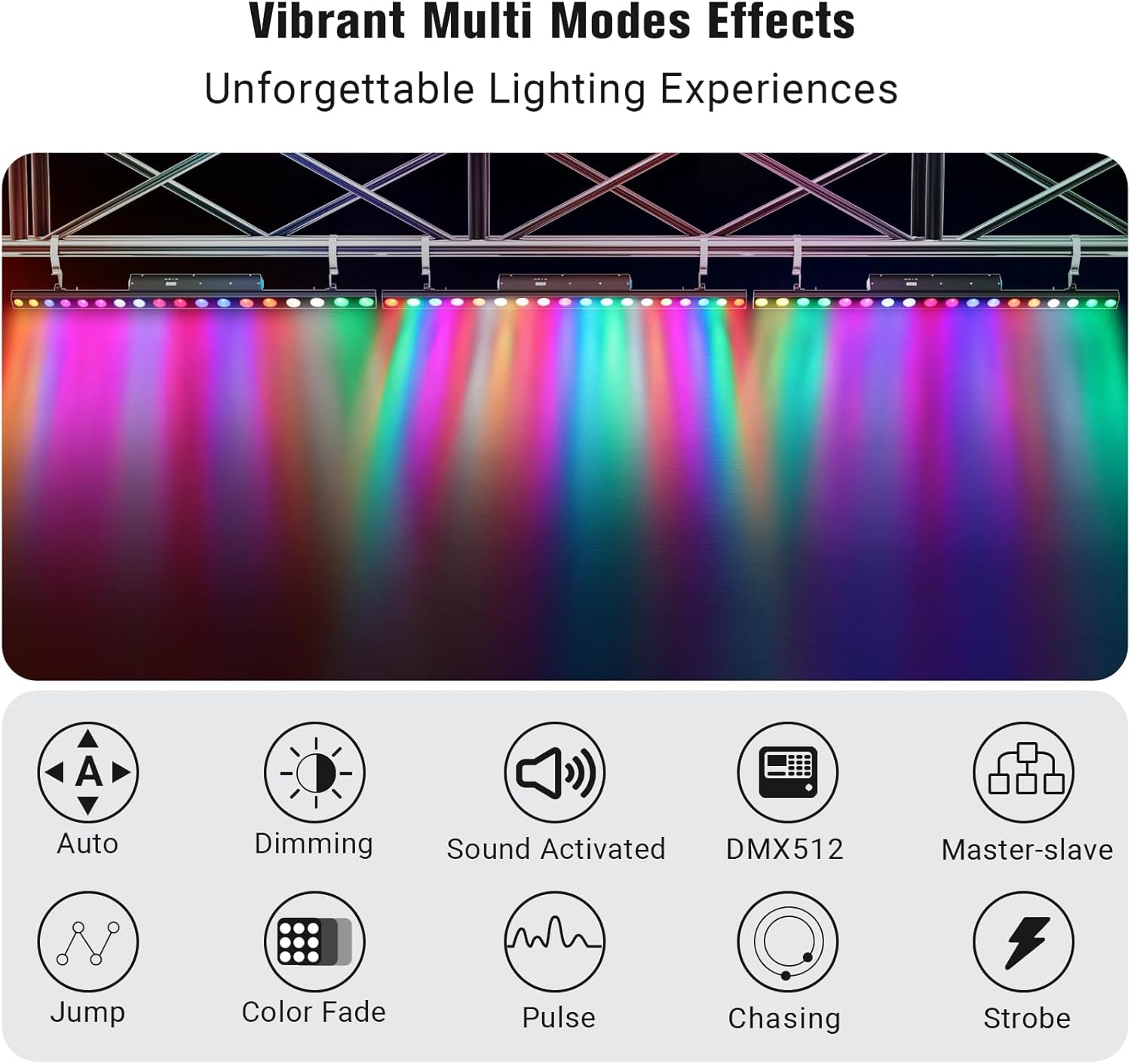
Image: Visual representation of the various operating modes and effects.
DMX Control
The light bar supports DMX512 protocol, offering advanced control options:
- DMX Modes: Choose from 4, 8, 26, or 72 channel modes for varying levels of control complexity. The 72-channel mode allows individual control of each of the 18 LED beads.
- RDM (Remote Device Management): This enhancement to DMX512 allows for remote configuration of fixture settings.
- DMX Addressing: Use the 4-button LED menu on the rear to set the DMX address and configure the desired DMX mode.

Image: The light bar integrated with DMX controllers for advanced lighting setups.
Daisy Chain Power
Multiple YeeSite light bars can be connected in a daisy chain configuration to simplify power distribution. Use the built-in IEC power In/Out ports to link up to 6 units from a single power outlet.

Image: Daisy chain connection setup for multiple light bars.
Maintenance
- Regularly clean the lens and housing with a soft, lint-free cloth to maintain optimal light output.
- Do not use abrasive cleaners or solvents.
- Inspect power and DMX cables periodically for any signs of damage. Replace damaged cables immediately.
- Ensure the device is unplugged from the power source before performing any cleaning or maintenance.
Troubleshooting
- No Power: Check the power cable connection and the power outlet. Ensure the device is switched on.
- No Light Output: Verify the selected operating mode and brightness settings. If using DMX, check DMX connections and controller settings.
- Incorrect Colors/Effects: In DMX mode, ensure the correct DMX address and channel mode are selected. In auto modes, cycle through programs to find the desired effect.
- Intermittent Operation: Check all cable connections for looseness or damage. Ensure the device is not overheating.
Specifications
| Feature | Specification |
|---|---|
| Model Number | YS-072-18WLIC |
| Light Source Type | 18 x RGBW 4IN1 LEDs |
| Light Source Wattage | 120 Watts |
| Voltage | 110-240 Volts |
| Material | Aluminum |
| Color | Black |
| Product Dimensions | 42"L x 4"W x 3"H |
| Item Weight | 6 Pounds |
| DMX Modes | 4, 8, 26, 72 Channels |
| Operating Modes | Auto, Sound Activated, Master-Slave, DMX512, Strobe |
| Beam Angle | 20 Degrees |
| Daisy Chain Capacity | Up to 6 units |
Warranty and Support
For warranty information and technical support, please refer to the contact details provided with your purchase or visit the official YeeSite website. Keep your proof of purchase for any warranty claims.
