
1. Introduction
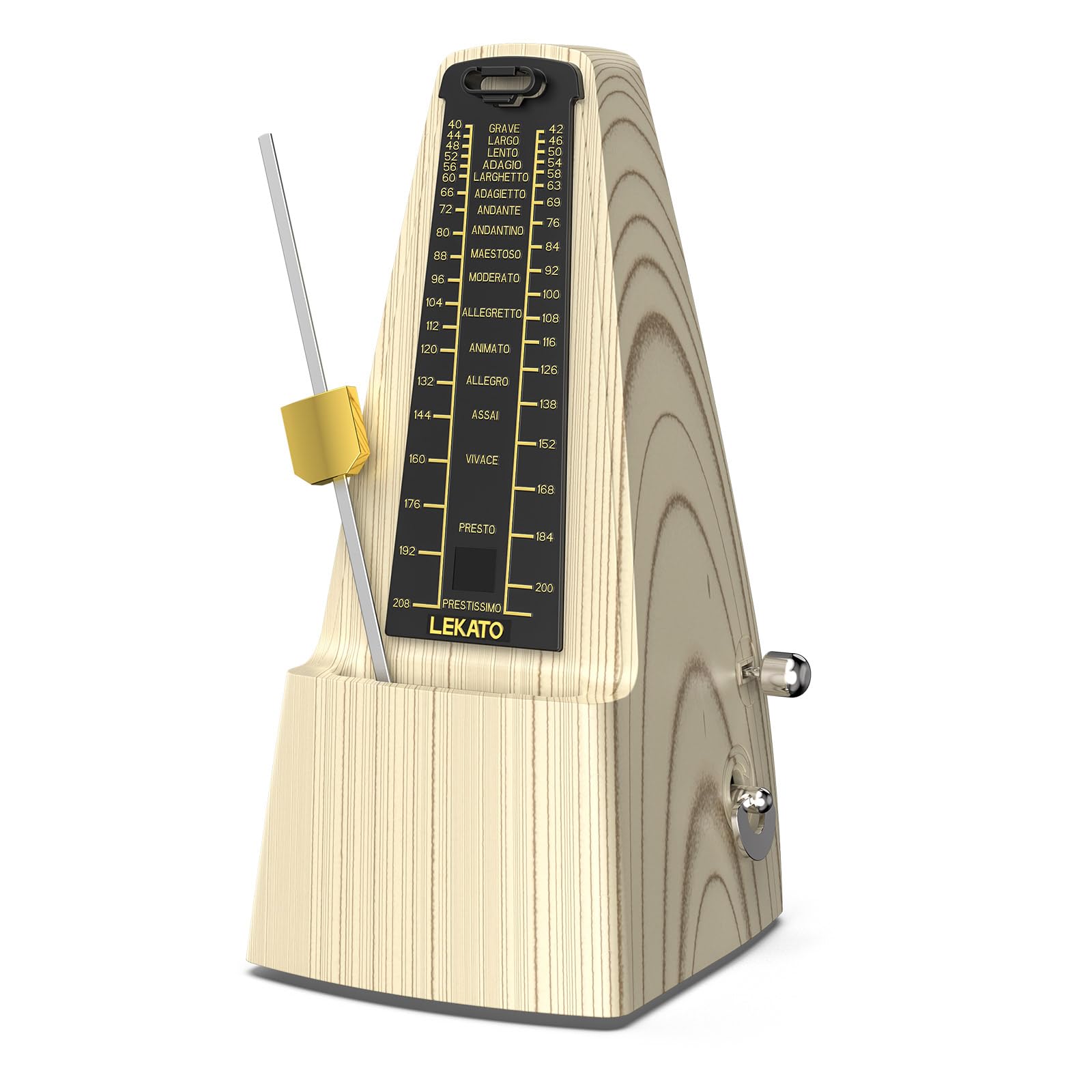
The LEKATO Mechanical Metronome is a precision instrument designed to help musicians maintain accurate tempo and rhythm during practice. Featuring a classic pyramid design and durable metal movement, it is suitable for a wide range of instruments and skill levels.
Key Features:
- Classic Design: Traditional pyramid shape with an ash wood pattern for an elegant aesthetic.
- Accurate Timing: Ensures precise tempo with a tolerance of only 0.04%.
- Durable Metal Movement: High-hardness, precision all-metal mechanism for long-lasting performance without batteries.
- Versatile Rhythm Patterns: Offers tempo range from 40 to 208 beats per minute (BPM) and rhythm patterns including 2, 3, 4, 6, and 0 (no bell).
- Ideal for All Skill Levels: A valuable practice tool for beginners and experienced musicians alike.

2. Setup and First Use
2.1 Unpacking and Initial Inspection
Carefully remove the metronome from its packaging. Inspect for any visible damage. Ensure all components, including the dust cover and pendulum, are present.
2.2 Winding the Metronome
The LEKATO Mechanical Metronome is spring-wound and does not require batteries. To wind it, locate the winding key on the side of the unit. Turn the key clockwise until you feel resistance. Do not overwind.
2.3 Adjusting Tempo
The tempo is adjusted by sliding the pendulum weight up or down the pendulum rod. Slide the weight up for a slower tempo (fewer BPM) and down for a faster tempo (more BPM). Align the top edge of the weight with the desired BPM marking on the scale.
2.4 Setting Rhythm Patterns
The metronome features a beat selector to choose different rhythm patterns (e.g., 2/4, 3/4, 4/4, 6/8). This selector is typically a small lever or knob on the side of the metronome. Set it to '0' for no bell accent, or to the desired beat count for an audible accent on the first beat of each measure.
2.5 Starting and Stopping
To start the metronome, gently push the pendulum to one side and release it. To stop, gently catch the pendulum and secure it in its resting position, often by sliding the pendulum weight to the top of the rod or engaging a brake mechanism if present.


3. Operating Instructions
3.1 Tempo Adjustment
To change the tempo, simply slide the brass weight up or down the pendulum rod. The scale on the metronome indicates the beats per minute (BPM). Move the weight up for slower tempos and down for faster tempos. Ensure the top edge of the weight aligns with the desired BPM mark.
3.2 Beat Selection
Use the beat selector switch, usually located on the side of the metronome, to choose your desired beat accent. Options typically include 0 (no accent), 2, 3, 4, and 6 beats. This allows the metronome to produce an audible bell sound on the first beat of each measure, helping you keep track of time signatures.

3.3 Video Demonstration
4. Maintenance
Proper care ensures the longevity and accuracy of your metronome.
- Keep Clean: Regularly wipe the metronome with a soft, dry cloth to remove dust and fingerprints.
- Use Dust Cover: Always place the provided dust cover over the metronome when not in use to protect it from dust and accidental damage.
- Avoid Extreme Conditions: Do not expose the metronome to extreme temperatures, humidity, or direct sunlight, as this can affect its internal mechanism and wood finish.
- Handle with Care: Avoid dropping or subjecting the metronome to strong impacts.

5. Troubleshooting
- Metronome Not Ticking: Ensure the unit is fully wound. Check that the pendulum is not obstructed and is free to swing.
- Inaccurate Tempo: Verify that the pendulum weight is correctly aligned with the desired BPM mark on the scale. Ensure the metronome is placed on a flat, stable surface.
- Bell Not Ringing: Check the beat selector switch to ensure it is set to a number other than '0'. If the issue persists, the internal bell mechanism may require inspection.
- Unusual Noises: If the metronome produces grinding or unusual noises, stop use immediately and contact customer support. Do not attempt to force any parts.
6. Product Specifications
| Feature | Specification |
|---|---|
| Item Weight | 1.14 pounds |
| Product Dimensions | 4.72 x 9.46 x 4.33 inches |
| Color Name | Light Wood Metal Move |
| Material Type | Metal Movement |
| Tempo Range | 40-208 BPM |
| Rhythm Patterns | 0, 2, 3, 4, 6 |
7. Warranty and Support
For warranty information, technical support, or any questions regarding your LEKATO Mechanical Metronome, please refer to the contact information provided with your purchase or visit the official LEKATO website. Keep your purchase receipt as proof of purchase for warranty claims.