
1. Introduction
The PRODIGY No Coding Blood Glucose Test Strips are designed for quantitative measurement of glucose in fresh capillary whole blood samples. These strips are intended for self-testing by individuals with diabetes and by healthcare professionals as an aid in monitoring the effectiveness of diabetes control.
Key features include:
- No Coding Required: Simplifies the testing process.
- Fast Results: Provides blood glucose readings in approximately 7 seconds.
- Small Sample Size: Requires only a tiny blood sample for testing.
- Alternate Site Testing (AST): Approved for testing from areas other than fingertips.
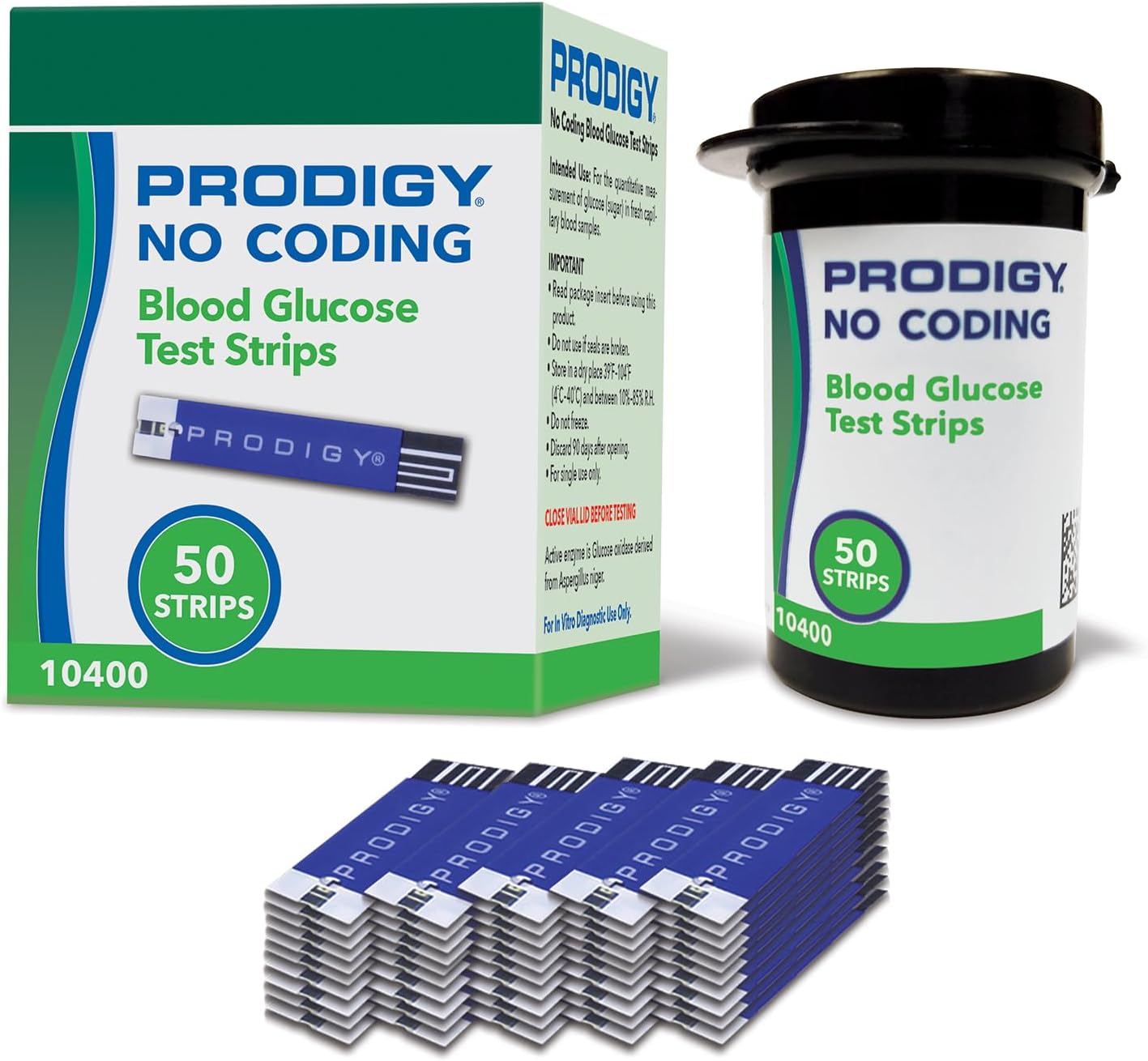
This image displays the packaging for PRODIGY No Coding Blood Glucose Test Strips, including a box, a sealed vial containing 50 strips, and a stack of individual test strips.
2. Meter Compatibility
PRODIGY No Coding Blood Glucose Test Strips are compatible with the following PRODIGY blood glucose monitoring systems:
- PRODIGY AutoCode Meter
- PRODIGY Pocket Meter
- PRODIGY Voice Meter
These strips are designed to work seamlessly with these meters, ensuring accurate and reliable results.

This graphic highlights the versatility of PRODIGY No Coding Test Strips, showing their compatibility with PRODIGY AutoCode, PRODIGY Pocket, and PRODIGY Voice blood glucose meters.
3. Setup and Preparation for Testing
Before performing a blood glucose test, ensure you have all necessary components and follow these preparation steps:
- Gather Supplies: Ensure you have your PRODIGY meter, a PRODIGY No Coding Test Strip, a lancing device, and a sterile lancet.
- Wash Hands: Wash your hands thoroughly with warm, soapy water. Rinse and dry completely. This helps prevent infection and removes any sugars that could affect the test result.
- Prepare Lancing Device: Insert a new, sterile lancet into your lancing device according to its instructions. Select an appropriate puncture site, typically on the side of a fingertip.
- Prepare Test Strip: Remove one test strip from the vial. Immediately close the vial cap tightly to protect the remaining strips from moisture and light.
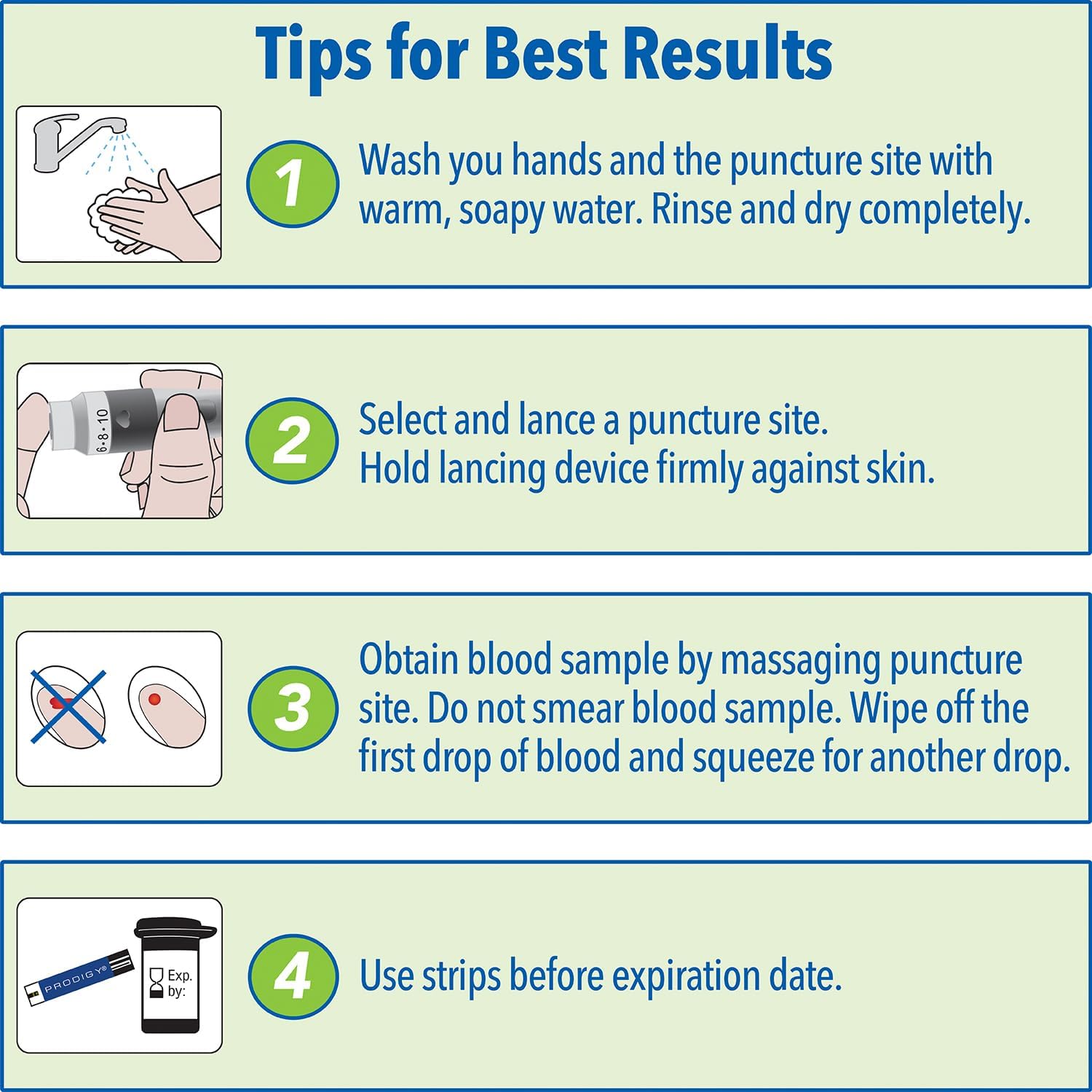
A step-by-step graphic providing essential tips for accurate blood glucose testing, including hand washing, proper lancing technique, correct blood sample collection, and observing expiration dates.
4. Operating Instructions
Follow these steps to perform a blood glucose test:
- Insert Test Strip: Insert the contact end of the test strip into the test strip port of your PRODIGY meter. The meter will turn on automatically.
- Obtain Blood Sample: Hold the lancing device firmly against the selected puncture site and press the release button. Gently massage the puncture site to obtain a round drop of blood. Do not smear the blood sample. Wipe off the first drop of blood and squeeze for another drop if necessary.
- Apply Blood Sample: Touch the tip of the test strip to the blood drop. The strip will automatically draw the blood into the reaction zone. Hold the strip in the blood drop until the meter indicates sufficient blood has been applied.
- Read Results: The meter will display your blood glucose result in approximately 7 seconds.
- Record Results (Optional): Your PRODIGY meter automatically stores results. You may also manually record them if desired.
- Eject Strip: Eject the used test strip into a sharps container or appropriate waste receptacle.
This video demonstrates the features and ease of use of PRODIGY No Coding Blood Glucose Test Strips, including the testing process.

An image of the PRODIGY AutoCode blood glucose meter showing a reading, accompanied by text callouts for its key features: fast results in 7 seconds, requiring a small sample size, and the convenience of no coding.
5. Maintenance and Storage
5.1 Test Strip Storage
- Store test strips in their original tightly sealed vial.
- Keep the vial cap closed immediately after removing a strip to protect from air, light, and moisture.
- Store test strips at temperatures between 39°F (4°C) and 104°F (40°C). Do not freeze.
- Do not use test strips past their expiration date printed on the vial and box.
- Discard any remaining test strips 90 days after opening the vial.
- For single use only.
5.2 Meter Care
- Keep your meter clean and free from dust and debris. Refer to your specific PRODIGY meter manual for cleaning instructions.
- Store the meter in its carrying case when not in use.

This image shows the PRODIGY No Coding Blood Glucose Test Strips packaging and an open vial, indicating that the product is eligible for FSA and HSA reimbursement, and visually represents the vial for storage.
6. Troubleshooting
If you encounter issues during testing, please refer to the troubleshooting section of your specific PRODIGY blood glucose meter's instruction manual. Common issues may include:
- Error messages on the meter display.
- Inconsistent or unexpected results.
- Difficulty obtaining a blood sample.
Always ensure test strips are not expired and the vial cap is tightly closed after each use. If problems persist, contact PRODIGY Diabetes Care customer support.
7. Product Specifications
| Feature | Detail |
|---|---|
| Model Number | 10400 |
| Number of Strips | 50 per box |
| Test Type | Diabetic Blood Glucose |
| Sample Size | Small (tiny blood sample) |
| Test Time | Approximately 7 seconds |
| Coding | No Coding Required |
| Alternate Site Testing (AST) | Approved |
| Storage Temperature | 39°F (4°C) to 104°F (40°C) |
| Manufacturer | OK BIOTECH CO., LTD |
| Product Dimensions | 1.3 x 1.3 x 2.1 inches (vial); 0.64 ounces (weight) |
8. Warranty and Support
For specific warranty information regarding your PRODIGY No Coding Blood Glucose Test Strips or any related PRODIGY products, please refer to the documentation included with your purchase or visit the official PRODIGY Diabetes Care website.
Should you have any questions or require assistance, please contact PRODIGY Diabetes Care customer support directly.
PRODIGY Diabetes Care: Visit the PRODIGY Store on Amazon