
Introduction
Thank you for choosing Lyridz Motion Sensor Under Cabinet Lights. This manual provides detailed instructions for the safe and efficient use of your new lighting system. These lights feature intelligent group synchronization, 360° motion sensing, a long-lasting rechargeable battery, customizable color temperatures, and easy magnetic installation.
Please read this manual thoroughly before installation and operation, and retain it for future reference.
Setup and Installation
Package Contents
- 6 x Lyridz Motion Sensor Under Cabinet Lights
- 6 x Adhesive Metal Plates
- 2 x USB Charging Cables (3-way)
Charging the Lights
Before first use, fully charge all lights. Each light is equipped with a 4000mAh rechargeable battery, providing extended operation. Use the provided USB charging cables to connect the lights to a compatible USB power source.

Figure 1: Charging the Lyridz Under Cabinet Light. The image displays a light connected to a USB charging cable, illustrating the charging process.

Figure 2: Illustration of the 4000mAh battery capacity and USB charging port on the Lyridz light.
Installation Methods
The Lyridz lights offer two convenient installation options:
- Direct Magnetic Attachment: The lights have a powerful built-in magnet. Simply attach them directly to any iron surface.
- Adhesive Metal Plates: For non-magnetic surfaces like wood cabinets or walls, use the included adhesive metal plates.
- Clean the desired surface thoroughly to ensure it is dry and free of dust.
- Peel off the protective film from one side of an adhesive metal plate and firmly press it onto the cleaned surface.
- Allow the adhesive to set for a few hours before attaching the light.
- Once the plate is secure, the light can be magnetically attached to it.

Figure 3: Lamp size and included accessories, including adhesive pads and USB cables.

Figure 4: Easy installation using magnetic attachment to a surface with an adhesive metal plate.

Figure 5: Lyridz light installed under a cabinet.
Operating Instructions
Motion Sensor Functionality
The lights feature a 360° motion sensor with a detection range of up to 23 feet. In low-light conditions, the light will automatically turn on when motion is detected and turn off after 30 seconds of inactivity.
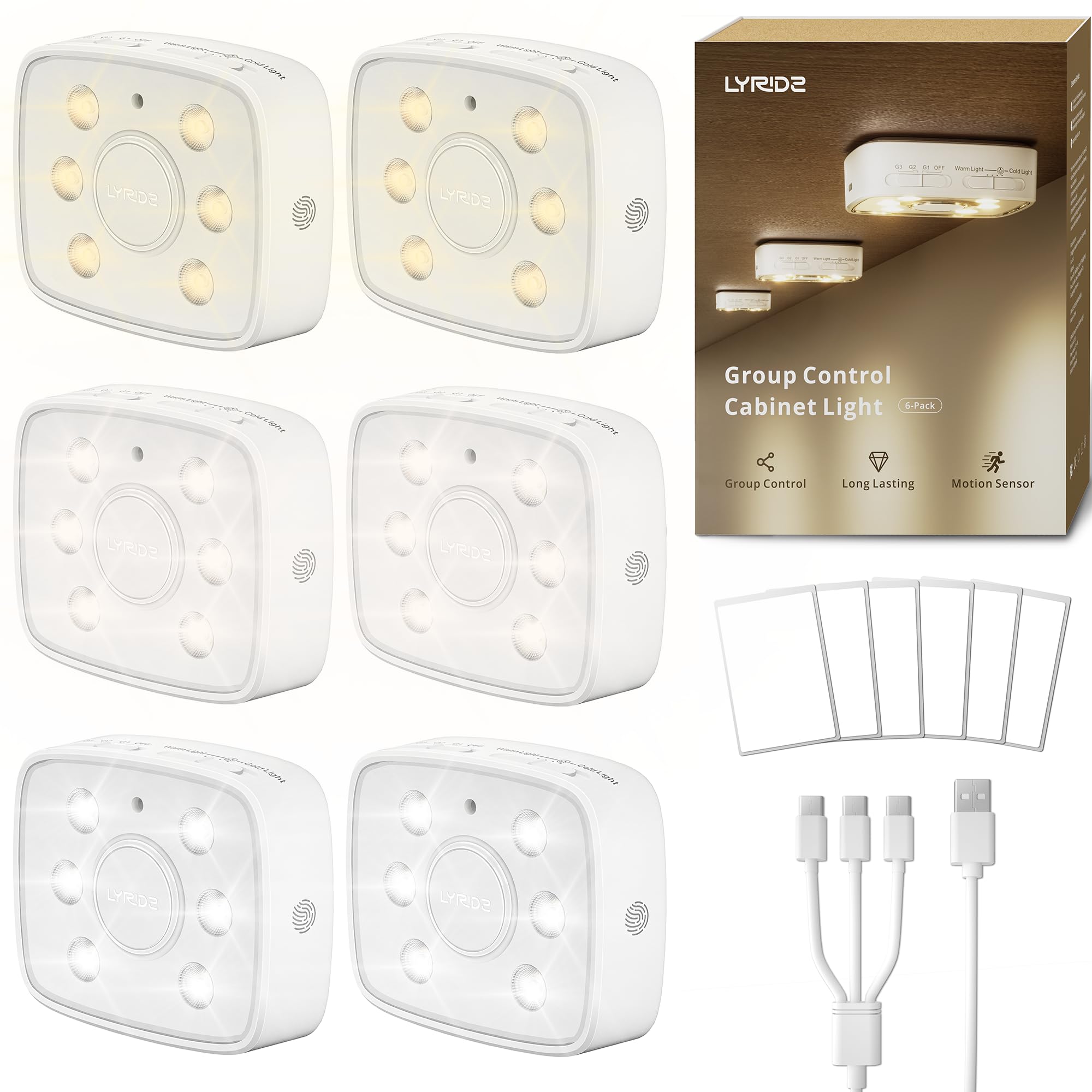
Figure 6: Superior motion sensor with 360° detection up to 23 feet.
Group Sync Technology
The lights can be linked into up to 3 separate groups (G1, G2, G3) for synchronized operation. When one light in a group detects motion, all other lights in that same group will activate simultaneously. This is ideal for illuminating larger areas like hallways or multiple cabinets.

Figure 7: Group control switch for G1, G2, G3, and OFF settings.

Figure 8: Linked control lights illuminating a kitchen area.
Video 1: Official Lyridz video demonstrating the LED Under Cabinet Lights with Motion Sensor, including group control functionality.
Adjusting Brightness and Color Temperature
The lights offer customizable visual comfort with 4 color temperatures and stepless dimming.
- Color Temperatures: Select from 2700K (Warm White), 3800K (Natural Light), 5000K, and 6500K (Cool White) using the dedicated switch or button.
- Stepless Dimming: Tap and hold the brightness control to adjust the light output from 1LM to 80LM. In group sync mode, adjusting one light will synchronize the brightness across all linked lights.
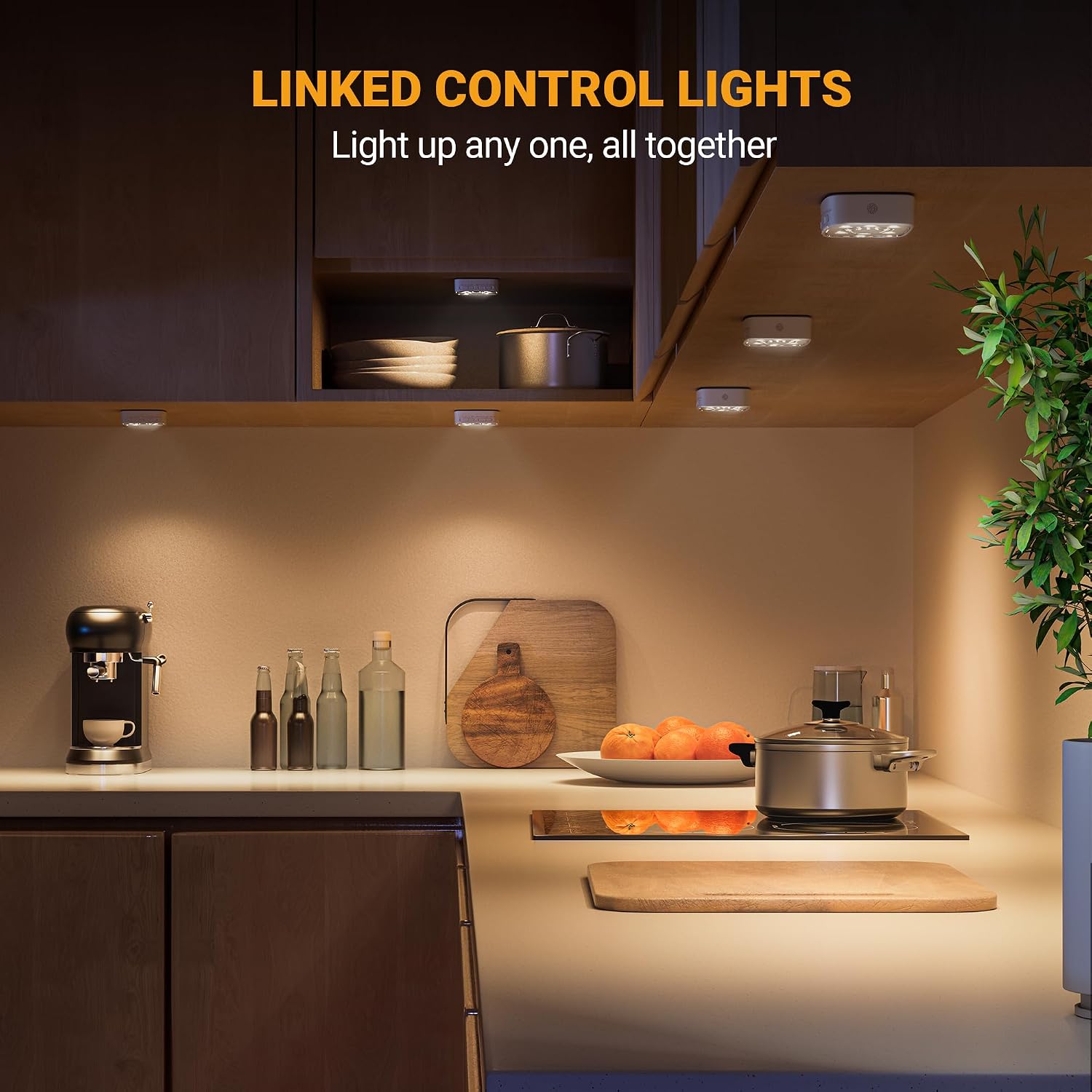
Figure 9: Dimmable feature from 1LM to 80LM, with controls for brightness adjustment.

Figure 10: Four color temperatures selectable: 2700K, 3800K, 5000K, 6500K.

Figure 11: Stepless dimming in a closet setting, showing synchronized brightness adjustment.
The upgraded optical focusing lens directs light precisely, reducing glare and providing focused illumination for countertops or display items.

Figure 12: Directional lighting effect with optical lens concentrator design.
Maintenance
- Cleaning: Wipe the lights with a soft, dry cloth. Do not use abrasive cleaners or solvents.
- Battery Care: To prolong battery life, avoid fully discharging the lights frequently. Recharge them when the light output noticeably diminishes. Store in a cool, dry place if not used for extended periods.
- Water Resistance: These lights are not water-resistant. Avoid exposure to water or high humidity.
Troubleshooting
| Problem | Possible Cause | Solution |
|---|---|---|
| Light does not turn on. | Battery is drained. | Recharge the light fully using the provided USB cable. |
| Motion sensor not working or light stays on constantly. |
|
|
| Lights in a group do not sync. |
|
|
| Brightness or color temperature cannot be adjusted. | Incorrect operation. | Refer to the "Adjusting Brightness and Color Temperature" section for correct procedure (tap and hold for dimming, use switch for color temp). |
Specifications
| Feature | Detail |
|---|---|
| Brand | Lyridz |
| Model Number | A5133 |
| Color | White |
| Material | Polycarbonate |
| Light Fixture Form | Puck |
| Power Source | Battery Powered |
| Battery Capacity | 4000mAh (Rechargeable) |
| Light Source | LED |
| Number of Light Sources | 6 per unit |
| Brightness | 1-80 lumens (Dimmable) |
| Color Temperatures | 2700K, 3800K, 5000K, 6500K |
| Controller Type | Motion Sensor |
| Motion Sensor Range | 360° up to 23ft |
| Auto-off Time | 30 seconds (after inactivity) |
| Mounting Type | Magnetic / Wall Mount (with adhesive plates) |
| Item Dimensions (L x W x H) | 2.75"L x 1.18"W x 3.3"H |
| Item Weight | 5.12 ounces |
| Water Resistance Level | Not Water Resistant |
Warranty Information
This Lyridz product is covered by a 1-year manufacturer's warranty from the date of purchase. This warranty covers defects in materials and workmanship under normal use. It does not cover damage caused by misuse, accidents, unauthorized modifications, or improper installation.
Please retain your proof of purchase for warranty claims.
Customer Support
For any questions, technical assistance, or warranty claims, please contact Lyridz customer support through the retailer's platform where you purchased the product or visit the official Lyridz brand store for contact information.
Lyridz Brand Store: Visit Lyridz Store on Amazon


