
Introduction
This manual provides comprehensive instructions for the safe and efficient use of your iWALK 20000mAh 65W Portable Charger. Please read this manual thoroughly before operating the device and retain it for future reference.
The iWALK Laptop Power Bank is a high-capacity portable charger designed to provide power to a wide range of devices, including laptops, tablets, and smartphones. It features a built-in retractable USB-C cable, 65W max power output, and a 20,000mAh battery capacity, making it ideal for travel and on-the-go charging.
Product Overview
Familiarize yourself with the components of your iWALK power bank.

Figure 1: Front view of the iWALK Laptop Power Bank, highlighting the retractable USB-C cable and the iWALK logo.

Figure 2: Close-up view of the iWALK power bank's top, showing the digital LED display indicating the battery percentage and the retractable cable mechanism.
Key Features:
- Built-in Retractable USB-C Cable: A 2.3 ft (approximately 27.56 inches) USB-C cable that retracts into the unit for tidy storage and convenient use.
- 65W Max Power Output: Capable of charging phones, tablets, and laptops at high speeds.
- 20,000mAh High-Capacity Battery: Provides multiple charges for various devices and is suitable for air travel.
- Triple Outputs: Includes a built-in USB-C cable (PD 65W), a USB-C port (PD 65W), and a USB-A port (QC 22.5W) for versatile charging.
- Smart LED Display: Shows the precise charge level of the power bank.
- Compact and Portable Design: Ergonomic grip and reduced size compared to other 20,000mAh power banks.
Setup
Initial Charging of the Power Bank:
Before first use, it is recommended to fully charge your iWALK power bank.
- Connect the power bank to a power source using a compatible USB-C charger (65W or higher recommended for fastest charging).
- The LED display will show the charging progress. A full charge typically takes approximately 1.38 hours with a 65W charger.
- Once fully charged, the LED display will show 100%.

Figure 3: Illustration demonstrating the two methods for recharging the iWALK power bank: using its built-in USB-C cable connected to a wall adapter, or using an external USB-C cable connected to the power bank's input port.
Operating Instructions
Charging Devices:
The iWALK power bank offers multiple output options for charging your devices.

Figure 4: The iWALK power bank connected to a laptop, a smartphone, and a tablet, demonstrating its triple output capability for simultaneous charging.
- Using the Built-in Retractable USB-C Cable: Gently pull the USB-C cable from its housing until it reaches the desired length (up to 2.3 ft). Connect the USB-C end to your compatible device. To retract, give a gentle pull and it will automatically coil back into the unit.
- Using the USB-C Output Port: Connect a USB-C to USB-C cable (not included) from the power bank's USB-C output port to your device. This port supports Power Delivery (PD) up to 65W.
- Using the USB-A Output Port: Connect a USB-A to compatible cable (not included) from the power bank's USB-A output port to your device. This port supports Quick Charge (QC) up to 22.5W.
Note: For optimal charging speed, especially for laptops, single device charging is recommended when using the 65W output.
Checking Battery Level:
The integrated LED display provides real-time battery status.
- Press the power button once to activate the LED display and view the current battery percentage.
Maintenance
Cleaning:
- Wipe the exterior of the power bank with a soft, dry cloth.
- Do not use harsh chemicals, cleaning solvents, or strong detergents.
Storage:
- Store the power bank in a cool, dry place away from direct sunlight and extreme temperatures.
- For long-term storage, charge the power bank to approximately 50-75% every three months to maintain battery health.
Retractable Cable Care:
The retractable cable is designed for durability, but proper handling extends its lifespan.
- When extending the cable, pull both ends simultaneously and gently to avoid tangling or damage to the retraction mechanism.
- When retracting, ensure the cable is not twisted and allow it to retract smoothly. Do not force it.
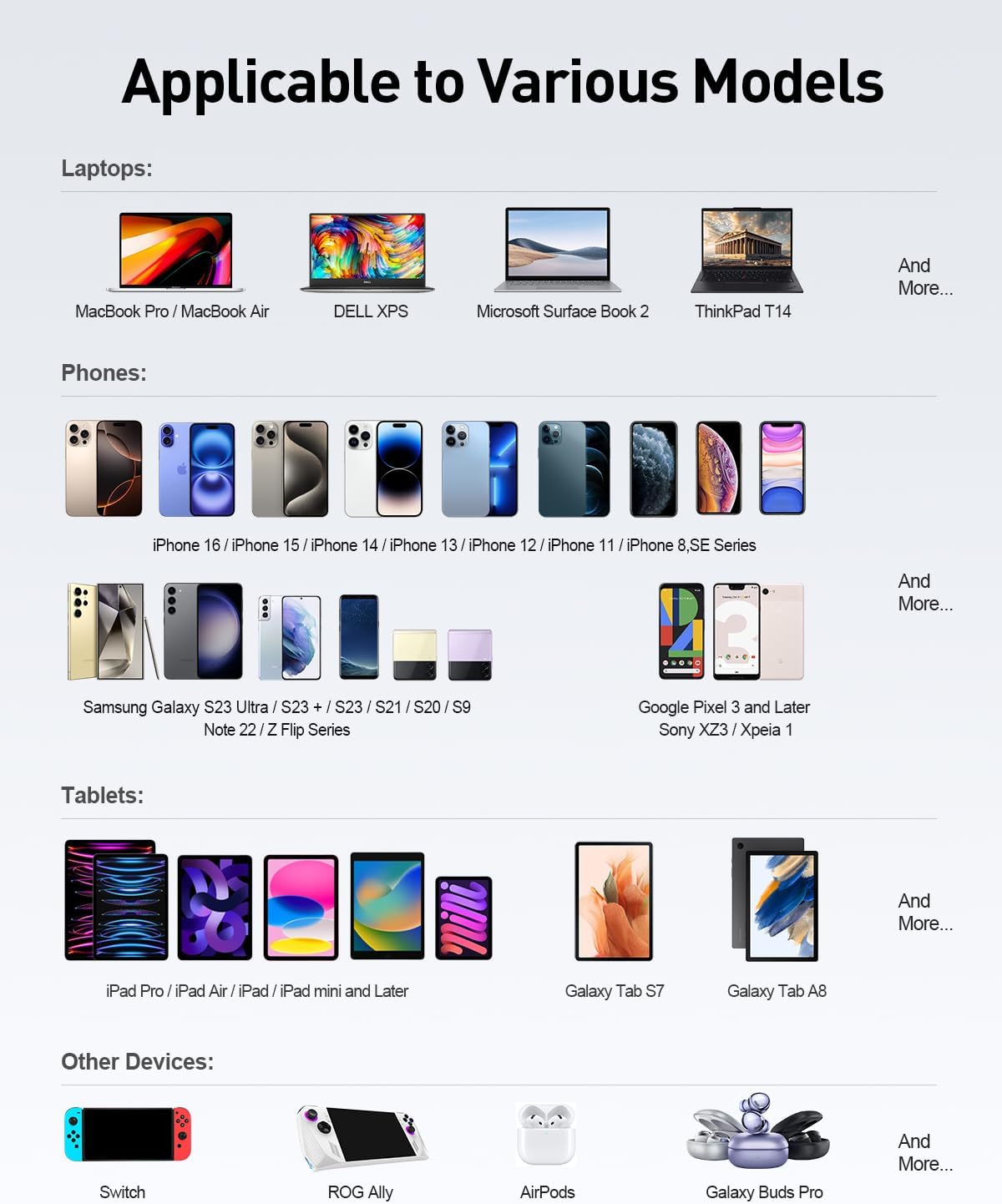
Figure 5: An internal view diagram illustrating the retractable cable mechanism and the "Click" magnetic feature designed to reduce wear and ensure smooth operation.
Troubleshooting
| Problem | Possible Cause | Solution |
|---|---|---|
| Power bank not charging | Charging cable or adapter faulty; power bank fully discharged; charging port dirty. | Try a different charging cable and adapter. Ensure the charging port is clean and free of debris. Allow a few minutes for a deeply discharged power bank to respond. |
| Device not charging from power bank | Power bank low on charge; incorrect cable used; device not compatible; cable connection loose. | Recharge the power bank. Ensure the charging cable is securely connected to both the power bank and the device. Verify device compatibility with the power bank's output specifications. Try a different output port or cable. |
| Slow charging | Cable not supporting fast charging; device not supporting fast charging; multiple devices charging simultaneously. | Use a high-quality cable that supports PD/QC. Ensure your device supports fast charging. For fastest charging, charge one device at a time, especially high-power devices like laptops. |
| Retractable cable not retracting smoothly | Cable twisted or jammed; debris in mechanism. | Gently pull the cable out fully and then allow it to retract slowly. Ensure no twists. Check for any visible obstructions in the retraction slot. Do not force retraction. |
Specifications
| Feature | Detail |
|---|---|
| Model Number | LPR002 |
| Battery Capacity | 20,000mAh |
| Max Power Output | 65W |
| Built-in Cable | USB-C (PD 65W), 2.3 ft (approx. 27.56 inches) retractable |
| Output Ports | 1x USB-C (PD 65W), 1x USB-A (QC 22.5W) |
| Input Ports | USB-C (via built-in cable or dedicated port) |
| Dimensions | 6.2 x 1.7 x 2 inches |
| Weight | 14.9 ounces |
| Battery Type | Lithium Polymer |
| Special Features | Built-in Retractable Cable, Digital Display, Fast Charging, TitanCore Tech |
Safety Information
- Do not expose the power bank to extreme temperatures, direct sunlight, or fire.
- Do not disassemble, modify, or repair the device yourself.
- Keep away from water and other liquids.
- Avoid dropping or subjecting the power bank to strong impacts.
- Keep out of reach of children.
- Dispose of the power bank responsibly according to local regulations.
Warranty and Support
For warranty information and customer support, please refer to the official iWALK website or contact their customer service directly. The product typically comes with a standard manufacturer's warranty covering defects in materials and workmanship.
Manufacturer: U2O GLOBAL CO.,LTD
For further assistance, please visit the iWALK Store on Amazon.
