
WUBEN X2PRO
WUBEN X2Pro Rechargeable EDC Flashlight User Manual
Model: X2PRO | Brand: WUBEN
1. Introduction
The WUBEN X2Pro is a versatile and powerful Everyday Carry (EDC) flashlight designed for a wide range of applications, from emergency situations to outdoor adventures and daily tasks. It features a dual-light system with both main and side lights, offering multiple modes and flexible power options. This manual provides comprehensive instructions for the safe and efficient operation and maintenance of your WUBEN X2Pro flashlight.
2. Safety Information
- Do not look directly into the light beam or shine it directly into anyone's eyes. The high lumen output can cause temporary vision impairment or eye damage.
- Keep out of reach of children.
- Ensure batteries are inserted with correct polarity to prevent damage to the device.
- Do not mix old and new batteries, or different types of batteries.
- Avoid disassembling the flashlight head as this may damage the lights and void the warranty.
- Store the flashlight in a cool, dry place when not in use for extended periods.
- The flashlight may become warm during prolonged use at high output levels. This is normal.
3. What's in the Box
Your WUBEN X2Pro package includes the following components:
- WUBEN X2Pro Flashlight
- ARC Guide Buckle
- Lanyard
- USB-C Cable
- User Manual (this document)

Image: The WUBEN X2Pro flashlight shown with its included accessories: ARC Guide Buckle, Lanyard, USB-C Cable, and User Manual.
4. Product Overview
The WUBEN X2Pro features a robust design with intuitive controls and multiple lighting options.

Image: A detailed view of the WUBEN X2Pro flashlight, highlighting its compact and durable construction.
4.1. Main Light System
The main light system consists of 4 LED chips, providing powerful illumination with various modes.
- Output: Up to 1500 lumens.
- Beam Distance: Up to 205 meters.
- Modes: Turbo, High, Medium, Low, Flood, and Spotlight.

Image: Illustration of the WUBEN X2Pro's powerful main light, demonstrating its 1500 lumens output and 205-meter beam distance, along with icons for Flood, Spot, Low, Medium, High, and Turbo modes.

Image: Visual comparison of the WUBEN X2Pro's stepless zoom functionality, showing the difference between Flood and Spot illumination patterns in a dark outdoor setting.
4.2. Side Light System
The side light offers additional versatility for various tasks.
- White Light Output: 400 lumens.
- UV Light: 365nm for detection purposes.
- Tilt Adjustment: 20° for flexible, focused lighting.
- Dimming: Stepless dimming for precise brightness control.
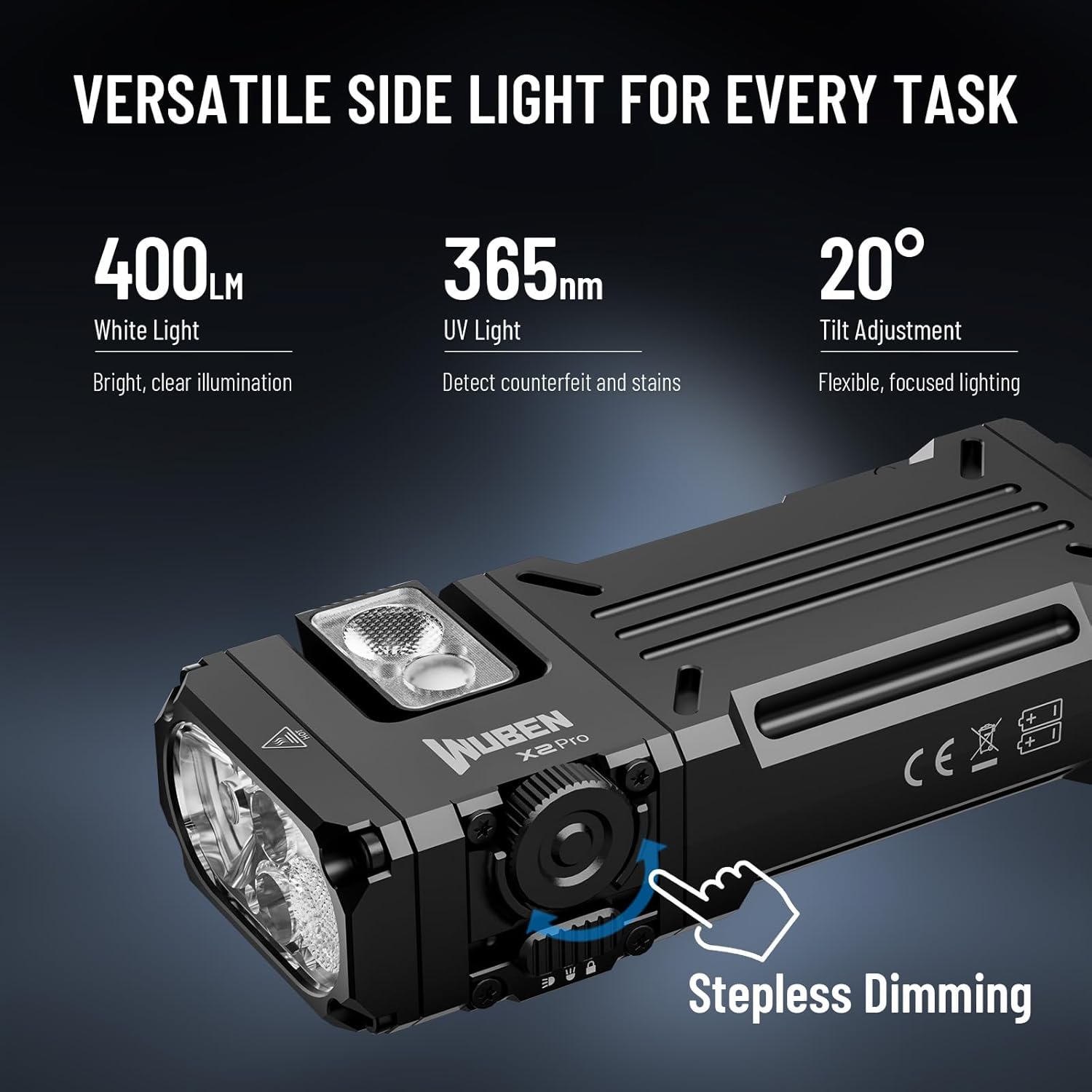
Image: A close-up of the WUBEN X2Pro highlighting the side light features, including 400 lumens white light, 365nm UV light, 20° tilt adjustment, and the rotary switch for stepless dimming.

Image: Demonstrations of the 365nm UV light's versatility, showing its use for fluorescent agent detection, stain finding, hotel cleanliness checking, and ringworm detection.
4.3. Innovative Switch Design
The X2Pro incorporates a unique dual-switch system for intuitive control.
- Toggle Switch: Easily switch between main light, side light, and lock mode. This prevents accidental activation and conserves battery.
- Rotary Switch: Provides stepless dimming for precise brightness adjustment of the side light.
4.4. Magnetic Tail Cap & Pocket Clip
For hands-free operation and convenient carrying.
- Magnetic Tail Cap: Allows attachment to metal surfaces for hands-free lighting during repairs or work.
- Pocket Clip: Enables easy and secure carrying in a pocket or on gear.

Image: Examples of hands-free operation using the WUBEN X2Pro's magnetic base (attached to a car hood) and pocket clip (attached to a hat for tent setup and reading).
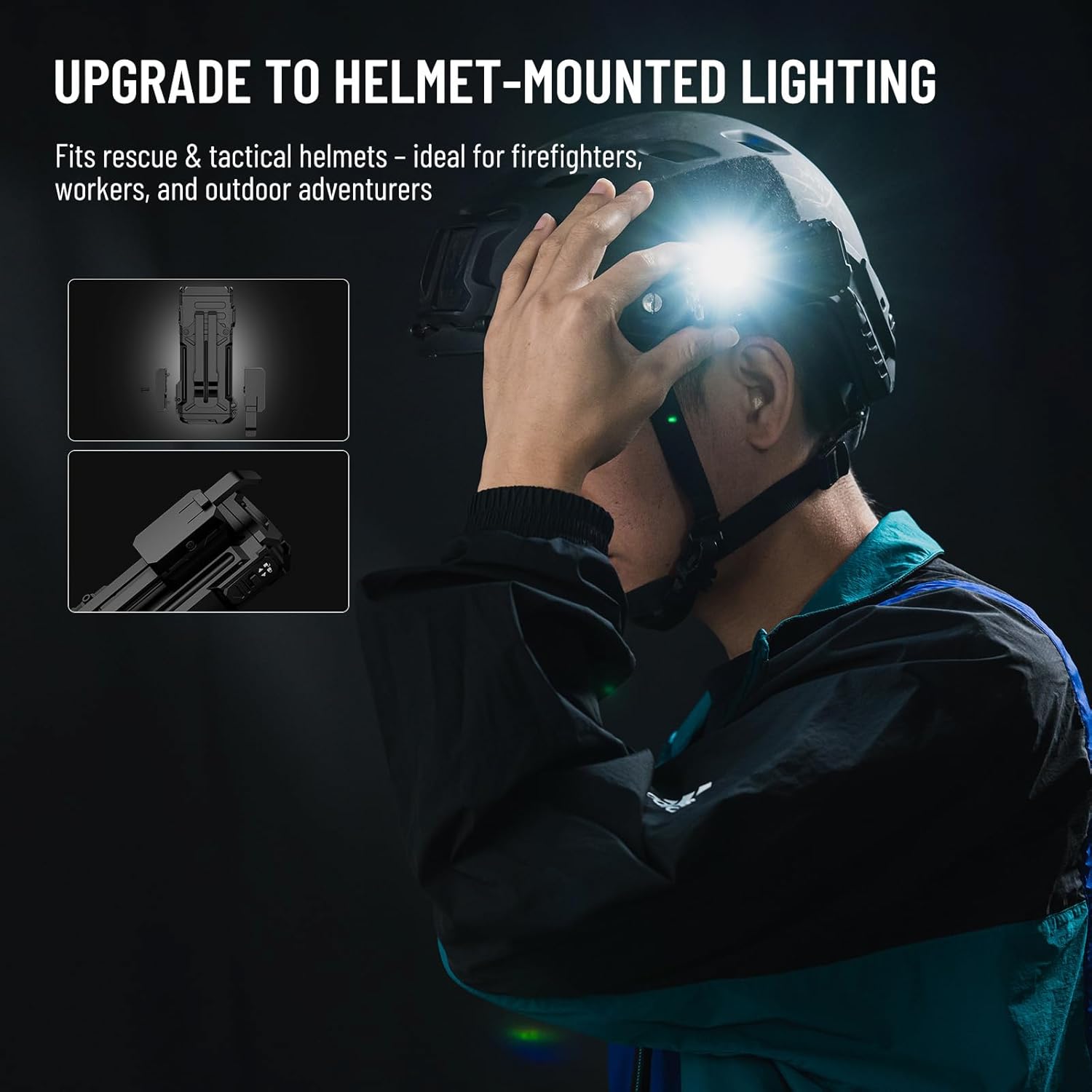
Image: A person wearing a helmet with the WUBEN X2Pro mounted, illustrating its compatibility with rescue and tactical helmets for hands-free lighting.
5. Setup
5.1. Battery Installation
The WUBEN X2Pro comes with two 920mAh rechargeable batteries. It can also operate with a single battery or be compatible with AA batteries (not included) for flexible power options.
- Locate the battery compartment release mechanism, typically a toggle switch or latch.
- Open the battery compartment.
- Insert the two 920mAh batteries, ensuring correct polarity as indicated inside the compartment. The flashlight can also function with one battery.
- Close the battery compartment securely until it clicks into place.

Image: A hand holding the WUBEN X2Pro with its battery compartment open, showing the two rechargeable batteries inside. Icons indicate compatibility with AA Alkaline, AA Ni-MH, and single battery operation.
5.2. Charging
The X2Pro supports USB-C charging for convenience.
- Locate the USB-C charging port on the flashlight.
- Connect the provided USB-C cable to the flashlight and a compatible power source (e.g., wall adapter, power bank, computer USB port).
- The charging indicator light will illuminate (typically red) to show charging is in progress.
- Once fully charged, the indicator light will change color (typically blue). Charging takes approximately 2.5 hours.
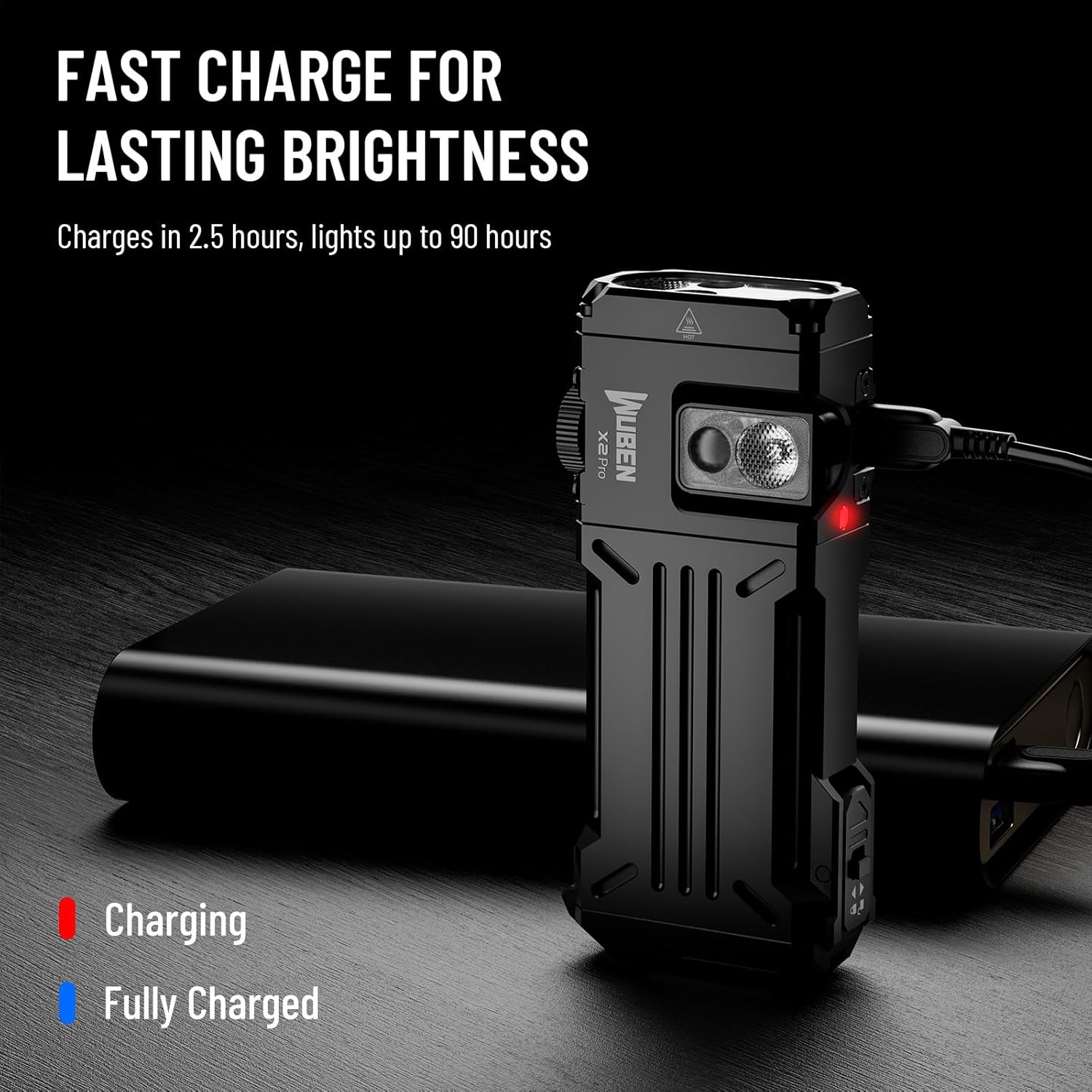
Image: The WUBEN X2Pro connected via USB-C cable to a power bank, with the charging indicator light visible. Text indicates charging in 2.5 hours and up to 90 hours of light.
6. Operating Instructions
6.1. Power On/Off and Lock Mode
- To power on the flashlight, slide the toggle switch to either the main light or side light position.
- To power off, slide the toggle switch to the central "Lock" position. This also prevents accidental activation.
6.2. Main Light Operation
When the toggle switch is set to the main light position:
- Mode Cycling: Press the main button to cycle through modes: Low → Medium → High.
- Turbo Mode: Double-press the main button from any state to activate Turbo mode. Double-press again to return to the previous mode.
- Flood/Spotlight Switching: From any main light mode, press and hold the main button to switch between Flood and Spotlight. Release to select.
6.3. Side Light Operation
When the toggle switch is set to the side light position:
- White Light: Press the main button to turn on the white side light.
- UV Light: Double-press the main button to activate the 365nm UV light. Double-press again to return to white light.
- Stepless Dimming: While the white side light is on, rotate the rotary switch to adjust brightness continuously.
7. Maintenance
- Cleaning: Clean the flashlight body with a soft, damp cloth. For optical surfaces, use a lens cleaning cloth.
- Lubrication: Periodically apply silicone grease to the O-rings to maintain water resistance.
- Battery Care: If the flashlight will not be used for an extended period, remove the batteries to prevent leakage. Recharge batteries regularly to prolong their lifespan.
- Water Resistance: The X2Pro has an IP68 waterproof rating. Ensure the USB-C port cover is fully sealed before exposing to water.
8. Troubleshooting
| Problem | Possible Cause | Solution |
|---|---|---|
| Flashlight does not turn on. | Low battery; Incorrect battery installation; Lock mode engaged. | Recharge or replace batteries; Check battery polarity; Slide toggle switch out of lock mode. |
| Light output is dim or flickers. | Low battery; Loose connections. | Recharge batteries; Ensure battery compartment is fully closed. |
| Cannot switch modes. | Flashlight in an unresponsive state. | Turn off and on again; Ensure toggle switch is in the correct main/side light position. |
| Battery compartment does not stay closed. | Latch mechanism issue. | Ensure no debris is obstructing the latch; Contact customer support if issue persists. |
9. Specifications
| Feature | Detail |
|---|---|
| Brand | WUBEN |
| Model | X2Pro |
| Main Light Brightness | Up to 1500 Lumens |
| Beam Distance | 205 Meters |
| Side Light White Brightness | 400 Lumens |
| Side Light UV Wavelength | 365nm |
| Power Source | Battery Powered (2x 920mAh included, AA compatible) |
| Charging Port | USB-C |
| Runtime (Moonlight Mode) | Up to 130 hours |
| Material | Aluminum |
| Dimensions (L x W x H) | 3.54 x 0.82 x 1.61 inches (approx. 90 x 21 x 41 mm) |
| Weight | 134 Grams (approx. 4.7 ounces) |
| Water Resistance Level | IP68 (Waterproof) |
| Drop Test Rating | 1.5 meters |
10. Warranty and Support
The WUBEN X2Pro comes with a limited warranty. For detailed warranty terms and conditions, please refer to the official WUBEN website or contact their customer support.
If you encounter any issues or have questions regarding your WUBEN X2Pro flashlight, please visit the WUBEN Store on Amazon or contact WUBEN customer service directly for assistance.
Related documentsX2PRO


Ask a question about this manual
Ask about setup, troubleshooting, compatibility, parts, safety, or missing instructions. Manuals+ will review the question and use this page’s manual context to help answer it.