
Introduction
Thank you for purchasing the WINGBO 84-inch Windmill Ceiling Fan with Lights. This manual provides essential information for the safe installation, operation, and maintenance of your new ceiling fan. Please read these instructions thoroughly before beginning installation and keep them for future reference.
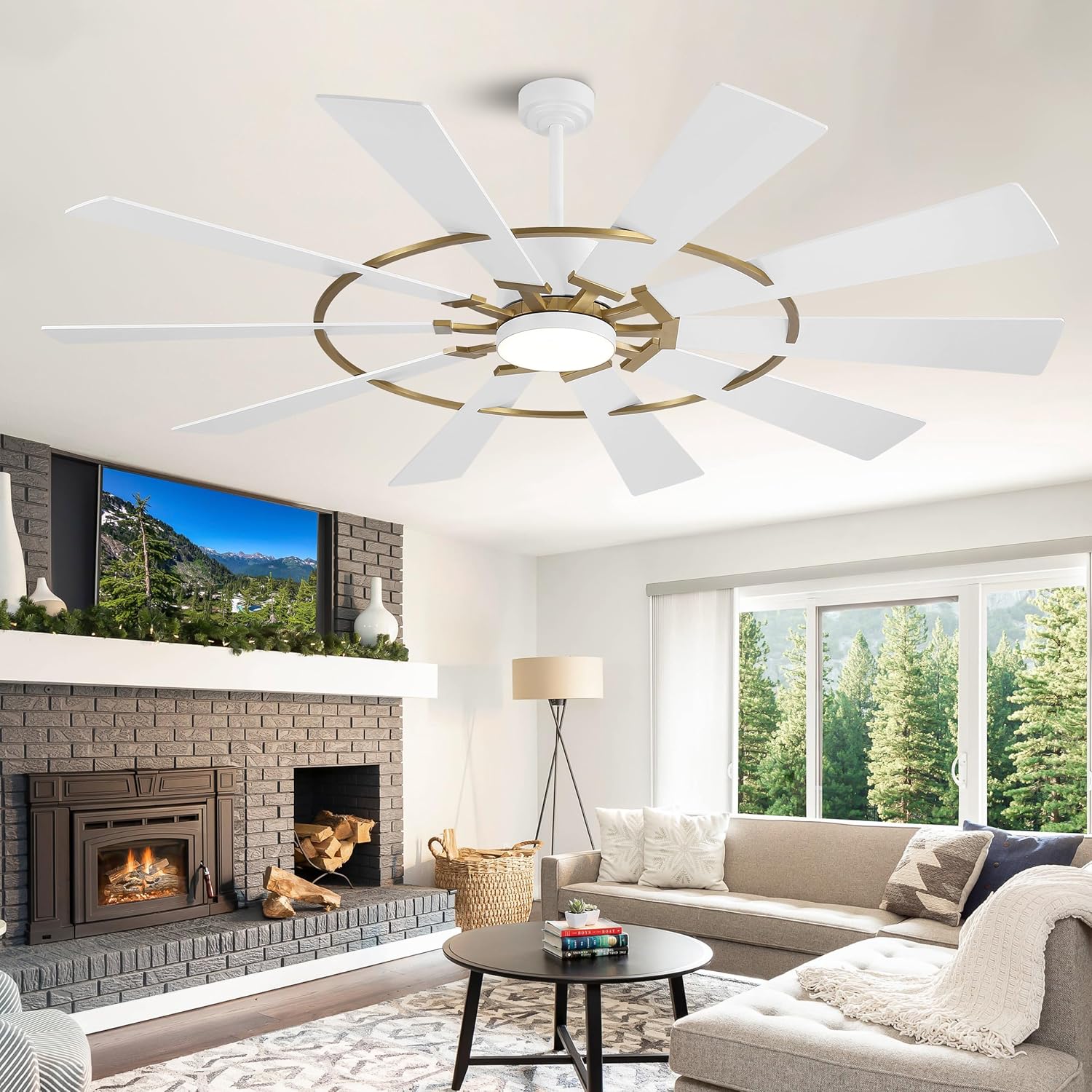
Image: The WINGBO 84-inch Windmill Ceiling Fan with Lights, featuring aged brass and white components, installed in a spacious living room.
Safety Information
WARNING: To reduce the risk of fire, electric shock, or personal injury, always follow these basic precautions:
- Read all instructions and safety information before installing your new fan.
- All wiring must be in accordance with national and local electrical codes. If you are unfamiliar with wiring, consult a qualified electrician.
- Before installation, disconnect power by turning off the circuit breakers at the main fuse box.
- Ensure the installation site can support the fan's weight (approximately 25 Decibels).
- Do not operate the fan with damaged blades. Replace all blades if one is damaged.
- Avoid placing objects in the path of the fan blades.
- Do not use a dimmer switch or a fan's gear switch for control; use only conventional ON/OFF switches for the light.
Package Contents
Verify that all components are present before beginning installation:
- Ceiling Fan Motor Assembly
- 10 Plywood Blades
- Integrated LED Light Kit
- Remote Control with Wall Mount
- Downrods (4.5", 12", and 24" included)
- Mounting Bracket and Hardware
- Canopy and Coupling Cover
Specifications
| Feature | Specification |
|---|---|
| Brand | WINGBO |
| Model Name | SYCF8404 |
| Size | 84 inches |
| Color | Aged Brass and White |
| Number of Blades | 10 |
| Blade Material | Engineered Wood |
| Motor Type | DC Motor |
| Number of Speeds | 6 |
| Air Flow Capacity | 9697 Cubic Feet Per Minute (CFM) |
| Noise Level | 25 Decibels |
| Light Type | Integrated LED |
| Light Wattage | 24 Watts |
| Color Temperature (CCT) | 3000K (Warm), 4500K (Natural), 6000K (Daylight) |
| Control Method | Remote Control |
| Mounting Type | Downrod Mount (Flat or Sloped Ceilings up to 15°) |
| Downrod Lengths Included | 4.5", 12", 24" |
| Product Dimensions (D x W x H) | 84"D x 84"W x 33"H |
| Indoor/Outdoor Usage | Indoor, Covered Outdoor (Damp Rated) |
Setup and Installation
Professional installation is recommended for safety and optimal performance. Ensure power is disconnected at the circuit breaker before proceeding.
1. Mounting the Fan
This fan supports both flat and sloped ceiling installations (up to 15°). Select the appropriate downrod length (4.5", 12", or 24") for your ceiling height. For ceilings 9 feet and above, longer downrods are recommended.

Image: Product dimensions and mounting options for flat and sloped ceilings, indicating suitability for rooms 20'x20' or larger.
2. Wiring
Connect the fan's electrical wires to your household wiring according to the provided wiring diagram in the full instruction manual. Ensure all connections are secure. If you are unsure about electrical wiring, consult a licensed electrician.
3. Attaching Blades and Light Kit
Carefully attach the 10 plywood blades to the motor assembly. Then, install the integrated LED light kit. Ensure all screws are tightened securely.
Video: Official WINGBO 10-Blade Ceiling Fan Installation Guide. This video demonstrates the step-by-step process for installing the ceiling fan, including wiring and assembly.
Operating Instructions
Your WINGBO ceiling fan is controlled by a remote control, offering various functions for comfort and convenience.

Image: The remote control for the WINGBO ceiling fan, highlighting its multi-function capabilities including speed, light, and timer settings.
1. Fan Speed Control
Use the remote control to select from 6 fan speeds. Speed 1-2 is ideal for sleeping or reading, 3-4 for entertainment, and 5-6 for sports or fitness activities. A natural breeze mode is also available.
2. Light Control and Color Temperature
The integrated LED light can be turned ON/OFF via the remote. It supports 3 color temperatures: 3000K (Warm Light), 4500K (Natural Light), and 6000K (Daylight). To change the color temperature, turn the light OFF, wait for more than 10 seconds, then turn it back ON. The light will cycle through the color temperatures. If turned ON within 10 seconds, it will revert to the previous setting.

Image: Illustration of the 3-color temperature options (3000K, 4500K, 6000K) available with the integrated LED light.
3. Reversible DC Motor
The fan features a reversible DC motor for year-round comfort. In summer, the fan operates in forward mode to deliver cool air. In winter, reverse the direction to circulate warm air and balance indoor temperature. Use the remote control to switch between modes.
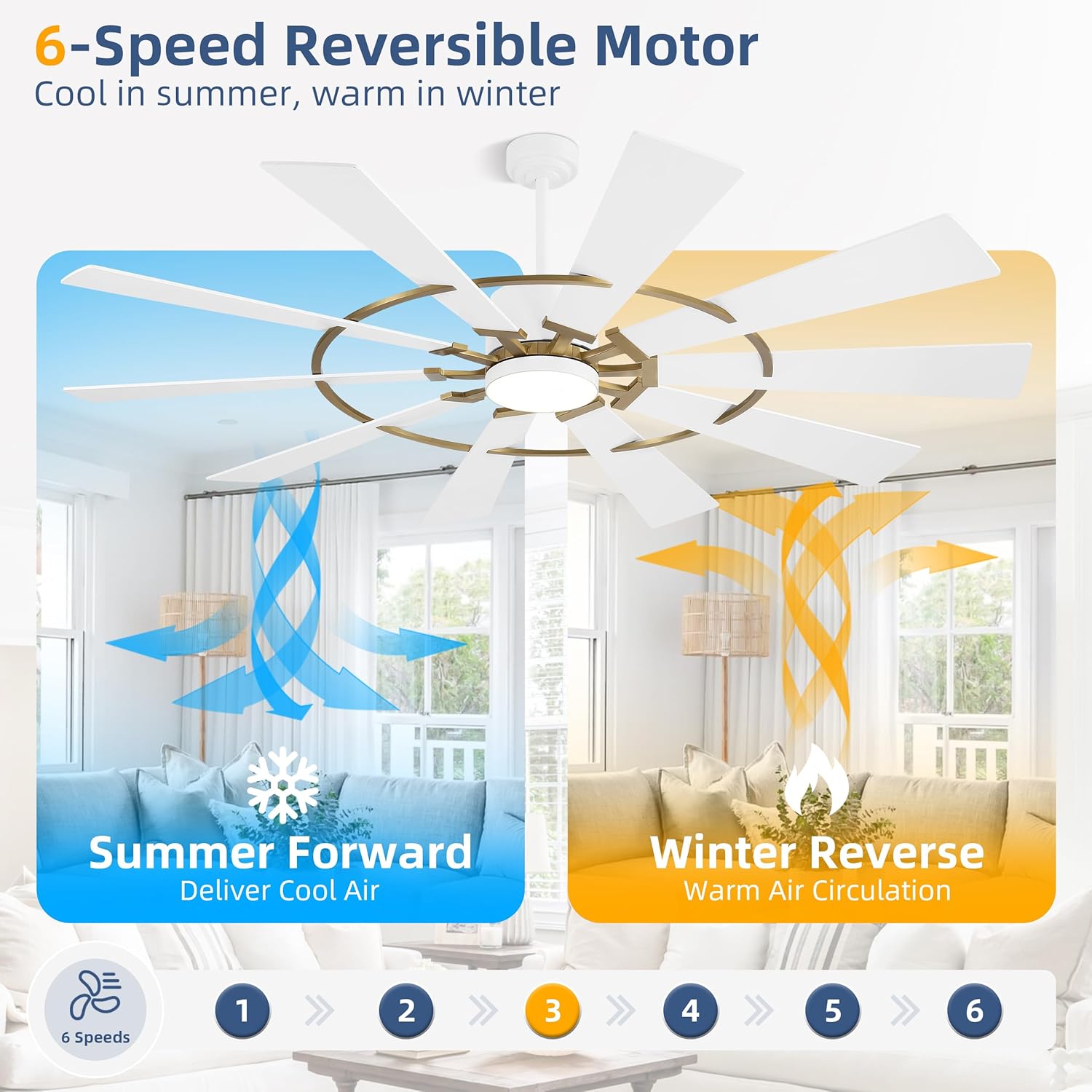
Image: Visual representation of the 6-speed reversible DC motor, illustrating airflow for summer cooling and winter warm air circulation.
4. Timer Function
Set the fan to turn off automatically after 1, 2, 4, or 8 hours using the timer function on the remote control. This feature is useful for energy saving and undisturbed sleep.

Image: The fan's quiet operation (35dB) compared to other sounds, highlighting the 1/2/4/8 hour timer setting for quiet enjoyment.
Maintenance
Regular maintenance ensures the longevity and optimal performance of your ceiling fan.
- Cleaning: Periodically wipe the fan blades and motor housing with a soft, damp cloth. Do not use abrasive cleaners or solvents, as these can damage the finish.
- Blade Inspection: Check the blade attachments annually to ensure all screws are tight. Loose blades can cause wobbling and noise.
- Light Kit: The LED light kit is integrated. If the LED light board needs replacement, please contact customer support.
- Dusting: Dust the fan regularly to prevent buildup, which can affect performance and appearance.
Troubleshooting
If you experience issues with your fan, refer to the following common problems and solutions:
| Problem | Possible Cause | Solution |
|---|---|---|
| Fan does not start | No power to the fan; Loose wire connections; Remote control battery low or not paired. | Check circuit breaker and wall switch; Verify all wire connections; Replace remote battery or re-pair remote. |
| Fan wobbles | Loose blade screws; Unbalanced blades; Loose mounting bracket. | Tighten all blade screws; Use a balancing kit (not included) to balance blades; Ensure mounting bracket is securely fastened. |
| Light does not work | Loose wire connection to light kit; Faulty LED light board; Remote control issue. | Check light kit wiring; Contact customer support for LED board replacement; Check remote battery and pairing. |
| Remote control not working | Battery depleted; Not paired with fan; Interference. | Replace battery; Follow pairing instructions in the full manual; Ensure no strong signal interference nearby. |
Warranty Information
The WINGBO 84-inch Windmill Ceiling Fan (Model SYCF8404) comes with the following warranty:
- Whole Fan: 2 years
- Motor: 10 years
This warranty covers defects in materials and workmanship under normal use. For warranty claims or if your LED light board or remote control are damaged or lost, please contact customer support.
Customer Support
For technical assistance, replacement parts, or any questions regarding your WINGBO ceiling fan, please contact our customer support team. Refer to the contact information provided in your product packaging or visit the official WINGBO website.
Video: Overview of the WINGBO 10-Blade Ceiling Fan in Aged Brass and White, showcasing its design and features.
