
1. Introduction
This manual provides comprehensive instructions for the operation and maintenance of your Aiandcc M5 MP3 Player. Please read this manual carefully before using the device to ensure proper function and to maximize your user experience. Keep this manual for future reference.
2. Package Contents
Verify that all items are present in the package:
- Aiandcc M5 MP3 Player
- Wired Earphones
- Type-C Charging Cable
- User Manual

Image: The Aiandcc M5 MP3 Player shown alongside its wired earphones, Type-C charging cable, and user manual. The image also illustrates the device's dimensions and button layout.
3. Device Overview
The Aiandcc M5 is a compact MP3 player featuring Bluetooth 5.3, FM radio, and a 1.8-inch screen. It includes 32GB of internal storage, expandable via a TF card slot.
Key Features:
- Storage: 32GB internal, expandable up to 128GB with a TF card (not included).
- Connectivity: Bluetooth 5.3 for wireless audio.
- Audio Quality: HiFi Sound reproduction.
- Functions: Music player, FM radio.
- Battery Life: Up to 48 hours of music playback on a full charge.
- Charging: Type-C USB, approximately 3 hours for a full charge.
- Controls: Push-button interface with a dedicated volume control.
- Design: Mini, lightweight (29g) with a 1.8-inch screen.

Image: Front and back view of the Aiandcc M5 MP3 Player. The front screen displays music playback information, while the back shows the model number and regulatory marks.
4. Getting Started
4.1. Charging the Device
Before first use, fully charge the MP3 player. Connect the included Type-C charging cable to the device's USB-C port and the other end to a USB power adapter (not included) or a computer's USB port. The device will fully charge in approximately 3 hours.

Image: The Aiandcc M5 MP3 Player shown with a large '48 H' graphic, indicating its extended battery life of up to 48 hours of music playback.
4.2. Transferring Music Files
To transfer music, connect the MP3 player to your computer using the Type-C cable. The device will appear as a removable disk. Drag and drop your audio files (MP3, WMA, APE, FLAC, WAV, DRM, ACELP) into the player's storage. Note that the device cannot be paired with a smartphone or laptop for direct file transfer via Bluetooth.
4.3. Inserting a TF Card
The device supports TF (Micro SD) cards up to 128GB for expanded storage. Locate the TF card slot on the side of the player. Gently insert the TF card until it clicks into place. To remove, push the card inward until it springs out.

Image: The Aiandcc M5 MP3 Player with a Micro SD card, illustrating its memory expansion capability up to 128GB. Icons for battery life, TF card support, song capacity, and Bluetooth compatibility are also shown.
5. Basic Operation
5.1. Power On/Off
To power on the device, press and hold the power button until the screen illuminates. To power off, press and hold the power button until the device shuts down. If left idle, the MP3 player will automatically turn off after 3 minutes (this duration can be adjusted in settings).
5.2. Navigation
Use the directional buttons (Up, Down, Left, Right) to navigate through menus and select options. The 'Return' button typically takes you back to the previous screen.
5.3. Volume Control
The device features a separate volume control button. Press the '+' button to increase volume and the '-' button to decrease volume.
6. Music Playback
From the main menu, select 'Music' to access your audio files. You can browse by 'All Songs', 'Artists', 'Albums', 'Genres', or 'Update Playlist'.
6.1. Playing Music
Select a song from your library to begin playback. Use the play/pause button to control playback. The forward and backward buttons allow you to skip tracks.
6.2. Playback Modes
The player supports various playback modes including 'Repeat All', 'Single Repeat', 'Shuffle', and 'A-B Repeat'. These options can typically be found within the music playback interface or settings.

Image: A person wearing headphones, listening to music with the Aiandcc M5 MP3 Player. The image emphasizes the HiFi Sound Quality feature.
7. Bluetooth Connectivity
The Aiandcc M5 MP3 Player features Bluetooth 5.3 for connecting to compatible wireless audio devices.
7.1. Pairing with Bluetooth Devices
- Ensure your Bluetooth headphones, speaker, or car Bluetooth system is in pairing mode.
- On the MP3 player, navigate to the 'Bluetooth' menu.
- Select 'Search for Devices' or similar option.
- Once your device appears in the list, select it to initiate pairing.
- Confirm pairing if prompted.
7.2. Connecting to Paired Devices
After successful pairing, your device will typically connect automatically when both the MP3 player and the Bluetooth audio device are turned on and within range. You can also manually connect from the 'Bluetooth' menu.
Important Note: This MP3 player cannot pair with smartphones or laptops via Bluetooth.
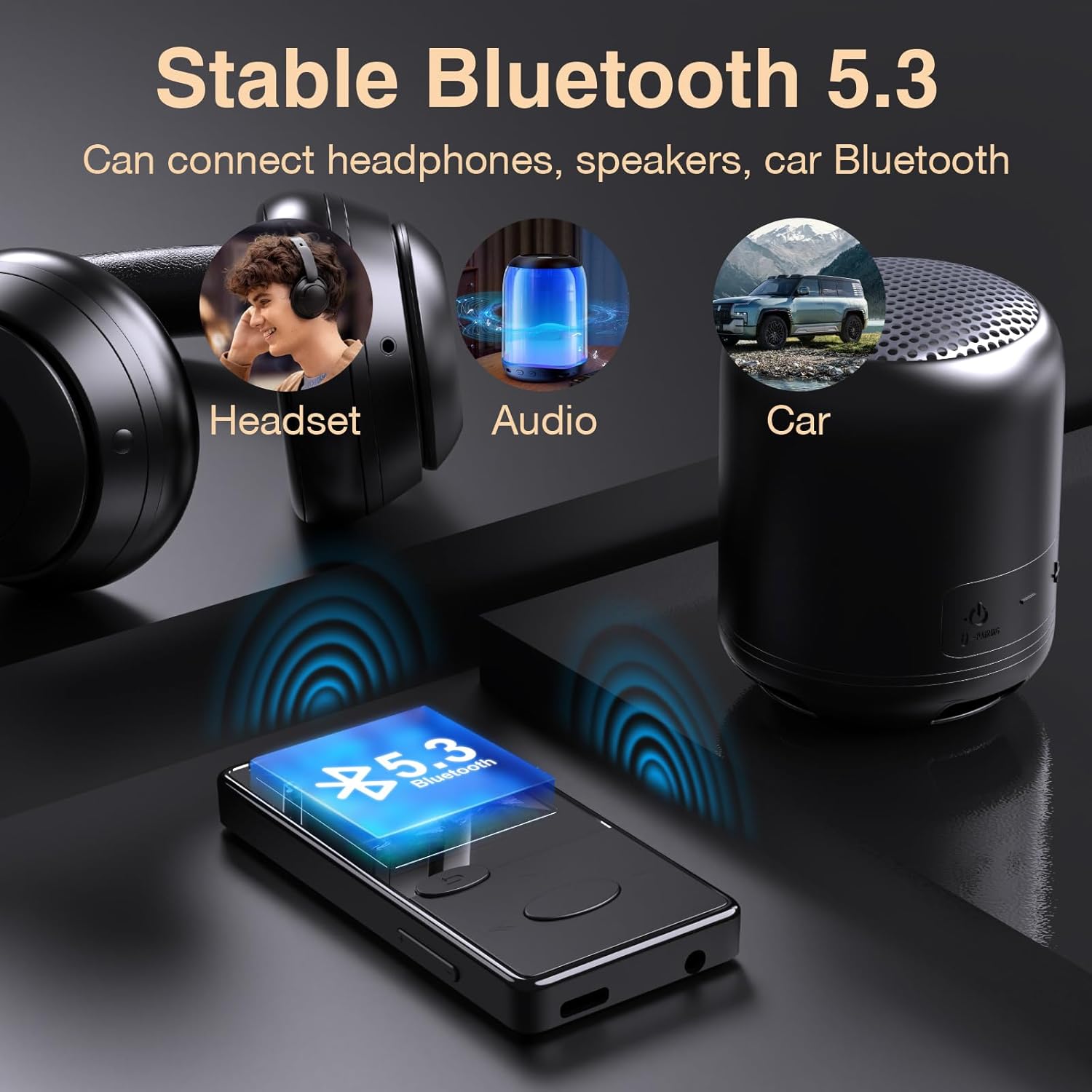
Image: The Aiandcc M5 MP3 Player demonstrating stable Bluetooth 5.3 connectivity to a headset, a portable speaker, and a car's Bluetooth system.
8. FM Radio
The Aiandcc M5 includes an FM radio function.
8.1. Activating FM Radio
To use the FM radio, you must plug in the wired earphones, as they serve as the antenna.
Navigate to the 'FM Radio' option from the main menu.
8.2. Scanning Channels
Once in the FM Radio interface, select the option to 'Auto Search' or 'Manual Search' for radio stations. Auto search will scan and save available stations.
8.3. Listening to FM Radio
Use the navigation buttons to select a saved station or manually tune to a frequency. Adjust the volume using the dedicated volume buttons.
9. Settings Menu
The 'Settings' menu allows you to customize various aspects of your MP3 player.
- Language: Change the device's display language (supports English, French, Italian, Dutch, Portuguese, Chinese, Japanese, Turkish, and more).
- Auto Power Off: Adjust or disable the automatic power-off duration.
- Display Settings: Adjust brightness or backlight time.
- System Information: View device details and firmware version.
10. Maintenance
10.1. Cleaning
Wipe the device with a soft, dry cloth. Avoid using liquid cleaners or abrasive materials, as they may damage the screen or casing.
10.2. Storage
Store the MP3 player in a cool, dry place away from direct sunlight and extreme temperatures. If storing for an extended period, ensure the battery has some charge to prevent deep discharge.
11. Troubleshooting
11.1. Device Unresponsive
If the MP3 player becomes unresponsive due to multiple tasks or prolonged use, perform a manual restart. Press and hold the power button for 8 seconds to quickly restart the device. Ensure the MP3 player has sufficient power before attempting a restart.

Image: The Aiandcc M5 MP3 Player with an overlay indicating to press and hold the power button for 8 seconds to perform a manual restart if the device becomes unresponsive.
11.2. Data Transfer Failure
If data transmission fails when connected to a computer, try replacing the data cable with another Type-C cable and attempt the transfer again. Ensure the cable is securely connected to both the player and the computer.
11.3. No Sound
Ensure headphones are properly plugged in or Bluetooth headphones are correctly paired and connected. Check the volume level on the device.
12. Specifications
| Feature | Detail |
|---|---|
| Model Name | M5 |
| Internal Storage | 32 GB |
| Memory Expansion | Micro SD (TF Card) up to 128 GB |
| Bluetooth Version | 5.3 |
| Screen Size | 1.8 inches |
| Battery Capacity | 300 mAh |
| Music Playback Time | Up to 48 hours |
| Charging Time | Approx. 3 hours |
| Charging Port | Type-C USB |
| Supported Audio Formats | MP3, WMA, APE, FLAC, WAV, DRM, ACELP |
| Dimensions (L x W x T) | 8.2 CM x 4.0 CM x 0.95 CM (3.23 x 1.57 x 0.37 inches) |
| Item Weight | 29g (1.02 ounces) |
| Manufacturer | Shenzhen Lepai Digital Technology Co.,LTD |
13. Important Notes
- The device does not have built-in speakers; earphones are required for audio output.
- Spotify and similar streaming services are not supported.
- Bluetooth pairing with smartphones or laptops is not supported.
- Wired earphones must be connected to function as an antenna for FM radio.
14. Warranty and Support
For warranty information and technical support, please refer to the documentation provided at the time of purchase or contact your retailer. Keep your purchase receipt as proof of purchase.