
1. Introduction
Thank you for purchasing the Yoidesu 8Bit Handheld Game Console. This manual provides essential information for setting up, operating, and maintaining your device. Please read it thoroughly to ensure proper use and to maximize your gaming experience.
1.1 Product Overview

Image 1.1: Front view of the Yoidesu 8Bit Handheld Game Console, showcasing its compact design and integrated screen.
The Yoidesu 8Bit Handheld Game Console is a portable gaming device designed for classic retro games. It features a 3.0-inch screen, an ergonomic gamepad design, and a built-in rechargeable battery for extended gameplay. The console supports TV connection for a larger display experience.
1.2 Package Contents
Please check the box for the following items:
- 1 x Handheld Gamepad Game Console
- 1 x AV Cable
- 1 x User Manual (this document)
- 1 x Charging Cable
1.3 Key Features
- Multiple Games: Pre-loaded with 520 classic retro video games across various genres.
- Ergonomic Design: Engineered for comfortable grip, reducing fatigue during prolonged use.
- TV Connection: Equipped with an AV cable for connecting to a television for an immersive gaming experience.
- 3.0 Inch Screen: Clear display for enhanced visual effects and crisp sound quality.
- Long Battery Life: Features a detachable, rechargeable 1020mAh lithium battery providing approximately 6-7 hours of gameplay on a full charge.
2. Getting Started
2.1 Charging the Console
Before first use, fully charge the console's battery. Connect the provided charging cable to the console's charging port and the other end to a standard USB power adapter (not included) or a computer's USB port. The charging indicator light will typically show the charging status and turn off or change color when fully charged.
2.2 Battery Installation/Replacement
The console uses a detachable BL-5C 1020mAh lithium battery. To install or replace the battery:
- Locate the battery cover on the back of the console.
- Slide or unclip the battery cover to open it.
- Insert the BL-5C battery, ensuring the contacts align correctly.
- Replace the battery cover, ensuring it clicks securely into place.
2.3 Initial Power On
Press and hold the Power button located on the console to turn it on. The screen will illuminate, and the main menu will appear.
3. Operating Instructions
3.1 Console Layout and Controls

Image 3.1: Detailed diagram showing the console's buttons, directional keys, function keys, volume keys, reset key, speaker, charging port, AV TV interface, power button, and battery cover.
- Direction Keys: Used for movement and menu navigation.
- Function Keys (A, B, X, Y): Action buttons for gameplay.
- Confirm Key: Typically the 'A' button, used to select options.
- Start/Select: Game control buttons, also used for menu functions.
- Volume Keys: Adjust the sound output.
- Reset Key: Returns to the main menu or restarts the current game.
- Single/Double Mode Selection: For selecting player modes (if applicable for specific games).
- Power Button: Turns the console on/off.
- Charging Port: For connecting the charging cable.
- AV TV Interface: For connecting to a television.
3.2 Navigating Menus
Use the Direction Keys to scroll through game lists and menu options. Press the Confirm Key (usually 'A') to select an item. The Reset key can often be used to go back to the previous menu or exit a game.
3.3 Playing Games
From the main menu, select a game using the Direction Keys and press the Confirm Key to start. Follow the on-screen instructions or game-specific controls. To exit a game, press the Reset key.
3.4 Connecting to a Television
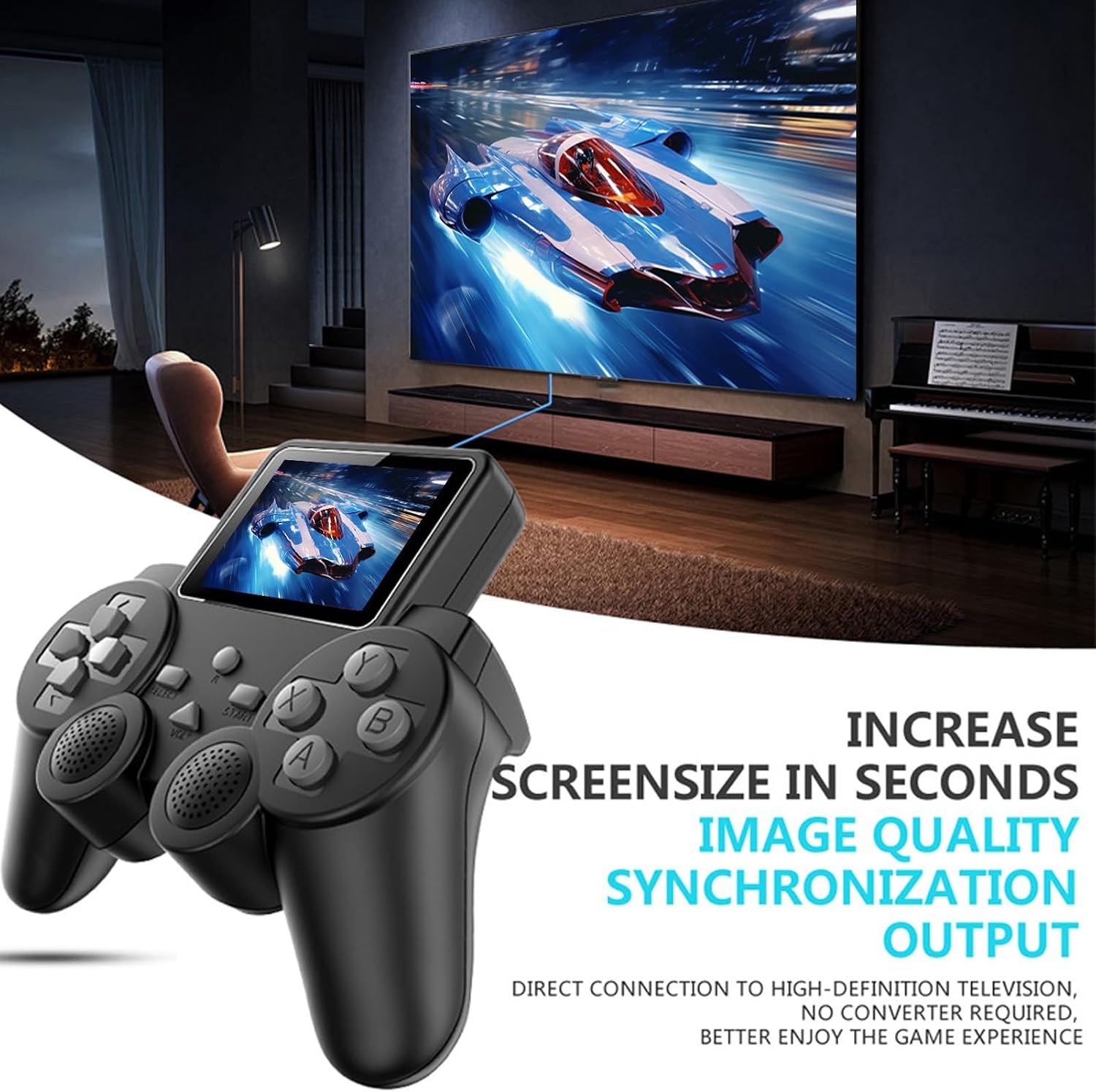
Image 3.2: The handheld console connected to a large screen television via AV cable, displaying gameplay.
To enjoy games on a larger screen:
- Ensure the console is powered off.
- Connect one end of the provided AV cable to the AV TV Interface port on the console.
- Connect the other end of the AV cable (yellow for video, white/red for audio) to the corresponding AV input ports on your television.
- Turn on your television and select the correct AV input source.
- Power on the handheld console. The game display should now appear on your television screen.
3.5 Adjusting Volume
Use the dedicated Volume Keys on the console to increase or decrease the sound level during gameplay or menu navigation.
4. Care and Maintenance
4.1 Cleaning
To clean the console, use a soft, dry cloth. For stubborn dirt, slightly dampen the cloth with water. Do not use harsh chemicals, solvents, or abrasive cleaners, as these can damage the console's finish or internal components.
4.2 Battery Care
To prolong battery life:
- Avoid fully discharging the battery frequently.
- Charge the console regularly, even if not in use for extended periods.
- Do not expose the console or battery to extreme temperatures.
- If the console will not be used for a long time, consider removing the battery.
4.3 Storage
Store the console in a cool, dry place away from direct sunlight and excessive dust. Keep it away from strong magnetic fields.
5. Troubleshooting
5.1 Common Issues and Solutions
| Issue | Possible Solution |
|---|---|
| Console does not power on. | Ensure the battery is charged. Check if the battery is correctly inserted. |
| No image on TV when connected. | Verify the AV cable is securely connected to both the console and TV. Ensure the TV input source is set correctly (e.g., AV1, Video). |
| No sound or low sound. | Adjust the volume using the console's Volume Keys. Check TV volume if connected to TV. Ensure AV audio cables are connected correctly. |
| Games freeze or crash. | Press the Reset key to restart the game or return to the main menu. If the issue persists, power off and restart the console. |
| Short battery life. | Ensure the battery is fully charged. Battery performance may degrade over time; consider replacing the battery if significantly reduced. |
6. Product Specifications
| Feature | Detail |
|---|---|
| Model Number | Yoidesu6hzyc4s8eb |
| Item Type | Handheld Gamepad Game Console |
| Material | ABS |
| Screen Size | 3.0 inches |
| Battery Type | BL-5C Lithium Battery, 1020mAh (Detachable/Rechargeable) |
| Battery Life | Approx. 6-7 hours of gameplay |
| Product Dimensions | 7.09 x 5.91 x 2.36 inches |
| Item Weight | 7.5 ounces |
| Manufacturer Recommended Age | 4 years and up |
7. Warranty and Support
For warranty information or technical support, please refer to the documentation provided at the time of purchase or contact your retailer. You may also visit the official Yoidesu brand store on Amazon for further assistance or to find contact information.