
Thomasville Alderbrook 60W L-Shaped Corner Desk
Thomasville Alderbrook 60"W L-Shaped Corner Desk User Manual
Model: Alderbrook 60"W L-Shaped Corner Desk
Introduction
This manual provides detailed instructions for the assembly, operation, maintenance, and troubleshooting of your Thomasville Alderbrook 60"W L-Shaped Corner Desk. Please read this manual thoroughly before beginning assembly or use to ensure proper function and safety.
The Thomasville Alderbrook L-Shaped Corner Desk is designed to modernize your home office with its durable engineered wood construction, integrated power outlet, and efficient cord management system. It offers ample storage with file drawers, a storage drawer, and a cabinet with an adjustable shelf, all featuring soft-close mechanisms.
Safety Information
Important Safety Precautions:
- Always assemble this desk with at least two people.
- Use appropriate tools and follow the instructions carefully.
- Ensure the desk is properly anchored to the wall or floor to prevent tipping, especially with L-shaped desks.
- Do not exceed the weight limit of the desk.
Product Overview
Desk Features

This diagram highlights key features of the Alderbrook L-Desk, including its integrated power center with two outlets and a USB-C port, backside wire management, gunmetal hardware, two soft-close file drawers, and an adjustable interior shelf. The desk features a combination of walnut and matte black finishes.
- Integrated Power Outlet with USB Charging Port
- Cord Management System
- Soft-Close File Drawers and Storage Drawer
- Storage Cabinet with Adjustable Shelf
- Durable Engineered Wood Construction
- Walnut and Matte Black Finish
Product Dimensions

This image provides a detailed view of the desk's dimensions, crucial for planning your space. The L-shaped design offers a generous work surface while fitting efficiently into a corner.
- Overall Width: 60 inches (approx. 59.75" + 36" L-shape)
- Overall Depth: 48 inches (approx. 24.17" + 20.43" L-shape)
- Height: 30 inches (approx. 31.25" including floor levelers)
Setup and Assembly
Assembly of the Thomasville Alderbrook L-Shaped Corner Desk is required. Due to its size and weight (approximately 198 pounds), it is strongly recommended that two or more people participate in the assembly process.
Before You Begin:
- Unpack all components and verify against the parts list provided in the assembly instructions (not included in this manual, refer to packaging).
- Clear a large, open area for assembly to prevent damage to the desk or your flooring.
- Gather necessary tools (e.g., screwdriver, hammer, Allen wrench if not provided).
Assembly Steps:
Refer to the detailed assembly instructions included in your product packaging for step-by-step guidance. Key assembly areas include:
- Attaching the main desk sections.
- Installing the support legs and frame.
- Assembling and inserting drawers and cabinet doors.
- Connecting the integrated power outlet and routing cables through the cord management system.
- Adjusting floor levelers for stability.
Note: This product is heavy and/or oversized and may need more than one person to handle during assembly and relocation.
Operating Instructions
Using the Integrated Power Outlet:
The desk features a built-in power outlet with USB charging ports. To use:
- Ensure the desk's power cord is securely plugged into a grounded wall outlet.
- Plug your devices into the available AC outlets or USB ports.
Caution: Do not overload the power outlet. Refer to the power outlet's specifications for maximum wattage.
Utilizing Storage Features:
- Soft-Close Drawers: The file drawers and storage drawer are equipped with soft-close mechanisms. Gently push the drawer to close, and it will slowly pull itself shut.
- Adjustable Shelf: The interior shelf within the storage cabinet can be adjusted to different heights to accommodate various items. Refer to assembly instructions for how to reposition the shelf.
- Cord Management System: Use the integrated cord management grommets and channels to keep your cables organized and out of sight, maintaining a clean workspace.
Soft-Close File Drawer
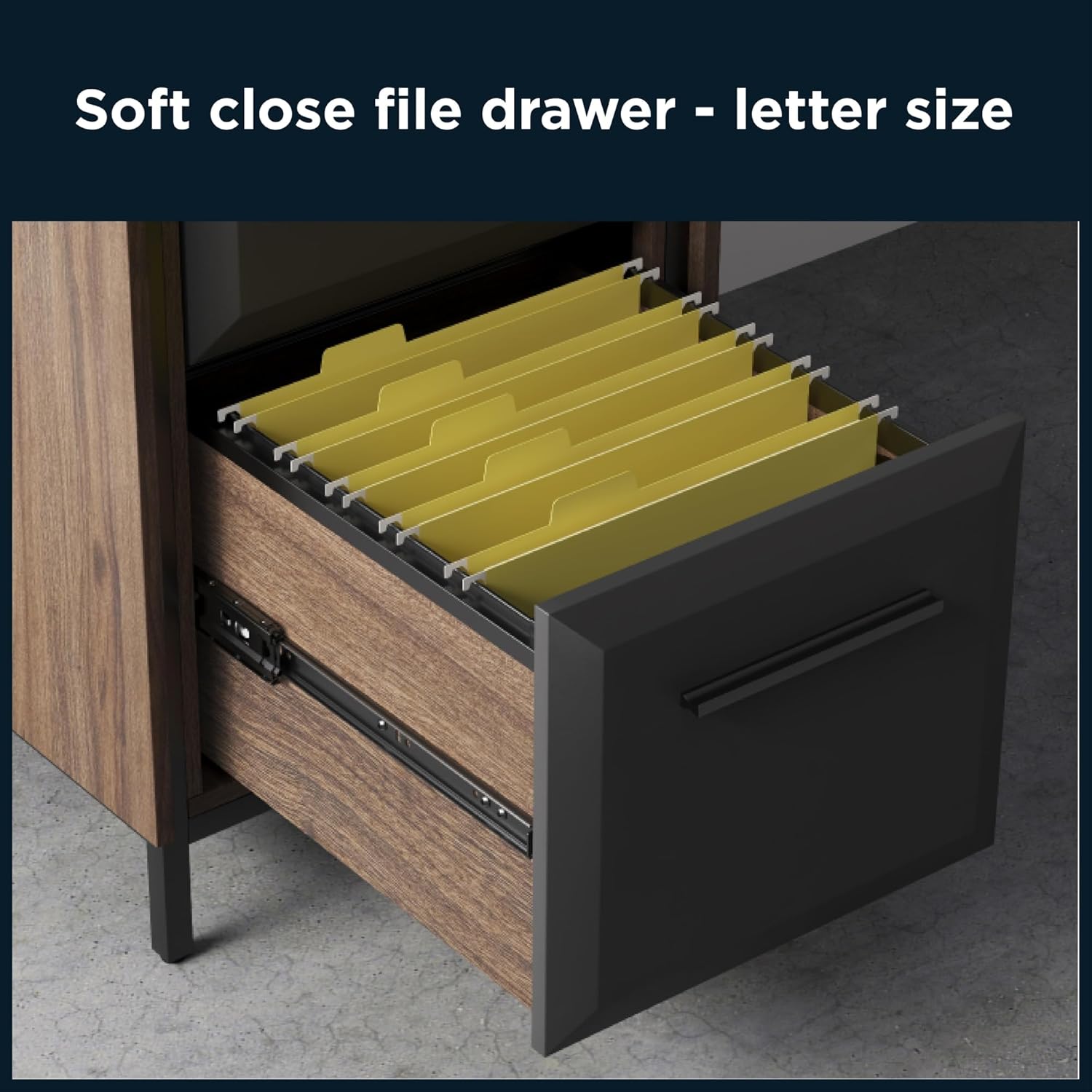
This image demonstrates the soft-close file drawer, designed to hold letter-sized hanging files, ensuring quiet and smooth operation.
Maintenance and Care
Proper care will extend the life and appearance of your Thomasville Alderbrook desk.
- Cleaning: Wipe surfaces with a soft, damp cloth. Avoid harsh chemicals, abrasive cleaners, or polishes that may damage the finish.
- Spills: Immediately wipe up any spills to prevent staining or damage to the engineered wood.
- Heat and Moisture: Avoid placing hot items directly on the desk surface. Use coasters for drinks to prevent moisture rings.
- Sunlight: Prolonged exposure to direct sunlight may cause fading or discoloration.
- Hardware: Periodically check and tighten all screws and fasteners to ensure stability.
Troubleshooting
| Problem | Possible Cause | Solution |
|---|---|---|
| Desk is wobbly or unstable. | Uneven floor; loose fasteners; improper assembly. | Adjust floor levelers on the desk legs. Check and tighten all assembly screws. Review assembly instructions to ensure all parts are correctly installed. |
| Drawers do not close smoothly or soft-close feature isn't working. | Obstruction in drawer slide; misaligned drawer; damaged soft-close mechanism. | Check for any objects blocking the drawer slides. Ensure the drawer is properly seated on its runners. If issues persist, contact customer support. |
| Integrated power outlet not working. | Desk power cord not plugged in; tripped circuit breaker; faulty outlet. | Verify the desk's power cord is securely plugged into a functional wall outlet. Check your home's circuit breaker. Test the wall outlet with another device. Do not attempt to repair the integrated outlet yourself. |
| Scratches or minor surface damage. | Impact; abrasive cleaning; general wear. | For minor scratches, a furniture repair pen or wax crayon matching the walnut finish may be used. Always test in an inconspicuous area first. |
Specifications
| Attribute | Detail |
|---|---|
| Brand | Thomasville |
| Model Name | Alderbrook 60"W L-Shaped Corner Desk |
| Color | Walnut/Matte Black |
| Material | Engineered Wood |
| Finish Type | Wood Grain (Walnut), Matte Black |
| Special Feature | Built-In USB Outlet, Cord Management System |
| Mounting Type | Floor Mount |
| Item Weight | 198 Pounds |
| Dimensions (W x D x H) | 60"W x 48"D x 30"H (approximate, based on L-shape) |
| Number of Drawers | 3 (Multi-drawer: File and Regular) |
| Number of Shelves | 2 (1 adjustable enclosed shelf) |
| Assembly Required | Yes |
| UPC | 764053566981 |
Warranty Information
The Thomasville Alderbrook 60"W L-Shaped Corner Desk is backed by the manufacturer's 5-year limited warranty.
This warranty covers defects in materials and workmanship under normal use. Please retain your proof of purchase for warranty claims. For specific terms and conditions of the limited warranty, refer to the documentation included with your product or contact Thomasville customer support.
Customer Support
For assistance with assembly, missing parts, or any other inquiries regarding your Thomasville Alderbrook desk, please contact Thomasville customer support.
Visit the official Thomasville website for contact information or refer to the support details provided in your product packaging.
Online Support: Visit the Thomasville Store on Amazon
Ask a question about this manual
Ask about setup, troubleshooting, compatibility, parts, safety, or missing instructions. Manuals+ will review the question and use this page’s manual context to help answer it.