
1. Product Overview
The Promate Baton True Wireless Earbuds are designed to provide a high-quality audio experience with advanced features such as Active Noise Cancellation (ANC), Environmental Noise Cancellation (ENC), Low Latency Game Mode, and Transparency Mode. These earbuds feature Bluetooth 5.4 connectivity and a 4-microphone system for clear calls.
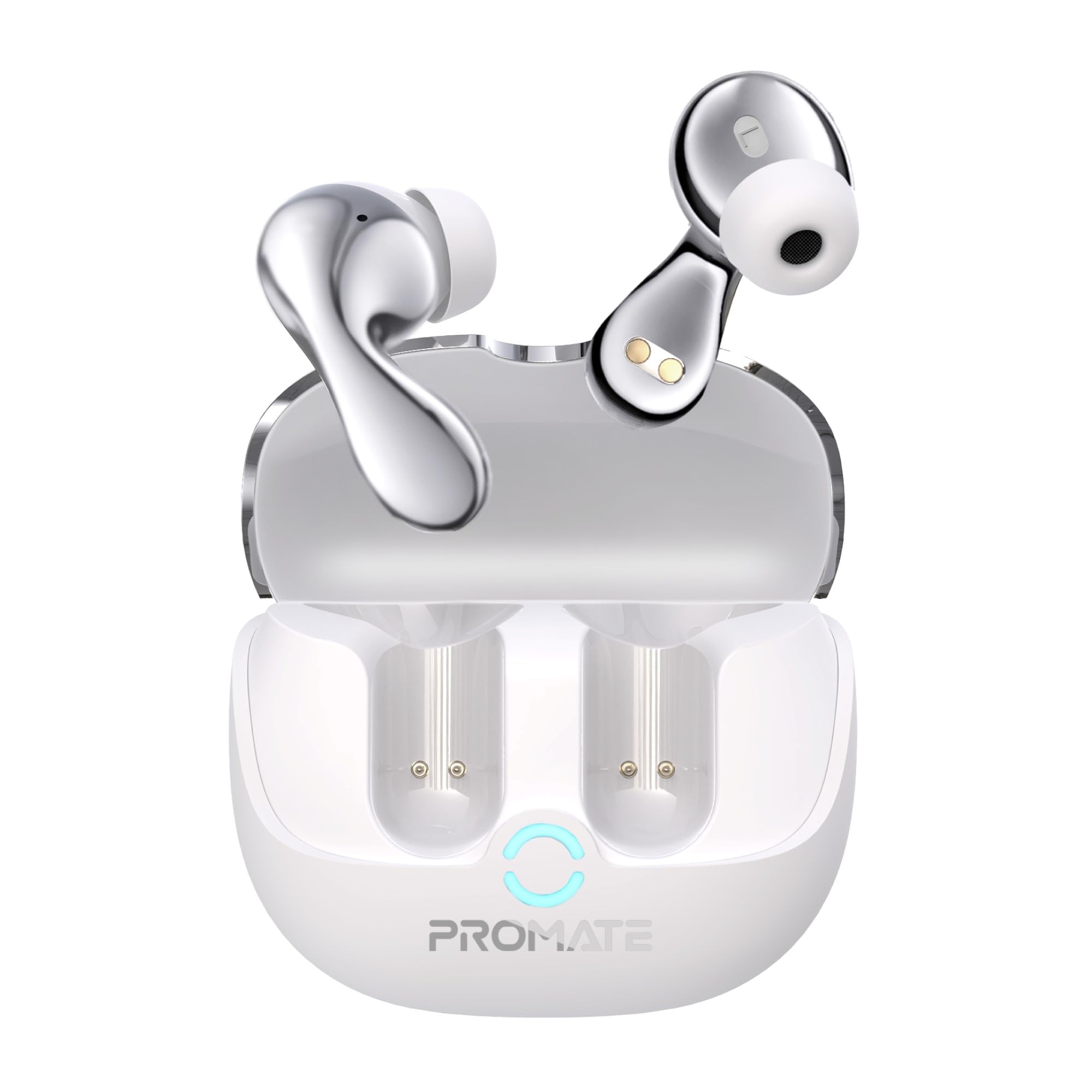
Image: Promate Baton True Wireless Earbuds in their charging case, showcasing their design and emphasizing superb true wireless stereo sound.
2. What's in the Box
- Promate Baton True Wireless Earbuds
- Charging Case
- EarGels (various sizes)
- Charging Cable
- User Manual
3. Setup
3.1 Initial Charging
Before first use, fully charge the earbuds and the charging case. Place the earbuds into the charging case and connect the charging cable to a power source. A full charge typically takes approximately 30 minutes for the earbuds. The case provides up to 40 hours of total playtime.

Image: The Promate Baton charging case and earbuds, illustrating the extended battery life of up to 40 hours.
3.2 Pairing with a Device
- Ensure the earbuds are charged and inside the charging case.
- Open the charging case lid. The earbuds will automatically enter pairing mode.
- On your device (smartphone, tablet, etc.), go to Bluetooth settings and enable Bluetooth.
- Search for available devices and select "Promate Baton" from the list.
- Once connected, a confirmation sound will play, and the earbuds will be ready for use.

Image: Promate Baton earbuds and charging case positioned next to a smartphone displaying its Bluetooth pairing menu, demonstrating the quick pairing process.
4. Operating the Earbuds
4.1 Touch Controls (IntelliTouch)
The Promate Baton earbuds feature IntelliTouch controls for easy management of audio playback, calls, and voice assistants. Specific touch gestures may vary; refer to the quick start guide for detailed commands.
- Play/Pause: Single tap on either earbud.
- Next Track: Double tap on the right earbud.
- Previous Track: Double tap on the left earbud.
- Answer/End Call: Single tap on either earbud.
- Reject Call: Long press on either earbud.
- Activate Voice Assistant (Google Assistant, Amazon Alexa): Triple tap on either earbud.

Image: A person interacting with a Promate Baton earbud, illustrating the use of IntelliTouch controls for various functions.
4.2 Active Noise Cancellation (ANC) & Transparency Mode
The earbuds offer Active Noise Cancellation to reduce ambient noise and Transparency Mode to allow environmental sounds to pass through for awareness.
- Switch Modes: Long press the touch sensor on the left earbud to cycle between ANC On, Transparency Mode, and ANC Off.

Image: A person wearing a Promate Baton earbud, visually representing the effect of active noise cancellation.
4.3 Low Latency Game Mode
Activate Game Mode for reduced audio latency, providing a more synchronized audio-visual experience during gaming.
- Activate Game Mode: Long press the touch sensor on the right earbud.

Image: Promate Baton earbuds displayed alongside a smartphone running a mobile game, highlighting the low latency game mode feature.
4.4 Making Calls
The earbuds are equipped with 4 microphones for clear voice pickup during calls, even in noisy environments.
- Answer/End Call: Single tap on either earbud.
- Reject Call: Long press on either earbud.
4.5 Comfort Fit Design
The ergonomic design ensures a comfortable and secure fit for extended listening periods.

Image: A person wearing a Promate Baton earbud, demonstrating the ergonomic and comfortable fit of the device.
5. Maintenance
5.1 Cleaning
Regularly clean the earbuds and charging case to maintain optimal performance. Use a soft, dry, lint-free cloth. Do not use abrasive cleaners or solvents. Ensure charging contacts are free of debris.
5.2 Water Resistance
The Promate Baton earbuds are IPX4 water-resistant, meaning they are protected against splashing water from any direction. They are not designed for submersion in water. Avoid exposing them to excessive moisture or liquids.

Image: Promate Baton earbuds and charging case depicted with water splashing, symbolizing their IPX4 water resistance rating.
5.3 Storage
When not in use, store the earbuds in their charging case to protect them and keep them charged. Store in a cool, dry place away from extreme temperatures.
6. Troubleshooting
- Earbuds not pairing: Ensure both earbuds are charged. Place them back in the case, close the lid, then open it again to re-enter pairing mode. Check your device's Bluetooth settings and try reconnecting.
- No sound from one earbud: Ensure both earbuds are charged and properly connected. Try resetting the earbuds by placing them in the case and then taking them out.
- Charging issues: Verify the charging cable and power adapter are working correctly. Ensure the charging contacts on both the earbuds and the case are clean and free of obstructions.
- Poor call quality: Ensure the microphones are not obstructed. Try moving to a quieter environment.
7. Specifications
| Feature | Specification |
|---|---|
| Brand | Promate |
| Model Name | Baton |
| Model Number | BATON.WHITE |
| Colour | White |
| Ear Placement | In Ear |
| Form Factor | True Wireless |
| Impedance | 16 Ohms |
| Noise Control | Active Noise Cancellation |
| Audio Driver Type | Dynamic Driver |
| Audio Driver Size | 30 Millimetres |
| Enclosure Material | Acrylonitrile Butadiene Styrene (ABS) |
| Specific Uses For Product | Gaming |
| Compatible Devices | Gaming Consoles, Samsung, Television, Windows, iPhone |
| Water Resistance Level | Water Resistant (IPX4) |
| Network Connectivity Technology | Wireless |
| Bluetooth Version | 5.3 |
| Control Type | Touch, Google Assistant, Amazon Alexa |
| Battery Charge Time | 30 Minutes |
| Battery Average Life | 40 Hours (with charging case) |
| Item Weight | 50 Grams |
8. Warranty Information
The Promate Baton True Wireless Earbuds come with a 2 Year Manufacturer Warranty. Please retain your proof of purchase for warranty claims. For detailed terms and conditions, refer to the warranty card included in the product packaging or visit the official Promate website.
9. Support
For technical assistance, product inquiries, or warranty support, please contact Promate Technologies:
- Manufacturer: Promate Technologies
- Importer Contact Information: 8 C Floor 2nd Plot, 192 Kitab Mahal Dadabhai Nawroji Road New Excelsior Cinema, Fort Mumbai, Maharashtra - 400051
- Website: Visit the Promate Store on Amazon (for general product information)
