
Introduction
Thank you for choosing the Acedeck T01 Battery Operated Digital Alarm Clock. This manual provides essential information for setting up, operating, and maintaining your new clock. Please read it thoroughly before use to ensure optimal performance and longevity of the product.

The Acedeck T01 Digital Alarm Clock, featuring a clear green LED display.
Setup
Battery Installation
The Acedeck T01 operates on 4 AA alkaline batteries (not included). For best performance and to avoid issues, use only reliable alkaline batteries. Do not use rechargeable batteries. Ensure correct installation by matching the polarity (+/-) as indicated in the battery compartment.

Rear view of the clock with the battery compartment open, showing where to insert 4 AA batteries.
Power Options
Your clock offers flexible power options:
- Battery Powered: Use 4 AA alkaline batteries for up to 12 months of cordless operation.
- USB-C Power: For continuous power, connect the clock via a USB-C cable (included) to a USB power adapter (not included).
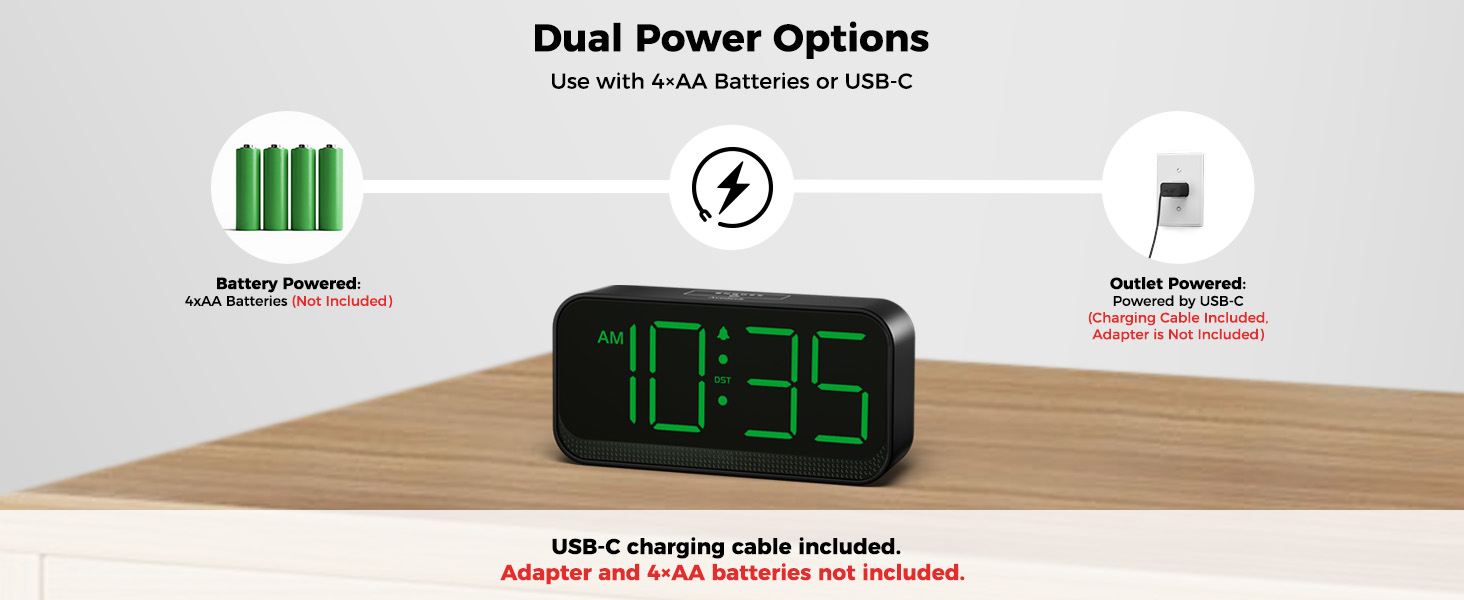
Illustration of the dual power options: battery power and USB-C power.
Operating Instructions
Setting Time and Alarm
To set the time or alarm:
- Press and hold the TIME SET or ALARM SET button for 2 seconds to enter the respective setting mode.
- Use the HOUR and MIN buttons to adjust the time or alarm.
- Press the TIME SET or ALARM SET button again to confirm and exit the setting mode.
Adjusting Brightness
The clock features an auto-dimming light sensor and 3 manual brightness settings, plus an OFF option:
- Auto Dimmer: The default auto dimmer is OFF. Press the AUTO DIMMER ON/OFF button to activate or deactivate it. When ON, the clock automatically adjusts brightness based on ambient light.
- Manual Dimmer: When the auto dimmer is OFF, use the MANUAL DIMMER button to cycle through 3 brightness levels (L01, L02, L03) or turn the display completely OFF.

Visual representation of the three adjustable dimmer levels and the OFF setting.
Adjusting Alarm Volume
The alarm has three volume levels. Press the VOLUME button to cycle through the low, normal, and loud settings to personalize your wake-up experience.
Snooze Function
When the alarm sounds, gently touch the top of the clock to activate the 10-minute snooze function. The alarm will sound again after 10 minutes.

The top of the clock features a touch-sensitive area for easy snooze activation.
Daylight Saving Time (DST)
To adjust for Daylight Saving Time, simply press the DST button. This will advance or set back the time by one hour, eliminating the need for full time re-setting.

The DST button allows for quick adjustment of time for Daylight Saving.
Key Features
- Portable Battery-Powered Design: Easy to carry for travel, eliminating the need for outlets or cords.
- Compact Design with Large Display: 1.8-inch LED screen with clear, bold numbers (12-hour AM/PM format). Measures 5.5" (W) x 2.5" (H).
- Adjustable Brightness Levels: Auto-dimming light sensor and 3 manual settings, plus an OFF option.
- Customizable Volume & Easy Snooze: Three alarm volume levels and a 10-minute snooze function.
- User-Friendly with Manual DST: Intuitive controls and a dedicated DST button for easy timekeeping.
- Long-Lasting Power: Runs on 4 AA batteries for up to 12 months or via USB-C cable for continuous power.
- Minimalist Design: Sleek and compact, blending seamlessly into various home and office environments.

Overview of the Acedeck T01's main features.
Maintenance
To ensure your Acedeck T01 Digital Alarm Clock remains in excellent condition:
- Clean the clock regularly with a soft, dry cloth. Avoid abrasive cleaners or solvents.
- If using batteries, replace all 4 AA batteries simultaneously when the display dims or the clock stops functioning. Do not mix old and new batteries.
- Keep the clock away from extreme temperatures, direct sunlight, and high humidity.
Troubleshooting
- Display is dim or off: Check if the auto dimmer is on or if the manual dimmer is set to a low level or OFF. Replace batteries if operating on battery power. Ensure USB-C cable is securely connected if using external power.
- Alarm not sounding: Verify that the alarm is set and turned ON. Check the alarm volume level.
- Time is incorrect: Re-set the time using the TIME SET button. Check DST setting if applicable.
Specifications
| Feature | Detail |
|---|---|
| Brand | Acedeck |
| Model Number | T01 |
| Color | Green |
| Display Type | Digital |
| Special Feature | Cordless |
| Product Dimensions | 5.6"W x 2.8"H |
| Power Source | Battery Powered / USB |
| Material | Acrylonitrile Butadiene Styrene (Plastic) |
| Item Weight | 4.8 ounces |
| Batteries Required | 4 AA batteries (not included) |
| Alarm Clock | Yes |
| Mounting Type | Tabletop |
Warranty and Support
The Acedeck T01 Digital Alarm Clock comes with an 18-month Warranty from the date of purchase. For any product inquiries, technical support, or warranty claims, please contact Acedeck customer service at acedeckshop@outlook.com.
Official Product Video
Official Acedeck video demonstrating the Battery Operated Digital Clock for Bedroom and Travel.