
1. Introduction
The Fender ChampionII 100 Watt Combo Amplifier is designed to provide versatile and high-quality guitar tones for musicians of all levels. This amplifier offers a wide range of clean and overdriven sounds, along with a selection of built-in effects, making it suitable for various musical genres and playing environments. The ChampionII 100 Kit includes the amplifier, an instrument cable, and a polishing cloth to help you get started and maintain your equipment.

Figure 1: Front view of the Fender ChampionII 100 Watt Combo Amplifier.
2. Key Features
- Versatile Tones: Delivers world-renowned Fender clean and overdrive tones, plus an assortment of British and modern distortion flavors.
- Built-in Effects: Features a built-in effects selection including reverb, delay/echo, chorus, tremolo, Vibratone, and more.
- Intuitive Controls: Easy-to-use interface for dialing in desired sounds without complex menus or apps.
- TAP Button: Allows easy setting of delay times and tremolo speeds to match song tempos, including a dotted eighth note function.
- Connectivity: Includes auxiliary input for external devices, headphone output for private practice, and a rear-panel USB port.
- Footswitch Included: Comes with a 2-button footswitch for convenient channel and effects control.
- Robust Power: 100 Watts of power with two 12" Fender Special Design speakers, suitable for live performances.
- Effects Loop: (Preamp Out, Power Amp In) for use with outboard effects.
2.1 Quick Overview Video
Video 2: A brief overview highlighting key features of the Fender ChampionII 100 Watt Combo Amplifier.
3. Setup Guide
- Unpacking: Carefully remove the amplifier and included accessories (instrument cable, polishing cloth) from the packaging.
- Placement: Place the amplifier on a stable, flat surface. Ensure adequate ventilation around the unit. Avoid placing it near heat sources or in direct sunlight.
- Power Connection: Connect the power cord to the amplifier's input power socket on the rear panel and then to a suitable electrical outlet (100-240 VAC, 50-60 Hz).
- Power On: Flip the POWER switch to the "ON" position. The power indicator light will illuminate.
- Instrument Connection: Connect your guitar to the INPUT jack on the front panel using the provided instrument cable.
- Footswitch Connection: If using the footswitch, connect it to the FTSW jack on the front panel.
- Auxiliary Devices: For connecting external audio devices (e.g., MP3 player), use the AUX input.
- Headphones: For private practice, connect headphones to the PHONES output.
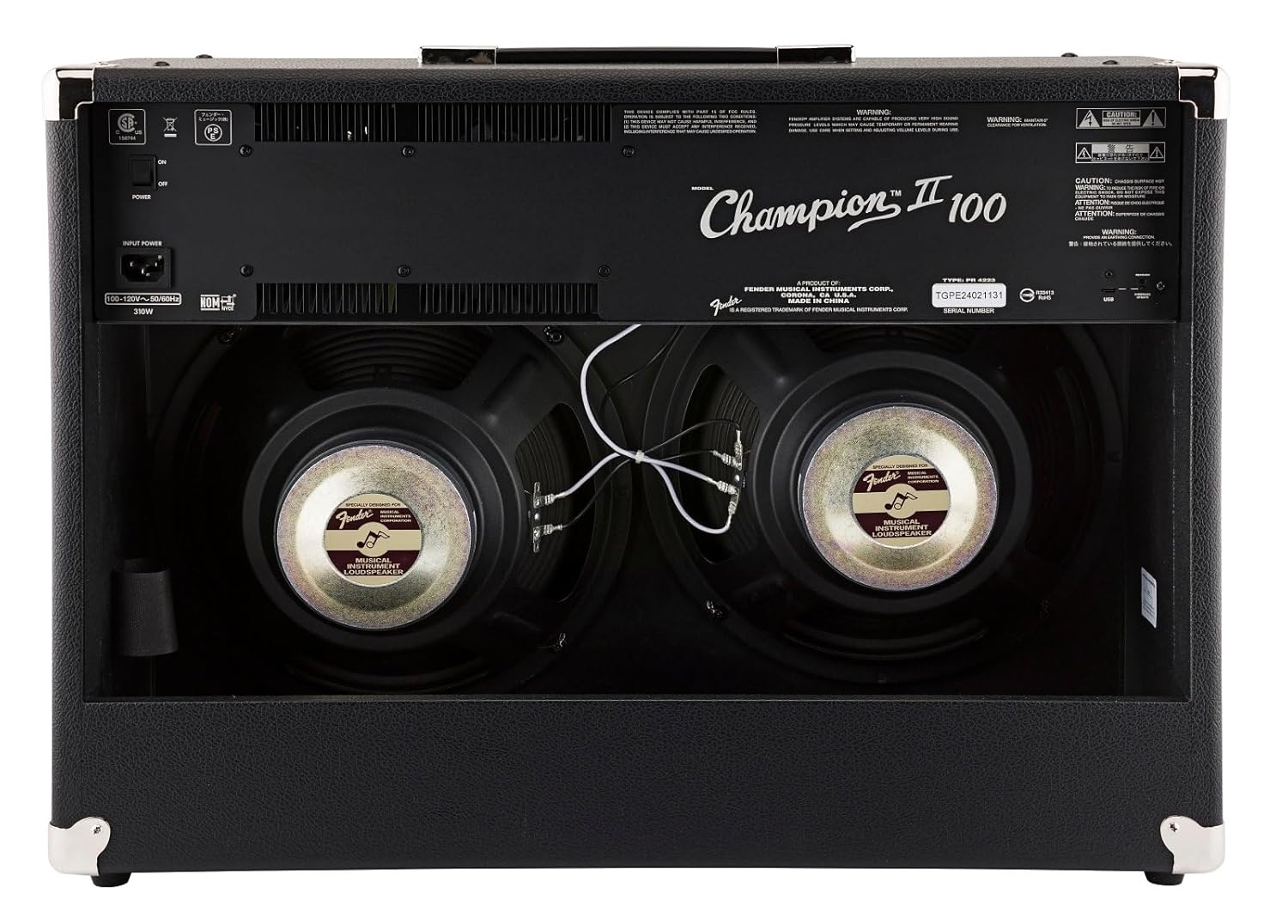
Figure 2: Rear view showing power input and speakers.
4. Operating Instructions
4.1 Front Panel Controls

Figure 3: Close-up of the amplifier's control panel.
- INPUT: 1/4" jack for connecting your instrument.
- FTSW: 1/4" jack for connecting the optional 2-button footswitch.
- Channel 1 (Clean):
- VOLUME 1: Adjusts the overall output level of Channel 1.
- TREBLE: Controls the high-frequency response.
- BASS: Controls the low-frequency response.
- FX LEVEL: Adjusts the intensity of the selected effect for Channel 1.
- FX SELECT: Rotary switch to choose from various effects (Reverb, Delay, Chorus, Tremolo, etc.).
- TAP: Button to set delay times or tremolo speeds. Hold to activate dotted eighth note delay.
- Channel 2 (Voice/Gain):
- GAIN: Controls the amount of overdrive/distortion.
- VOLUME 2: Adjusts the overall output level of Channel 2.
- VOICE: Rotary switch to select different amplifier voicings (e.g., Classic Fender, British, Modern High Gain).
- TREBLE: Controls the high-frequency response.
- MID: Controls the mid-range frequency response.
- BASS: Controls the low-frequency response.
- MODIFY: Adjusts specific parameters of the selected amp voice.
- FX LEVEL: Adjusts the intensity of the selected effect for Channel 2.
- FX SELECT: Rotary switch to choose from various effects.
- TAP: Button to set delay times or tremolo speeds. Hold to activate dotted eighth note delay.
- AUX: 1/8" stereo input for connecting external audio devices.
- PHONES: 1/8" stereo output for headphones.
- PRE OUT: Preamp output for connecting to external power amplifiers or recording equipment.
- PWR IN: Power amp input for connecting external preamps or effects processors directly to the power section.
- PWR: Power indicator light.
4.2 Using the Footswitch
The included 2-button footswitch allows for convenient switching between Channel 1 and Channel 2, and toggling effects on/off. Connect the footswitch to the FTSW jack on the front panel.
4.3 Effects Loop
The ChampionII 100 features an effects loop (PRE OUT / PWR IN) on the rear panel. This allows you to integrate external effects pedals or processors into the amplifier's signal path between the preamp and power amp sections, providing greater tonal flexibility.
4.4 Detailed Product Demonstration Video
Video 1: A detailed demonstration of the Fender ChampionII amplifier series, showcasing its various tones, effects, and features by a Fender product development manager.
5. Maintenance
- Cleaning: Use the provided microfiber polishing cloth to gently clean the amplifier's exterior. Do not use abrasive cleaners or solvents.
- Storage: Store the amplifier in a dry, temperature-controlled environment away from extreme humidity or direct heat.
- Cable Care: Ensure the instrument cable is coiled neatly after use to prevent kinks and damage.
- Ventilation: Always ensure the amplifier's vents are clear and unobstructed to prevent overheating.

Figure 4: Microfiber polishing cloth for cleaning.
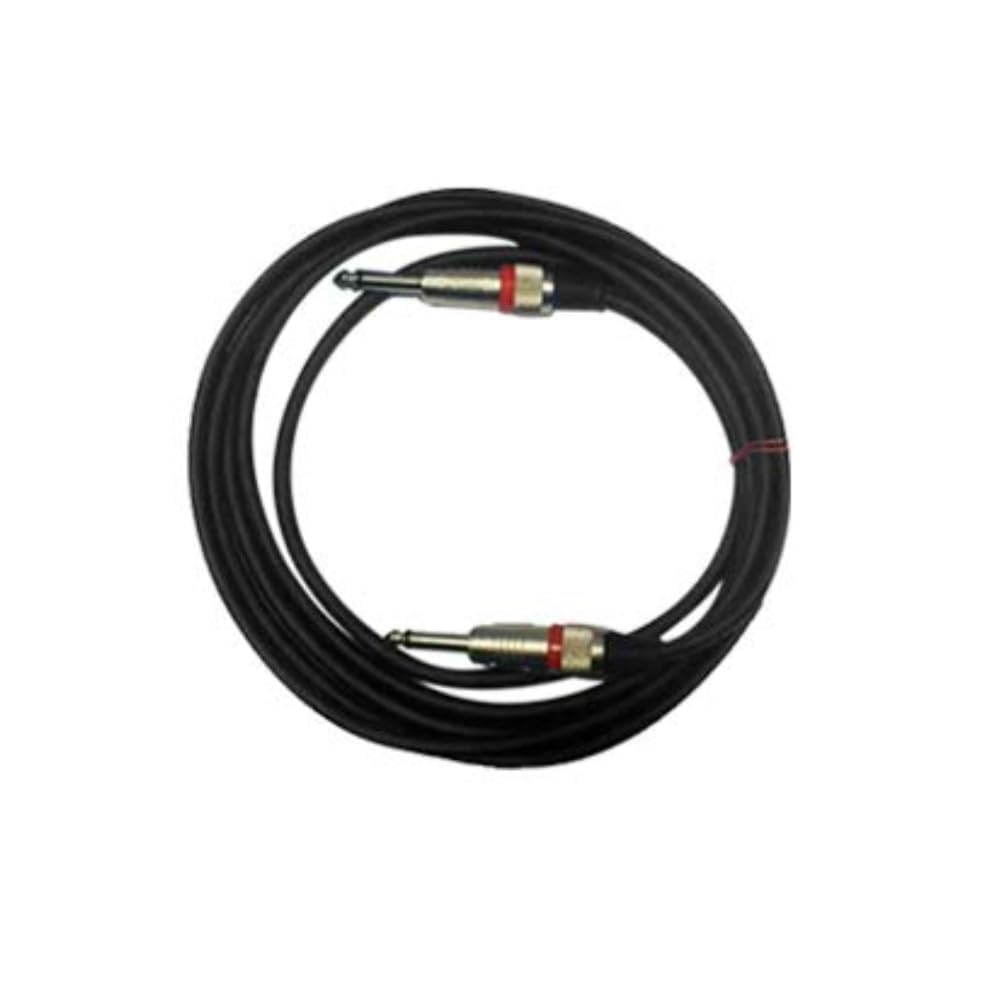
Figure 5: Included instrument cable.
6. Troubleshooting
If you encounter issues with your Fender ChampionII 100 amplifier, please refer to the following common troubleshooting steps:
- No Power:
- Check if the power cord is securely connected to both the amplifier and the wall outlet.
- Ensure the power switch is in the "ON" position.
- Verify the wall outlet is functioning by plugging in another device.
- No Sound:
- Ensure your instrument is properly connected to the INPUT jack.
- Check that the instrument cable is not faulty.
- Verify that the amplifier's volume controls (VOLUME 1 or VOLUME 2) are turned up.
- If using headphones, ensure they are properly connected and the main speakers are not muted (if applicable).
- If using the effects loop, ensure all connected pedals are powered on and functioning correctly.
- Distorted Sound:
- Reduce the GAIN control on Channel 2 if the distortion is unwanted.
- Check your guitar's volume and tone settings.
- Ensure no external pedals are causing unintended distortion.
- Effects Not Working:
- Ensure the FX SELECT knob is set to a desired effect and FX LEVEL is turned up.
- If using the footswitch, ensure it is correctly connected and functioning.
If the issue persists after trying these steps, please contact Fender customer support.
7. Specifications
| Brand | Fender |
| Model | ChampionII 100 |
| Amplifier Type | Solid State |
| Wattage | 100 Watts |
| Speakers | Two - 12" Fender Special Design |
| Channels | Two - Selectable |
| Inputs | One - 1/4" Instrument Input |
| Effects Loop | Preamp Out, Power Amp In |
| Voltage | 100-240 VAC, 50-60 Hz |
| Headphone Jack | 1/4" Stereo |
| Auxiliary Input | 1/8" Stereo |
| Cabinet Material | 7-Ply 3/4" Medium-Density Fibreboard |
| Amplifier Covering | Black Textured Vinyl |
| Grille Cloth | Silver |
| Handle | Molded Plastic Strap with Nickel-Plated Caps |
| Color | Black |
| Dimensions (H x W x D) | 19" (48.3 cm) x 26" (66 cm) x 10.25" (26.04 cm) |
| Weight | 40 lbs. (18.2 kg) |
| Included Accessories | 2-Button Footswitch, Instrument Cable, Polishing Cloth |
8. Warranty & Support
Fender products are designed for reliability and performance. For detailed warranty information, please refer to the warranty card included with your product or visit the official Fender website. For technical support, service, or replacement parts, please contact Fender customer service through their official channels.
You can find more information and support resources on the Fender official website.


