
1. Introduction and Overview
The EARMOR M20t-pro-bk-classic Electronic Shooting Ear Protection earbuds are designed to provide superior hearing protection while enhancing situational awareness. Featuring NRR 30dB noise reduction, these earbuds compress harmful impulse noises like gunshots to a safe level (82dB) in just 0.001 seconds. They also offer three distinct sound modes for various environments and integrate Bluetooth 5.4 for seamless audio connectivity and communication.


2. Package Contents
Please verify that all items listed below are included in your package:

- Charging Case & User Manual
- USB-C Charging Cable
- Electronic Earbuds with Hooks (Medium size pre-installed)
- Ear Hooks (Small/Large) & Wind Muff
- 3 Pairs of Foam Eartips (Small, Medium, Large)
- 3 Pairs of Silicone Eartips (Small, Medium, Large)
- Optional Anti-Loss Lanyard
3. Product Features
- Unrivaled Electronic Hearing Protection: Certified with NRR 30dB under ANSI standards, these earbuds instantly compress sudden loud noises like gunshots down to a safe 82dB. This allows for protection against harmful noise while maintaining full environmental awareness.
- Three Sound Modes: The Pro version offers three tailored modes:
QUIET MODE: Provides full suppression for deep focus.
AMBIENT MODE: Amplifies surrounding sounds up to 8x with spatial voice tracking for directional awareness.
CLEAR VOICE Mode: Improves speech clarity in noisy environments. - Bluetooth 5.4 Wireless: Built with Bluetooth 5.4 for stable, low-latency audio, these wireless in-ear earbuds allow you to take calls or play music without removing your hearing protection. Ideal for shooting ranges, outdoor tasks, or tactical situations where connectivity matters.
- Lightning-Fast Reaction Time: With an industry-leading 0.001-second response time, the system instantly compresses dangerous impulse noise. Clear Voice Tracking enhances natural communication in high-pressure environments, helping you stay focused, alert, and in control.
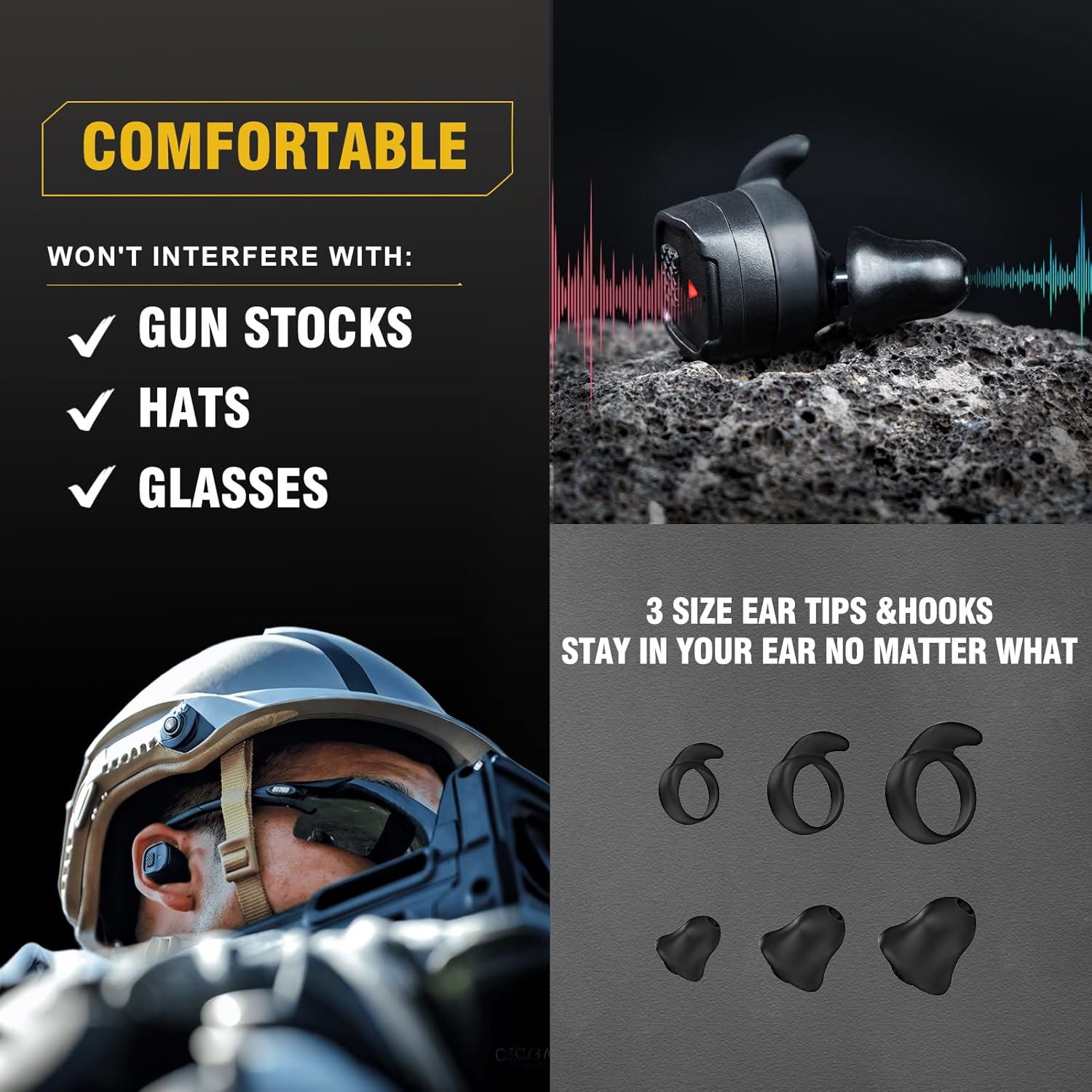
- Comfortable, Custom Fit with All-Day Power: Each earbud weighs just 7g and includes multiple ear tips and hooks for a personalized fit, even under hats or glasses. A detachable lanyard adds convenience, while the rechargeable battery lasts up to 10 hours per charge with four full charges from the case.


4. Setup
4.1 Charging the Earbuds and Case
Before first use, fully charge the charging case and earbuds. Place the earbuds into the charging case. Connect the USB-C charging cable to the charging case and a power source. The indicator lights on the case will show charging status.
4.2 Selecting and Fitting Ear Tips
For optimal noise reduction and comfort, select the ear tips (foam or silicone) and ear hooks that provide the best seal and fit for your ears. Experiment with different sizes (S, M, L) to find the most comfortable and secure fit.

- Choose the appropriate earpiece cap and eartip size (S/M/L).
- Attach the selected eartip to the earbud.
- Gently insert the earbud into your ear canal, twisting slightly to ensure a snug fit.
- Adjust the earbud until it feels secure and comfortable.
- If using the anti-loss lanyard, attach it to the earbuds for added security.
4.3 Bluetooth Pairing
To pair your earbuds with a Bluetooth device:
- Ensure the earbuds are charged and removed from the charging case. They will automatically enter pairing mode.
- On your device (e.g., smartphone), go to Bluetooth settings and turn Bluetooth on.
- Search for available devices. Select "Earmor M20t Pro" from the list.
- Once connected, a voice prompt will confirm successful pairing.
5. Operating Instructions
5.1 Power On/Off
- Power On: Remove earbuds from the charging case. They will automatically power on.
- Power Off: Place earbuds back into the charging case. They will automatically power off and begin charging. Alternatively, long tap the control button for 3 seconds to manually power off.
5.2 Control Functions
The earbuds feature intuitive one-button controls for various functions:

- Long Tap (3 seconds): Power On/Off
- One Tap: Switch Sound Mode (Quiet/Ambient/Clear Voice) / Answer Call
- Two Taps: Play/Pause Music / End Call
- Triple Tap (Left Earbud): Previous Track
- Triple Tap (Right Earbud): Next Track
5.3 Sound Modes
Cycle through the three sound modes by performing a single tap on either earbud:
- Quiet Mode: Maximum noise suppression for focused activities.
- Ambient Mode: Amplifies surrounding sounds for increased environmental awareness.
- Clear Voice Mode: Optimizes speech clarity in noisy environments for better communication.
6. Maintenance
6.1 Cleaning
Regular cleaning ensures optimal performance and hygiene:
- Wipe the earbuds and charging case with a soft, dry cloth.
- Remove ear tips and clean them with mild soap and water. Ensure they are completely dry before reattaching.
- Do not use abrasive cleaners or solvents.
6.2 Storage
When not in use, store the earbuds in their charging case to protect them and keep them charged. Store in a cool, dry place away from direct sunlight and extreme temperatures.
6.3 Water Resistance
The earbuds are rated IPX4 waterproof, meaning they are resistant to splashing water from any direction. They are not designed for submersion in water.

7. Troubleshooting
If you encounter issues with your EARMOR earbuds, please refer to the following common problems and solutions:
| Problem | Possible Cause | Solution |
|---|---|---|
| No sound from earbuds | Low battery; Not paired; Incorrect mode; Volume too low. | Charge earbuds; Re-pair with device; Switch to Ambient or Clear Voice mode; Increase volume on device/earbuds. |
| Earbuds not charging | Improper placement in case; Dirty charging contacts; Faulty cable/adapter. | Ensure earbuds are correctly seated; Clean contacts with a dry cotton swab; Try a different USB-C cable or power adapter. |
| Bluetooth connection unstable | Too far from device; Interference; Old Bluetooth version on device. | Keep device within 10 meters; Move away from other wireless devices; Ensure device has Bluetooth 5.0 or higher. |
| Poor noise reduction | Improper ear tip fit; Earbuds not fully inserted. | Try different size ear tips for a better seal; Re-insert earbuds firmly into ear canal. |
If the issue persists after trying these solutions, please contact customer support.
8. Specifications
Detailed technical specifications for the EARMOR M20t-pro-bk-classic:

| Feature | Detail |
|---|---|
| Bluetooth Version | V5.4 |
| Battery Capacity (Earbuds) | 65mAh * 2 |
| Battery Capacity (Charging Case) | 500mAh |
| Sound Pickup Characteristics | Omnidirectional |
| Speaker Size | 10mm |
| Storage Temperature Range | -20°C to 40°C |
| Weight (Earbuds) | 7g * 2 |
| Weight (Charging Case) | 66g |
| Noise Reduction Rating (NRR) | 30dB |
| Impulse Noise Response Time | 0.001 seconds |
| Waterproof Rating | IPX4 |
9. Official Product Video
Watch the official product video for a visual guide on features and usage:
10. Warranty and Support
EARMOR products come with a standard manufacturer's warranty. For specific warranty details, registration, or technical support, please refer to the warranty card included in your package or visit the official EARMOR website.
If you require further assistance, please contact EARMOR customer support:
- Website: EARMOR Official Store
- Email: support@earmor.com (Example)
- Phone: 1-800-XXX-XXXX (Example)