
WAVLINK WL-WN573HX1-B
WAVLINK AX1800 Outdoor WiFi 6 Extender Instruction Manual
Model: WL-WN573HX1-B
1. Setup
1.1. Unboxing and Package Contents
Carefully unpack all items from the box. Ensure all components are present before proceeding with installation.
- 1 x Wi-Fi6 Outdoor Mesh Router/AP/Repeater
- 4 x Omni Antennas
- 4 x Cable Ties
- 1 x Ethernet Cable Connectors
- 1 x Quick Installation Guide
- 1 x Wrench
- 2 x Silicone Pads
- Several Screws
- Optional PoE: 1 x 54V Power Adapter, 1 x PoE Converter, 1 x Ethernet Cable

Image: All components included in the WAVLINK AX1800 Outdoor WiFi 6 Extender package.
Video: This video demonstrates the unboxing process and initial setup steps for the WAVLINK AX1800 Outdoor WiFi 6 Extender, including a network speed test.
Video: An overview of the key features and functionalities of the WAVLINK outdoor WiFi extender.
1.2. Hardware Assembly
1. Install the four omni-directional antennas by screwing them into the corresponding ports on the device. Ensure they are securely tightened.
2. Pass the RJ45 Ethernet cable through the waterproof connector cover. Connect the cable to the WAN/LAN port of the device. Screw the waterproof connector bracket firmly to ensure a secure and weather-resistant seal.

Image: Diagram illustrating the Power over Ethernet (PoE) connection for the WAVLINK AX1800 Extender.
1.3. Mounting Options
The device can be mounted on a pole or wall. Use the provided silicone pads on the bracket and pole/wall surface to prevent slippage and protect surfaces. Thread the cable ties through the fixing points of the bracket and secure the device to the pole or wall. Ensure the device is mounted in a location that provides optimal signal coverage and is protected from direct impact.

Image: Detailed steps for physically installing the WAVLINK AX1800 Extender, including pole mounting.
Video: Step-by-step guide on how to install the WAVLINK Outdoor Access Point.
2. Operating Modes
The WAVLINK AX1800 Extender supports multiple operating modes to suit various network requirements:
- AP Mode: Converts a wired connection into a wireless network.
- Router Mode: Functions as a primary router, providing internet access to connected devices.
- Repeater Mode: Extends the coverage of an existing Wi-Fi network.
- Mesh Mode: Creates a seamless Wi-Fi network with a single SSID when paired with other WAVLINK Mesh series products.

Image: Illustration of Mesh Technology supported by the WAVLINK AX1800 Extender for seamless roaming.
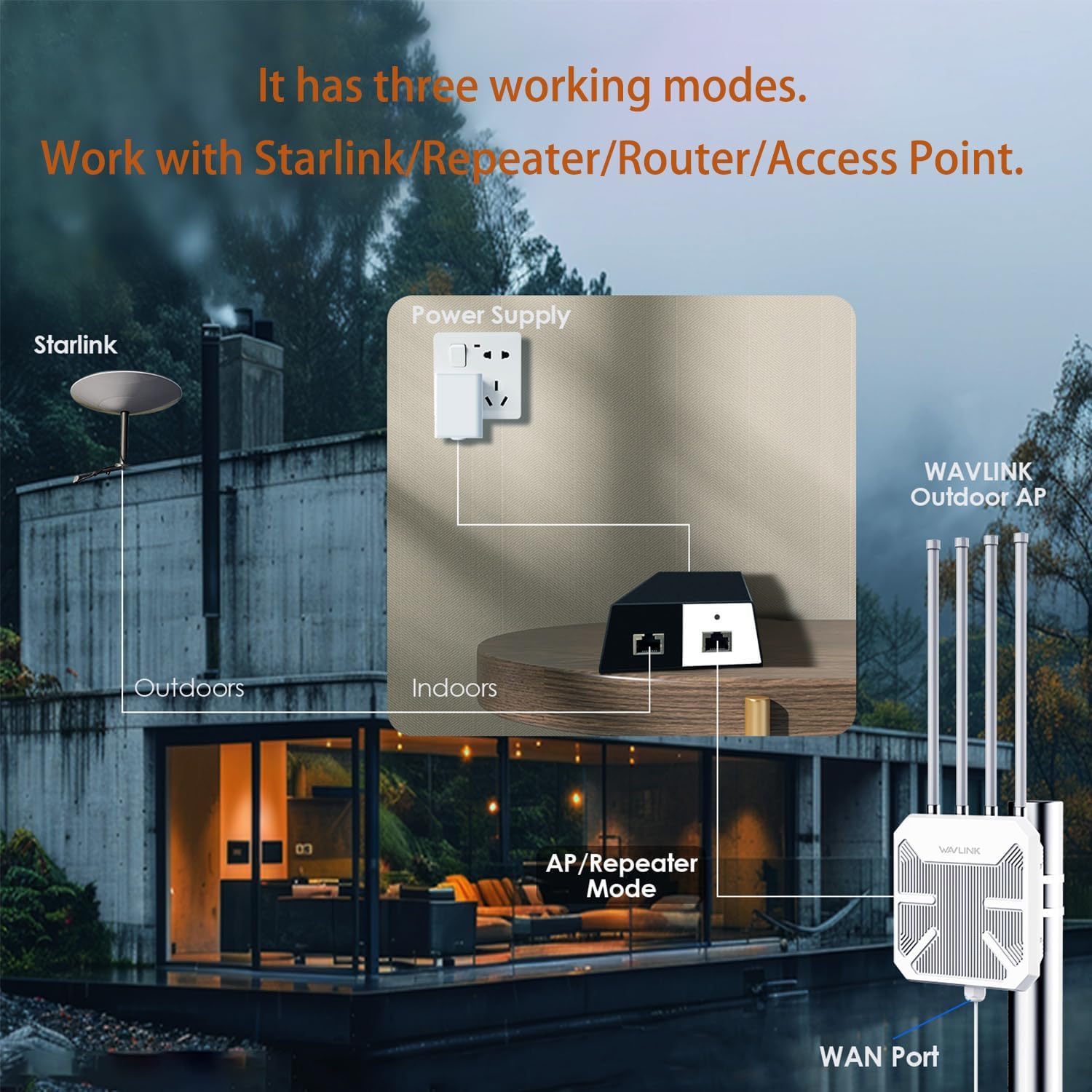
Image: Visual representation of the three working modes: Starlink/Repeater/Router/Access Point.
3. Operating Environment and Durability
The WAVLINK AX1800 Extender is designed for robust outdoor performance:
- IP67 Waterproof Enclosure: Provides protection against dust and water ingress, making it suitable for various weather conditions.
- 15kV ESD Protection: Safeguards the device against electrostatic discharge.
- 6kV Lightning Protection: Offers protection from lightning strikes.
- Operating Temperature: -20°C to 50°C (-4°F to 122°F)
- Storage Temperature: -30°C to 70°C (-22°F to 158°F)
- Operating Humidity: 10% to 90% RH non-condensing
- Storage Humidity: 10% to 90% RH non-condensing
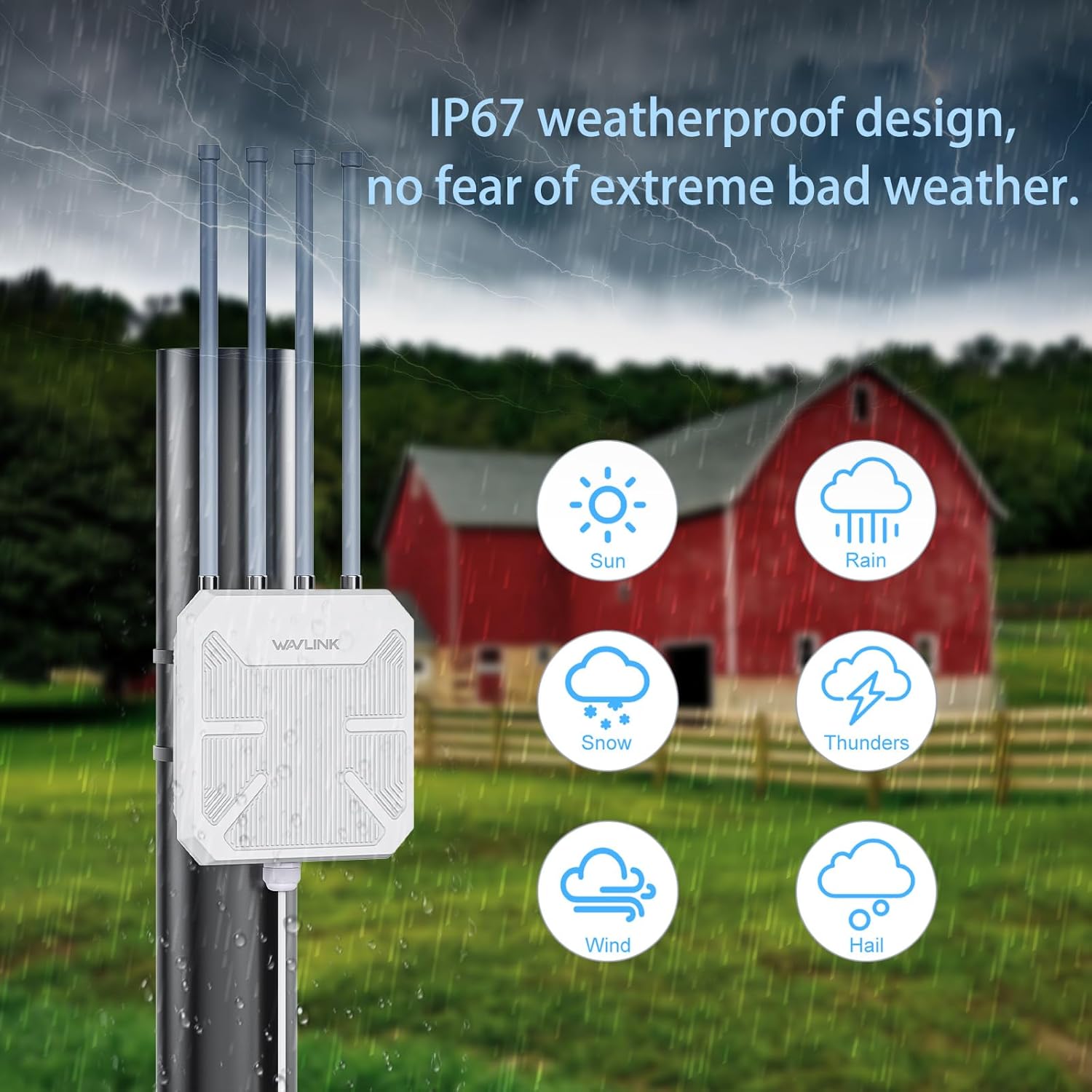
Image: The IP67 weatherproof design ensures the device can withstand extreme weather conditions.
4. Network Configuration
To configure the WAVLINK AX1800 Extender, connect your computer or mobile device to its Wi-Fi signal (e.g., WAVLINK-AX_5G_XXXX or WAVLINK-AX_XXXX). Open a web browser and enter http://waplogin.link or the default IP address (usually 192.168.10.1) in the address bar.
Follow the on-screen prompts to select your country/region, time zone, and set a new login password. You will then be able to choose your desired operating mode (Repeater, AP, Router, or Mesh) and configure the Wi-Fi network name (SSID) and password. For enhanced security, it is recommended to use WPA2/WPA3-MIX encryption.
5. Maintenance
To ensure optimal performance and longevity of your WAVLINK AX1800 Extender, regular maintenance is recommended:
- Cleaning: Periodically clean the device's exterior with a soft, dry cloth. Avoid using liquid cleaners or abrasive materials.
- Connection Check: Regularly inspect all cable connections, especially the waterproof RJ45 connector, to ensure they are secure and free from damage.
- Firmware Updates: Check the WAVLINK official website periodically for firmware updates. Keeping the firmware up-to-date ensures you have the latest features, security patches, and performance improvements.
- Environmental Inspection: Ensure the mounting location remains clear of obstructions and that the device is not exposed to extreme physical stress or prolonged submersion beyond its IP67 rating.
6. Troubleshooting
If you encounter issues with your WAVLINK AX1800 Extender, try the following troubleshooting steps:
- No Power: Ensure the PoE converter is properly connected to a power outlet and the Ethernet cable is securely plugged into the device. Check the power indicator light on the PoE converter.
- No Internet Access: Verify that your main router has internet connectivity. In Repeater or AP mode, ensure the extender is successfully connected to your main router's Wi-Fi or LAN port. Check the status indicator lights on the extender.
- Weak Signal/Poor Performance: Relocate the extender to a more central position between your router and the desired coverage area. Ensure there are no major physical obstructions (thick walls, metal objects) blocking the signal path. Adjust antenna orientation for better reception.
- Cannot Access Web Interface: Ensure your device is connected to the extender's Wi-Fi or via an Ethernet cable. Try clearing your browser's cache or using a different browser. If the issue persists, perform a factory reset.
- Factory Reset: To restore the device to factory default settings, press and hold the Reset button (usually located near the Ethernet port) for approximately 5-10 seconds until the indicator lights flash. Note that this will erase all your custom settings.
7. Specifications
| Feature | Detail |
|---|---|
| Package Dimensions | 17.6 x 13.15 x 3.62 inches |
| Item Weight | 5.21 pounds |
| Manufacturer | Winstars Technology Limited WAVLINK |
| ASIN | B0DJX4RPHZ |
| Country of Origin | China |
| Item Model Number | WL-WN573HX1-B |
| Wireless Communication Standard | 802.11ax |
| Data Transfer Rate | 1800 Megabits Per Second |
| Frequency Band Class | Dual-Band |
| Special Feature | Weatherproof, Access Point Mode, Detachable Antenna, Power Over Internet, WiFi Mesh |
8. Support & Warranty
For technical assistance or support, please contact WAVLINK directly:
- Phone Support: +18889730883 (UTC-5) Mon - Fri 9AM - 6PM
- Email Support: Contact@wavlink.com
WAVLINK provides life-long technical support for this product. For specific warranty terms and conditions, please refer to the documentation included with your purchase or contact WAVLINK support directly.
Ask a question about this manual
Ask about setup, troubleshooting, compatibility, parts, safety, or missing instructions. Manuals+ will review the question and use this page’s manual context to help answer it.