
Introduction
This manual provides comprehensive instructions for the safe and efficient use of your Hello Kitty Wireless Bluetooth Light-Up Headphones. Please read this manual thoroughly before operating the device and retain it for future reference.

Image: Front view of the Hello Kitty Wireless Bluetooth Light-Up Headphones in white, featuring the iconic Hello Kitty face on the earcups and light-up cat ears on the headband.
What's in the Box
Verify that all items are present upon unboxing:
- Hello Kitty Wireless Bluetooth Light-Up Headphones
- USB Charging Cable
- User Manual (this document)
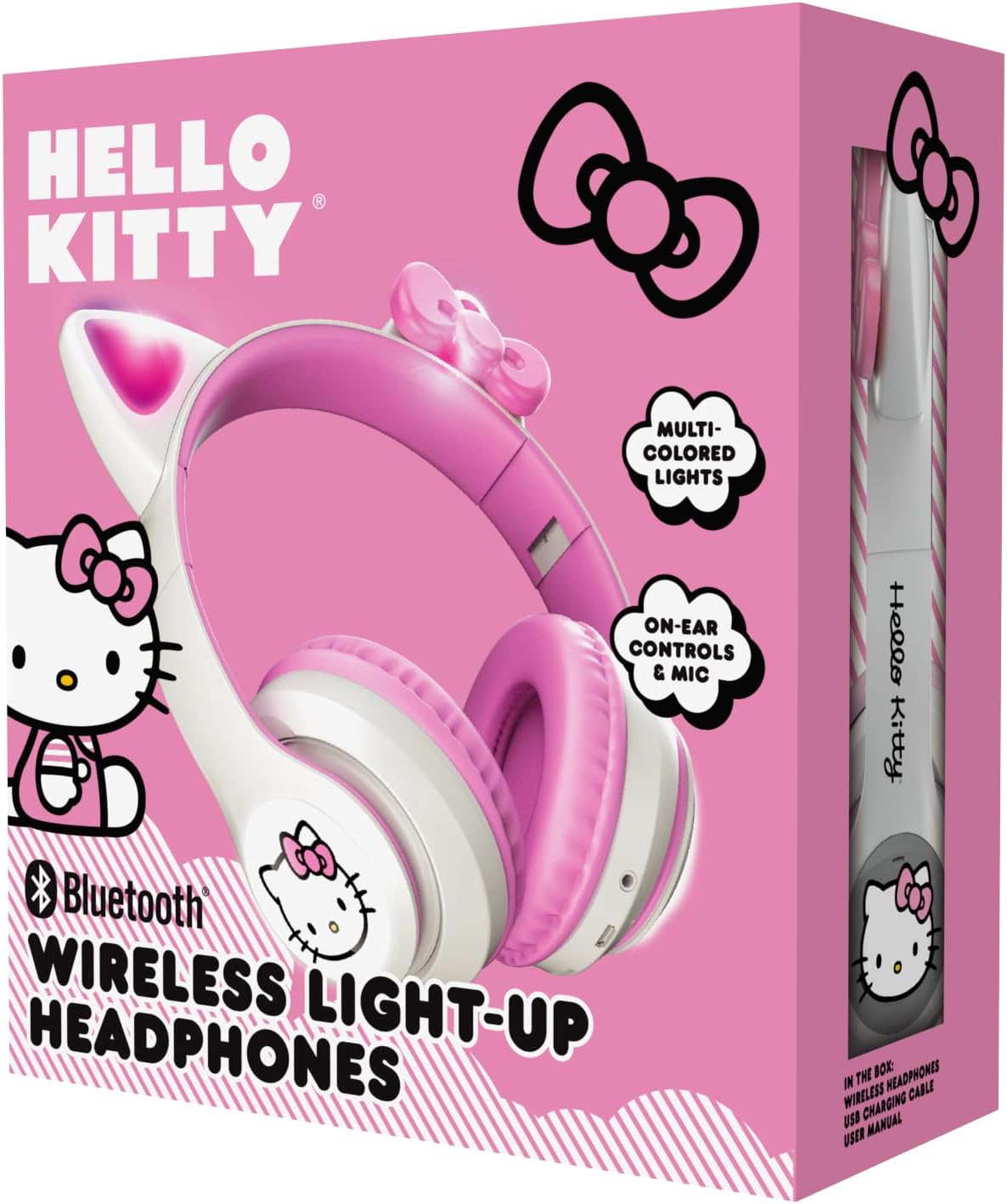
Image: The retail packaging for the Hello Kitty Wireless Bluetooth Light-Up Headphones, illustrating the headphones and the USB charging cable.
Product Features
- Bluetooth Connectivity: Seamless wireless pairing with compatible devices.
- Light-Up LED Earcups & Cat Ears: Features Hello Kitty graphics on earcups and colorful LED lights in the ears. Lights can change with music or be turned on/off as desired.
- Foldable & Portable Design: Easy to store and carry, ideal for travel.
- Built-in Microphone: Enables hands-free calls, voice chats, and gaming communication.
- Adjustable Headband: Provides a custom and comfortable fit for various head sizes.
Setup
1. Charging the Headphones
Before first use, fully charge the headphones. Connect the included USB charging cable to the charging port on the headphones and to a USB power source (e.g., computer, wall adapter). The LED indicator will show charging status and turn off or change color when fully charged.
2. Bluetooth Pairing
- Ensure the headphones are turned off.
- Press and hold the Power button until the LED indicator flashes blue and red, indicating pairing mode.
- On your device (smartphone, tablet, laptop), enable Bluetooth and search for available devices.
- Select "Hello Kitty Headphones" from the list of devices.
- Once paired, the LED indicator will typically show a solid blue light or flash slowly.
Note: If prompted for a password, enter "0000".
Operating Instructions
Power On/Off
- To Power On: Press and hold the Power button for approximately 3 seconds.
- To Power Off: Press and hold the Power button for approximately 5 seconds.
Volume Control
- Volume Up: Press the '+' button.
- Volume Down: Press the '-' button.
Music Playback
- Play/Pause: Press the Multi-function button (often the Power button when not powering on/off).
- Next Track: Press and hold the '+' button.
- Previous Track: Press and hold the '-' button.
Call Management
- Answer/End Call: Press the Multi-function button.
- Reject Call: Press and hold the Multi-function button.
- Redial Last Number: Double-press the Multi-function button.
LED Light Control
The LED lights on the earcups and cat ears can be controlled independently. Locate the dedicated light button (refer to the diagram in the included quick start guide if available). Press the button to cycle through light modes (e.g., blinking, solid, off).
Adjusting and Folding
- Adjust Headband: Gently slide the earcups up or down along the headband to achieve a comfortable fit.
- Fold for Storage: The earcups can be folded inwards towards the headband for compact storage and portability.

Image: The Hello Kitty Wireless Bluetooth Light-Up Headphones shown in their folded position, demonstrating their portability.
Maintenance
- Cleaning: Wipe the headphones with a soft, dry cloth. Do not use abrasive cleaners or immerse in water.
- Storage: Store the headphones in a cool, dry place away from direct sunlight and extreme temperatures. Utilize the foldable design for compact and safe storage.
- Battery Care: To prolong battery life, charge the headphones regularly, even if not in frequent use. Avoid fully discharging the battery for extended periods.
Troubleshooting
| Problem | Possible Solution |
|---|---|
| Headphones do not power on. | Ensure the headphones are fully charged. Connect to a power source and try again. |
| Cannot pair with device. |
|
| No sound or low volume. |
|
| LED lights not working. | Press the dedicated light control button to cycle through modes or turn them on. Ensure headphones have sufficient battery. |
Specifications
- Model Name: Hello Kitty Wireless Bluetooth Light-Up Headphones with Built-in Microphone, Foldable Design, Adjustable Headband, 8 Hours Playtime, LED Kitty Earcups, for Kids & Adults (White)
- Model Number: HKLEDBTHP2-WH-MFN
- Connectivity Technology: Wireless (Bluetooth)
- Bluetooth Version: 5.0
- Earpiece Shape: On Ear
- Material: Plastic
- Item Weight: 0.27 Kilograms (9.6 ounces)
- Battery: 1 Nonstandard Battery (included)
- Special Features: Adjustable Headband, Foldable, Lightweight, Light-Up LED Earcups & Cat Ears, Built-in Microphone
- Compatible Devices: Smartphones, Tablets, Laptops
- Manufacturer: Southern Telecom
- UPC: 680079035358
Warranty and Support
For warranty information and technical support, please refer to the contact details provided on the product packaging or visit the official Hello Kitty or Southern Telecom website. Keep your proof of purchase for warranty claims.