
Sharper Image Powerboost Move & Hot + Cold Node
Sharper Image Powerboost Move Deep Tissue Massage Gun User Manual
Model: Powerboost Move & Hot + Cold Node
Product Overview
The Sharper Image Powerboost Move is a portable deep tissue percussion massage gun designed to target sore muscles, alleviate cramps, and reduce tension. This bundle includes a unique Hot & Cold dual temperature attachment for enhanced therapeutic benefits. Its quiet brushless motor and lightweight design make it ideal for use anywhere, from post-workout recovery to quiet evening relaxation.

Image: The Sharper Image Powerboost Move massage gun, shown with its hot and cold temperature attachment and four interchangeable massage nodes.
Package Contents
Verify that all items are present in your package:
- Powerboost Move Device
- 4 Standard Attachment Nodes (Round, Cone, Fork, Flat)
- Hot & Cold Dual Temperature Node
- USB-C Charging Cable

Image: A visual representation of the Powerboost Move bundle contents, including the device, four standard attachment nodes, the hot and cold node, and the USB-C charging cable.
Safety Guidelines
Please read and understand all safety instructions before using the device. Improper use can result in injury or damage to the product.
- Consult a physician before using this product if you have any medical conditions, are pregnant, or have a pacemaker.
- Do not use on open wounds, swollen areas, or inflamed skin.
- Avoid using the device on your head, face, or directly over bones.
- Keep out of reach of children.
- Do not immerse the device in water or expose it to excessive moisture.
- Use only the provided charging cable.
Getting Started (Setup)
Charging the Device
Before first use, fully charge the Powerboost Move device. Connect the USB-C charging cable to the charging port on the device and plug the other end into a compatible USB power adapter (not included). The indicator lights will show charging progress and battery level.
Attaching Massage Nodes
To attach a massage node, gently push the desired node into the opening at the front of the massage gun until it is securely seated. To remove, pull the node straight out. Ensure the device is turned off before changing attachments.

Image: The Powerboost Move device displayed with its five unique attachments, illustrating how they connect to the main unit.
Operation
Powering On/Off
Press and hold the power button to turn the device on or off. The device will start at the lowest intensity level.
Adjusting Intensity Levels
Once powered on, press the power button repeatedly to cycle through the four available intensity levels. Select the level that provides the most comfortable and effective massage for your needs.
Using the Massage Gun
Gently press the massage gun against the desired muscle group. Move the device slowly over the area, applying light to moderate pressure. Avoid prolonged use on a single spot. The device is designed for use on the whole body, including larger muscles and targeted areas.

Image: A person demonstrating the use of the Powerboost Move massage gun on their upper back, highlighting its ergonomic design for self-application.
Attachment Guide
The Powerboost Move comes with five versatile massage nodes, each designed for specific applications:
Round Attachment
Ideal for larger muscle groups and overall body comfort. Provides a general, soothing massage.
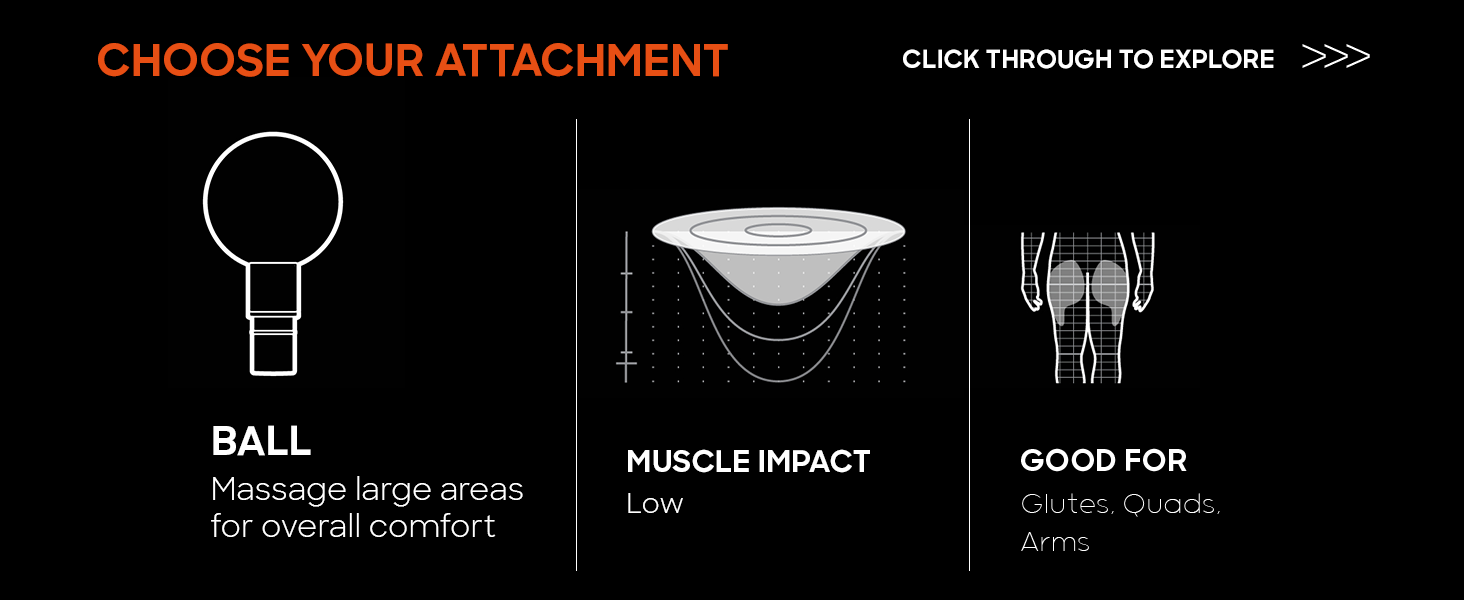
Image: Diagram illustrating the Round attachment, suitable for large areas like glutes, quads, and arms, with low muscle impact.
Flat Attachment
Offers a hammer-like impact, suitable for deep impact and general use across various muscle groups.

Image: Diagram illustrating the Flat attachment, suitable for pecs, quads, glutes, and calves, with medium muscle impact.
Fork Attachment
Designed to gently rock from side to side, effectively working out knots and tense spots, particularly around the spine or Achilles tendon.

Image: Diagram illustrating the Fork attachment, suitable for traps, quads, calves, and feet, with high muscle impact.
Cone Attachment
This pinpoint head is designed to hit deep into muscles, ideal for trigger points and small, specific areas.

Image: Diagram illustrating the Cone attachment, suitable for feet, scapula, and forearms, with high muscle impact.
Temperature Therapy (Hot & Cold Node)
The included Hot & Cold dual temperature attachment provides targeted temperature therapy. This attachment can heat or chill at the touch of a button, offering versatile relief for muscle soreness and discomfort.
Using the Hot & Cold Node
- Attach the Hot & Cold node to the Powerboost Move device as described in the 'Attaching Massage Nodes' section.
- Press the dedicated button on the Hot & Cold node to activate heating or cooling. The indicator lights will change color (e.g., red for heat, blue for cold).
- Allow a few moments for the node to reach the desired temperature.
- Apply the node to the area requiring temperature therapy. Use in conjunction with the massage gun's percussion or as a standalone temperature application.

Image: A close-up view of the Hot & Cold dual temperature attachment, showing its design and indicator lights for heating and chilling functions.
Care and Maintenance
Cleaning
Wipe the device and attachments with a clean, damp cloth after each use. Do not use abrasive cleaners or immerse the device in water. Ensure the device is completely dry before storing or recharging.
Storage
Store the Powerboost Move and its attachments in a cool, dry place, away from direct sunlight and extreme temperatures. Use the provided carrying case for protection during travel or storage.
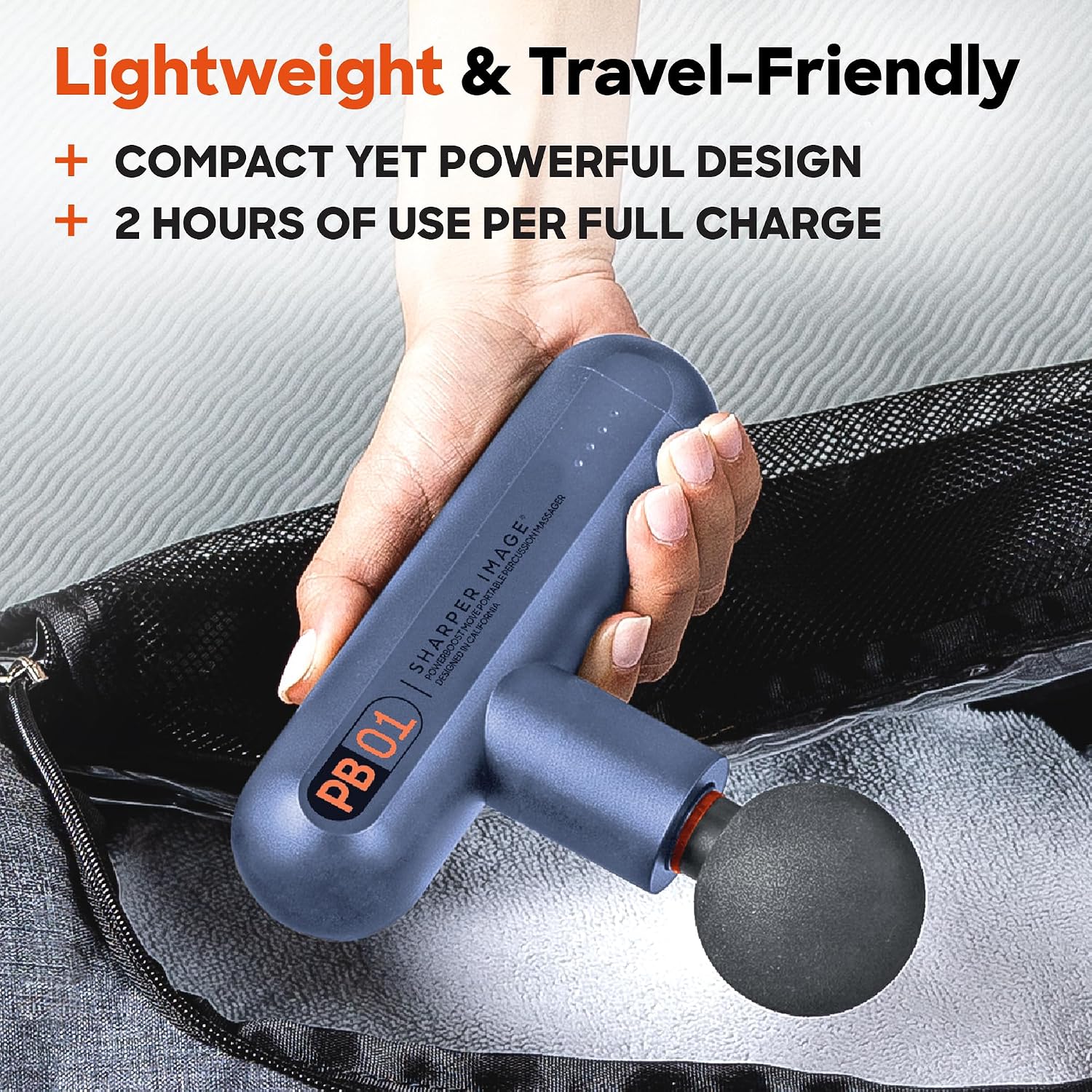
Image: A hand placing the compact Powerboost Move massage gun into a gym bag, illustrating its travel-friendly design and ease of storage.
Troubleshooting
If you encounter issues with your Powerboost Move, refer to the following common solutions:
| Problem | Possible Cause | Solution |
|---|---|---|
| Device does not turn on. | Low battery or not charged. | Charge the device fully using the provided USB-C cable. |
| Massage intensity feels weak. | Incorrect intensity level selected. | Press the power button to cycle to a higher intensity level. |
| Attachment node is loose. | Node not fully inserted. | Ensure the device is off, then firmly push the node into the opening until it clicks into place. |
| Hot/Cold node not changing temperature. | Node not activated or low battery. | Press the dedicated button on the Hot/Cold node. Ensure the main device is charged. |
Specifications
Key technical details for the Sharper Image Powerboost Move:
| Feature | Detail |
|---|---|
| Item Model Number | Powerboost Move & Hot + Cold Node |
| Power Source | Battery Powered |
| Special Feature | Lightweight, Quiet Brushless Motor, Hot & Cold Temperature Therapy |
| Massager Form | Massage Gun |
| Use For | Whole Body |
| Intensity Levels | 4 Variable Speeds |
| Battery Runtime | Up to 2 hours per full charge |
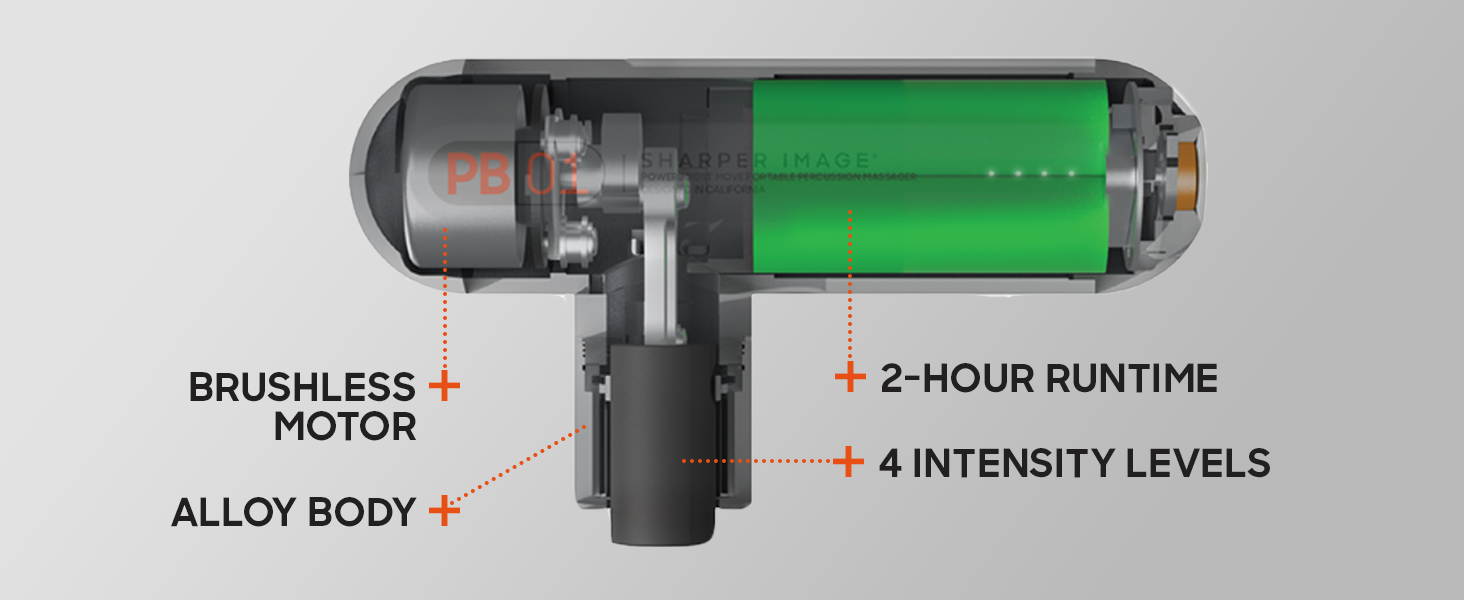
Image: An internal diagram of the Powerboost Move, highlighting its brushless motor, alloy body construction, 2-hour runtime, and 4 intensity levels.
Warranty and Customer Support
For information regarding product warranty, returns, or technical support, please refer to the official Sharper Image website or contact their customer service department. Keep your purchase receipt as proof of purchase for any warranty claims.
Legal Disclaimer: Statements regarding dietary supplements have not been evaluated by the FDA and are not intended to diagnose, treat, cure, or prevent any disease or health condition.
Related documentsPowerboost Move & Hot + Cold Node


Ask a question about this manual
Ask about setup, troubleshooting, compatibility, parts, safety, or missing instructions. Manuals+ will review the question and use this page’s manual context to help answer it.