
Introduction
This manual provides detailed instructions for the installation, operation, and maintenance of your Cobra Dash Camera Adhesive Windshield Mount with GPS Enablement. This mount is designed for secure, low-profile attachment of compatible Cobra SC 200, 200D, 400, and 400D Dash Camera models to your vehicle's windshield. It features a built-in GPS system for recording location data and enabling alerts.
Safety Information
Always ensure the mount and dash camera are securely installed and do not obstruct your view of the road or interfere with vehicle controls. Do not attempt to adjust the mount or camera while driving. Ensure the windshield is clean and dry before installation to guarantee proper adhesion. Avoid placing the mount in areas that could deploy an airbag.
Package Contents
- Cobra Dash Camera Adhesive Windshield Mount with GPS Enablement
- Note: Dash camera and power cable are sold separately.

Image: A detailed front view of the Cobra Dash Camera Adhesive Windshield Mount, showing the adhesive pad and the electrical contacts for the dash camera.
Setup and Installation
Follow these steps for proper installation of your adhesive windshield mount:
- Choose a Location: Select a position on your windshield that provides an unobstructed view for the dash camera and does not interfere with your driving visibility or airbag deployment zones. The mount should be placed where the dash camera can capture the road ahead effectively.
- Clean the Windshield: Thoroughly clean the chosen area on the windshield with an alcohol wipe or glass cleaner. Ensure the surface is completely dry and free of dust, grease, or residue before proceeding.
- Prepare the Mount: Peel off the protective backing from the adhesive pad on the mount. Avoid touching the adhesive surface to maintain its stickiness.
- Attach the Mount: Carefully align the mount with the cleaned area on the windshield. Press the mount firmly against the glass for at least 30 seconds to ensure strong adhesion. Allow the adhesive to cure for at least 24 hours before attaching the dash camera, if possible, for optimal bond strength.
- Attach the Dash Camera: Once the mount is securely attached, slide your compatible Cobra SC 200 or SC 400 series dash camera onto the slide mount system until it clicks into place.
- Connect Power: Connect the dash camera's power cable to the camera and route it safely to your vehicle's power source, ensuring it does not obstruct controls or vision.

Image: The Cobra Dash Camera Adhesive Windshield Mount securely holds a dash camera, providing a sleek, low-profile installation. (Dash camera not included)

Image: The mount features a USB port and is compatible with Cobra SC 200/200D and SC 400/400D Dash Cameras.
Operating Instructions
Using the Slide Mount System
The slide mount system allows for easy attachment and removal of your dash camera without disturbing the mount's position. To remove the camera, simply slide it upwards or downwards (depending on the camera model's design) from the mount. To reattach, align the camera with the mount's grooves and slide it into place until it locks securely.
Adjusting the Camera Angle
The mount features a rotatable and tilt-head design, allowing you to adjust the dash camera's position for optimal footage capture. Loosen the adjustment knob (if present) or gently pivot the camera on its ball joint to achieve the desired angle. Tighten any knobs to secure the position.
Built-In GPS Functionality
This mount includes a built-in GPS system that enhances your compatible Cobra SC Smart Dash Cam's capabilities. When connected, the GPS module enables the dash camera to:
- Accurately record location data (latitude and longitude).
- Log vehicle speed.
- Track route history.
- Receive live alerts for police, red light cameras, and speed cameras (feature availability may vary by dash camera model and region).
Ensure your dash camera's settings are configured to utilize the GPS data provided by the mount. Refer to your specific Cobra dash camera's user manual for detailed instructions on enabling and managing GPS features.
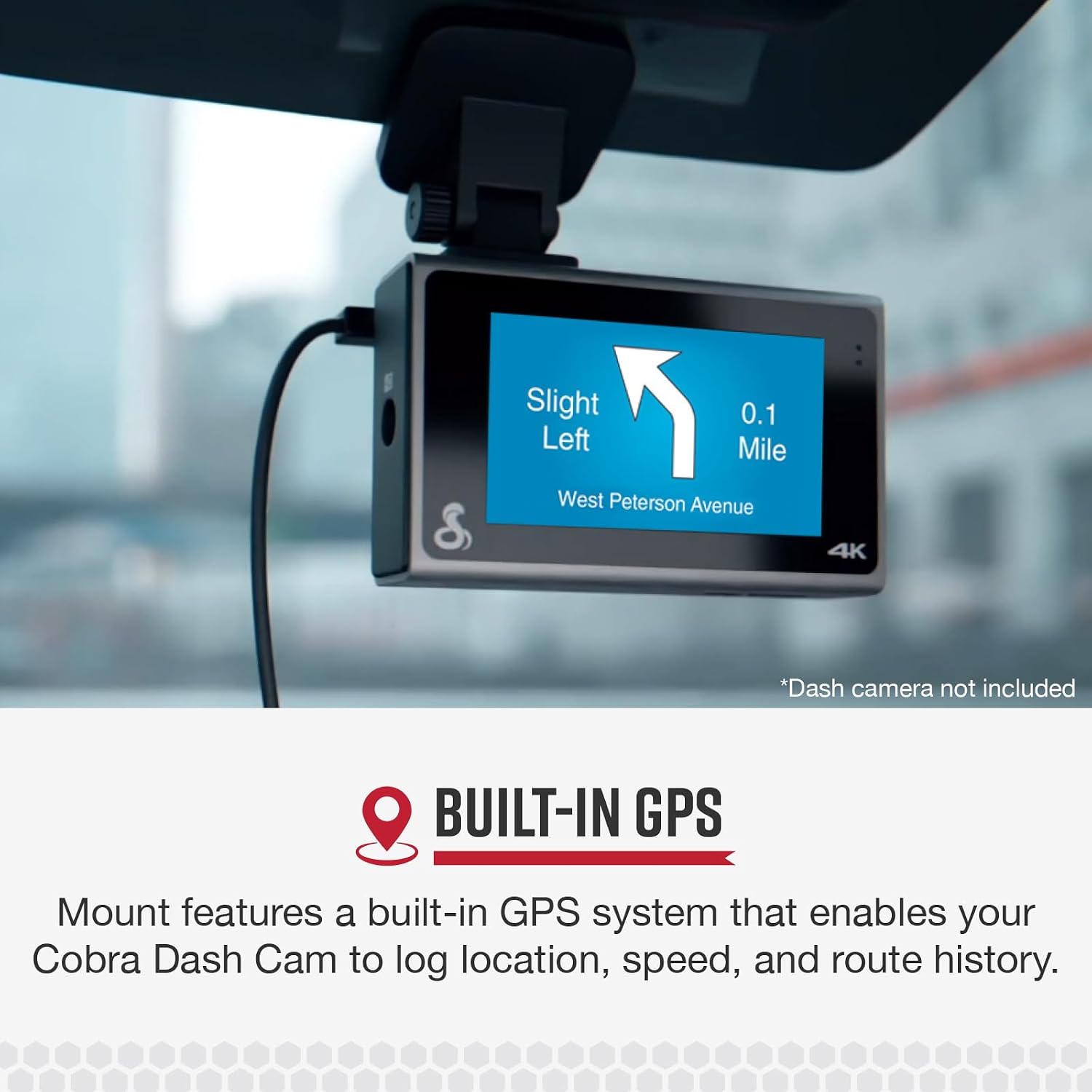
Image: A dash camera screen showing GPS navigation, indicating the mount's built-in GPS capability for location and route tracking.
Maintenance
To ensure the longevity and proper function of your mount:
- Cleaning: Wipe the mount periodically with a soft, damp cloth. Avoid using harsh chemicals or abrasive cleaners, as these can damage the material or adhesive.
- Adhesive Check: Periodically check the adhesive bond to the windshield. If the mount feels loose, it may need to be re-secured or replaced.
- Storage: If removing the mount for extended periods, store it in a clean, dry place away from extreme temperatures.
Troubleshooting
- Mount not sticking:
- Ensure the windshield surface was thoroughly cleaned and dry before application.
- Apply firm pressure for the recommended duration during installation.
- Allow sufficient curing time (24 hours) before attaching the dash camera.
- Extreme temperatures can affect adhesive performance; install in moderate conditions.
- Dash camera not securing to mount:
- Verify that your dash camera model is compatible with this mount (Cobra SC 200, 200D, 400, 400D).
- Ensure the camera is correctly aligned with the slide mechanism and pushed firmly until it clicks.
- GPS not functioning:
- Confirm that your dash camera is properly seated on the mount, ensuring electrical contact for GPS data.
- Check your dash camera's settings to ensure GPS functionality is enabled.
- Ensure the vehicle has a clear view of the sky for satellite reception.
- Refer to your dash camera's manual for specific GPS troubleshooting steps.
Specifications
| Model Number | CA-200ADHMNT-001 |
| Brand | COBRA |
| Compatible Dash Camera Models | Cobra SC 200, SC 200D, SC 400, SC 400D |
| Mounting Type | Adhesive Windshield Mount |
| Special Features | Built-in GPS, Adjustable, Lightweight, Rotatable, Shock Resistant, Tilt Head |
| Product Dimensions | 5.08 x 2.54 x 6.35 cm (2 x 1 x 2.5 inches) |
| Item Weight | 290 g (0.64 lbs) |
| Color | Black |
| Manufacturer | Cedar Electronics |
Warranty Information
This product is covered by a manufacturer's warranty. Please refer to the warranty card included with your original dash camera purchase or visit the official Cobra website for detailed warranty terms and conditions. Keep your proof of purchase for warranty claims.
Customer Support
For technical assistance, troubleshooting, or warranty inquiries, please contact Cobra customer support:
- Website: www.cobra.com
- Phone: Refer to the Cobra website for regional contact numbers.
When contacting support, please have your product model number (CA-200ADHMNT-001) and proof of purchase readily available.


