
1. Introduction
This manual provides essential information for the safe installation, operation, and maintenance of your ASD 2x4 Center Basket LED Troffer Panel Light. Please read these instructions thoroughly before installation and retain them for future reference.
2. Safety Information
WARNING: Risk of electric shock. Disconnect power before installation or servicing.
- Installation should be performed by a qualified electrician in accordance with national and local electrical codes.
- Ensure the supply voltage is compatible with the luminaire (120-277V).
- Do not handle the fixture with wet hands or when standing on wet surfaces.
- Do not modify the fixture. Any modifications may void the warranty and create safety hazards.
- Keep flammable materials away from the fixture during operation.
- This fixture is rated for damp locations.
3. Product Features
The ASD 2x4 Center Basket LED Troffer Panel Light is designed for commercial and industrial applications, offering efficient and versatile lighting. Key features include:
- Durable Commercial Grade Housing: Constructed from iron, resistant to rust and impact.
- Anti-Glare PC Lens: Provides even light distribution and reduces glare.
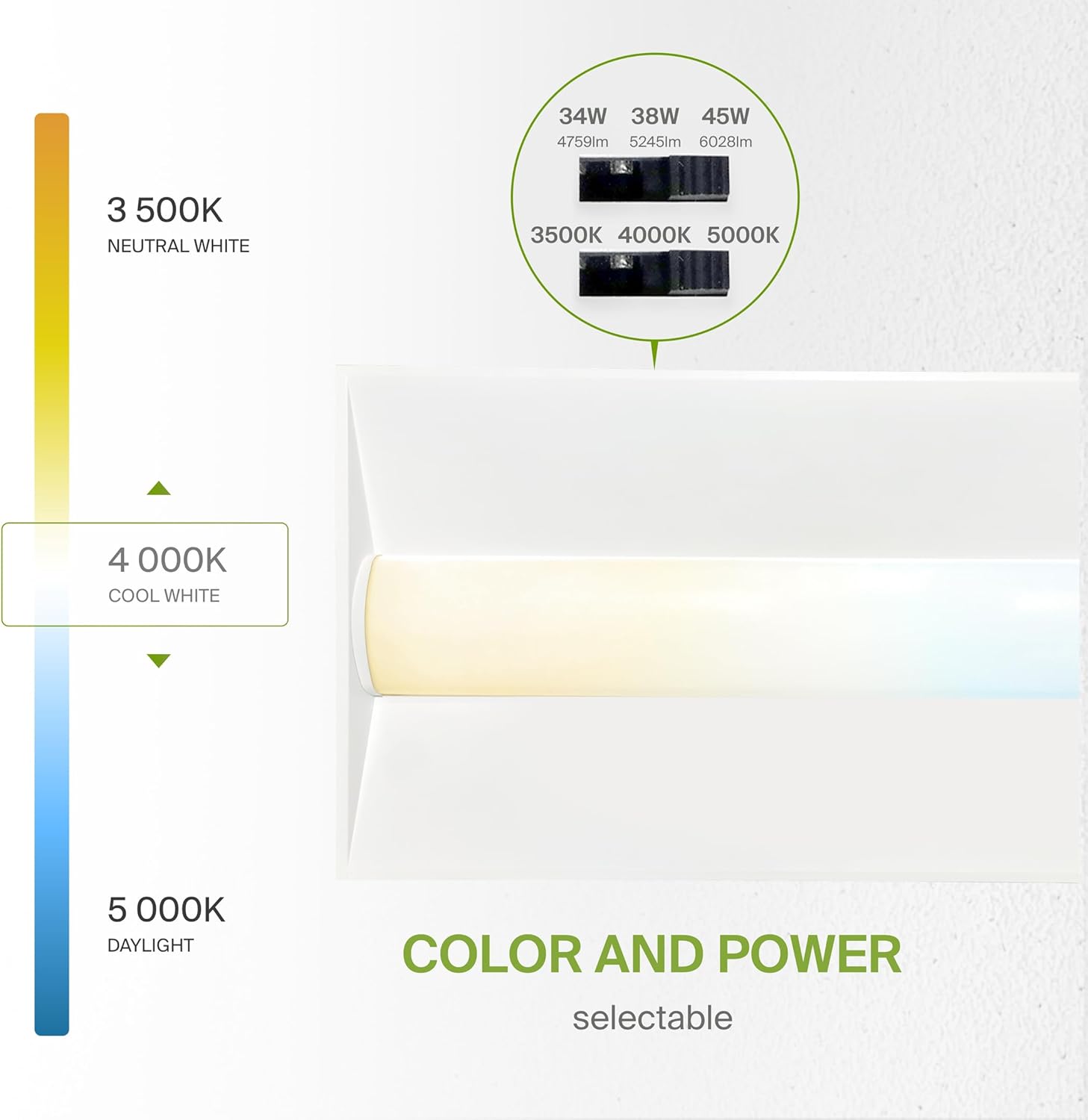
- Color and Power Selectable: Adjustable color temperatures (3500K, 4000K, 5000K) and power settings (34W, 38W, 45W).
- Integrated Driver: Features circuit overload, short circuit, and low-voltage protection.
- Quick and Easy Installation: Designed for recessed installation into grid ceilings with built-in T-grid clips.

4. Setup and Installation
Follow these steps for recessed installation into a grid ceiling. Ensure power is disconnected at the circuit breaker before beginning.
- Prepare the Ceiling: Ensure the ceiling grid opening is appropriate for a 2x4 fixture.
- Access Mounting Clips: Lift all mounting clips located along the edges of the panel. Turn the mounting clip head to prepare for securing.
- Position the Fixture: Carefully place the LED troffer panel into the ceiling grid opening.
- Secure the Fixture: Once positioned, lower and secure the mounting clips onto the T-grid rails to hold the fixture in place.
- Wiring: Locate the driver box. Remove the knockout hole with a screwdriver, then remove the screw and take out the driver cover. Connect the electrical wires as follows:
- Black wire from fixture to Black (Line) wire from supply.
- White wire from fixture to White (Neutral) wire from supply.
- Green wire from fixture to Green (Ground) wire from supply.
For dimming functionality, connect the 0-10V dimming wires (purple and gray) to a compatible 0-10V dimmer, if applicable. Ensure all connections are secure.
- Close Driver Box: Cover the driver box and tighten it with a screwdriver to complete the connection.
For a full cut sheet with detailed diagrams, please refer to the official documentation: ASD LTR Cut Sheet (PDF).
5. Operating Instructions
Your LED Troffer Panel Light features selectable color temperature and power settings, allowing customization to suit your environment.
5.1. Color Temperature Selection (CCT)
The fixture offers three color temperature options: 3500K (Neutral White), 4000K (Cool White), and 5000K (Daylight). A switch located on the fixture's driver allows you to select the desired CCT before or after installation. Ensure power is off when adjusting this switch.
5.2. Power Output Selection (Wattage)
You can also select between 34W, 38W, or 45W power output settings. A separate switch on the driver controls the wattage. Adjust this switch to achieve the desired brightness level. Ensure power is off when adjusting this switch.
5.3. Dimming Functionality
This luminaire supports 0-10V dimming. Connect the purple and gray dimming wires to a compatible 0-10V dimmer switch (sold separately) to adjust the light intensity from 100% down to 10%.

6. Maintenance
The ASD LED Troffer Panel Light requires minimal maintenance.
- Cleaning: Ensure the power is disconnected before cleaning. Use a soft, dry, or slightly damp cloth to wipe the exterior surfaces. Do not use abrasive cleaners or solvents, as these can damage the finish or lens.
- No User-Serviceable Parts: The LED components and driver are integrated and not designed for user replacement. Do not attempt to open or repair the fixture.
7. Troubleshooting
If you encounter issues with your LED Troffer Panel Light, refer to the following common troubleshooting steps:
- Light Does Not Turn On:
- Check the circuit breaker to ensure power is supplied to the fixture.
- Verify all wiring connections are secure and correct (Line, Neutral, Ground).
- Ensure the fixture's internal switches for CCT and wattage are set correctly and not in an intermediate position.
- Light Flickers or Is Dim:
- Confirm the power output (wattage) switch is set to the desired level.
- If using a dimmer, ensure it is a compatible 0-10V dimmer and that the dimming wires are correctly connected. Test the dimmer's functionality.
- Check for loose wiring connections.
- Incorrect Color Temperature:
- Verify the CCT selection switch on the fixture is set to your preferred color temperature (3500K, 4000K, or 5000K).
If these steps do not resolve the issue, contact customer support.
8. Specifications
Detailed specifications for the ASD 2x4 Center Basket LED Troffer Panel Light (Model A-LTR-24A45):

| Specification | Detail |
|---|---|
| Model Number | A-LTR-24A45(2p) |
| Dimensions (L x W x H) | 47.74" x 23.74" x 2.13" (1213mm x 603mm x 54mm) |
| Wattage | 34W / 38W / 45W (Selectable) |
| Brightness | Up to 6028 Lumens |
| Efficiency | 134 lm/W |
| Color Temperature (CCT) | 3500K / 4000K / 5000K (Selectable) |
| Voltage | 120-277V |
| Dimmable | 0-10V Dimming |
| Material | Iron, Polycarbonate |
| Indoor/Outdoor Usage | Indoor use only |
| Water Resistance Level | Not Water Resistant (Damp Location Rated) |
| Certifications | UL, DLC Standard |
| Calculated Lifespan | Up to 180,000 hours |
| Item Weight | 12.3 Pounds |
9. Warranty Information
ASD provides a 5-year limited warranty for this product, guaranteeing top quality and safety. This warranty covers defects in materials and workmanship under normal use and service. Please retain your proof of purchase for warranty claims.
The product is UL and DLC certified, ensuring it meets high standards for safety and energy efficiency.
10. Customer Support
For technical assistance, warranty claims, or any questions regarding your ASD LED Troffer Panel Light, please contact ASD Lighting Corp customer support. Refer to the product packaging or the official ASD website for the most current contact information.
When contacting support, please have your model number (A-LTR-24A45) and proof of purchase readily available.
