
1. Product Overview
The Whirlpool W11537215 OEM Dryer Electronic Control Board is a genuine replacement part designed to manage the various functions of your dryer, including drying time and temperature settings. This control board ensures your appliance operates according to original factory specifications, maintaining optimal performance and longevity. It replaces part numbers W10847936 and W10875487.
This part is compatible with select Whirlpool and Maytag dryer models, including WED92HEFBD, WGD92HEFBD, 7MWED90HEF, YMED5500FC, and YWED85HEFC. Always verify compatibility with your specific dryer model before installation.
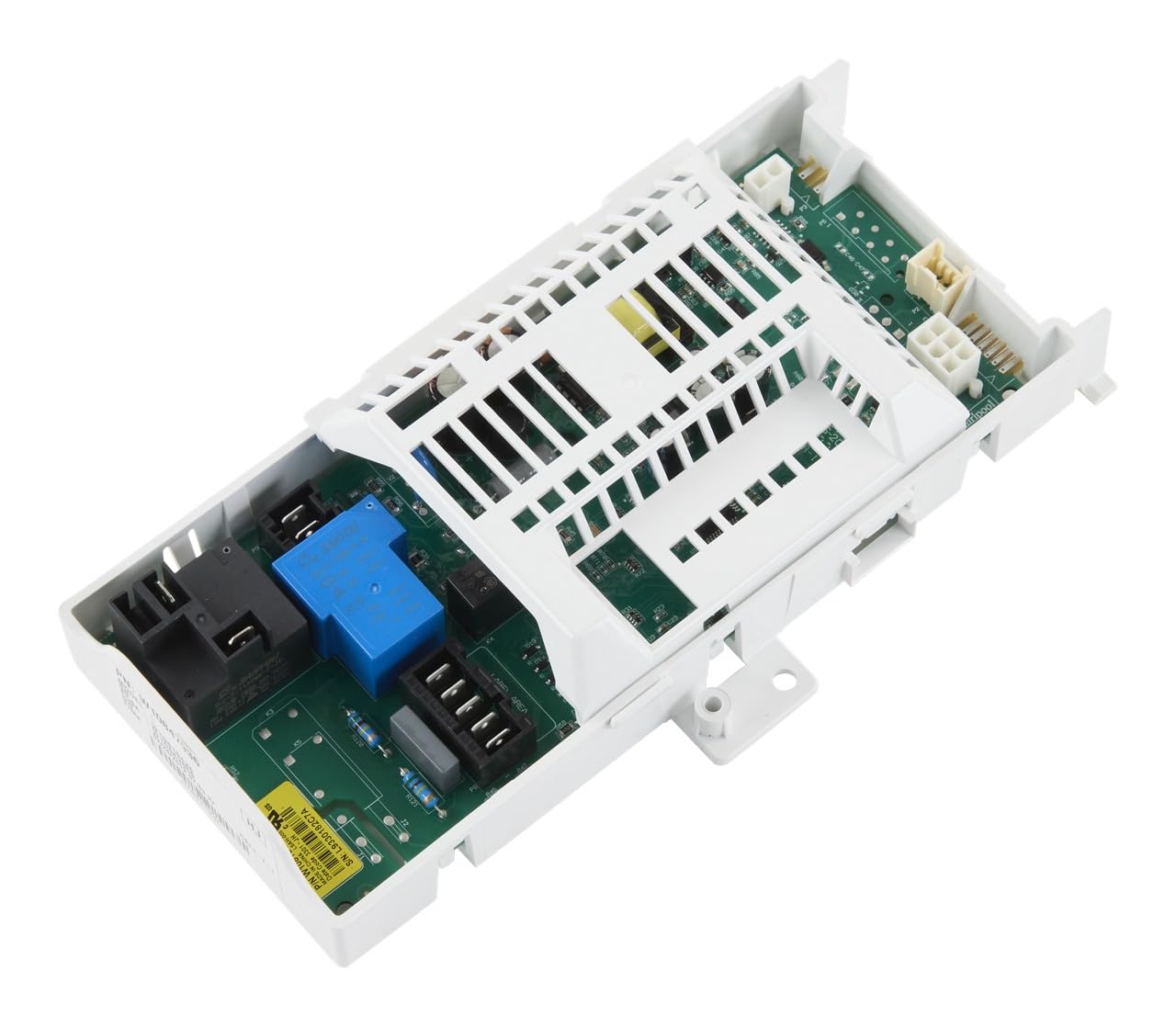
Image 1.1: Front view of the Whirlpool W11537215 OEM Dryer Electronic Control Board, showing various electronic components and connectors.
2. Safety Information
WARNING: Before attempting any repair or installation, always disconnect power to the dryer by unplugging the appliance or shutting off the house circuit breaker. Failure to do so can result in serious injury or electrical shock.
- Wear appropriate personal protective equipment, such as gloves and safety glasses.
- Ensure the work area is well-lit and clear of obstructions.
- If you are unsure about any step of the installation process, consult a qualified appliance technician.
- Keep small children and pets away from the work area.
3. Installation
Replacing the dryer electronic control board requires basic hand tools and some disassembly of the appliance. Novice repair experience is recommended. Follow these general steps for installation:
- Disconnect Power: Unplug the dryer from the electrical outlet or turn off the circuit breaker supplying power to the dryer.
- Access the Control Board: Depending on your dryer model, you may need to remove the top panel, back panel, or control panel to access the electronic control board. Refer to your dryer's specific service manual for detailed instructions on accessing the component.
- Document Connections: Before disconnecting any wires, take clear photos or make a diagram of all wire connections to the existing control board. This will help ensure correct reassembly.
- Disconnect Wires and Mounting Screws: Carefully disconnect all wire harnesses and ribbon cables from the old control board. Remove any screws or clips securing the board in place.
- Remove Old Board: Gently remove the old electronic control board from its housing.
- Install New Board: Position the new Whirlpool W11537215 control board in the same location as the old one. Secure it with the previously removed screws or clips.
- Reconnect Wires: Using your photos or diagram, carefully reconnect all wire harnesses and ribbon cables to the new control board. Ensure all connections are secure and properly seated.
- Reassemble Dryer: Reattach any panels or components that were removed to access the control board.
- Restore Power: Plug the dryer back into the electrical outlet or turn on the circuit breaker.
- Test Operation: Run a short cycle to ensure the dryer functions correctly and the new control board is operating as expected.

Image 3.1: Back view of the Whirlpool W11537215 OEM Dryer Electronic Control Board, showing the various connection points for wiring harnesses.

Image 3.2: Top-down view of the Whirlpool W11537215 OEM Dryer Electronic Control Board, highlighting the layout of the circuit board and protective casing.
Understanding Genuine OEM Parts
Video 3.3: This video from Whirlpool Service Parts explains the importance of using genuine OEM parts for your appliances, highlighting their quality, durability, and adherence to engineering standards. It emphasizes that only OEM parts are designed to fit perfectly and ensure optimal performance.
4. Operation
The electronic control board is the central processing unit for your dryer. Once installed, it will seamlessly integrate with your appliance's existing controls. Its primary function is to interpret user selections (e.g., cycle type, temperature, dryness level) and execute the corresponding operations by controlling various dryer components such as the motor, heating element, and sensors. No direct user interaction with the control board itself is required after installation; all operations are performed through the dryer's user interface.
5. Maintenance
The electronic control board itself requires no routine maintenance. To ensure its longevity and proper function, adhere to the following general guidelines for your dryer:
- Keep the dryer's interior and exterior clean and free of lint buildup.
- Ensure proper ventilation for the dryer to prevent overheating, which can stress electronic components.
- Avoid exposing the dryer to excessive moisture or extreme temperatures.
- If you notice any unusual behavior from your dryer, consult the dryer's user manual or a qualified technician.
6. Troubleshooting
If your dryer experiences issues after replacing the control board, consider the following troubleshooting steps:
- No Power: Ensure the dryer is properly plugged in and the circuit breaker is on. Check for any tripped GFCI outlets.
- Incorrect Function: Double-check all wire connections to the control board to ensure they are secure and correctly matched according to your diagram or photos.
- Error Codes: If your dryer displays an error code, consult your dryer's user manual for the meaning of the code and recommended solutions.
- Intermittent Issues: Ensure the control board is securely mounted and not loose.
If troubleshooting steps do not resolve the issue, it is recommended to contact a certified appliance technician for diagnosis and repair.
7. Specifications
| Brand Name | Whirlpool |
| Model Info | W11537215 |
| Item Weight | 7 pounds |
| Product Dimensions | 0.11 x 0.11 x 0.11 inches |
| Part Number | W11537215 |
| Included Components | Genuine OEM Dryer Electronic Control Board Replacement Part |
| Batteries Required? | No |
8. Warranty and Support
The Whirlpool W11537215 OEM Dryer Electronic Control Board comes with a one-year warranty. This warranty covers defects in materials and workmanship under normal use. For warranty claims or technical assistance, please contact Whirlpool customer support or visit the official Whirlpool website. Ensure you have your appliance model number and the part number available when seeking support.