
SONRU J48
SONRU Bluetooth 5.3 Receiver User Manual
Model: J48
Brand: SONRU
1. Introduction
This user manual provides detailed instructions for the SONRU Bluetooth 5.3 Receiver. This wireless audio adapter is designed to bring Bluetooth connectivity to various audio systems, including car stereos, home stereos, wired headphones, and speakers. Featuring advanced Bluetooth 5.3 technology, it ensures a faster, more stable, and smarter connection with minimal sound quality loss. The device also supports hands-free calling and dual device connection, enhancing your audio experience and convenience.
2. Safety Information
Keep away from water and extreme temperatures. Do not expose to high heat or fire. Do not short-circuit. Avoid contact with liquids. Do not dispose of in fire. May interfere with other wireless devices. Follow local regulations for battery disposal.
3. Package Contents
Please verify that all items are included in your package:
- 1 x SONRU Bluetooth Wireless Receiver (Model J48)
- 1 x 3.5mm Audio Adapter
- 1 x 3.5mm Audio Cable
- 1 x RCA Audio Cable
- 1 x Type-C Charging Cable
- 1 x User Manual & Warranty Card

Image: All components included in the SONRU Bluetooth Receiver package.
4. Setup
4.1 Initial Charging
Before first use, fully charge the Bluetooth receiver. Connect the provided Type-C charging cable to the receiver's charging port and a USB power source. A full charge typically takes approximately 1.5 hours. The device supports charging while in use.
4.2 Connecting to Audio Source
The SONRU Bluetooth Receiver offers versatile connectivity options:
- For 3.5mm AUX Input: Use the included 3.5mm audio adapter or 3.5mm audio cable to connect the receiver to your car's AUX port, home stereo, wired headphones, or speaker.
- For RCA Input: Use the included RCA audio cable to connect the receiver to older home stereo systems or other audio equipment with RCA inputs.

Image: The receiver's wide compatibility with various audio devices.
4.3 Bluetooth Pairing
- Power On: Press and hold the multifunction button on the receiver to power it on. The LED display will light up.
- Enable Bluetooth: On your mobile device (smartphone, tablet, etc.), go to the Bluetooth settings and ensure Bluetooth is enabled.
- Select Device: Look for "J48" in the list of available Bluetooth devices and select it to pair. Once connected, the receiver will indicate successful pairing.
- Play Audio: Begin playing audio on your mobile device. The sound will now be transmitted wirelessly to the connected audio system.
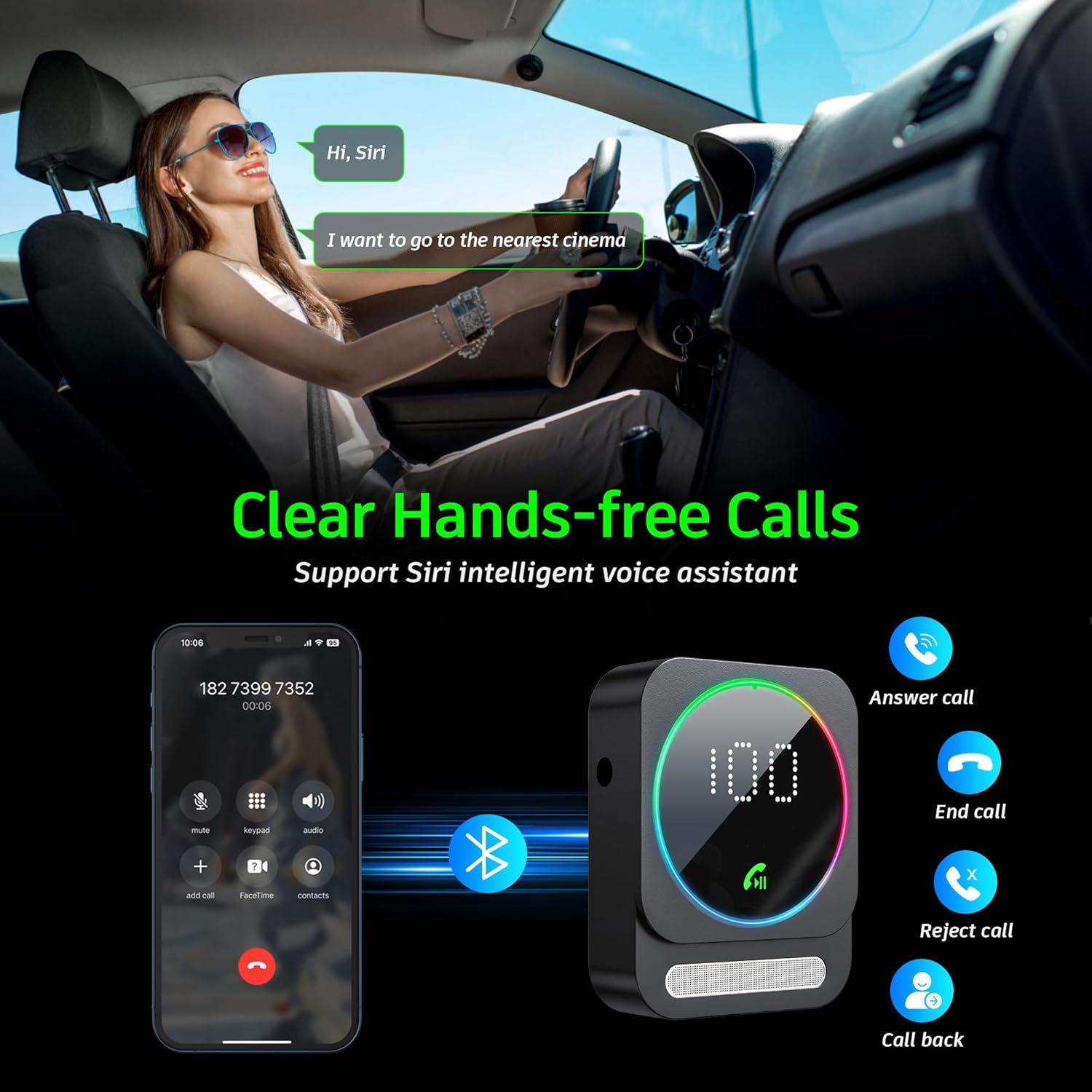
Image: Bluetooth pairing process in a car environment.
5. Operating Instructions
5.1 Hands-Free Calling
The receiver is equipped with a high-quality microphone and CVC8.0 technology for clear hands-free calls.
- Answer Call: Press the multifunction button once.
- End Call: Press the multifunction button once during a call.
- Reject Call: Press and hold the multifunction button for 2 seconds.
- Redial Last Number: Double-press the multifunction button.
- Activate Voice Assistant (Siri/Google Assistant): Triple-press the multifunction button.

Image: Multifunction and volume buttons on the receiver.
5.2 Music Playback
- Play/Pause: Press the multifunction button once.
- Next Track: Short press the "+" button.
- Previous Track: Short press the "-" button.
- Volume Up: Long press the "+" button.
- Volume Down: Long press the "-" button.
5.3 Dual Device Connection
The SONRU Bluetooth Receiver can connect to two Bluetooth devices simultaneously. This allows for convenient switching between devices for music or calls. Note that audio from both devices cannot be played simultaneously; you must switch between them.
Image: The receiver's ability to connect to two devices simultaneously.
5.4 Battery Life and Charging
The built-in 250mAh battery provides up to 16 hours of continuous use on a single charge. The device can be fully charged in approximately 1.5 hours using the provided Type-C cable. It supports charging while in use, making it ideal for long journeys.

Image: Visual representation of the receiver's battery life and charging features.
6. Maintenance
To ensure the longevity and optimal performance of your SONRU Bluetooth Receiver, follow these maintenance guidelines:
- Cleaning: Use a soft, dry cloth to clean the device. Do not use liquid cleaners or aerosols.
- Storage: Store the device in a cool, dry place away from direct sunlight and extreme temperatures.
- Avoid Impact: Do not drop or subject the device to strong impacts, as this may damage internal components.
- Cable Care: Handle cables gently. Avoid bending or pulling them excessively to prevent damage.
7. Troubleshooting
If you encounter issues with your SONRU Bluetooth Receiver, please refer to the following common solutions:
| Problem | Solution |
|---|---|
| Device does not power on. | Ensure the device is fully charged. Connect it to a power source using the Type-C cable and try again. |
| Cannot pair with mobile device. |
|
| No sound or poor sound quality. |
|
| Call quality is poor. | Ensure the microphone is not obstructed. Reduce background noise if possible. The CVC8.0 technology helps filter out echoes and background noise. |
8. Specifications
| Feature | Detail |
|---|---|
| Bluetooth Version | 5.3 |
| Connectivity Technology | AUX, RCA |
| Battery Capacity | 250mAh |
| Charging Time | Approx. 1.5 hours |
| Usage Time | Up to 16 hours |
| Special Features | Hands-Free Calls, Dual AUX Outputs, Digital Display, Ambient Light |
| Working Range | Up to 33ft (10m) without obstacles |
| Dimensions | 6.65 x 2.76 x 0.94 inches |
| Item Weight | 2.89 ounces |
Video: An overview of the SONRU Bluetooth 5.3 Receiver's features and usage scenarios.
9. Warranty and Support
SONRU provides a warranty for this product. For detailed warranty information, please refer to the included Warranty Card in your package. If you encounter any problems or are not satisfied with your product, please contact SONRU customer support for assistance. We are committed to providing a satisfactory solution.
You can typically find support contact information on the manufacturer's website or through the retailer where you purchased the product.
Ask a question about this manual
Ask about setup, troubleshooting, compatibility, parts, safety, or missing instructions. Manuals+ will review the question and use this page’s manual context to help answer it.