
Introduction
Thank you for choosing the SUNITEC BH880 Wireless Headset. This manual provides detailed instructions for setting up, operating, and maintaining your headset to ensure optimal performance and longevity. The BH880 headset is designed for clear communication and comfortable use in various environments, featuring advanced noise-cancelling technology and multiple connectivity options.

Image: SUNITEC BH880 Wireless Headset, showcasing its design with an adjustable microphone boom.
What's in the Box
Verify that all items are present in the package:
- 1 x SUNITEC BH880 Bluetooth Computer Headset with Microphone
- 1 x Type-C Charging Cable
- 1 x Bluetooth Audio USB-A Dongle Adapter
- 1 x 3.5mm Audio Cable
- 1 x User Manual (this document)

Image: The SUNITEC BH880 headset, USB-C charging cable, USB-A dongle, and 3.5mm audio cable, illustrating the package contents.
Product Overview
Familiarize yourself with the components and controls of your SUNITEC BH880 headset.
Key Features:
- AI Noise Cancelling Microphone: Blocks 99% of ambient noise for clear voice transmission.
- Qualcomm QCC3034 Chipset: Provides stable and fast Bluetooth transmission with aptX HD and aptX LL support.
- Comfortable Design: Soft dual ear pads and an adjustable headband for extended wear.
- 270° Rotatable Boom Microphone: Can be positioned on either the left or right side.
- Long Battery Life: Up to 45 hours of talk time on a single charge.
- Multiple Connectivity: Bluetooth, USB Dongle, and 3.5mm wired connection.

Image: Close-up of the memory foam earpads, highlighting the comfort feature of the headset.

Image: Detail of the individual mute button located on the microphone boom.

Image: An internal view highlighting the Qualcomm QCC3034 chipset, responsible for stable and fast connections.
Setup
1. Charging the Headset
Before first use, fully charge the headset. Connect the Type-C charging cable to the headset's charging port and the other end to a USB power source (e.g., computer USB port, wall adapter). The LED indicator will show charging status. A full charge takes approximately 2 hours and provides up to 45 hours of talk time or 400 hours of standby time.
2. Power On/Off
- Power On: Press and hold the Power button for a few seconds until the LED indicator lights up.
- Power Off: Press and hold the Power button for a few seconds until the LED indicator turns off.
3. Connectivity Options
The SUNITEC BH880 offers three ways to connect to your devices:
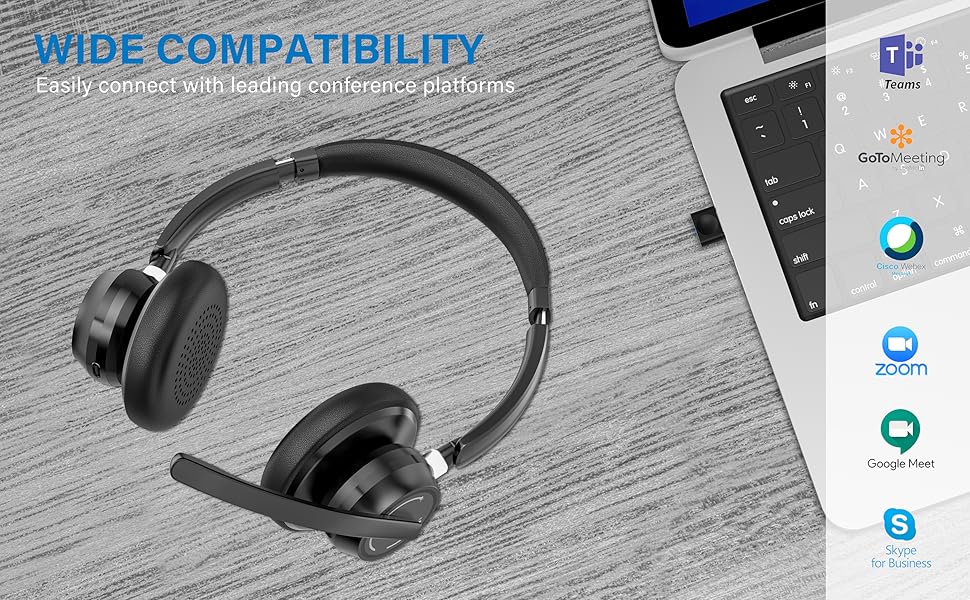
Image: Visual representation of Bluetooth, USB Dongle, and Wired connection methods for the headset.
Bluetooth Connection:
- Ensure the headset is powered off.
- Press and hold the Power button until the LED indicator flashes blue and red alternately, indicating pairing mode.
- On your device (smartphone, tablet, computer), enable Bluetooth and search for new devices.
- Select "SUNITEC BH880" from the list of available devices.
- Once connected, the LED indicator will flash blue slowly.
USB Dongle Connection:
This method is ideal for computers without built-in Bluetooth or for a more stable connection.
- Plug the USB-A Dongle Adapter into an available USB port on your computer.
- Power on the SUNITEC BH880 headset. It will automatically attempt to connect to the dongle.
- The LED indicator on the dongle and headset will show a solid blue light once connected.
- You may need to select the "SUNITEC BH880" as the audio input/output device in your computer's sound settings.

Image: A USB dongle being inserted into a laptop's USB port, demonstrating the dongle connection method.
Wired Connection:
Use the included 3.5mm audio cable to connect the headset directly to devices with a 3.5mm audio jack. Note that the microphone function is not available when using the 3.5mm wired connection; the headset will function as headphones only.

Image: The headset shown with logos of popular communication platforms like Teams, Zoom, Google Meet, and Skype, indicating wide compatibility.
Operating Instructions
Basic Functions:
- Volume Up/Down: Use the dedicated volume buttons on the earcup.
- Play/Pause: Press the Multi-function button once.
- Next Track: Press and hold the Volume Up button.
- Previous Track: Press and hold the Volume Down button.
Call Functions:
- Answer/End Call: Press the Multi-function button once.
- Reject Call: Press and hold the Multi-function button for 2 seconds.
- Redial Last Number: Double-press the Multi-function button.
Microphone Mute Function:
The headset features an individual mute button on the microphone boom for quick privacy control.
- Mute/Unmute: Press the mute button on the microphone boom. The LED indicator on the microphone will show red when muted.
- Note: For PC platforms, microphone mute functionality may also be controlled via the software application (e.g., Zoom, Teams).
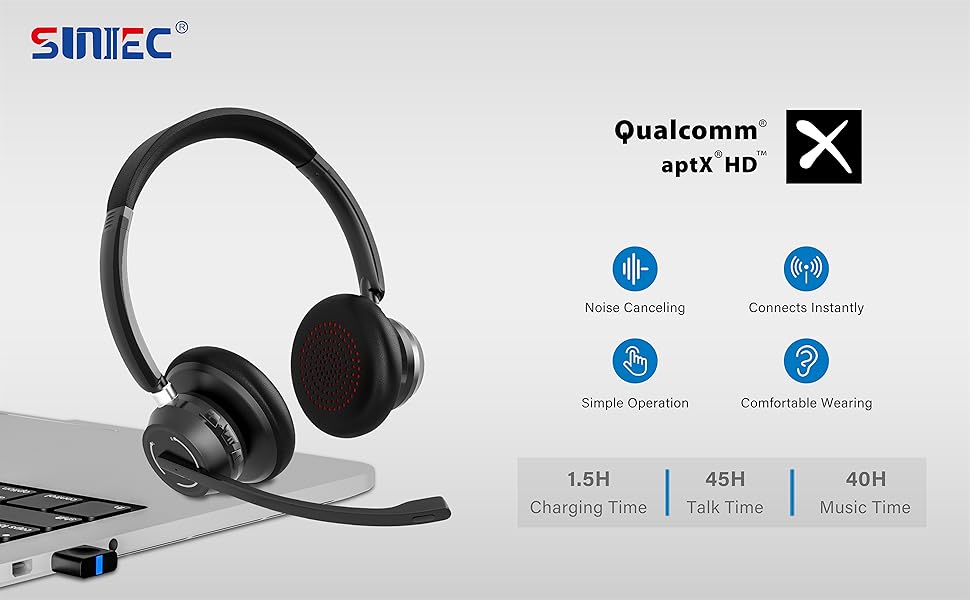
Image: A graphic demonstrating how the noise-cancelling microphone filters out background noise for clearer audio output.
Maintenance
Proper care ensures the longevity of your SUNITEC BH880 headset.
- Cleaning: Use a soft, dry cloth to clean the headset. Do not use abrasive cleaners or solvents.
- Storage: Store the headset in a cool, dry place away from direct sunlight and extreme temperatures.
- Battery Care: To preserve battery life, avoid fully discharging the headset frequently. Charge it regularly, even if not in use for extended periods.
- Avoid Moisture: The headset is not water-resistant. Keep it away from liquids and high humidity.
Troubleshooting
If you encounter issues with your SUNITEC BH880 headset, refer to the following common solutions:
| Problem | Solution |
|---|---|
| Headset does not power on. | Ensure the headset is charged. Connect it to a power source using the Type-C cable. |
| Cannot pair via Bluetooth. |
|
| No sound or poor sound quality. |
|
| Microphone not working. |
|
| USB Dongle not connecting. |
|
Specifications
| Feature | Detail |
|---|---|
| Model Name | BH880 |
| Connectivity Technology | Wireless (Bluetooth), Wired (3.5mm), USB Dongle |
| Wireless Communication Technology | Bluetooth 5.1 |
| Bluetooth Range | Up to 15 meters (49 feet) |
| Noise Control | Adaptive Noise Cancellation (Microphone) |
| Audio Driver Size | 40 Millimeters |
| Audio Driver Type | Dynamic Driver |
| Impedance | 32 Ohms |
| Earpiece Shape | Over-Ear |
| Battery Life (Talk Time) | Up to 45 Hours |
| Charging Time | Approximately 2 Hours (Type-C) |
| Item Weight | 280 Grams (9.9 ounces) |
| Product Dimensions | 5.91 x 3.94 x 1.96 inches |
| Material | Plastic |
| Compatible Devices | Computers, Communication Software (Skype, Zoom, MS Teams, Google Meet) |
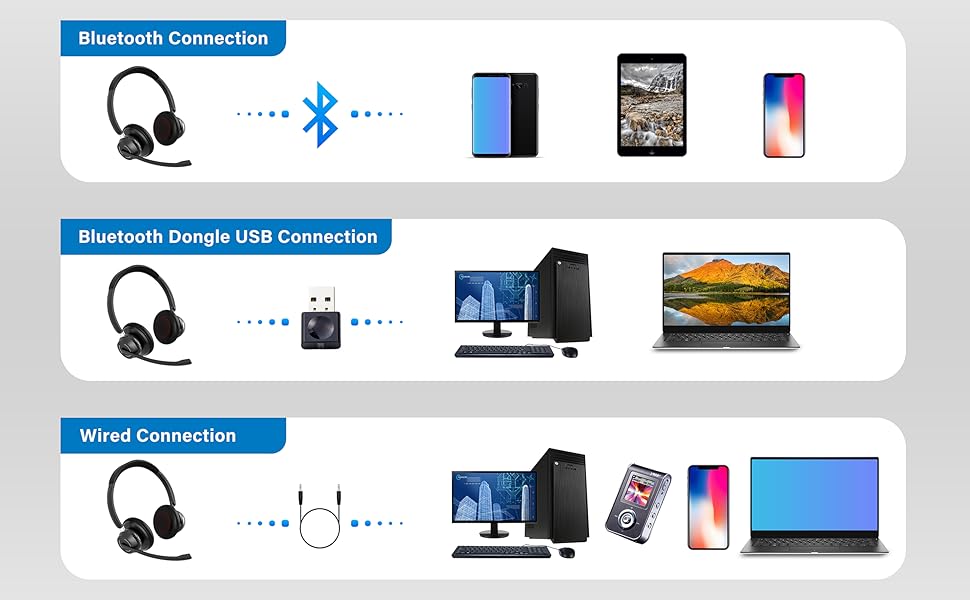
Image: An illustration highlighting the headset's battery performance, indicating up to 45 hours of wireless talk time.
Warranty and Support
SUNITEC products are designed for reliability and performance. For warranty information or technical support, please refer to the contact details provided with your purchase or visit the official SUNITEC website. Keep your purchase receipt as proof of purchase for warranty claims.
For further assistance, you may contact SUNITEC customer service through their official channels.
