
1. Introduction
Thank you for choosing the Memo S3 Stretch Handle Game Controller. This device is designed to enhance your mobile gaming experience by providing precise control and comfortable ergonomics. It features multiple operating modes, fast charging capabilities, and broad compatibility with various mobile devices.
2. Key Features
- Multiple Operating Modes: Supports various gaming platforms and styles.
- Wired Connection: Ensures plug-and-play functionality with no latency.
- 36W Fast Charging: Allows simultaneous gaming and fast charging of your device.
- High Precision & Responsive Performance: Optimized for accurate and quick input.
- One-Click Shooting (Turbo): Four adjustable gears for rapid firing.
- Comfortable Grip: Subtle anti-slip texture for extended gaming sessions.
- Stretchable Design: Accommodates various phone sizes up to 176mm (6.9 inches).
- Hall Trigger/Rocker: Advanced components for durability and precision.
- 1000Hz Return Rate: Provides highly responsive control.
3. Product Overview
The Memo S3 controller features a stretchable design to securely hold your smartphone, transforming it into a portable gaming console. It includes standard gamepad buttons and joysticks for intuitive control.

Figure 3.1: Front view of the Memo S3 Stretch Handle Game Controller with a phone slot.
The controller is equipped with a D-pad and left joystick on the left side, and action buttons (A, B, X, Y) and a right joystick on the right side. Shoulder buttons and triggers are located on the top edge of the controller.

Figure 3.2: Close-up view of the controller's buttons and joysticks, highlighting the ergonomic design.
4. Setup and Connection
4.1 Device Installation
- Gently stretch the Memo S3 controller to its maximum scalability (up to 176mm).
- Carefully insert your smartphone into the central slot, ensuring it is securely held by the stretch mechanism.
- Connect your smartphone to the controller via the integrated Type-C port. This establishes a wired connection.
4.2 Initial Connection
The Memo S3 uses a wired Type-C connection for plug-and-play functionality. Once your phone is securely mounted and connected via the Type-C port, the controller should be recognized by your device. No additional Bluetooth pairing is required for the primary wired connection.
5. Operating Modes
The Memo S3 controller supports multiple operating modes to ensure compatibility with a wide range of games and platforms.
5.1 XBOX Mode (Xinput) - Android
This mode is suitable for playing streaming and console-ported games on Android devices. The controller's vibration function operates normally in this mode, providing immersive feedback.
5.2 AI Mapping Mode - Android
This mode is compatible with most mobile games. Initial key mapping typically requires the use of a dedicated application. After the first-time key mapping is completed, you generally do not need to open the application again when entering the game subsequently.

Figure 5.1: Illustration of XBOX (Xinput) and AI Mapping modes for Android, showing compatible game types.
6. Charging Functionality
The Memo S3 controller is equipped with a movable Type-C port that supports 36W fast charging. This allows you to charge your smartphone while actively playing games, minimizing battery loss and protecting your phone's battery life during extended gaming sessions.

Figure 6.1: The Memo S3 controller connected to a smartphone, demonstrating 36W fast charging during gameplay.
7. Adjustable Settings
7.1 1000Hz Adjustable Return Rate
The controller supports an adjustable return rate of up to 1000Hz, providing highly accurate and responsive input. This feature is designed to deliver a precise mobile gaming experience comparable to dedicated consoles.
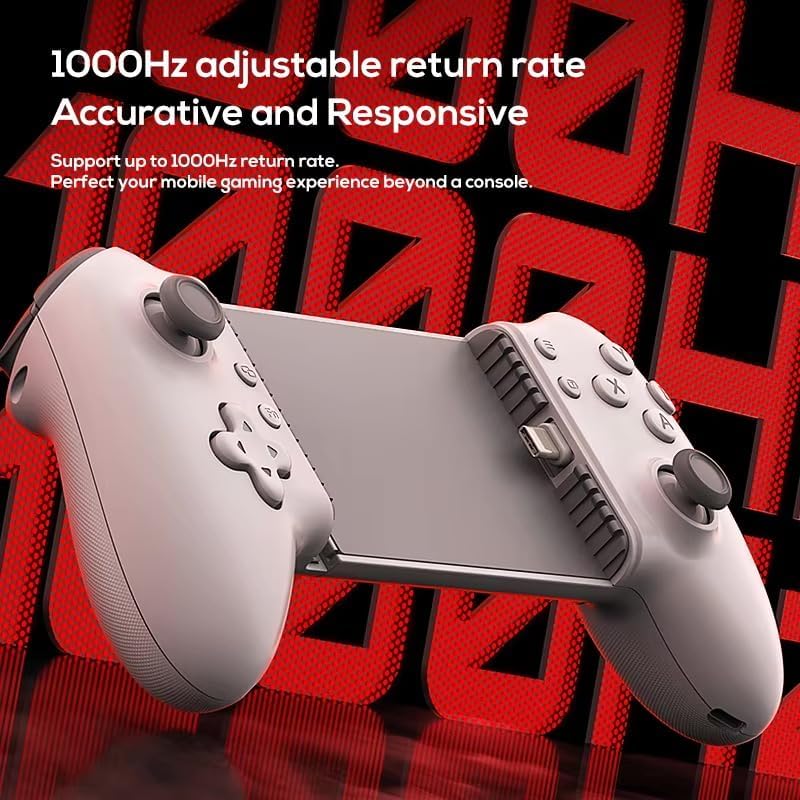
Figure 7.1: Visual representation of the 1000Hz adjustable return rate feature, emphasizing accuracy and responsiveness.
7.2 One-Click Shooting (Turbo)
The Memo S3 includes a one-click shooting function with four adjustable gears, allowing for rapid and continuous input for specific actions. This feature can be configured for various buttons to suit different gaming needs.
- 1st Gear: 10 shots/second
- 2nd Gear: 20 shots/second
- 3rd Gear: 30 shots/second
- 4th Gear: 40 shots/second
Supported Buttons for Turbo Setting: A, B, X, Y, LB, RB, LT, RT, L3, R3.
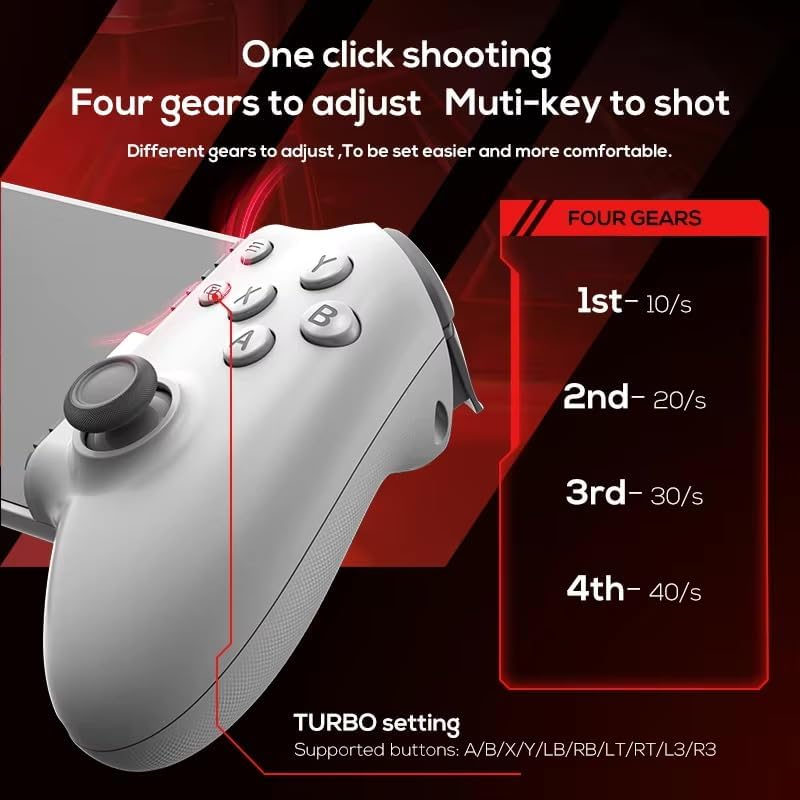
Figure 7.2: Diagram illustrating the one-click shooting feature and its four adjustable gears.
8. Compatibility
The Memo S3 Stretch Handle Game Controller offers broad compatibility with various mobile operating systems and devices:
- Supporting Platforms: Android, iOS (specifically iPhone 15 mentioned, but generally compatible with Type-C iOS devices).
- Device Type: Tablets and large-sized mobile phones supporting Type-C connection.
- Maximum Scalability: Up to 176mm (6.9 inches) in width.

Figure 8.1: Overview of Memo S3 compatibility, including various gaming platforms and mobile operating systems.
9. Specifications
| Feature | Specification |
|---|---|
| Product Name | Gaming Stretch Joystick |
| Product Model | S3 |
| Product Size | 218mm x 104mm x 51mm (approx. 217.5*104*51 mm) |
| Product Weight | 195g |
| Material | ABS |
| Connection Type | Type-C (Wired) |
| Bluetooth Version | 5.3 (for potential future/alternative connections, primary is wired) |
| Charging Interface | Type-C |
| Charging Power | 36W Fast Charging |
| Maximum Scalability | Up to 176mm / 6.9 inches |
| Supported Platforms | Android, iOS (iPhone 15), Hongmeng system |
| Return Rate | Up to 1000Hz |

Figure 9.1: Detailed product specifications for the Memo S3 controller.
10. Maintenance
Proper maintenance ensures the longevity and optimal performance of your Memo S3 controller.
- Cleaning: Use a soft, dry cloth to wipe the surface of the controller. Avoid using harsh chemicals or abrasive materials.
- Storage: Store the controller in a cool, dry place away from direct sunlight and extreme temperatures.
- Handling: Avoid dropping the controller or subjecting it to strong impacts.
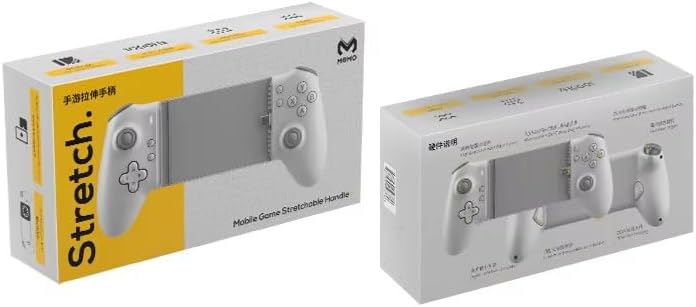
Figure 10.1: Close-up of the anti-slip texture on the controller's grip, designed for comfort and secure handling.
11. Troubleshooting
If you encounter issues with your Memo S3 controller, please refer to the following common solutions:
- Controller Not Responding: Ensure your smartphone is securely connected via the Type-C port. Check if the phone's USB debugging or OTG function is enabled if required by your device.
- Buttons Not Working Correctly: Verify that the game you are playing supports external controllers. For AI Mapping mode, ensure the initial key mapping has been completed using the dedicated application.
- Charging Issue: Confirm that the power source and charging cable are functioning correctly. Ensure the Type-C connection between the phone and controller is firm.
- Phone Not Fitting: Ensure your phone's width is within the maximum scalability of 176mm (6.9 inches). Remove any bulky phone cases that might prevent proper fitting.