
1. Introduction
The ORRD Sideboard Buffet Cabinet is a modern and functional storage solution designed to enhance the style and organization of your living room, dining room, or entryway. Featuring a unique wave-shaped door surface and adjustable internal partitions, this cabinet offers versatile storage options. Crafted from high-density particle board, it ensures durability and stability. The design includes a 7-inch clearance between the cabinet and legs, allowing for convenient storage of small items or accommodating robotic vacuums.

Figure 1.1: Front view of the ORRD Sideboard Buffet Cabinet.
2. Setup: Assembly Instructions
Assembly of your ORRD Sideboard Buffet Cabinet is required. Please follow the instructions provided in the packaging carefully. Ensure all components are present before beginning assembly. A power drill may be helpful for securing fasteners, but hand tools are generally sufficient.
2.1. General Assembly Steps:
- Unpack all components and verify against the parts list.
- Identify and separate similar parts to avoid confusion.
- Assemble the main frame of the cabinet, ensuring all connections are secure.
- Install the adjustable shelves according to your desired height.
- Attach the doors, ensuring proper alignment for smooth operation.
- Place the cabinet in its desired location, ensuring it is level and stable.

Figure 2.1: Cabinet dimensions for planning placement.
3. Operating Your Cabinet
The ORRD Sideboard Buffet Cabinet is designed for ease of use and versatile storage. Its features allow for efficient organization and accessibility.
3.1. Adjustable Shelves:
The cabinet features two-door storage spaces with adjustable internal partitions. You can easily customize the shelf height by moving the shelf pegs within the pre-drilled holes. This provides 2.55 inches of movable space to accommodate items of various sizes.

Figure 3.1: Interior view with adjustable shelves.
3.2. Push-to-Open Doors:
The cabinet doors are equipped with a convenient push-to-open mechanism, eliminating the need for external handles and maintaining a sleek, modern aesthetic. Simply press gently on the door to release the latch and open.
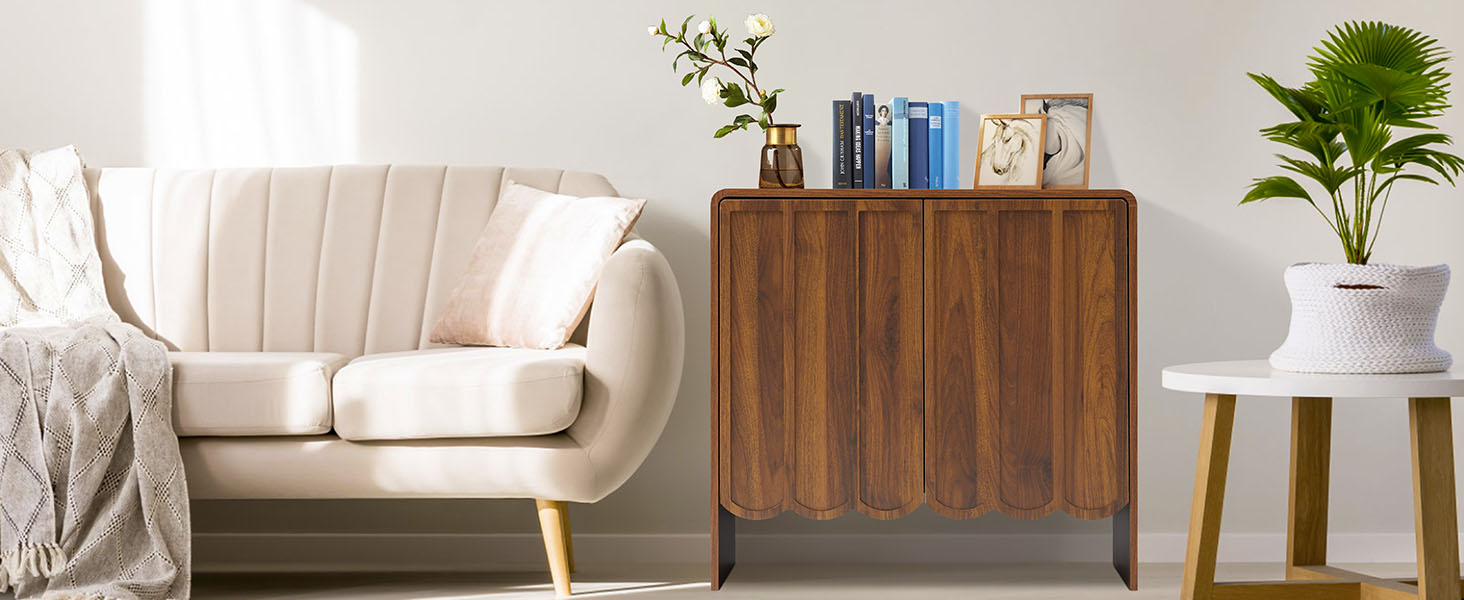
Figure 3.2: Push-to-open door mechanism.
3.3. Robot Vacuum Clearance:
The cabinet's design provides a 7-inch clearance from the floor, allowing most standard robot vacuums to clean underneath without obstruction.
Video 3.1: Demonstration of robot vacuum clearance and overall design of the ORRD Wave Panel Series.
Video 3.2: Overview video showcasing the ORRD Sideboard Buffet Cabinet's features and appearance.
4. Care and Maintenance
To ensure the longevity and appearance of your ORRD Sideboard Buffet Cabinet, follow these care guidelines:
- Cleaning: Wipe surfaces with a soft, damp cloth. Avoid abrasive cleaners or harsh chemicals that may damage the finish.
- Spills: Promptly wipe up any spills to prevent water damage. The cabinet is designed with some water resistance, but prolonged exposure to moisture should be avoided.
- Protection: Use coasters or mats under hot or wet items to protect the top surface.
- Placement: Avoid placing the cabinet in direct sunlight or near heat sources, as this can cause fading or warping over time.
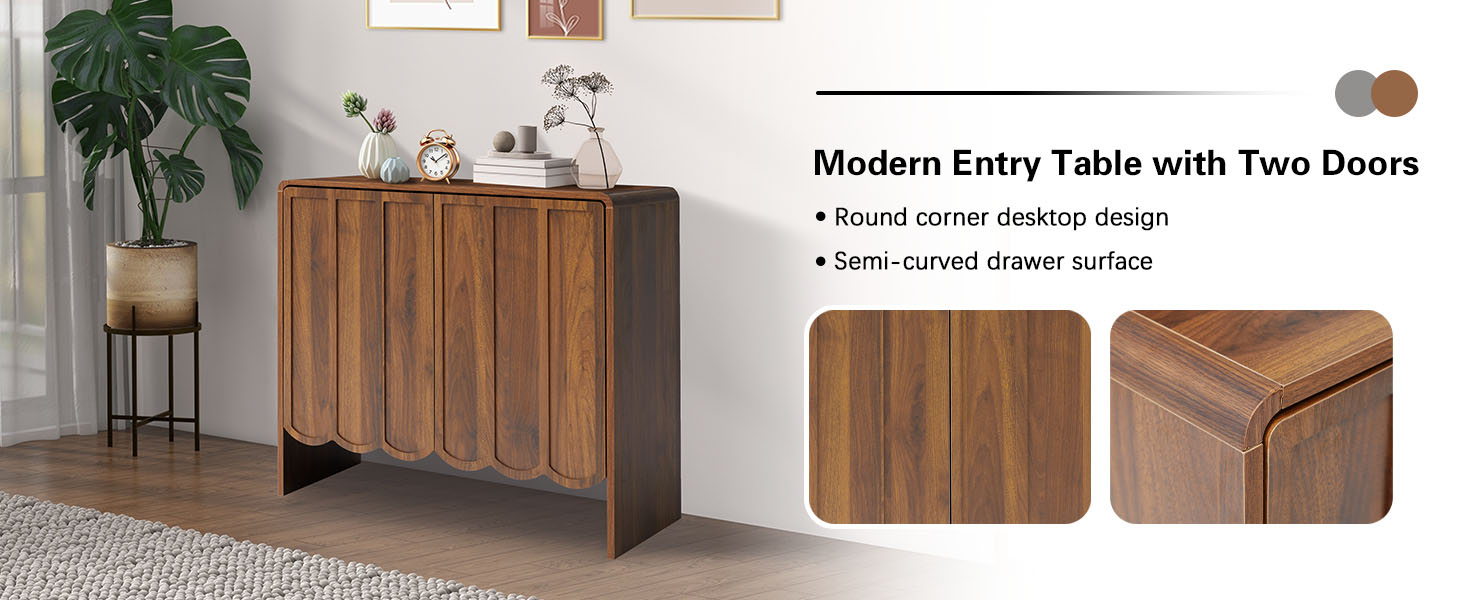
Figure 4.1: Water-resistant surface for easy cleaning.
5. Troubleshooting
If you encounter any issues with your ORRD Sideboard Buffet Cabinet, please refer to the following common solutions:
5.1. Door Alignment Issues:
If the cabinet doors do not align perfectly or catch when opening/closing, this can often be resolved by adjusting the hinges. Most cabinet hinges allow for minor adjustments using a screwdriver to move the door up/down, left/right, or in/out. Refer to the hinge manufacturer's instructions or common online guides for detailed adjustment procedures.
5.2. Minor Scratches or Dings:
For minor surface imperfections, a wood repair marker or furniture polish matching the walnut finish can often conceal the damage. Always test on an inconspicuous area first.
5.3. Instability:
Ensure the cabinet is placed on a flat, level surface. If the floor is uneven, use furniture levelers or shims under the legs to stabilize the unit and prevent wobbling.
6. Product Specifications
| Feature | Detail |
|---|---|
| Brand | ORRD |
| Color | Walnut |
| Product Dimensions | 15.74"D x 31.49"W x 29.52"H |
| Special Feature | Adjustable Shelf |
| Mounting Type | Freestanding |
| Room Type | Living Room, Dining Room, Entry |
| Door Style | Flat Panel, Flat Panel (Wave Panel Design) |
| Number of Shelves | 1 (Adjustable) |
| Assembly Required | Yes |
| Number of Compartments | 2 |
| Material | High-density particle board |
7. Warranty and Customer Support
ORRD is committed to your satisfaction and stands behind the quality of its products.
7.1. Warranty Information:
Your ORRD Sideboard Buffet Cabinet comes with a one-year free warranty service from the date of purchase. This warranty covers manufacturing defects and issues arising from normal use.
7.2. Customer Support:
For any questions or concerns regarding logistics, assembly, product quality, or warranty claims, please do not hesitate to contact our dedicated customer support team. We aim to respond to all inquiries within 24 hours.
- Contact Method: Please refer to the contact information provided on your purchase receipt or the ORRD official website.
- When contacting support, please provide:
- Your order number or proof of purchase.
- The model number (B0DJS5WSGM).
- A detailed description of the issue, including any relevant photos or videos.