
SYMA S107H-E
SYMA S107H-E RC Helicopter User Manual
Model: S107H-E | Brand: SYMA
1. Introduction and Overview
Thank you for choosing the SYMA S107H-E RC Helicopter. This manual provides essential information for the safe and effective operation, maintenance, and troubleshooting of your new remote control helicopter. Designed for ease of use and durability, the S107H-E features advanced flight capabilities and safety features for an enjoyable experience.
Key features include:
- Extended flight time with two modular batteries, offering up to 40 minutes of combined play.
- Automatic obstacle avoidance via infrared sensors for enhanced safety.
- Altitude hold technology for stable hovering.
- One-key takeoff and landing for simplified operation.
- Two-speed modes (slow and fast) to accommodate different skill levels.
- Seven-color LED lights for dazzling night flights and visual effects.

Figure 1.1: SYMA S107H-E RC Helicopter (Red Model)
2. What's in the Box
Upon unboxing, please verify that all components listed below are present and in good condition:
- 1 x SYMA S107H-E RC Helicopter (with 1 battery installed)
- 1 x Remote Control
- 1 x USB Charging Cable (one-to-two for simultaneous charging)
- 1 x Spare Battery
- 2 x Spare Tail Blades
- 1 x Screwdriver
- 1 x User Manual (this document)

Figure 2.1: Package Contents
3. Setup
3.1 Battery Installation and Charging
- Helicopter Battery: The helicopter comes with one modular battery pre-installed. To install the second battery or replace an existing one, gently slide the battery into the compartment located on the underside of the helicopter until it clicks into place.
- Remote Control Batteries: Open the battery compartment on the back of the remote control using the provided screwdriver. Insert 4 x AAA batteries (not included), ensuring correct polarity (+/-). Close the compartment.
- Charging: Connect the USB charging cable to a USB power source (e.g., computer, USB wall adapter). Connect the battery(ies) to the charging cable. The indicator light on the USB cable will illuminate during charging and turn off when fully charged. Charging time is approximately 50 minutes.
3.2 Pairing the Helicopter and Remote Control
Follow these steps to pair your helicopter with the remote control:
- Ensure both the helicopter and remote control are powered off.
- Place the helicopter on a flat, level surface.
- Turn on the helicopter's power switch. The helicopter's LED lights will flash.
- Turn on the remote control's power switch.
- Push the left joystick (throttle) all the way up, then pull it all the way down. The helicopter's LED lights will stop flashing and remain solid, indicating successful pairing.
4. Operating Instructions
4.1 Basic Flight Controls
Figure 4.1: Basic Flight Features
- One-Key Takeoff/Landing: After successful pairing, press the one-key takeoff/landing button on the remote control. The helicopter will automatically ascend to a stable hovering altitude or descend gently for landing.
- Altitude Hold: The helicopter is equipped with altitude hold technology, allowing it to maintain a consistent height without continuous throttle input.
- Throttle (Left Joystick): Push up to increase altitude, pull down to decrease altitude.
- Directional Control (Right Joystick):
- Push up: Fly forward.
- Pull down: Fly backward.
- Push left: Rotate counter-clockwise.
- Push right: Rotate clockwise.
- Speed Modes: Use the speed switch button on the remote to toggle between slow and fast flight modes. Slow mode is recommended for beginners and indoor flying.
4.2 Advanced Features
- Smart Obstacle Avoidance: The helicopter features built-in infrared sensors on its nose that detect obstacles within approximately 11.81 inches (30 cm). Upon detection, the helicopter will automatically retreat to avoid collision. This feature is ideal for indoor and calm outdoor environments.
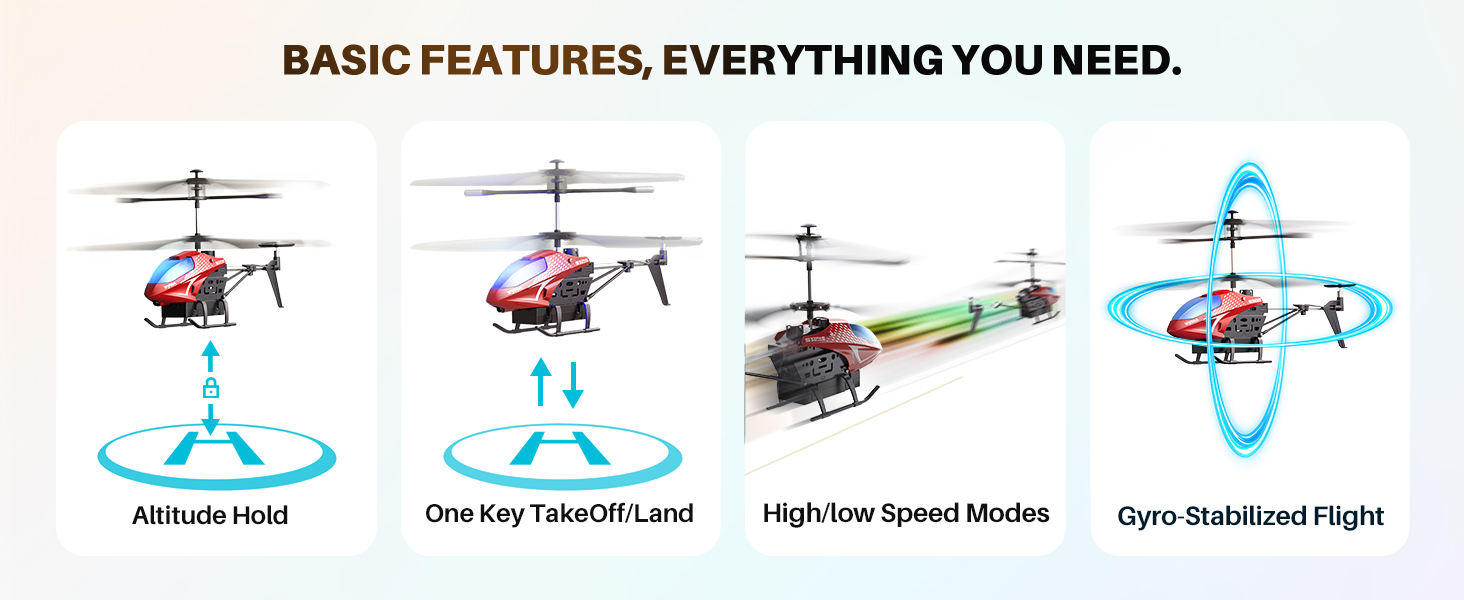
Figure 4.2: Smart Obstacle Avoidance in action
- 7-Color LED Lights: The helicopter is equipped with vibrant LED lights that can switch between seven different colors, enhancing visibility and adding a spectacular effect during night flights. Activate auto-demo mode for thrilling light shows and stunts.
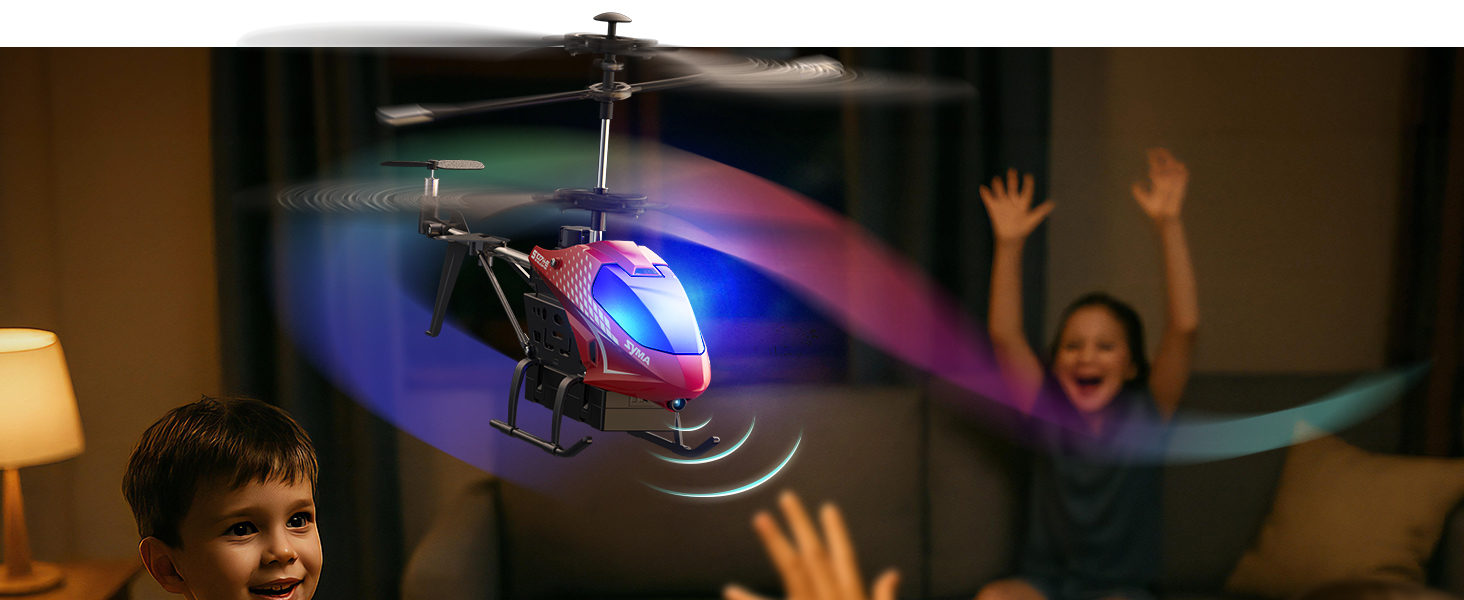
Figure 4.3: Night Flight with Colorful Lights
- Auto-Demo Mode: Press the auto-demo button on the remote control to initiate pre-programmed flight patterns, including graceful spins and circles. This allows the helicopter to perform stunts automatically.
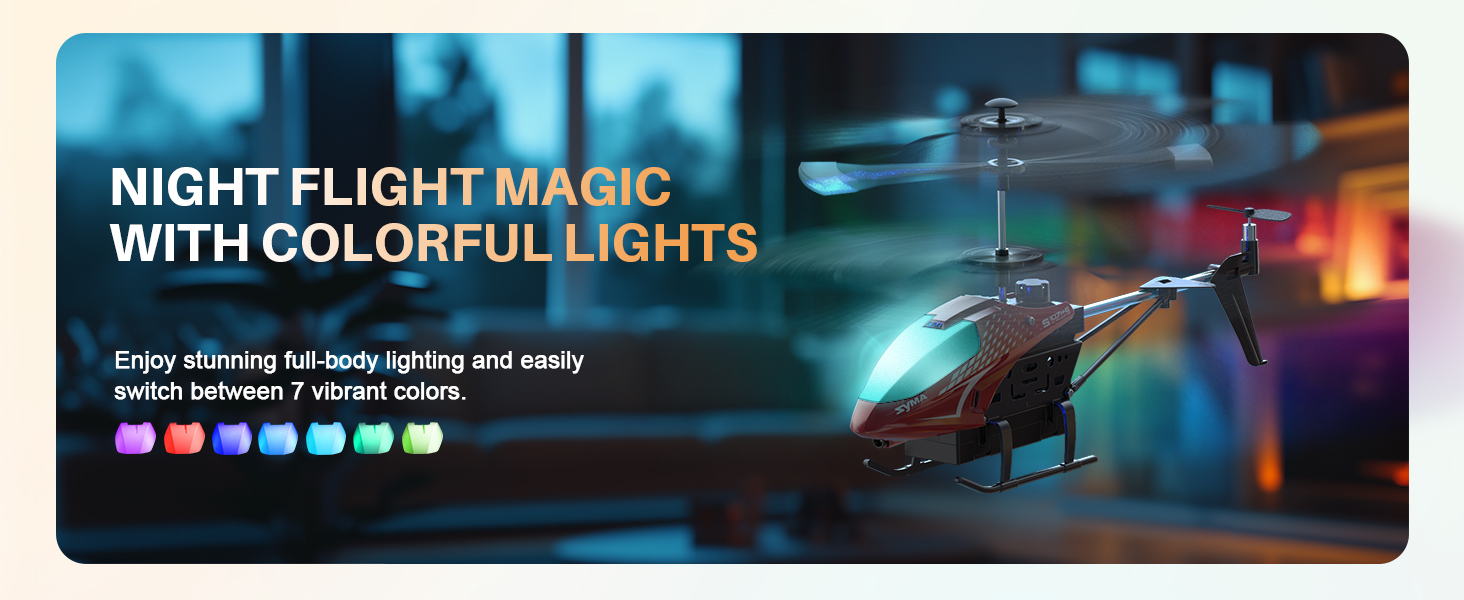
Figure 4.4: Auto-Demo Stunts
- Gesture Control (Fly Backward): With a simple wave gesture near the helicopter's nose, children can guide the helicopter to fly backward, adding an interactive element to play.
4.3 Official Product Videos
Video 4.5: Loved by Kids, Trusted by Parents. This video highlights the ease of use, durability, and safety features of the SYMA RC helicopter, showcasing its appeal to children and parents alike.
5. Maintenance
Proper maintenance ensures the longevity and optimal performance of your SYMA S107H-E helicopter.
- Cleaning: Use a soft, dry cloth to wipe down the helicopter after each use. Avoid using water or chemical cleaners, as they can damage electronic components.
- Propeller Inspection: Regularly check the main and tail rotor blades for any signs of damage (cracks, bends). Replace damaged blades immediately using the provided spare parts and screwdriver.
- Battery Care: Always fully charge batteries before use. Do not overcharge. Store batteries in a cool, dry place away from direct sunlight and extreme temperatures. Disconnect batteries from the helicopter and charger when not in use.
- Storage: When storing the helicopter for extended periods, ensure batteries are partially charged (around 50%) to prolong their lifespan. Store in a safe place to prevent physical damage.
6. Troubleshooting
If you encounter issues with your SYMA S107H-E helicopter, refer to the following common problems and solutions:
| Problem | Possible Cause | Solution |
|---|---|---|
| Helicopter does not respond to remote. | Not paired correctly; low battery (helicopter/remote). | Re-pair the helicopter and remote. Charge/replace batteries. |
| Helicopter flies erratically or spins. | Damaged propellers; unbalanced rotors; strong wind. | Check and replace damaged propellers. Ensure indoor/calm outdoor use. |
| Short flight time. | Battery not fully charged; aging battery. | Ensure batteries are fully charged. Consider replacing old batteries. |
| Obstacle avoidance not working. | Sensor obstruction; too close to obstacle. | Ensure sensors are clean and unobstructed. Maintain adequate distance. |
7. Specifications

Figure 7.1: Accurate Dimensions Display
- Product Dimensions: 8.86 x 4.33 x 1.57 inches (22.5 x 11 x 4 cm)
- Item Weight: 11.7 ounces (0.33 kg)
- Country of Origin: China
- Manufacturer Recommended Age: 8 years and up
- Batteries: 2 Lithium Ion batteries required (included)
- Flight Time: Up to 40 minutes (with 2 batteries)
- Charging Time: Approximately 50 minutes
- Charging Mode: USB 5V
- Remote Control Frequency: 2.4G
- Remote Control Distance: Greater than 98.43 feet (30 meters)
- Use Environment: Indoors (recommended)
8. Safety Information
Please read and adhere to the following safety guidelines to prevent injury and damage:
- Rotating Parts: Keep hands, face, hair, and loose clothing away from rotating propellers to avoid injury.
- Supervision: Adult supervision is recommended, especially for younger users.
- Flight Environment: Fly in open, clear areas free from obstacles, people, and animals. Avoid flying near electrical wires, water, or in strong winds. This helicopter is primarily designed for indoor use.
- Battery Safety: Do not short-circuit, puncture, or expose batteries to extreme heat or fire. Dispose of batteries properly according to local regulations.
- Impacts: While durable, repeated crashes can cause damage. Inspect the helicopter after any significant impact.
9. Warranty and Support
SYMA is committed to providing high-quality products and customer satisfaction. For any product-related inquiries, technical support, or warranty claims, please contact SYMA customer service:
- Email: usa@symatoys.com (USA)
- Phone: +1 (718) 312-0558
SYMA has been a leading innovator in remote-controlled aircraft for over 15 years, accompanying millions of children's childhoods with imagination, fun, and inspiration.
Related documentsS107H-E


Ask a question about this manual
Ask about setup, troubleshooting, compatibility, parts, safety, or missing instructions. Manuals+ will review the question and use this page’s manual context to help answer it.