
1. Introduction
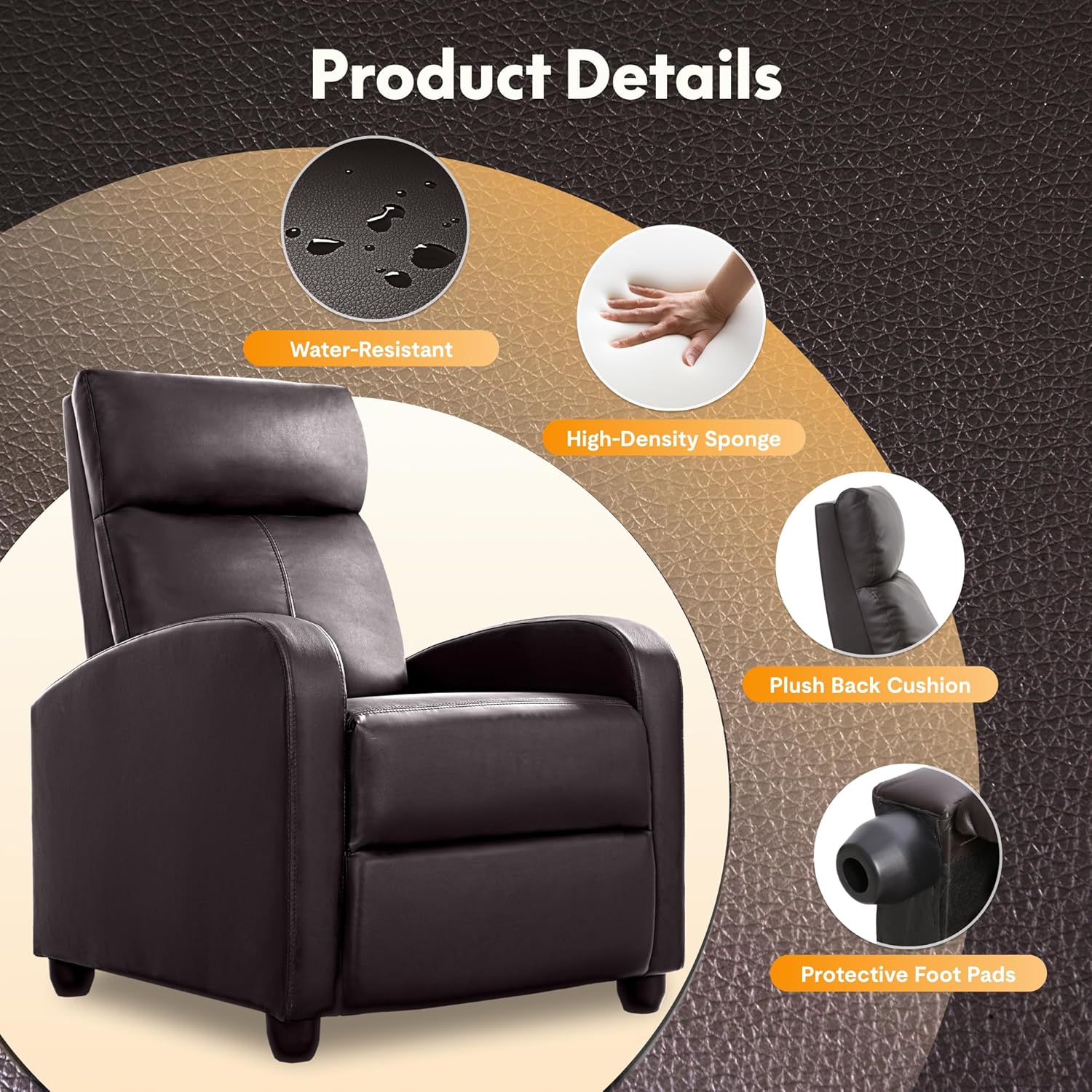
This manual provides essential information for the safe and efficient use of your FLEXISPOT XC1 Recliner Chair. Designed for comfort and durability, this adjustable recliner features high-quality faux leather upholstery and high-density sponge filling, suitable for various indoor settings.
The chair offers adjustable reclining positions from 100 to 150 degrees, allowing for reading, watching TV, or napping. Its modern design integrates seamlessly into home or office environments.
2. Important Safety Information
- Always assemble the chair according to the provided instructions.
- Do not exceed the maximum weight recommendation of 250 pounds (113 kg).
- Exercise caution when adjusting the chair's position to prevent injury.
- Keep the chair away from heat sources and sharp objects to avoid damage to the upholstery.
- Ensure all electrical connections are secure and follow local electrical safety guidelines.
3. Package Contents
Verify that all components are present before beginning assembly:
- Recliner Base Frame
- Backrest Cushion
- Armrests (2)
- Power Adapter
- Remote Control (for massage function, if applicable)
- Assembly Hardware (screws, bolts, tools)
- Instruction Manual
4. Setup and Assembly
Assembly typically takes 10-15 minutes for one person. All necessary tools and parts are included.
- Unpack Components: Carefully remove all parts from the packaging. Place them on a soft, clean surface to prevent scratches.
- Attach Backrest: Align the backrest with the main frame. Slide the backrest into the designated slots on the base until it clicks securely into place. Ensure the metal clips are fully engaged.
- Secure Armrests: Attach the armrests to the sides of the chair frame. Fasten them using the provided screws and tools. Ensure they are firmly secured.
- Connect Power: Locate the power cord and connect it to the chair's power input, usually found underneath the seat. Plug the power adapter into a standard wall outlet.
- Final Check: Verify that all connections are secure and the chair is stable before use.


5. Operating Instructions
5.1 Reclining Function
The FLEXISPOT XC1 Recliner Chair offers adjustable reclining positions from 100 to 150 degrees. To recline, simply lean back gently. The footrest will extend as you recline. To return to an upright position, lean forward and push the footrest down with your legs.
5.2 Massage Function (if applicable)
If your model includes a massage function, use the wired remote control to activate and adjust settings.
- Power On/Off: Press the power button on the remote to turn the massage function on or off.
- Timer Settings: Adjust the massage duration between 15 and 30 minutes using the timer button.
- Vibration Intensity: Use the up/down arrows to increase or decrease the vibration intensity.
- Massage Options: Select from eight different massage options to target specific areas or patterns.
6. Care and Maintenance
6.1 Upholstery Care
The faux leather upholstery is water-resistant and easy to clean.
- Daily Cleaning: Wipe the surface with a soft, damp cloth to remove dust and light spills.
- Stain Removal: For tougher stains, use a mild soap solution and a soft cloth. Gently rub the stained area and then wipe clean with a damp cloth. Avoid harsh chemicals or abrasive cleaners.
- Drying: Allow the upholstery to air dry completely. Do not use heat.

6.2 Frame and Mechanism
- Periodically check all screws and bolts to ensure they are tight. Retighten if necessary.
- Keep the reclining mechanism free from obstructions.
7. Troubleshooting
- Chair not reclining: Ensure the power cord is securely plugged into both the chair and the wall outlet. Check for any obstructions in the reclining mechanism.
- Massage function not working: Verify the remote control is properly connected and the power is on. Check the power adapter connection.
- Unstable chair: Recheck all assembly screws and bolts to ensure they are tightened.
8. Product Specifications
| Feature | Detail |
|---|---|
| Brand | FLEXISPOT |
| Model Name | XC1 (X2) |
| Color | Brown |
| Product Dimensions | 27.6"D x 33.5"W x 39.3"H |
| Material | Faux Leather, High-Density Sponge |
| Maximum Weight Recommendation | 250 Pounds (113 kg) |
| Reclining Position Count | 3 (100 to 150 degrees) |
| Special Features | Adjustable Backrest, Arm Rest, Foot Rest, Power Recliner (with massage function) |
| Item Weight | 52.9 pounds (24 kg) |
9. Warranty and Support
9.1 Return Policy
FLEXISPOT offers a 30-day return/exchange policy. You are allowed to return or exchange the furniture within 30 days of receiving it.
9.2 Customer Service
For any questions, support, or warranty claims, please contact FLEXISPOT customer service:
- Email: contact@flexispot.com
- Phone: +1(855)585-5618
- Online: Visit the FLEXISPOT Store on Amazon for more information and support.


