
RUBIK MMCT200
RUBIK MMCT 200 Multiprocess Welding Machine User Manual
Model: MMCT200 | Brand: RUBIK
Introduction
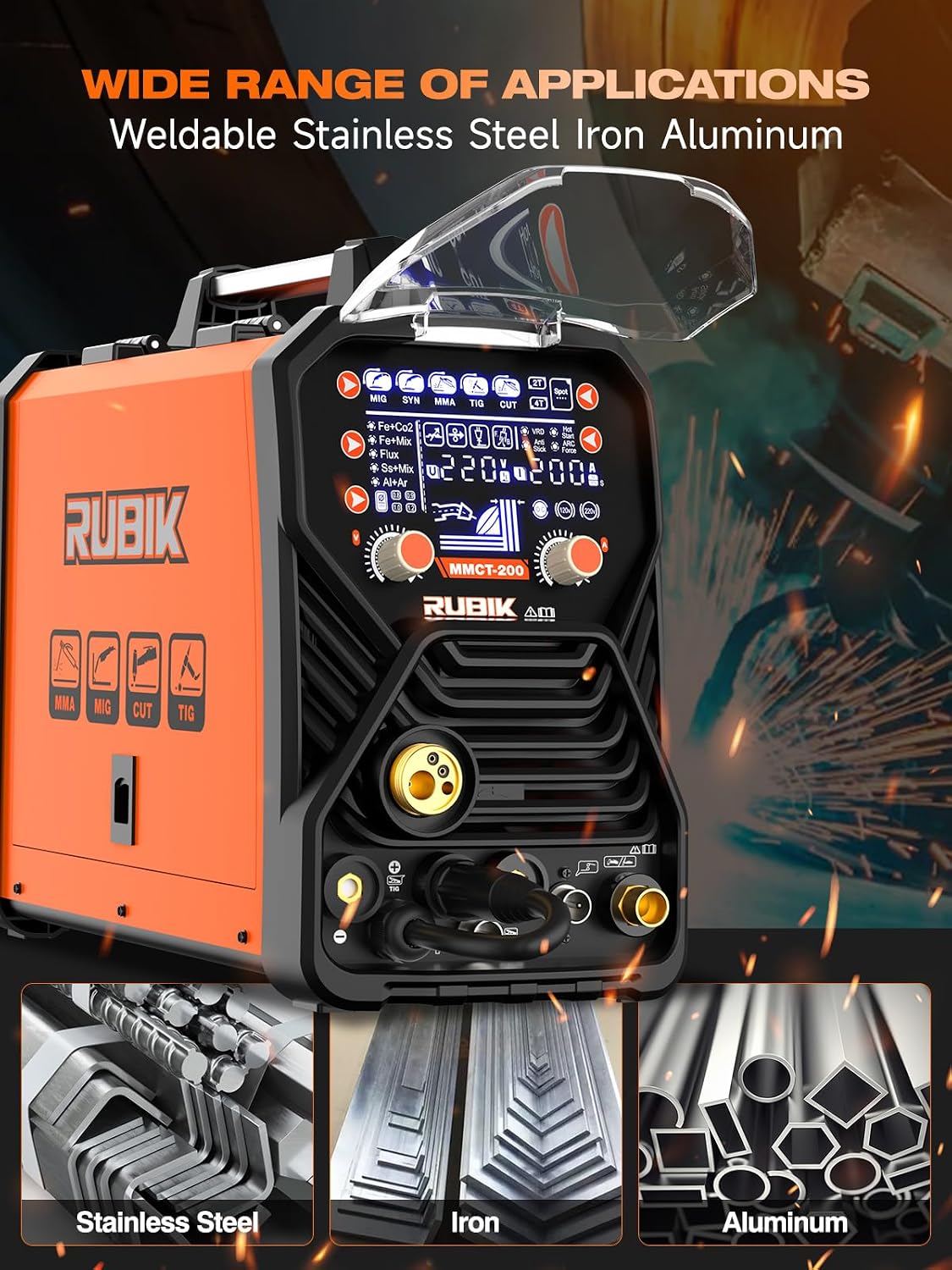
The RUBIK MMCT 200 is a versatile 7-in-1 multiprocess welding and cutting machine designed for both professional and DIY applications. It supports HF TIG, MMA STICK, Gas MIG, Flux Core MIG, Plasma Cutting, Spot Welding, and SYN functions, allowing it to work with various materials such as aluminum, iron, and stainless steel. This manual provides essential information for the safe and effective operation, maintenance, and troubleshooting of your MMCT 200 machine.

The RUBIK MMCT 200 Multiprocess Welding Machine with all included accessories.
Safety Information
Always prioritize safety when operating welding and cutting equipment. Read and understand all safety warnings and instructions before use. Failure to do so may result in serious injury or property damage.
General Safety Precautions:
- Ensure proper ventilation in the work area to avoid inhaling fumes.
- Wear appropriate personal protective equipment (PPE), including welding helmet, gloves, protective clothing, and safety shoes.
- Never operate the machine in wet conditions or near flammable materials.
- Ensure the machine is properly grounded.
- Disconnect power before performing any maintenance or adjustments.
Intelligent Protection Features:
The MMCT 200 is equipped with advanced safety systems to protect both the operator and the machine:
- Overcurrent Protection: Automatically shuts down if current exceeds safe limits.
- Overheating Protection: Prevents damage from excessive heat buildup during prolonged operation.
- Overload Protection: Safeguards against electrical overload conditions.
- Short Circuit Protection: Detects and prevents damage from short circuits.
- VRD (Voltage Reduction Device): Reduces open-circuit voltage for increased safety in MMA/Stick mode.
- Anti-Stick: Prevents the electrode from sticking to the workpiece.
- Arc Force: Provides additional current during short arc lengths to prevent sticking.
- Hot Start: Increases current at the beginning of welding for easier arc ignition.

Diagram illustrating the intelligent safety features of the welder, such as overcurrent, overheating, energy saving, VRD, anti-stick, arc force, hot start, and 2T/4T modes.
Package Contents
Upon unpacking, please verify that all the following components are included in your package:
- 1 x Multiprocess Welding Machine-200A 7 in 1 Welder
- 1 x Ground wire clamp
- 1 x Welding clamp
- 1 x Argon arc welding gun
- 1 x Gas shielded welding gun
- 1 x Cutting welding gun
- 1 x Air pipe
- 1 x Air pressure regulating valve
- 1 x Gloves
- 1 x Instruction manual
- 1 x Warranty card
Contents of the product package, including the multi-process welder, ground clamp, welding clamp, English manual, welding torch, air hose, air regulator, cutting gun, TIG welding torch, gas torch, gloves, and 220V adapter.
Setup
Power Connection:
The MMCT 200 supports dual voltage (110V/220V). Connect the power cord to an appropriate power outlet. Ensure the power source matches the machine's requirements and is capable of handling the necessary current.
Component Connection:
Connect the appropriate welding or cutting accessories based on the desired process. Refer to the diagrams below for correct connections.

Diagram detailing the various controls and connection points on the RUBIK MMCT 200, including voltage and current regulation, gun connectors, and power inputs.

Illustrations demonstrating how to connect the machine for different welding processes: MIG Gas, MIG Gasless, Plasma Cut, Stick, HF TIG, and Spool Gun.
Operating Instructions
Control Panel Overview:
The MMCT 200 features a large LCD display for intuitive operation. All settings and real-time data are clearly visible.

Detailed view of the large LCD display, showing various settings and real-time operational data for precise control.
Selecting Welding Modes:
Use the control knobs and buttons on the front panel to select your desired welding or cutting mode (MIG, SYN, MMA, TIG, CUT). The selected mode will be indicated on the LCD screen.
Adjusting Parameters:
Adjust current, voltage, and other parameters using the dedicated control knobs. The LCD screen provides real-time feedback on your adjustments, allowing for precise control and optimal welding results.

Overview of the 7-in-1 welding and cutting functions, including Plasma Cut, HF TIG, Stick, MIG Gas, Flux Core MIG, SYN, and Spot welding.
Maintenance
Regular maintenance ensures the longevity and optimal performance of your welding machine.
Cleaning:
- Periodically clean the machine's exterior with a dry, soft cloth.
- Use compressed air to blow out dust and debris from the cooling vents and internal components. Ensure the machine is unplugged before cleaning.
- Clean welding gun nozzles and contact tips regularly to prevent spatter buildup.
Storage:
- Store the machine in a dry, dust-free environment.
- Protect it from extreme temperatures and humidity.
- Keep all cables and accessories neatly coiled and stored to prevent damage.
Regular Checks:
- Inspect power cords and welding cables for any signs of damage (cuts, fraying). Replace if necessary.
- Check all connections to ensure they are secure.
- Monitor the cooling fan for proper operation.
Troubleshooting
This section provides solutions to common issues you might encounter. For problems not listed here, please contact customer support.
| Problem | Possible Cause | Solution |
|---|---|---|
| Machine does not power on | No power supply; Power switch off; Faulty power cord | Check power outlet and circuit breaker; Turn on power switch; Inspect and replace power cord if damaged |
| No arc ignition | Improper grounding; Incorrect settings; Dirty workpiece; Worn electrode/tip | Ensure ground clamp is securely attached to clean metal; Adjust current/voltage; Clean workpiece surface; Replace electrode/tip |
| Wire feeding issues (MIG/Flux Core) | Incorrect wire tension; Clogged liner; Worn drive roller; Wrong drive roller size | Adjust wire tension; Clean or replace liner; Replace drive roller; Ensure correct drive roller for wire size |
| Overheat indicator on | Prolonged use; Blocked ventilation; High ambient temperature | Allow machine to cool down; Clear any obstructions from vents; Operate in a cooler environment |
Specifications
Detailed technical specifications for the RUBIK MMCT 200 Multiprocess Welding Machine:
| Feature | Detail |
|---|---|
| Model Number | MMCT200 |
| Manufacturer | RUBIK |
| Power Source | AC |
| Voltage | 110V/220V Dual Voltage |
| Wattage | 44 KW |
| Item Weight | 26.6 pounds |
| Package Dimensions | 25.23 x 18.7 x 13.58 inches |
| Material | Aluminum, ABS |
| Color | Orange+black |
| Cooling Way | Wind |

Technical specifications and dimensions of the RUBIK MMCT 200 Multiprocess Welding Machine, including input voltage, current ranges, and cooling method.
Warranty and Support
Your RUBIK MMCT 200 Multiprocess Welding Machine comes with a manufacturer's warranty. Please refer to the included warranty card for specific terms and conditions, including coverage period and what is covered.
For technical assistance, troubleshooting not covered in this manual, or warranty claims, please contact RUBIK customer support. Contact information can typically be found on the warranty card or the official RUBIK website.
Customer Service: For prompt assistance, please have your model number (MMCT200) and purchase date ready when contacting support.
Related documentsMMCT200


Ask a question about this manual
Ask about setup, troubleshooting, compatibility, parts, safety, or missing instructions. Manuals+ will review the question and use this page’s manual context to help answer it.