
Introduction
Thank you for choosing the NUPLEA Q92 Open Ear Clip Earbuds. These wireless Bluetooth earbuds are designed to provide clear audio while maintaining awareness of your surroundings. Their unique open-ear design ensures comfort during extended wear and is suitable for various activities, including sports and daily use. This manual will guide you through the setup, operation, maintenance, and troubleshooting of your new earbuds.

Image: A general view of the NUPLEA Q92 Open Ear Clip Earbuds, showcasing their design.
What's in the Box
Please check the package contents to ensure all items are present:
- NUPLEA Q92 Open Ear Clip Earbuds
- Charging Case
- Charging Cable
- User Manual (this document)
Setup
1. Charging the Earbuds and Case
Before first use, fully charge the earbuds and the charging case.
- Place the earbuds into the charging case. Ensure they are correctly seated.
- Connect the charging cable to the charging port on the case and to a USB power source.
- The LED display on the charging case will indicate the battery level. A full charge is indicated by "100%".
- A 5-minute charge provides approximately 1 hour of playback. A full charge for the earbuds provides up to 10 hours of playback, and the charging case provides an additional 40 hours.

Image: Earbuds in their charging case, displaying "100%" battery level, indicating a full charge. The image also highlights extended battery life and fast charging capabilities.
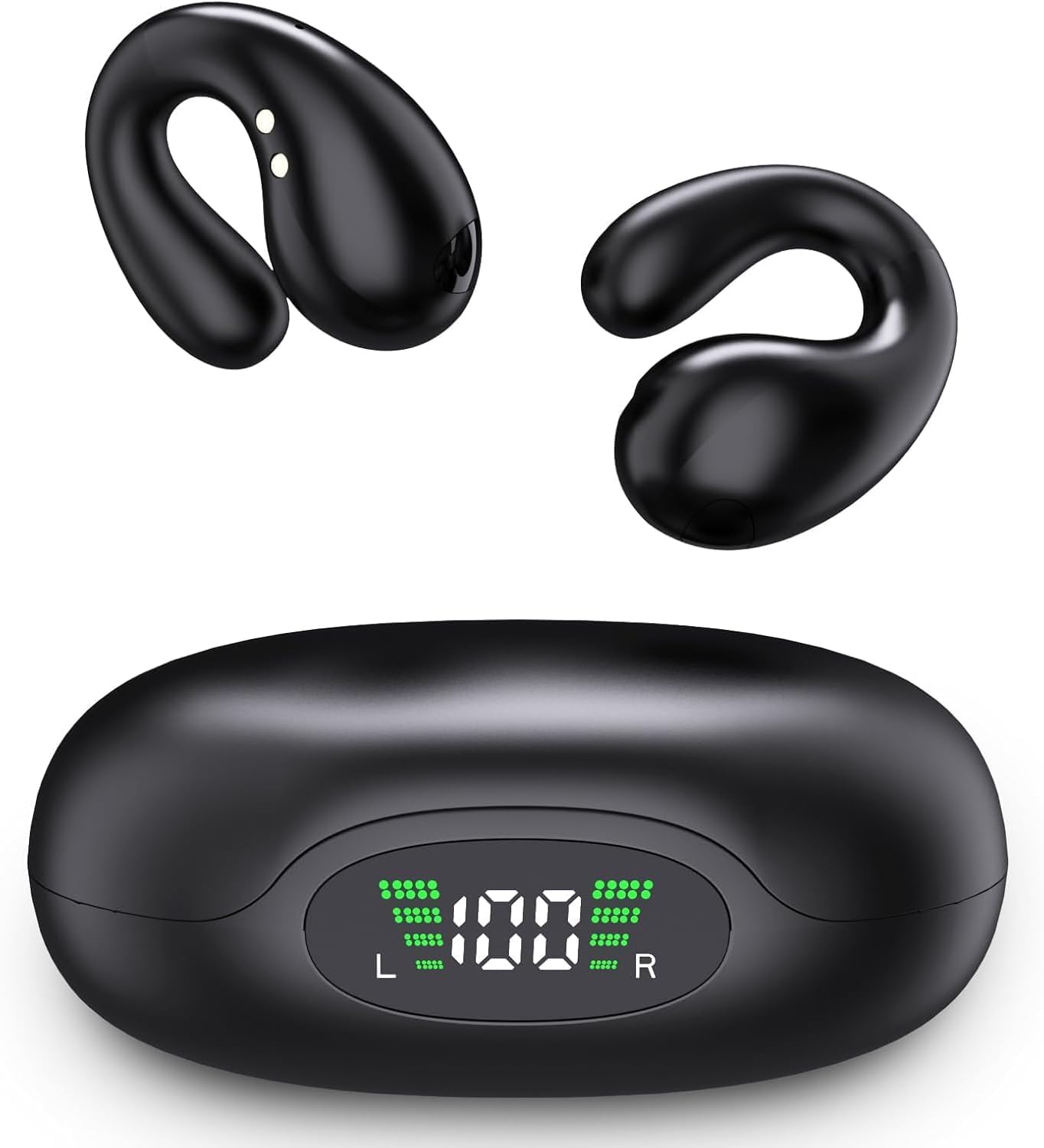
Image: Close-up of the charging case with a digital LED display showing "100%" charge, indicating the power status of the earbuds and case.
2. Pairing with a Bluetooth Device
The earbuds use Bluetooth 5.3 for fast and stable connections.
- Open the charging case. The earbuds will automatically power on and enter pairing mode.
- On your device (smartphone, tablet, laptop), enable Bluetooth.
- Search for available Bluetooth devices and select "YYK-Q92" from the list.
- Once connected, you will hear a confirmation tone, and the earbuds will be ready for use.
- The earbuds will automatically reconnect to the last paired device when taken out of the case, if Bluetooth is enabled on the device.

Image: A smartphone screen showing Bluetooth settings with "YYK-Q92" selected, indicating successful pairing. The earbuds and charging case are visible next to a laptop, illustrating connectivity.
Operating Instructions
1. Wearing the Earbuds
The NUPLEA Q92 earbuds feature an open-ear clip design for comfort and situational awareness.
- Gently clip the earbuds over your ears, ensuring a secure and comfortable fit.
- The design allows for enhanced ventilation and reduces discomfort during long periods of wear.
- This open-ear style enables you to hear your surroundings while enjoying audio.

Image: Two earbuds floating among feathers, illustrating their lightweight design and secure fit. This highlights the comfort aspect of the open-ear style.

Image: A diagram comparing the NUPLEA Q92's upgraded clip-on ear design with traditional in-ear earbuds, emphasizing comfort and reduced ear strain.
2. Basic Controls
The earbuds feature touch controls for managing audio and calls. Specific touch functions are typically detailed in the quick start guide included with the product. Generally, these include:
- Play/Pause: Single tap on either earbud.
- Next Track: Double tap on the right earbud.
- Previous Track: Double tap on the left earbud.
- Answer/End Call: Single tap on either earbud during an incoming call.
- Reject Call: Press and hold on either earbud during an incoming call.
- Activate Voice Assistant: Triple tap on either earbud (if supported by your device).
3. Calling Functionality
The earbuds provide clear voice clarity for calls.
- When a call comes in, tap either earbud once to answer.
- To end a call, tap either earbud once.
- To reject an incoming call, press and hold either earbud.

Image: A man smiling and talking on a phone while wearing the earbuds, illustrating the stereo call sound quality feature.
4. Media Playback
Enjoy rich, clear audio with the 16.3mm dynamic drivers.
- After pairing, open your preferred audio application on your device.
- Use the touch controls on the earbuds or your device to manage playback.
Maintenance
1. Cleaning
- Wipe the earbuds and charging case with a soft, dry, lint-free cloth.
- Do not use harsh chemicals, cleaning solvents, or strong detergents.
- Avoid getting moisture into any openings.
2. Storage
- When not in use, store the earbuds in their charging case to protect them and keep them charged.
- Store in a cool, dry place, away from extreme temperatures and direct sunlight.
Troubleshooting
| Problem | Solution |
|---|---|
| Earbuds not powering on | Ensure the earbuds are charged. Place them in the charging case and connect the case to power. |
| Unable to pair with device |
|
| No sound or low volume |
|
| Earbuds frequently disconnect |
|
Specifications
- Model Name: YYK-Q92
- Brand: NUPLEA
- Ear Placement: In Ear (Open Ear Clip Design)
- Form Factor: Over The Ear
- Connectivity Technology: Wireless (Bluetooth)
- Wireless Technology: Bluetooth 5.3
- Bluetooth Range: 33 Feet (10 meters)
- Audio Driver Type: 16.3mm Dynamic Driver
- Battery Life (Earbuds): Up to 10 hours on a single charge
- Battery Life (with Charging Case): Up to 50 hours total
- Fast Charge: 5 minutes charge for 1 hour playback
- Water Resistance Level: Water Resistant (Sweat-Resistant)
- Item Weight: 0.07 Kilograms (approximately 0.18 oz per earbud)
- Control Method: App (Touch controls also available)
- Additional Features: Built-In Voice Assistant, Echo Cancellation
- Compatible Devices: Smartphones, Laptops, Desktops, Tablets, Smart Speakers, Televisions
Warranty Information
The NUPLEA Q92 Open Ear Clip Earbuds come with a 3-month warranty from the date of purchase. This warranty covers manufacturing defects. It does not cover damage caused by misuse, accidents, unauthorized modifications, or normal wear and tear. Please retain your proof of purchase for warranty claims.
Customer Support
For further assistance, technical support, or warranty inquiries, please contact NUPLEA customer service. Refer to the contact information provided on the product packaging or the official NUPLEA website.
Online Support: Visit the official NUPLEA website for FAQs and support resources.
Product Video
Video: An official product video showcasing the NUPLEA Open Ear Clip Wireless Earbuds, demonstrating their design, features, and usage.