
1. Introduction
This manual provides detailed instructions for the ANFIER M3 and M9 Translator Earbuds. It covers product features, setup procedures, operational guidelines, maintenance tips, troubleshooting, and technical specifications. Please read this manual thoroughly before using your device to ensure optimal performance and longevity.

Image 1.1: The ANFIER M3 (in-ear) and M9 (ear-hook) Translator Earbuds with their respective charging cases. The M3 earbuds are white, and the M9 earbuds are also white, designed for comfortable and secure fit during use.
2. Product Overview
The ANFIER M3 and M9 Translator Earbuds are designed to facilitate real-time communication across language barriers. They offer high accuracy and quick response times for simultaneous translation.
Key Features:
- High Translation Accuracy: Up to 98% accuracy for simultaneous translation.
- Fast Response Time: M3 responds in 0.5 seconds, M9 responds in 1 second.
- Extensive Language Support: Supports 74 languages and 70 accents.
- Offline Translation: Supports 8 languages for offline use.
- Noise Reduction (M3): Up to 35dB high-precision noise reduction.
- Multiple Translation Modes: Free Talk, Speaker Mode, Touch Mode, Photo Translation.
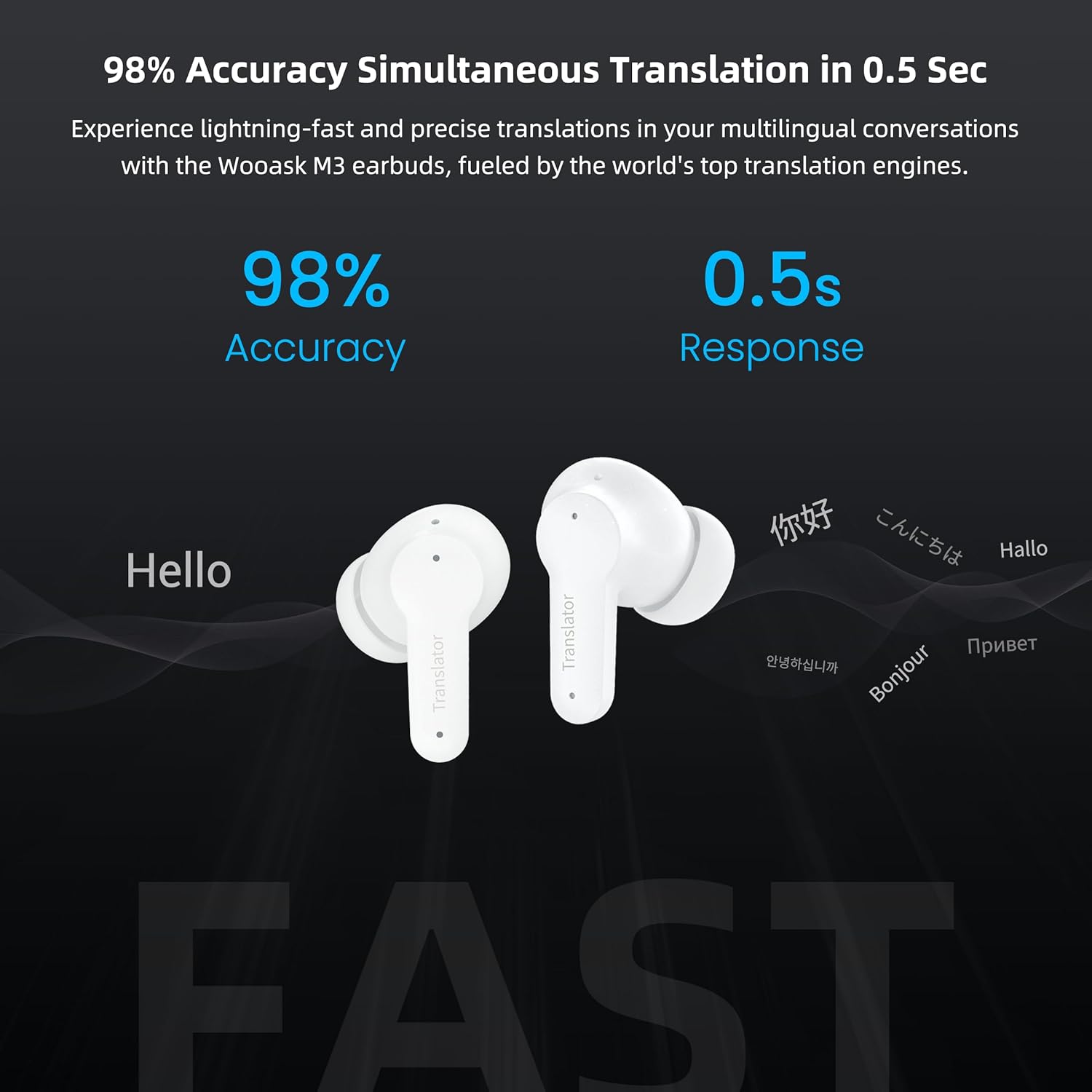
Image 2.1: The ANFIER M3 earbuds demonstrating 98% accuracy and 0.5-second response time for simultaneous translation, displaying various greetings in different languages.

Image 2.2: Illustration of the ANFIER M3 earbuds' high-precision noise reduction capability, showing a reduction of up to 35dB in ambient sound.

Image 2.3: A visual representation of the ANFIER M3 earbuds' support for 74 languages and 70 accents, listing many of the supported languages.

Image 2.4: The ANFIER M9 earbuds, highlighting their natural and instant translation capabilities with 98% accuracy and a 1-second response time, showing various greetings.

Image 2.5: A user wearing an ANFIER earbud, illustrating the offline voice translation feature available for 8 languages: English, Spanish, Mandarin, Japanese, Russian, French, German, and Korean.

Image 2.6: Depiction of the four translation modes offered by ANFIER Translator Earbuds: Free Talk Mode, Speaker Mode, Touch Mode, and Photo Translation.
3. Setup
3.1. Charging the Earbuds
Before initial use, fully charge your ANFIER Translator Earbuds and their charging case. Connect the provided USB Type-C cable to the charging case and a power source. The indicator light on the case will show charging status.
3.2. App Installation
- Download the "Wooask" application from your smartphone's app store (iOS App Store or Android Google Play Store).
- Install the application on your device.
- Open the app and follow the on-screen instructions to create an account or log in.
3.3. Pairing with Your Smartphone
- Ensure your earbuds are charged and placed in their charging case.
- Open the charging case lid. The earbuds will enter pairing mode.
- Enable Bluetooth on your smartphone.
- Open the "Wooask" app. The app will guide you through connecting your ANFIER Translator Earbuds.
- Select your earbuds from the list of available Bluetooth devices within the app to complete the pairing process.
4. Operating Instructions
The ANFIER Translator Earbuds offer various modes to suit different communication scenarios. All operations are managed through the "Wooask" app.
4.1. Selecting Languages
- Open the "Wooask" app on your smartphone.
- Navigate to the language selection interface.
- Choose your native language and the target language for translation.
4.2. Translation Modes
The earbuds support four primary translation modes:
- Free Talk Mode: Ideal for natural, continuous conversations. Both users can speak freely, and the earbuds will translate in real-time.
- Speaker Mode: One person wears the earbud, and the other person speaks into the smartphone. The translation is played through the earbud and the phone's speaker.
- Touch Mode: Press and hold the touch sensor on the earbud to speak, then release to hear the translation. This mode provides more control over when translation occurs.
- Photo Translation: Use the app to take a picture of text (e.g., a menu or sign). The app will translate the text and display it on your screen.
4.3. Offline Translation
For situations without internet access, the earbuds support offline translation for 8 specific languages. Ensure these language packs are downloaded via the "Wooask" app while connected to the internet before traveling.
- Supported Offline Languages: English, Spanish, Mandarin, Japanese, Russian, French, German, Korean.
5. Battery and Charging
Proper battery management ensures extended use of your translator earbuds.
5.1. Charging
- Use the provided USB Type-C cable to charge the charging case.
- A full charge for the case typically takes approximately 90 minutes.
5.2. Battery Life
- ANFIER M3 Earbuds: Up to 5 hours of continuous translation. The charging case provides an additional 10 hours, totaling 15 hours of battery life.
- ANFIER M9 Earbuds: Up to 5 hours of translation time. The charging case extends the total battery life to 35 hours, with a standby time of up to 30 days.

Image 5.1: Battery specifications for the ANFIER M3 earbuds, showing 90 minutes for a full charge via Type-C port, 5 hours of continuous translation, and 15 hours of total battery life with the charging case.

Image 5.2: Battery specifications for the ANFIER M9 earbuds, indicating 5 hours of translation time, 35 hours of total battery life, and 30 days of standby time.
6. Maintenance
To maintain the performance and appearance of your ANFIER Translator Earbuds, follow these guidelines:
- Cleaning: Use a soft, dry, lint-free cloth to clean the earbuds and charging case. Do not use abrasive cleaners, alcohol, or chemical solvents.
- Storage: Store the earbuds in their charging case when not in use to protect them from dust and damage. Keep them in a cool, dry place away from direct sunlight and extreme temperatures.
- Water Resistance: The earbuds are not waterproof. Avoid exposure to water, rain, or excessive moisture.
- Charging Port: Ensure the USB Type-C charging port is free from dust and debris.
7. Troubleshooting
If you encounter issues with your ANFIER Translator Earbuds, refer to the following common problems and solutions:
| Problem | Possible Solution |
|---|---|
| Earbuds not pairing |
|
| No sound or poor audio quality |
|
| Translation is inaccurate or slow |
|
| Earbuds not charging |
|
8. Specifications
| Feature | Detail |
|---|---|
| Supported Languages | 74 |
| Supported Accents | 70 |
| Offline Translation Languages | 8 (English, Spanish, Mandarin, Japanese, Russian, French, German, Korean) |
| Translation Accuracy | Up to 98% |
| Response Time (M3) | 0.5 seconds |
| Response Time (M9) | 1 second |
| Noise Reduction (M3) | Up to 35dB |
| M3 Continuous Translation Time | 5 hours |
| M3 Total Battery Life (with case) | 15 hours |
| M9 Translation Time | 5 hours |
| M9 Total Battery Life (with case) | 35 hours |
| M9 Standby Time | 30 days |
| Charging Port | USB Type-C |
9. Warranty and Support
For warranty information, technical support, or further assistance, please refer to the official ANFIER website or contact ANFIER customer service. Details are typically provided with your product packaging or on the manufacturer's website.
ANFIER Official Website: Visit ANFIER Store on Amazon
