
1. Introduction
The DMK Zhibo-Tech DHCP300 is an advanced fiber laser cleaning system designed for efficient and precise surface treatment. This system integrates a 2D scanning galvanometer, optical lens assembly, cleaning control card, software, and a user-friendly human-machine interface. It is engineered to remove dirt, rust, and various coatings from a wide range of materials, making it suitable for industrial applications, mechanical parts cleaning, and cultural heritage preservation. This manual provides essential information for the safe and effective operation of your DHCP300 system.
2. Safety Information
WARNING: Laser radiation can be hazardous. Always follow safety precautions.
- Always wear appropriate laser safety glasses (OD 7+ at 1050-1090nm) when operating the system.
- Ensure the work area is well-ventilated to dissipate any fumes or particles generated during cleaning.
- Never point the laser head at people, animals, or reflective surfaces.
- Do not attempt to disassemble or modify the laser cleaning head or control system. Refer all servicing to qualified personnel.
- The system includes multi-level security mechanisms such as temperature protection, motor anomaly protection, drop protection, fingerprint authentication, and password login. Utilize these features to prevent unauthorized access and ensure safe operation.
- An automatic sleep function is integrated for idle periods to enhance safety and energy efficiency.
3. Product Overview and Features
The DHCP300 system offers superior performance and ease of use, making it a reliable tool for various cleaning tasks.
3.1 Excellent Performance
This system is highly integrated, combining a 2D scanning galvanometer, optical lens assembly, cleaning control card, software, and a human-machine interface. It is designed for stability, high reliability, compactness, accurate optical path, high sealing, exquisite appearance, and lightweight handling.
3.2 Efficient Cleaning
Utilizing advanced laser technology, the DHCP300 precisely removes dirt, rust, and coatings from various material surfaces, delivering remarkable cleaning results and restoring the original appearance of objects. Equipped with a high-speed motor, it significantly shortens operation time, making it suitable for large-scale or complex laser cleaning tasks.
3.3 Multi-Protection Features
The system incorporates multiple safety mechanisms, including temperature protection, motor anomaly protection, and drop protection. It supports fingerprint authentication and password login for enhanced security. An automatic sleep function activates during idle periods.
3.4 Ease of Use
The DHCP300 is user-friendly and easy to install. Simply connect the laser and power supply to begin operation. It is compatible with pulse lasers up to 300W and can be equipped with cables up to 30m, easily solving long-distance laser cleaning challenges.
3.5 Wide Application
This dual-motor handheld laser cleaner and control system provide a practical solution for a wide range of materials, including metal, ceramic, glass, and plastic. The DHCP300 is ideal for industrial mold cleaning, mechanical parts cleaning, and cultural heritage preservation.
4. Components and Package Contents
The package includes the following:
- 1 x DHCP300 Fiber Laser Cleaning Head
- 1 x Laser Cleaning System Control Unit

Figure 4.1: The DHCP300 Laser Cleaning System, showing the control panel and the handheld cleaning head.
5. Setup
Follow these steps to set up your DHCP300 laser cleaning system:
- Unpack the System: Carefully remove all components from the packaging. Inspect for any visible damage.
- Position the Control Unit: Place the control unit on a stable, flat surface in a well-ventilated area.
- Connect the Laser Head: Connect the handheld laser cleaning head to the designated port on the control unit. Ensure the connection is secure.
- Connect Power: Plug the power cable into the control unit and then into a suitable power outlet. Ensure the power supply matches the system requirements (±15V/5A).
- Ensure Air and Water Connections (if applicable): Verify that the lens protection air circuit and water cooling circuit (if your specific setup requires external water cooling) are properly connected as per the system's requirements.

Figure 5.1: The control panel displaying language selection, which is part of the initial setup and configuration.
6. Operation
Operating the DHCP300 system involves powering on, selecting cleaning parameters, and initiating the cleaning process.
- Power On: Press the power button on the control unit to turn on the system.
- Access Control Interface: The human-machine interface will display the main menu. Use the touch screen or navigation buttons to access various settings.
- Select Cleaning Mode: Navigate to the cleaning mode selection. The system supports various modes including Straight line, Rectangular, Circular, Elliptical, and Sinusoidal patterns. Choose the mode best suited for your application.
- Adjust Parameters: Set cleaning parameters such as cleaning width, cleaning length, and cleaning speed as required for your material and desired outcome.
- Initiate Cleaning: Once parameters are set and the safety area is clear, press the start button on the control unit or the handheld laser head to begin the cleaning process.
- Monitor Progress: Observe the cleaning process. The system's stable and accurate optical path ensures precise cleaning.
- Power Off: After cleaning, power off the system using the designated power button.
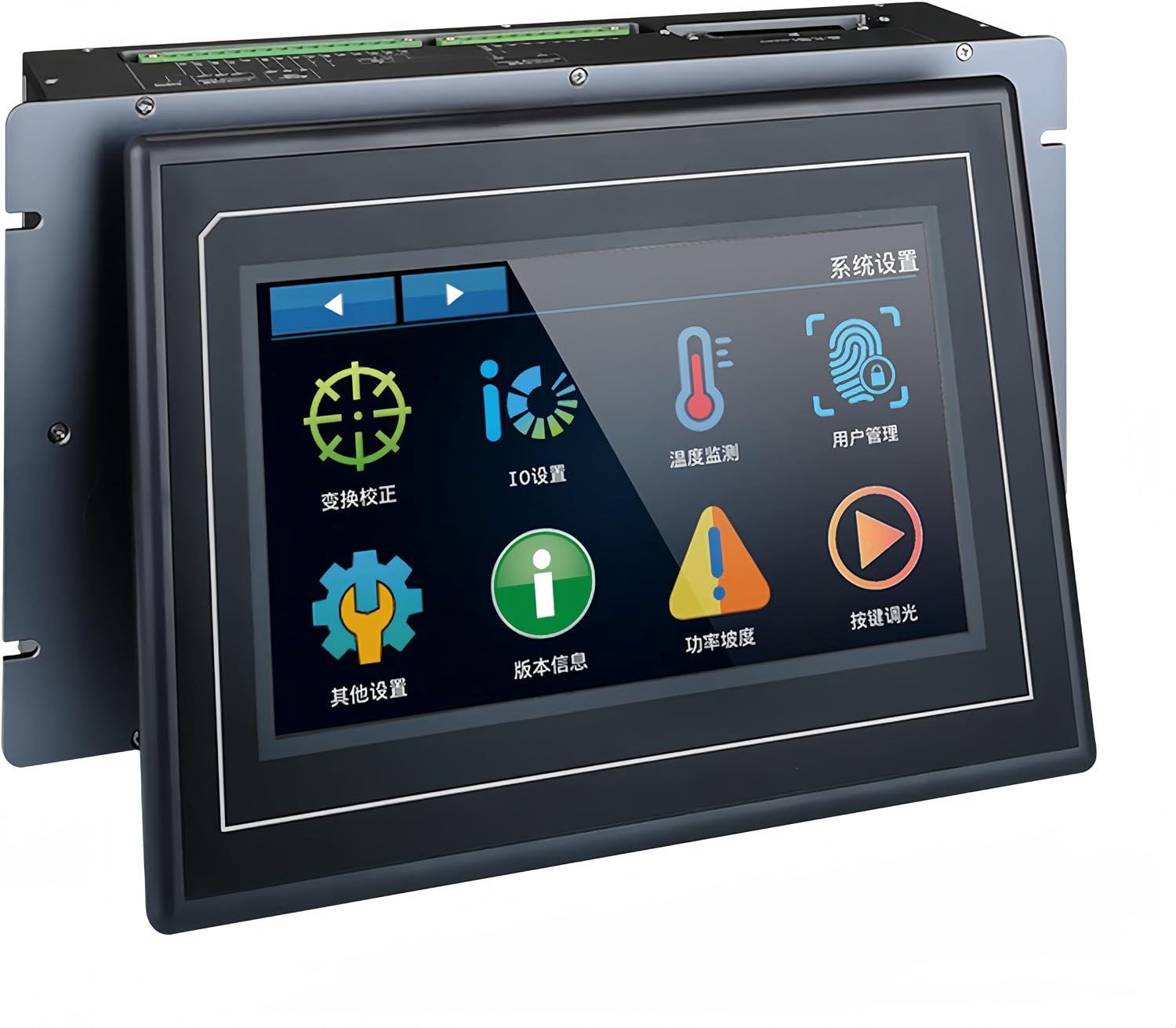
Figure 6.1: The control panel displaying various system settings and functions, allowing for precise control over the cleaning process.
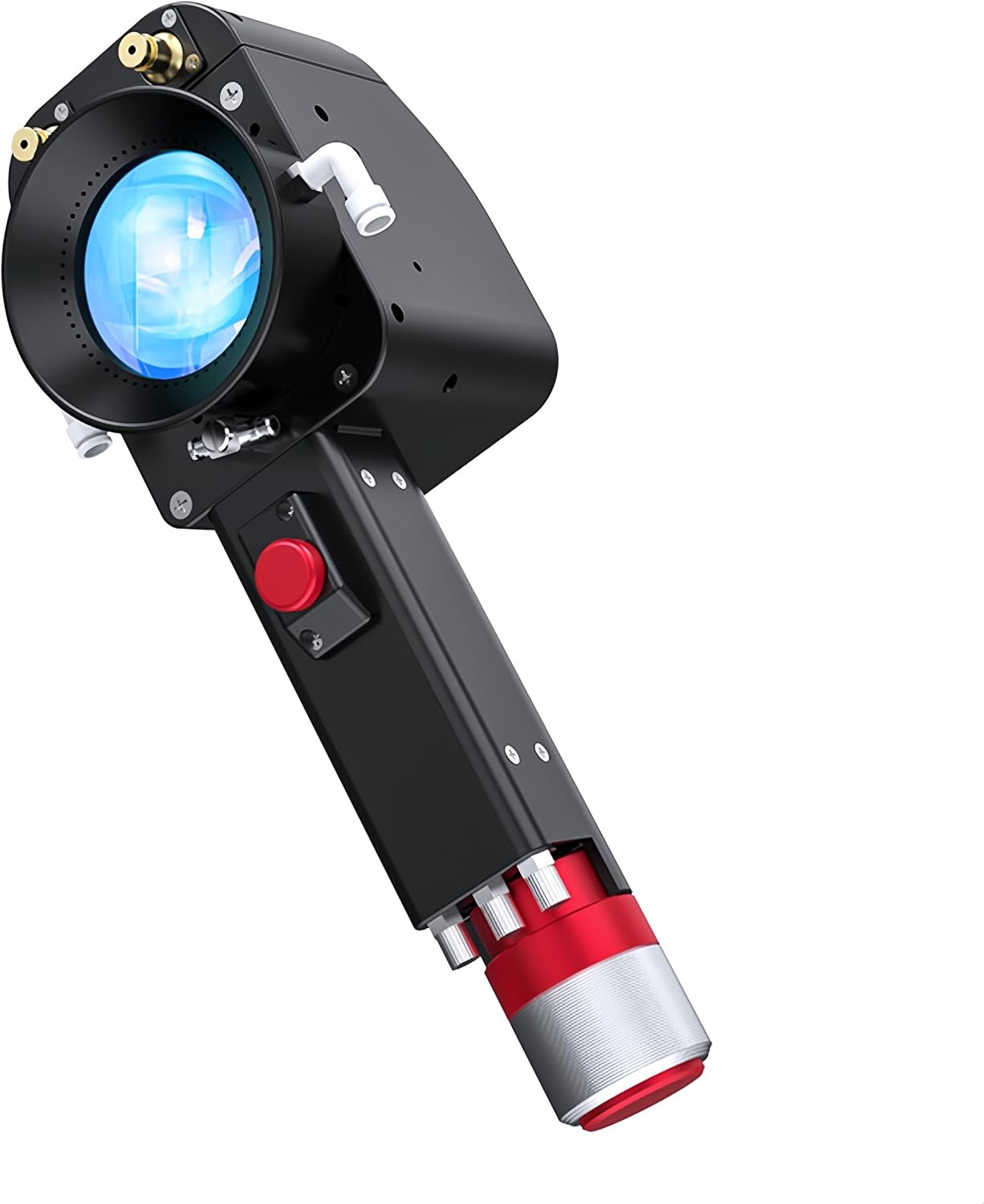
Figure 6.2: A detailed view of the handheld laser cleaning head, highlighting its ergonomic design and operational components.
7. Maintenance
Regular maintenance ensures the longevity and optimal performance of your DHCP300 system.
- Keep Clean: Regularly clean the exterior of the control unit and the laser cleaning head with a soft, dry cloth. Avoid using abrasive cleaners or solvents.
- Lens Protection: The system features a lens protection air circuit. Ensure this circuit is functioning correctly to prevent dust and debris from accumulating on the optical components.
- Check Connections: Periodically inspect all cables and connections for wear, damage, or looseness. Ensure they are securely fastened before operation.
- Storage: When not in use, store the system in a clean, dry environment within the specified storage temperature range (-10 ~ 60°C).

Figure 7.1: An additional close-up of the handheld laser cleaning head, showing details of its construction and air inlets for lens protection.
8. Troubleshooting
If you encounter issues with your DHCP300 system, refer to the following common troubleshooting tips:
- System Not Powering On: Check the power cable connection and ensure the power outlet is functional. Verify the power supply specifications.
- No Laser Output: Ensure the laser source is properly connected to the control unit. Check for any error messages on the control panel. Verify that safety interlocks are not engaged.
- Poor Cleaning Performance: Adjust cleaning parameters such as cleaning speed, mode, and laser power (if adjustable on your laser source). Ensure the lens is clean and free from debris.
- Overheating Warning: Check the operating temperature of the environment. Ensure the water cooling circuit (if applicable) is functioning correctly and there are no obstructions to airflow.
- Control Panel Unresponsive: Try restarting the system. If the issue persists, contact customer support.
For issues not covered here or if problems persist, please contact DMK customer support for assistance.
9. Specifications
| Parameter | Value |
|---|---|
| Product Name | DHCP300 Fiber Laser Cleaning Head + Laser Cleaning System |
| Laser Interface | QCS[17/20/24] |
| Cleaning Width | <180mm |
| Cleaning Length | <180mm |
| Cleaning Accuracy | <1mm |
| Cleaning Speed | <30000mm/s |
| Cleaning Modes | Straight line, Rectangular, Circular, Elliptical, Sinusoidal |
| Compatible Laser Output | <300W / Pulse |
| Temperature Protection Zones | 1 |
| Water Cooling Circuit | Yes |
| Lens Protection Air Circuit | Yes |
| Lens Reflection Wavelength | 1050~1090nm |
| Power Supply | ±15V/5A |
| Operating Temperature | -15 ~ 65°C |
| Storage Temperature | -10 ~ 60°C |
| Gun Body Weight | <850g |
| Laser Cleaning Head Size | 220x34x100mm |
10. Warranty and Support
For warranty information and technical support, please refer to the documentation provided with your purchase or visit the official DMK store on Amazon.co.jp:
Please have your product model (DHCP300) and purchase details ready when contacting support.