
WOOPKER AK3116
WOOPKER AK3116 Stereo Amplifier User Manual
Model: AK3116
Product Overview
The WOOPKER AK3116 is a compact yet powerful stereo amplifier designed for home audio systems. It features dual TPA3116 amplifier chips, delivering 100W + 100W of power. With multiple input options including Bluetooth 5.3, USB, AUX, RCA, and Optical, it offers versatile connectivity for various audio sources. The amplifier also includes bass and treble controls for sound customization and comes with a remote control for convenient operation.

Image: Front view of the AK3116 amplifier with its remote control, showcasing its compact design and various indicators.
Safety Information
Please read and understand all safety instructions before operating this device. Failure to do so may result in injury or damage to the unit.
- This amplifier does not come with an internal battery. It requires an external DC 24V 5A power adapter (included) for operation.
- Ensure proper ventilation around the amplifier to prevent overheating. Do not block ventilation openings.
- Do not expose the unit to water, moisture, or excessive humidity.
- Avoid placing the unit near heat sources such as radiators, heat registers, stoves, or other apparatus that produce heat.
- Use only attachments/accessories specified by the manufacturer.
- Unplug this apparatus during lightning storms or when unused for long periods of time.
Package Contents
Verify that all items are present in the package:
- AK3116 Power Amplifier
- DC 24V 5A Power Adapter
- Remote Control (Note: Batteries for the remote control are not included and must be purchased separately.)
- Bluetooth Antenna
- User Manual (This document)
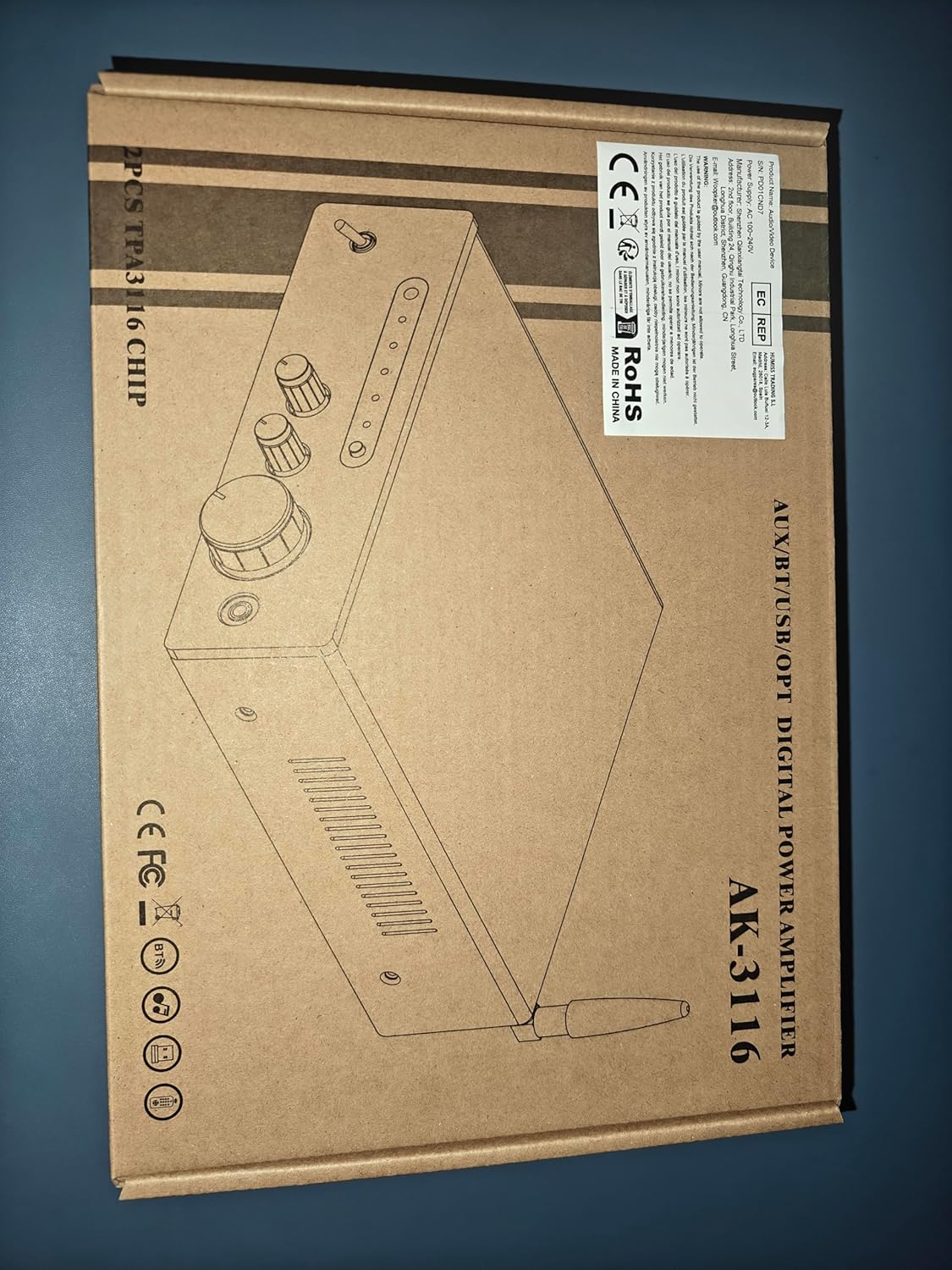
Image: Visual representation of the AK3116 amplifier and its included accessories: power adapter, user manual, remote control, and Bluetooth antenna.
Product Features
- Powerful Sound: Delivers 100W + 100W rated power with dual Texas Instruments TPA3116 amplifier ICs for high-quality audio, low distortion, and efficiency.
- Multiple Inputs: Supports AUX, RCA, Bluetooth, USB flash drive, and Optical inputs for connection to various devices like CD/DVD players, TVs, PCs, tablets, and smartphones.
- Bluetooth 5.3: Features the latest Bluetooth 5.3 for stable, high-quality wireless audio streaming with a robust connection range of up to 60 feet (18 meters).
- Bass & Treble Control: Independent knobs for bass and treble adjustment, along with a master volume control, allow for fine-tuning of sound effects.
- Compact Design: Small footprint suitable for various environments including home TV audio, computer audio systems, car audio, bedrooms, and small offices.
- Remote Control: Included remote for convenient adjustment of audio settings from a distance.
- Digital LED Display: Bright display shows current settings and input status.
Controls and Connections
Front Panel

Image: Detailed diagram of the AK3116 amplifier's front panel, labeling each control and indicator.
- Infrared Signal Receiving Head: For remote control signals.
- Bluetooth Signal / USB Reading Indicator: Lights up to indicate active Bluetooth or USB input.
- Power On Indicator: Shows when the unit is powered on.
- Fiber Signal / AUX Signal Input Indicator: Lights up to indicate active Optical or AUX input.
- Input Function Selection Button: Press to cycle through available audio inputs (Bluetooth, USB, Optical, AUX).
- Power Switch: Toggles the amplifier on or off.
- Treble Adjustment Knob: Adjusts the high-frequency output.
- Bass Control Knob: Adjusts the low-frequency output.
- Volume Adjustment Knob: Controls the overall audio output volume.
- 3.5mm Stereo Headphone Jack (AUX Input): Connect headphones or a 3.5mm audio source.
Rear Panel

Image: Detailed diagram of the AK3116 amplifier's rear panel, labeling each port and connection point.
- USB Flash Drive Jack: For playing audio files directly from a USB drive.
- Optical Fiber Signal Input Jack (OPT): Connect devices with optical audio output (e.g., TVs, game consoles).
- AUX Audio Input Jack (RCA L/R): Connect devices with RCA audio output (e.g., CD/DVD players).
- LINE Audio Signal Output Jack (RCA L/R): For connecting to another amplifier or powered subwoofer.
- Left Channel Speaker Output (FL): Connects to the left passive speaker.
- Right Channel Speaker Output (FR): Connects to the right passive speaker.
- 24V/5A DC Power Input: Connect the included power adapter here.
- Bluetooth Signal Receiving Antenna: Screw in the provided Bluetooth antenna for optimal wireless reception.
Setup Instructions
1. Connect Speakers
The AK3116 uses standard binding posts for speaker connections. Ensure your speakers are passive and compatible with the amplifier's power output.

Image: Step-by-step guide on how to connect speaker wires to the amplifier's binding posts.
- Prepare Speaker Wires: Strip approximately 1/2 inch (1.2 cm) of insulation from the ends of your speaker wires. Twist the bare strands tightly.
- Connect to Amplifier:
- Rotate and loosen the speaker knob on the amplifier's rear panel.
- Insert the bare wire into the exposed hole.
- Tighten the knob to secure the wire firmly.
- Observe Polarity: Connect the positive (+) terminal of the amplifier to the positive (+) terminal of the speaker, and the negative (-) terminal of the amplifier to the negative (-) terminal of the speaker. Mismatched polarity can result in poor sound quality.
- Repeat for both left (FL) and right (FR) channels.
2. Connect Audio Sources
- Optical Input: Connect an optical cable from your TV, game console, or other digital audio source to the "OPT" input on the rear panel.
- AUX Input (RCA): Connect RCA cables from your CD player, DVD player, or other analog audio source to the "AUX" input (L/R) on the rear panel.
- USB Input: Insert a USB flash drive containing audio files into the "USB" port on the rear panel.
- 3.5mm AUX Input (Front Panel): For quick connection of portable devices like smartphones or MP3 players, use a 3.5mm audio cable to the front panel "AUX" jack.
- Bluetooth: Ensure the Bluetooth antenna is securely screwed into the "BT ANT" port on the rear panel.
3. Connect Power
- Connect the included DC 24V 5A power adapter to the "DC INPUT 24V/5A" port on the rear panel.
- Plug the power adapter into a suitable wall outlet.
Operating Instructions
Power On/Off
Press the "POWER" switch on the front panel to turn the amplifier on or off. The "Power On Indicator" will illuminate when the unit is on.
Input Selection
Press the "INPUT" button on the front panel or the remote control to cycle through the available audio inputs: Bluetooth (BT), USB, Optical (OPT), and AUX (RCA/3.5mm). The corresponding indicator light on the front panel will show the active input.
Bluetooth Pairing
- Ensure the Bluetooth antenna is connected.
- Select "BT" input using the "INPUT" button. The Bluetooth indicator will flash, indicating it's in pairing mode.
- On your mobile device (smartphone, tablet, etc.), enable Bluetooth and search for available devices.
- Select "AK3116" from the list of devices. Once paired, the Bluetooth indicator on the amplifier will stop flashing and remain solid.
- You can now play audio from your device through the amplifier.

Image: A person using a smartphone to connect to the AK3116 amplifier via Bluetooth 5.3, demonstrating wireless music streaming.
Volume Control
Rotate the large "VOLUME" knob on the front panel clockwise to increase volume and counter-clockwise to decrease it. You can also adjust the volume using the remote control.
Bass and Treble Adjustment
Use the "BASS" and "TREBLE" knobs on the front panel to fine-tune the low and high frequencies of your audio. Rotate clockwise to increase and counter-clockwise to decrease. These controls allow you to customize the sound to your preference.
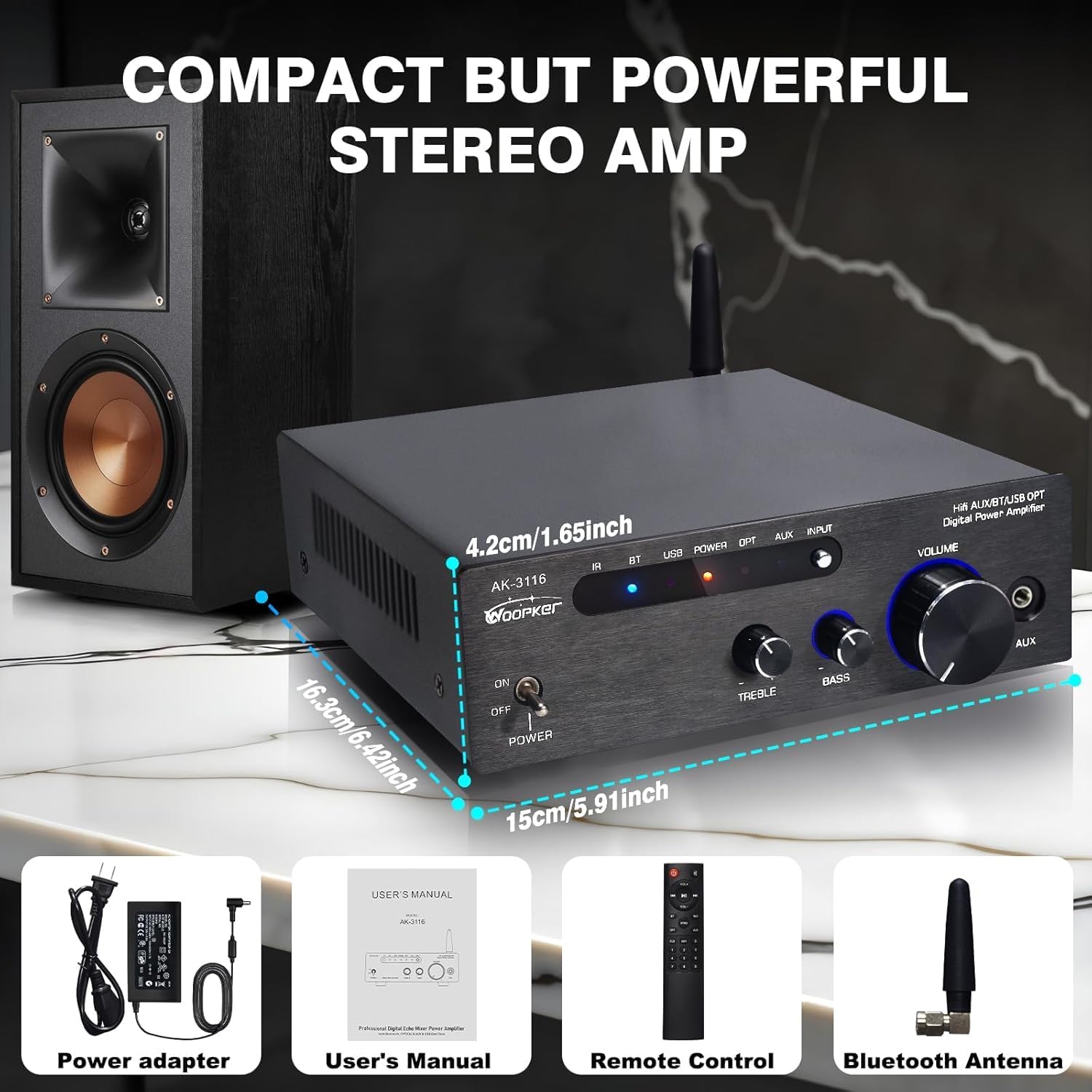
Image: Close-up view of the bass and treble adjustment knobs on the front panel of the AK3116 amplifier, highlighting their function.
Using the Remote Control
The included remote control provides convenient access to various functions from a distance. Ensure batteries are inserted correctly (not included). Point the remote towards the infrared signal receiving head on the amplifier's front panel.
- Power Button: Turns the amplifier on/off.
- Input Selection Buttons: Dedicated buttons for BT, USB, OPT, AUX inputs.
- Volume Up/Down: Adjusts the master volume.
- Mute: Mutes or unmutes the audio output.
- EQ Presets (if available): Some remotes may offer preset equalization modes.
- Playback Controls (for USB): Play/Pause, Next/Previous track.
Maintenance
- Cleaning: Use a soft, dry cloth to clean the exterior of the amplifier. Do not use liquid cleaners or aerosol sprays.
- Ventilation: Ensure the ventilation openings are clear of dust and debris to maintain proper airflow and prevent overheating.
- Storage: If storing the amplifier for an extended period, unplug it from the power outlet and store it in a cool, dry place.
Troubleshooting
| Problem | Possible Cause | Solution |
|---|---|---|
| No power | Power adapter not connected; Power outlet not working; Power switch off. | Ensure power adapter is securely connected and plugged into a live outlet. Turn the power switch to ON. |
| No sound output | Incorrect input selected; Volume too low; Speakers not connected properly; Audio source issue. | Select the correct input. Increase volume. Check speaker wire connections and polarity. Verify audio source is playing and its volume is up. |
| Bluetooth not connecting | Amplifier not in pairing mode; Device too far; Interference; Device already paired to another unit. | Ensure amplifier is on BT input and indicator is flashing. Move device closer. Turn off other Bluetooth devices. Disconnect from other devices and try pairing again. |
| Remote control not working | No batteries or low batteries; Obstruction between remote and amplifier; Remote not pointed correctly. | Insert fresh batteries (AAA, not included). Remove any obstructions. Point remote directly at the IR sensor on the front panel. |
| Distorted sound | Volume too high; Input signal too strong; Speaker impedance mismatch. | Reduce amplifier volume. Reduce volume from the audio source. Ensure speakers are compatible with the amplifier's impedance range. |
Specifications
| Feature | Detail |
|---|---|
| Model Number | AK3116 |
| Brand | WOOPKER |
| Output Power | 100W + 100W (Rated) |
| Amplifier IC | Dual TPA3116 Chips |
| Bluetooth Version | 5.3 |
| Bluetooth Range | Up to 60 feet (18 meters) |
| Input Interfaces | AUX (RCA), Optical, USB, Bluetooth, 3.5mm AUX (front) |
| Output Interface | Speaker Binding Posts (L/R), RCA Line Out (L/R) |
| Power Supply | DC 24V 5A (Adapter included) |
| Color | Black |
| Item Weight | 3.3 pounds (1.5 Kilograms) |
| Dimensions (L x W x H) | Approx. 5.91 x 6.42 x 1.65 inches (15 x 16.3 x 4.2 cm) |
Warranty and Support
WOOPKER is committed to providing high-quality products and customer satisfaction. For any inquiries or support needs, please refer to the following:
- Quick Response: Expect a response to your queries within 24 hours.
- 30-Day Return Policy: You may return the product within 30 days for an exchange or refund.
- Lifetime Technical Customer Support: WOOPKER provides lifetime technical assistance for this product.

Image: Icons representing 24-hour quick response, 30-day return policy, and lifetime technical customer support.
Related documentsAK3116

Ask a question about this manual
Ask about setup, troubleshooting, compatibility, parts, safety, or missing instructions. Manuals+ will review the question and use this page’s manual context to help answer it.