
Introduction
This manual provides detailed instructions for the assembly, operation, and maintenance of your WLIVE Night Stand with Charger Station. This versatile furniture piece is designed to enhance your living space with its integrated RGB LED lighting, convenient charging station, and ample storage. Please read this manual thoroughly before assembly and use to ensure safe and optimal performance.

Image: The WLIVE Night Stand with Charger Station, featuring its sleek black design, integrated LED lighting, and charging panel.
Important Safety Information
To prevent injuries or damage, always adhere to the following safety guidelines:
- Always follow the instruction manual for safe assembly and use.
- Do not overload the top surface or drawers beyond their specified weight limits. The top and open shelf can support up to 22 lbs, while each drawer can hold up to 5.5 lbs.
- For households with children or pets, ensure the product is properly anchored to the wall using the provided anti-tip device to prevent tipping.
- Regularly check all connections and fasteners to ensure they remain tight and secure.
- Keep electrical components away from water or excessive moisture.

Image: Illustration of the anti-tip device installation for enhanced stability.

Image: Detail of the X-shaped rods providing structural stability to the frame.

Image: Close-up of the adjustable feet, allowing for leveling on uneven surfaces.
Package Contents
Before beginning assembly, please verify that all components listed below are present and undamaged. If any parts are missing or damaged, please contact customer support.
- Metal Frame Components
- MDF Board Shelves (Top and Open Shelf)
- Fabric Drawers (4 units)
- Charging Station Unit (with 2 USB ports and 2 AC outlets)
- RGB LED Light Strip
- Power Cord (4.9-foot)
- Assembly Hardware (screws, nuts, etc.)
- Anti-tip Device
- Assembly Guide (this manual)
Setup and Assembly
Assembly of the WLIVE Night Stand is designed to be straightforward. A detailed instruction manual with diagrams is included in the package. Please follow these general steps:
- Unpack and Identify Parts: Carefully unpack all components and lay them out. Refer to the assembly guide to identify each part, which is typically marked with a label.
- Assemble the Metal Frame: Connect the metal frame components according to the diagrams in the assembly guide. Ensure all screws are tightened securely.
- Install Shelves: Attach the MDF board shelves to the designated areas on the frame.
- Integrate Charging Station and LED Lights: Install the charging station and LED light strip as indicated in the manual. Ensure all electrical connections are secure before plugging into a power outlet.
- Insert Fabric Drawers: Once the frame is complete, unfold and insert the fabric drawers into their respective slots.
- Attach Anti-tip Device: For safety, secure the nightstand to the wall using the provided anti-tip device.
Tools Recommended: A screwdriver is recommended for assembly.
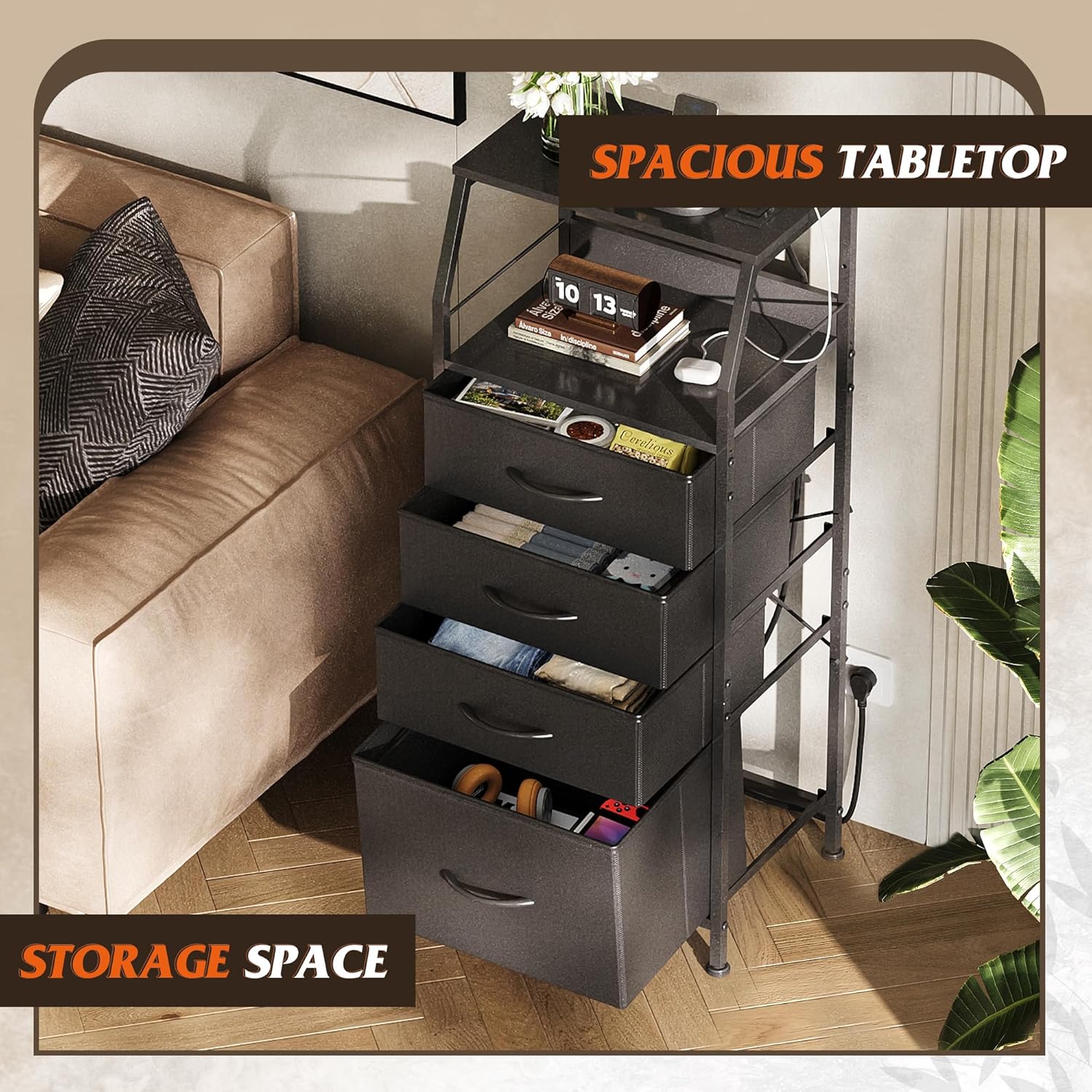
Image: An illustration detailing the internal structure and proper routing of the power cord during assembly.
Operating Instructions
RGB LED Lights
The integrated RGB LED lights offer customizable ambiance for your room. You can adjust the brightness and choose from various dynamic modes and flashing frequencies to suit your preference. Refer to the control panel or remote (if included) for specific button functions.

Image: Visual representation of the RGB LED light features, including multi-color options, brightness control, dynamic modes, and flashing frequency adjustment, along with the inline control panel.
Charger Station
The built-in charging station provides convenient power access for your devices. It features a combination of 2 USB ports (5V/2.1A) and 2 AC outlets (125V/12A). The charging station is ETL certified, ensuring safety during use. Simply plug your devices into the appropriate ports.
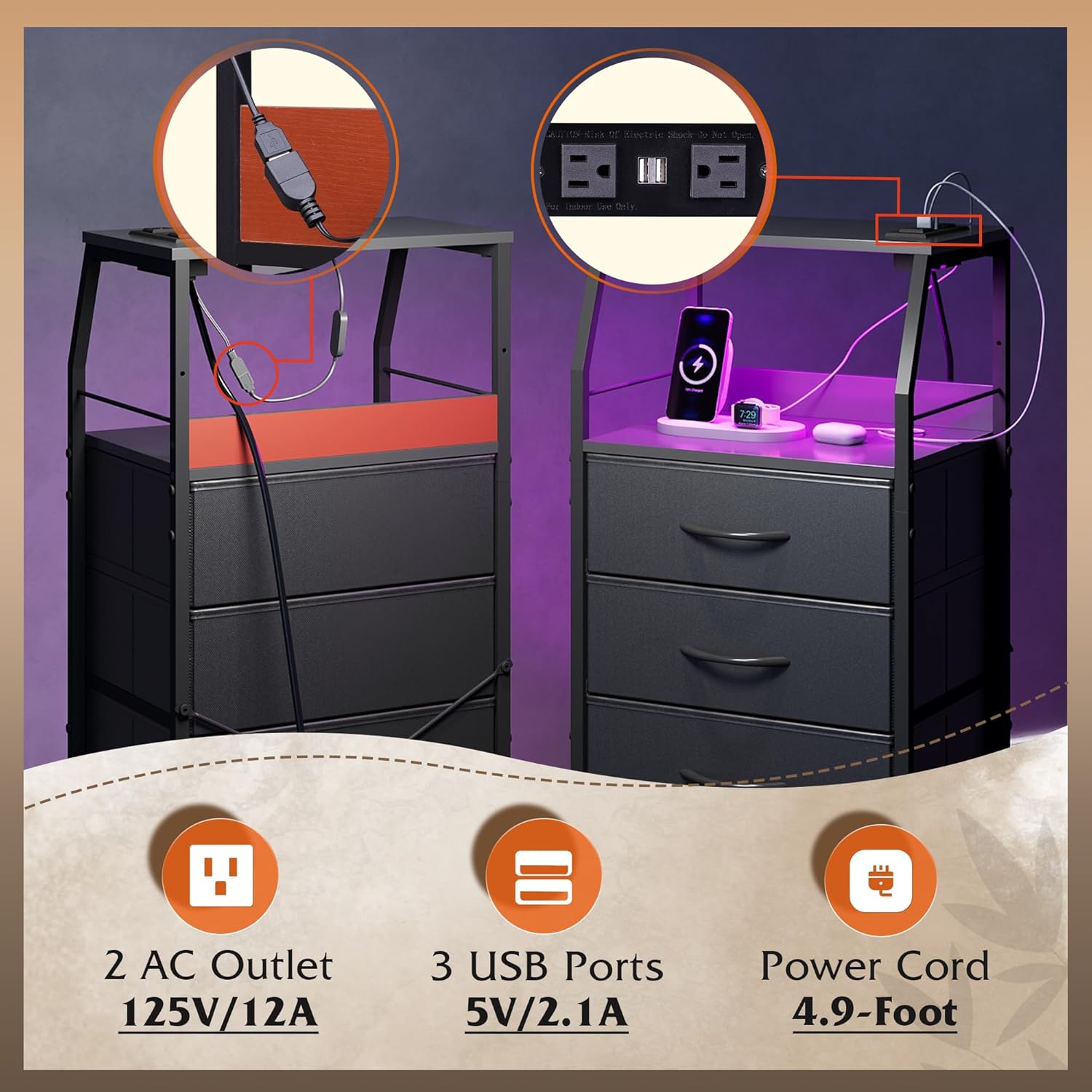
Image: Detailed view of the integrated charging station, highlighting the 2 AC outlets and 3 USB ports, and the 4.9-foot power cord.
Maintenance and Care
To ensure the longevity and appearance of your nightstand, follow these maintenance guidelines:
- Cleaning: Wipe the metal frame and MDF board surfaces with a soft, damp cloth. Avoid harsh chemicals or abrasive cleaners. For fabric drawers, spot clean with a mild detergent and allow to air dry.
- Spills: Promptly wipe up any spills on the MDF board surfaces to prevent water damage.
- Dusting: Regularly dust all surfaces to prevent buildup.
- Drawer Care: The fabric drawers are breathable and easy to maintain. Avoid overfilling them to prevent strain on the fabric and frame.

Image: Water droplets on the nightstand's surface, demonstrating its easy-to-clean properties.
Troubleshooting
If you encounter any issues with your WLIVE Night Stand, please refer to the following common troubleshooting steps:
| Problem | Possible Cause | Solution |
|---|---|---|
| LED lights not turning on or flickering. | Loose connection, power issue, faulty LED strip. | Check all cable connections. Ensure the power cord is securely plugged into a working outlet. If the issue persists, contact customer support. |
| Charging station not providing power. | Power cord not plugged in, outlet issue, overloaded circuit. | Verify the nightstand's power cord is fully inserted into a functional wall outlet. Test the outlet with another device. Avoid plugging in too many high-power devices simultaneously. |
| Nightstand feels unstable or wobbly. | Loose assembly screws, uneven floor, anti-tip device not installed. | Tighten all assembly screws. Adjust the leveling feet at the bottom of the nightstand. Ensure the anti-tip device is correctly installed and secured to the wall. |
| Drawers are difficult to open/close. | Overfilled drawers, misaligned frame, debris in tracks. | Reduce the contents of the drawers. Check if the fabric drawers are properly seated within the frame. Inspect for any obstructions. |
Specifications
Detailed specifications for the WLIVE Night Stand with Charger Station:
- Brand: WLIVE
- Model Name: ACTG003BL
- Product Dimensions (D x W x H): 11.41" x 15.67" x 37.48"
- Material: MDF board, Non-woven fabric, Steel frame
- Color: Black
- Number of Drawers: 4
- Maximum Weight Recommendation (Table Top): 22 lbs (55 lbs mentioned in image, using the lower value for safety)
- Maximum Weight Recommendation (Each Drawer): 5.5 lbs
- Charging Station: 2 AC Outlets (125V/12A), 3 USB Ports (5V/2.1A)
- Power Cord Length: 4.9 feet
- Item Weight: 14.56 pounds
- Room Type: Bedroom, Hallway, Living Room

Image: A diagram illustrating the overall product dimensions and the weight capacities for the tabletop and individual drawers.
Warranty Information
For specific warranty details regarding your WLIVE Night Stand, please refer to the warranty card included with your purchase or visit the official WLIVE website. Typically, products are covered against manufacturing defects for a specified period from the date of purchase. Keep your proof of purchase for any warranty claims.
Customer Support
If you have any questions, require assistance with assembly, or need to report a missing/damaged part, please contact WLIVE customer support. You can typically find contact information on the WLIVE brand store on Amazon or through their official website.
Visit the WLIVE Store: https://www.amazon.com/stores/WLIVE/page/13B178C7-CD19-4183-A905-8C8EF6EB4E4E