
Introduction
The FUJIFILM X-M5 digital camera is designed for capturing high-quality photos and videos. It features a professional-grade imaging sensor, an intuitive touchscreen LCD, and advanced autofocus capabilities. This manual provides essential information for setting up, operating, and maintaining your camera.
What's in the Box
- Fujifilm X-M5 Camera Body
- Battery
- USB Cable
- Shoulder Strap
- Body Cap
- Owner's Manual (Digital via QR code)
Camera Overview

Figure 1: Front view of the Fujifilm X-M5 camera body, showing the lens mount and grip texture.

Figure 2: Top view of the Fujifilm X-M5 camera, highlighting the mode dials and hot shoe.
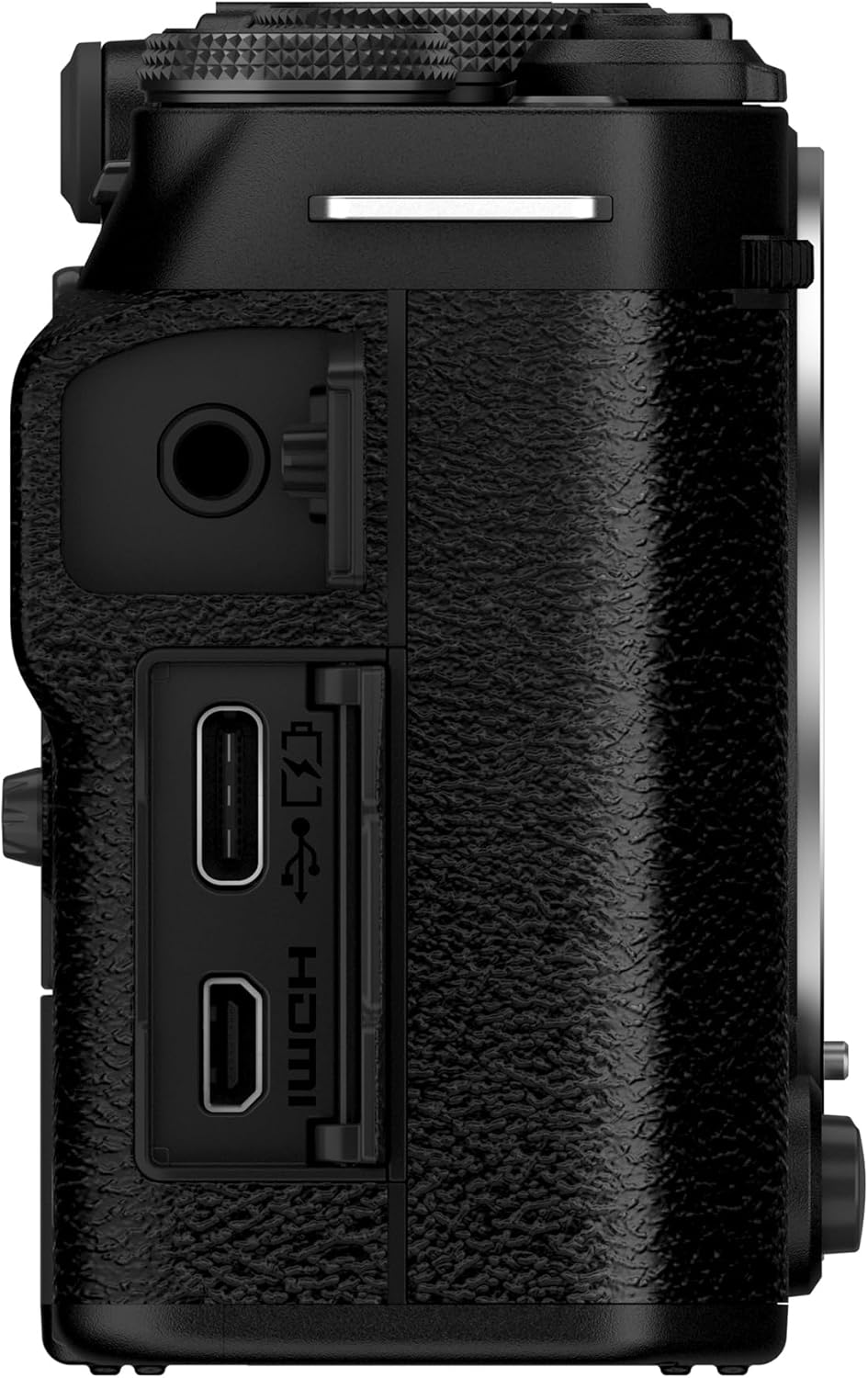
Figure 3: Side view of the Fujifilm X-M5 camera, showing the USB-C, HDMI, and microphone ports.

Figure 4: Back view of the Fujifilm X-M5 camera, displaying the LCD screen and control buttons.
Setup
1. Battery Insertion
Open the battery compartment cover located at the bottom of the camera. Insert the battery with the correct orientation, ensuring it clicks into place. Close the cover securely.
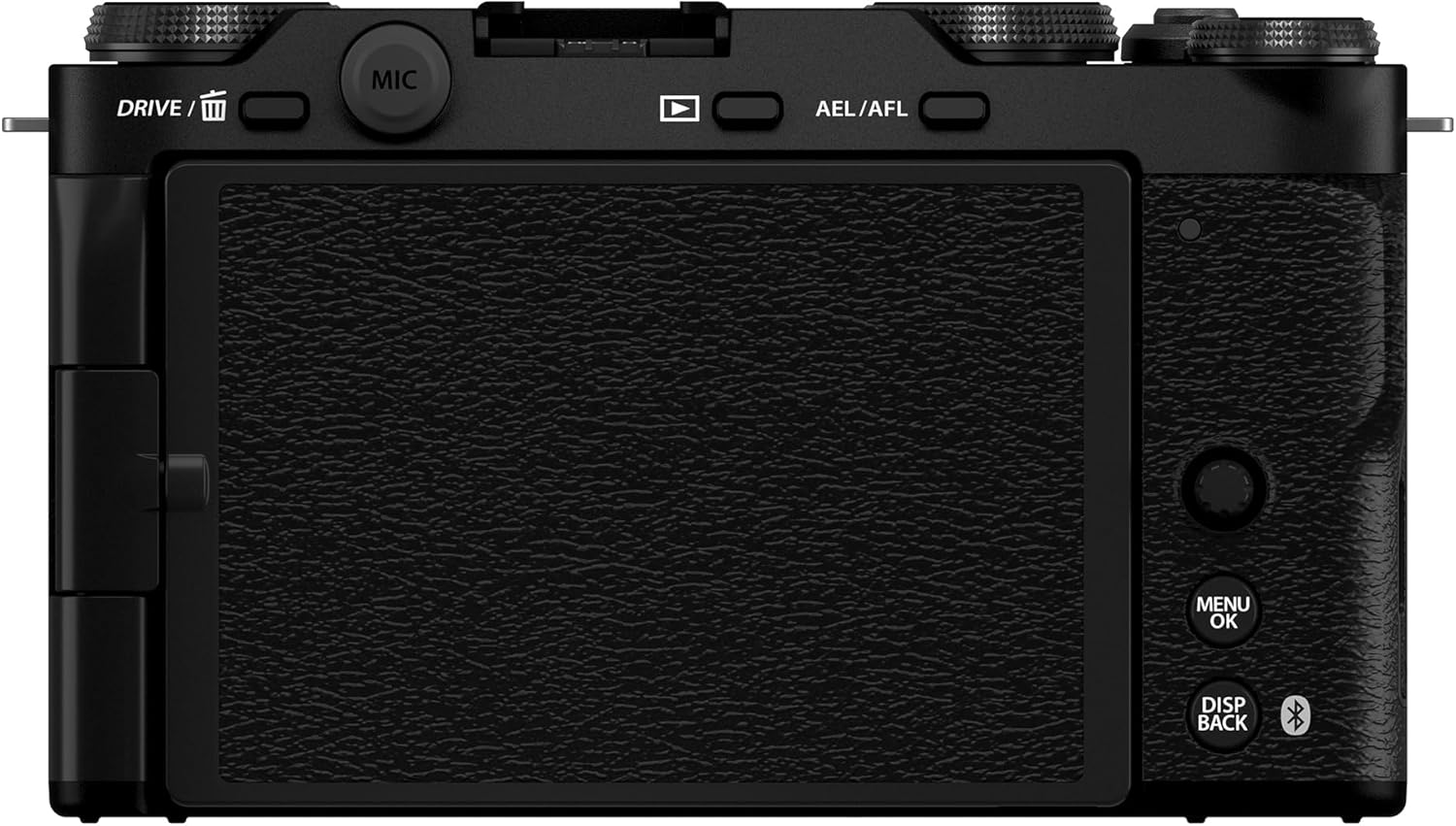
Figure 5: Bottom view of the Fujifilm X-M5 with the battery compartment open.
2. Lens Attachment
Align the white dot on the lens with the white dot on the camera body's lens mount. Rotate the lens clockwise until it clicks into place. To remove, press the lens release button and rotate counter-clockwise.
3. Power On/Off
To power on the camera, rotate the ON/OFF switch located on the top plate. To power off, rotate the switch back to OFF.
Operating the Camera
1. Basic Shooting Modes
The X-M5 offers various shooting modes accessible via the mode dial on the top plate. These include Program (P), Shutter Priority (S), Aperture Priority (A), Manual (M), and custom modes.
2. Autofocus System
The camera features an AI-powered autofocus system with 425 points, designed for pin-sharp accuracy in both photos and videos. Select your desired AF mode (Single AF, Continuous AF, Manual Focus) via the menu.
3. Film Simulations
Access 20 unique built-in Film Simulation modes via the dedicated dial. These modes replicate the look of classic Fujifilm analog films, offering creative control directly from the camera.
4. Video Recording
The X-M5 supports 6.2K video recording. Utilize the large, intuitive touchscreen LCD monitor for easy framing and control. The camera includes three built-in microphones for clear audio, with external mic and USB-C connections available for enhanced audio capture.
Video 1: Official product overview of the Fujifilm X-M5 Mirrorless Digital Camera, highlighting key features and capabilities.
Video 2: A detailed look at the Fujifilm X-M5, demonstrating its compact size and compatibility with various lenses, including the Fujinon 200mm F2.
Recommended Accessories
1. SmallRig Cage or Base Plate Grip
For enhanced protection and mounting options, consider a SmallRig cage. It provides multiple attachment points for accessories like microphones or external monitors. If primarily focused on photography, a base plate grip offers improved ergonomics and access to the hot shoe for flash photography, which might be obstructed by a full cage.
2. Manfrotto Pocket Tripod
A compact and load-bearing pocket tripod is ideal for stable shots when a full-sized tripod is impractical. Its spring-loaded legs allow for easy leveling on various surfaces, making it suitable for quick video setups or low-angle photography.
3. Llano Dual Battery Charger / Power Bank
This accessory functions as both a dual battery charger and a power bank. It can charge two camera batteries simultaneously and features USB-C ports to charge other devices like microphones or wireless triggers. Some Llano batteries also include built-in USB-C ports for direct charging, offering flexibility when a dedicated charger isn't available.
4. Zeniko On-Camera Flash
For situations requiring additional light, a compact on-camera flash like the Zeniko provides a convenient fill light. It's USB-C rechargeable and offers adjustable power settings. Note that it does not support High-Speed Sync (HSS), so ensure your camera's shutter speed is set within its regular sync speed (e.g., 1/250th of a second for most Fujifilm cameras).
5. DJI RS4 Mini Gimbal
For smooth, stabilized video footage, the DJI RS4 Mini gimbal is a suitable option for the X-M5 due to its compact size. It offers motion stabilization and can track subjects. While advertised battery life may vary, it significantly enhances video quality by providing stable motion. It can also serve as a tabletop tripod. Note that some cameras may not allow simultaneous charging and shutter triggering via the gimbal's connection.
Maintenance
- Keep the camera clean using a soft, lint-free cloth.
- Avoid exposing the camera to extreme temperatures, humidity, or dust.
- Store the camera in a dry, cool place when not in use.
- Regularly clean the lens and sensor with appropriate cleaning tools.
Troubleshooting
1. Flash Sync Issues
If using an external flash with a camera cage, ensure the cage design does not obstruct the hot shoe connection. Some cages may prevent larger flash units or wireless triggers from seating properly. Always check your camera's flash sync speed (typically 1/250s for Fujifilm) when using non-HSS flashes.
2. Gimbal Battery Life
Advertised battery life for gimbals may not always reflect real-world usage, especially with heavier camera setups or continuous tracking. Carry spare batteries or a power bank to ensure extended operation.
3. Camera Overheating
For extended video recording, especially in high resolutions or warm environments, the camera may generate heat. Consider using external cooling solutions or taking breaks between long takes to prevent overheating.
Specifications
| Feature | Detail |
|---|---|
| Compatible Mountings | Fujifilm X |
| Aspect Ratio | 3:2 |
| Photo Sensor Technology | CMOS |
| Supported File Format | JPEG |
| Image Stabilization | Digital |
| Optical Zoom | 1 x |
| Maximum Aperture | 2.8 f |
| Brand | Fujifilm |
| Model Name | X-M5 |
| Maximum Webcam Image Resolution | 26.1 MP |
| Built-In Media | Camera Body Only |
| Are Batteries Included | Yes |
| Model Number | 16900678 |
| Remote Included | No |
| Model Series | X series |
| Series Number | 5 |
| UPC | 074101210804 |
| Manufacturer | Fujifilm |
| Screen Size | 3 Inches |
| Display Type | LCD |
| Display Resolution Maximum | 1620 × 1080 Pixels |
| Has Color Screen | Yes |
| Recording Capacity | 60 Minutes |
| Auto Focus Technology | Hybrid |
| Autofocus Points | 425 |
| Focus Type | Auto Focus |
| File Format | JPEG |
| Effective Still Resolution | 26.1 MP |
| Bit Depth | 10 Bit |
| Total Still Resolution | 26 MP |
| Lens Type | Wide Angle |
| Connectivity Technology | Bluetooth, Micro HDMI, USB |
| Wireless Technology | Bluetooth |
| Total USB Ports | 1 |
| Total Video Out Ports | 1 |
| Shooting Modes | Custom, Landscape, Movie, Portrait, Sports |
| Image Capture Type | Stills & Video |
| Sensor Type | CMOS |
| Photo Sensor Resolution | 26.1 MP |
| Photo Sensor Size | 23.5mm x 15.6mm |
| Maximum Shutter Speed | 1/4000 seconds |
| Minimum Shutter Speed | 1/4000 seconds |
| Form Factor | Mirrorless |
| Special Feature | 425-Point AF, AI-Based Subject Detection, Creator-Friendly Video Modes, Film Simulations and Color Science |
| Color | Black |
| Item Weight | 1.46 Pounds |
| Light Sensitivity | ISO 100-128000 |
| Video Resolution | 6.2K |
| Viewfinder | Electronic |
| Camera Flash | no flash |
| Has Self-Timer | Yes |
| Compatible Devices | FUJIFILM XApp, Fujifilm X series devices |
| Continuous Shooting | 20 FPS |
| Aperture modes | F2.8 |
| Video Capture Format | MP4 |
| Battery Weight | 47 Grams |
Warranty & Support
The Fujifilm X-M5 Mirrorless Digital Camera Body comes with a 1 Year Limited Warranty from the manufacturer. For support, please refer to the official Fujifilm website or contact their customer service.


